메일 서비스 구성
개요
이 문서에서는 Guance의 메일 알림 서비스를 구성하는 방법을 설명합니다.
전제 조건
- Guance이 완전히 초기화되어 있어야 합니다.
- 메일 서비스 정보가 있어야 함:
hostportuseTLSuserpassworduseSSLusePlainAuth
구성 단계
1단계: 메일 서비스 정보 테스트
middleware 네임스페이스의 message-desk-worker pod에서 다음 Python 스크립트를 실행합니다. host, port, sender, password, use_tls, recipient, useSSL, usePlainAuth 매개변수를 수정하고 실행하여 설정이 올바른지 테스트합니다.
cat <<EOF> test-maile.py
from mailer import Mailer
from mailer import Message

host = 'smtp.example.com'
port = 587
sender = 'your_email@example.com'
password = 'your_email_password'
use_tls = True
recipient = 'recipient@example.com'
use_ssl = False
use_plain_auth = False

message = Message(From=sender, To=recipient)
message.Subject = 'Test email'
message.Body = 'This is a test email'

mailer = Mailer(host=host, port=587, use_tls=use_tls, usr=sender, pwd=password, use_plain_auth=use_plain_auth, use_ssl=use_ssl)

try:
    mailer.send(message)
    print('Email sent successfully.')
except Exception as e:
    print('Error:', e)
EOF
Python 스크립트 실행:
실행 결과 확인:

2단계: 서비스 구성 수정
주의
실제 메일 정보에 맞게 구성을 수정하세요.
- Launcher에 로그인하고 오른쪽 상단의 구성을 클릭합니다.
- 서비스 구성 수정을 선택합니다.
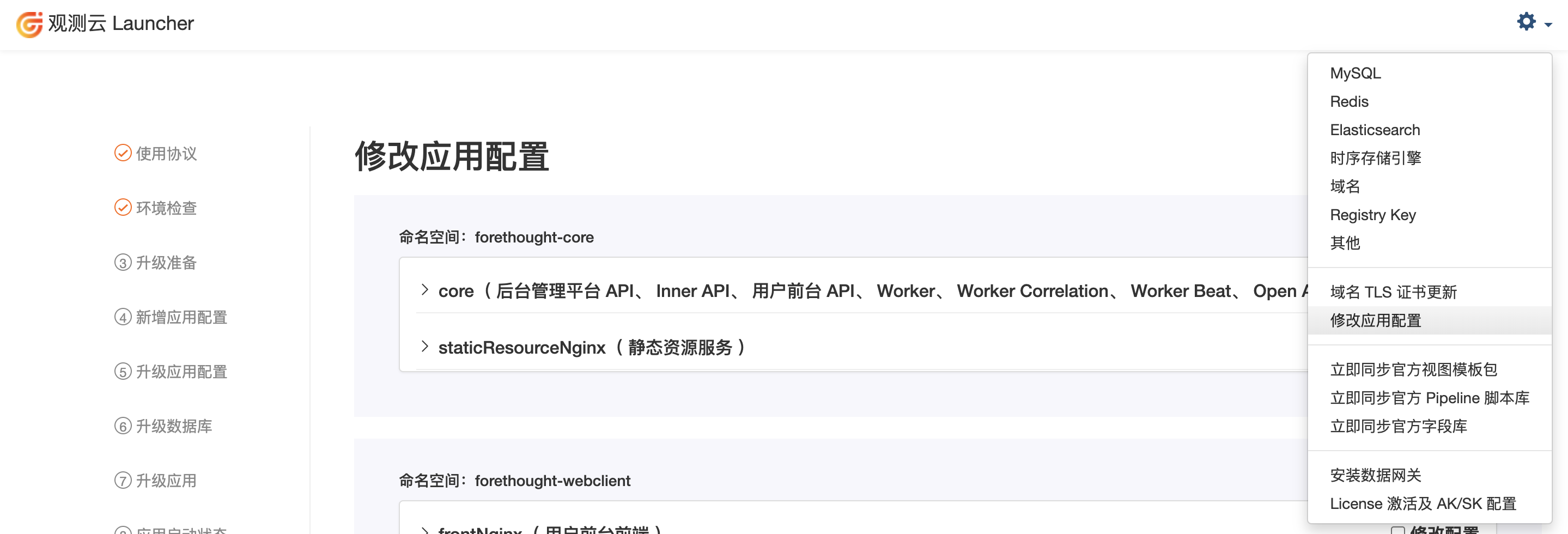
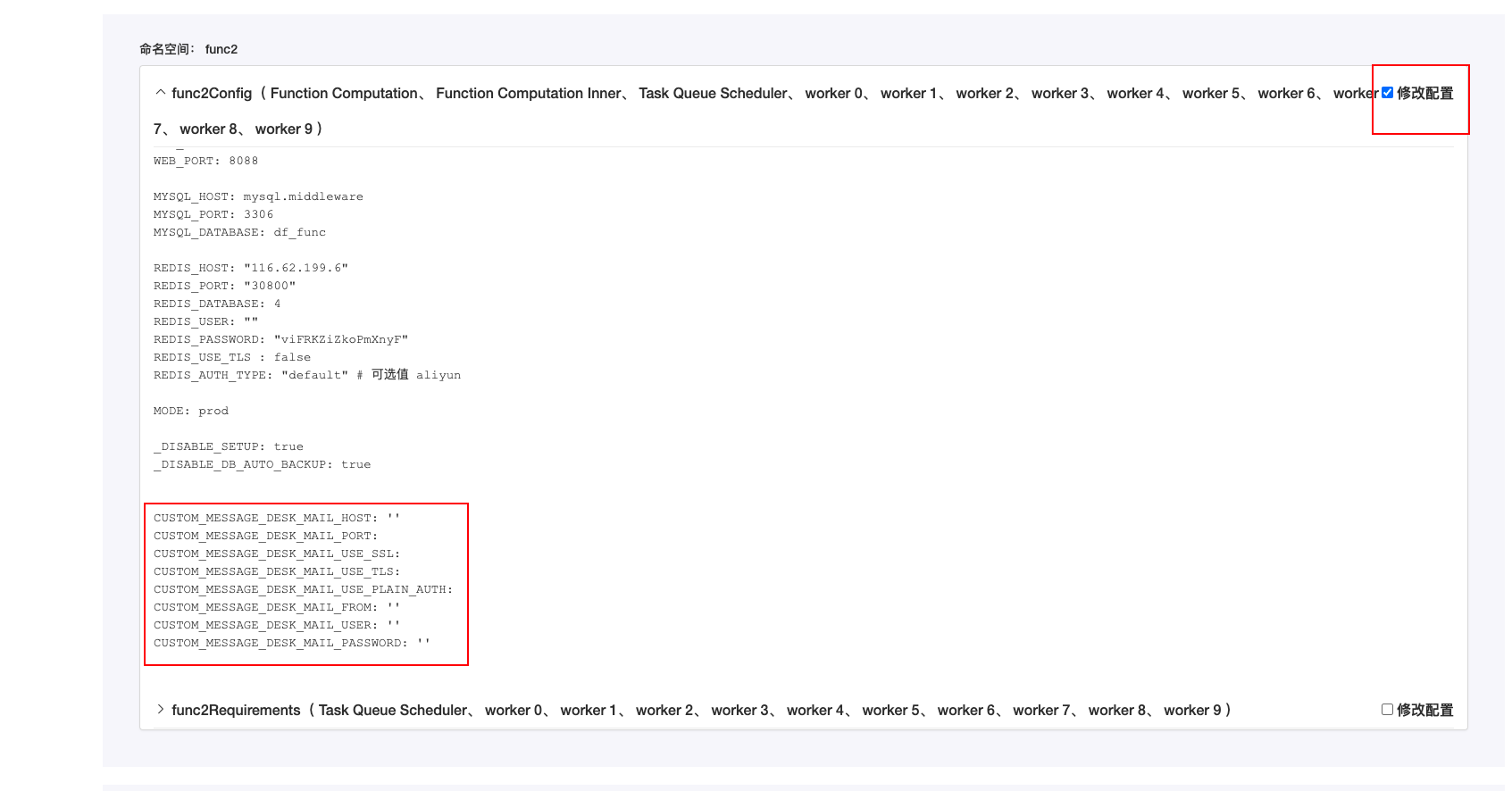
- 네임스페이스: func2
- 다음 서비스의 구성을 수정합니다:
- func2Config (Function Computation, Function Computation Inner, Task Queue Scheduler, worker 0, worker 1, worker 2, worker 3, worker 4, worker 5, worker 6, worker 7, worker 8, worker 9)
- 구성 파일 예시:
# 메일 SMTP, 메일 서비스 정보에 따라 아래 구성 값을 입력하세요.
CUSTOM_MESSAGE_DESK_MAIL_HOST: 'smtpdm.aliyun.com'
CUSTOM_MESSAGE_DESK_MAIL_PORT: 465
CUSTOM_MESSAGE_DESK_MAIL_USE_SSL: true
CUSTOM_MESSAGE_DESK_MAIL_USE_TLS: false
CUSTOM_MESSAGE_DESK_MAIL_USE_PLAIN_AUTH: true
CUSTOM_MESSAGE_DESK_MAIL_FROM: 'xxxxx <noreply@xxxxx.cn>'
CUSTOM_MESSAGE_DESK_MAIL_USER: 'xxxxx@xxxxx.cn'
CUSTOM_MESSAGE_DESK_MAIL_PASSWORD: 'xxxxx'
- 구성을 저장하고 재시작합니다.

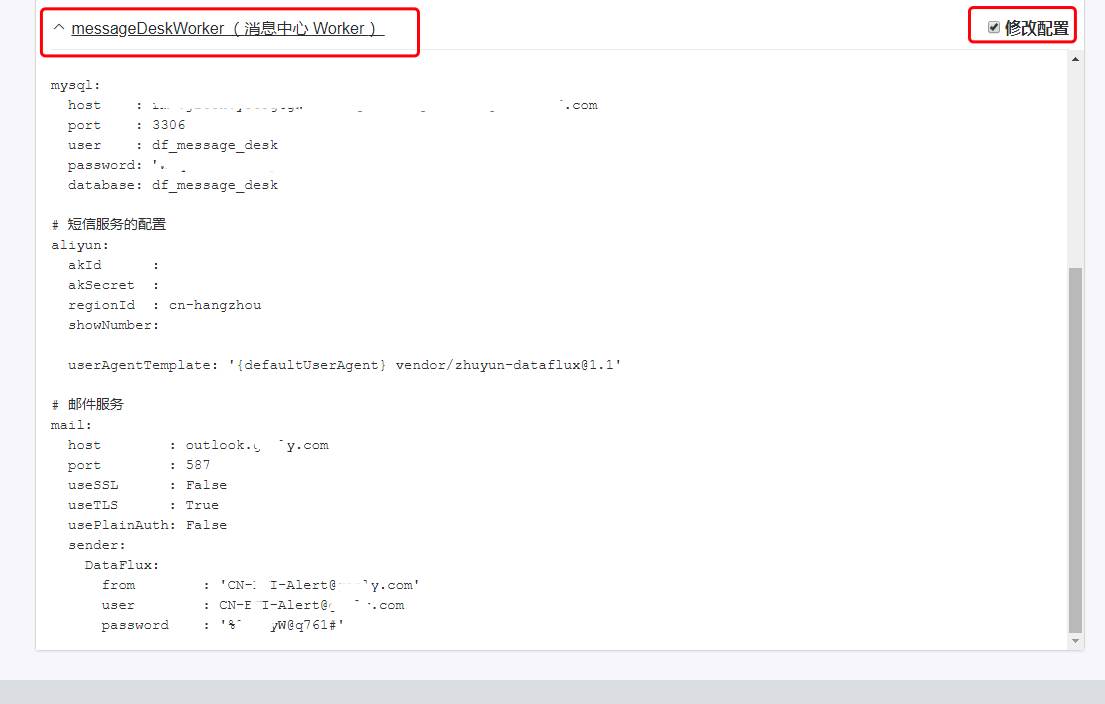
- 네임스페이스: middleware
- 다음 서비스의 구성을 수정합니다:
- messageDeskWorker (메시지 센터 Worker)
-
구성 수정
-
구성을 저장하고 재시작합니다.
3단계: 테스트 및 문제 해결
잘못된 알림 구성을 생성하여 수동으로 알림을 트리거할 수 있습니다.
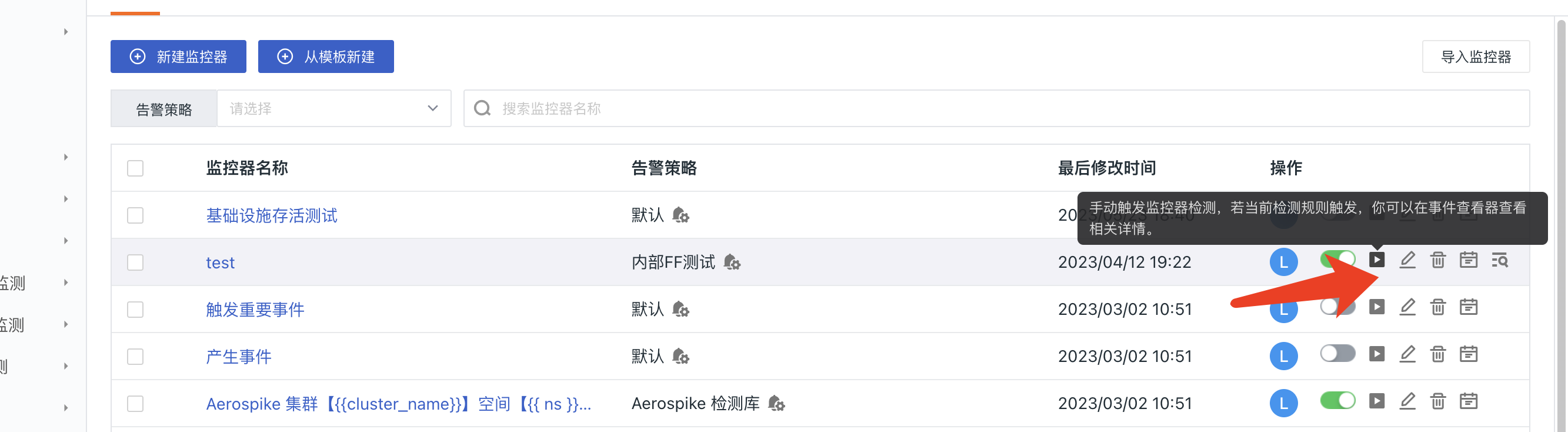
모니터 문제 해결을 참조하여 문제를 해결할 수 있습니다.