Fluentd 로그
Fluentd 로그 수집은 로그 텍스트 데이터를 받아 Guance로 전송합니다.
설치 및 배포
사전 조건
- td-agent-4.2.x >= 4.2.x
- Fluentd 데이터가 정상적으로 수집되는지 확인
수집기 설정
DataKit 설치 디렉터리의 conf.d/samples 디렉터리로 이동해 logstreaming.conf.sample을 복사한 뒤 logstreaming.conf로 이름을 변경합니다. 예시는 다음과 같습니다.
DataKit을 다시 시작합니다.
Linux Fluentd로 수집한 nginx 로그를 DataKit에 연결
Fluentd로 nginx 로그를 수집해 상위 server 쪽 plugin 설정으로 전달하는 예시를 기준으로, server 쪽으로 직접 보내 처리하지 않고 바로 처리한 뒤 DataKit으로 보내 Guance로 분석하려고 합니다.
## PC 측 로그 수집
<source>
  @type tail
  format ltsv
  path /var/log/nginx/access.log
  pos_file /var/log/buffer/posfile/access.log.pos
  tag nginx
  time_key time
  time_format %d/%b/%Y:%H:%M:%S %z
</source>

## 수집된 데이터는 TCP 프로토콜로 여러 서버의 49875 포트로 전달됩니다
## Multiple output
<match nginx>
 type forward
  <server>
   name es01
   host es01
   port 49875
   weight 60
  </server>
  <server>
   name es02
   host es02
   port 49875
   weight 60
  </server>
</match>
match의 output을 수정해 타입을 http로 지정하고 endpoint를 logstreaming이 활성화된 DataKit 주소로 지정하면 수집이 완료됩니다.
## PC 측 로그 수집
<source>
  @type tail
  format ltsv
  path /var/log/nginx/access.log
  pos_file /var/log/buffer/posfile/access.log.pos
  tag nginx
  time_key time
  time_format %d/%b/%Y:%H:%M:%S %z
</source>

## 수집된 데이터는 http 프로토콜로 로컬 DataKit에 전달됩니다
## nginx output
<match nginx>
  @type http
  endpoint http://127.0.0.1:9529/v1/write/logstreaming?source=nginx_td&pipeline=nginx.p
  open_timeout 2
  <format>
    @type json
  </format>
</match>
설정을 수정한 뒤 DataKit을 다시 시작하면 데이터 전송이 완료됩니다.
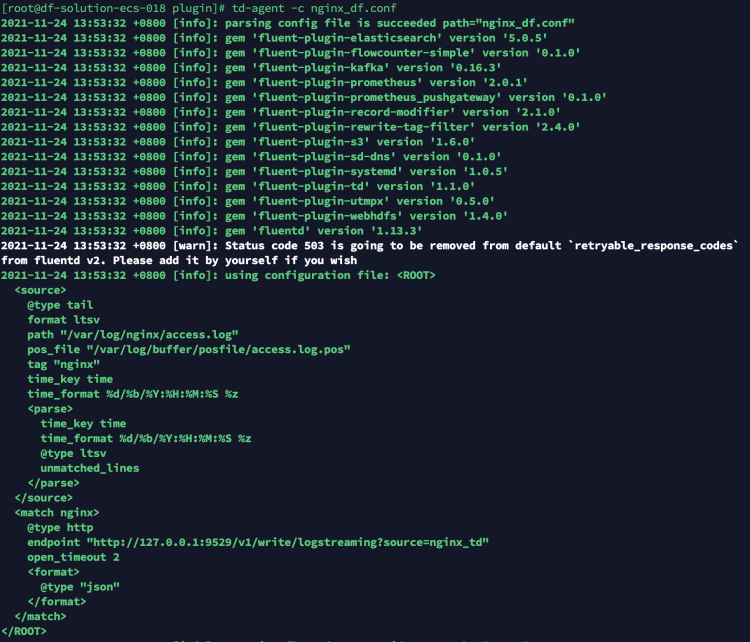
DQL로 전송된 데이터를 검증할 수 있습니다.
dql > L::nginx_td LIMIT 1
-----------------[ r1.nginx_td.s1 ]-----------------
    __docid 'L_c6et7vk5jjqulpr6osa0'
create_time 1637733374609
    date_ns 96184
       host 'df-solution-ecs-018'
    message '{"120.253.192.179 - - [24/Nov/2021":"13:55:10 +0800] \"GET / HTTP/1.1\" 304 0 \"-\" \"Mozilla/5.0 (Macintosh; Intel Mac OS X 10_15_7) AppleWebKit/537.36 (KHTML, like Gecko) Chrome/96.0.4664.45 Safari/537.36\" \"-\""}'
     source 'nginx_td'
       time 2023-11-07 13:56:06 +0800 CST
---------
1 rows, 1 series, cost 2ms
Windows Fluentd로 수집한 nginx 로그를 DataKit에 연결
Fluentd로 nginx 로그를 수집해 상위 server 쪽 plugin 설정으로 전달하는 예시를 기준으로, server 쪽으로 직접 보내 처리하지 않고 바로 처리한 뒤 DataKit으로 보내 Guance로 분석하려고 합니다.
## PC 측 로그 수집
<source>
  @type tail
  format ltsv
  path D://opt/nginx/log/access.log
  pos_file D://opt/nginx/log/access.log.pos
  tag nginx
  time_key time
  time_format %d/%b/%Y:%H:%M:%S %z
</source>

## 수집된 데이터는 TCP 프로토콜로 여러 서버의 49875 포트로 전달됩니다
## Multiple output
<match nginx>
 type forward
  <server>
   name es01
   host es01
   port 49875
   weight 60
  </server>
  <server>
   name es02
   host es02
   port 49875
   weight 60
  </server>
</match>
match의 output을 수정해 타입을 http로 지정하고 endpoint를 logstreaming이 활성화된 DataKit 주소로 지정하면 수집이 완료됩니다.
## PC 측 로그 수집
<source>
  @type tail
  format ltsv
  path D://opt/nginx/log/access.log
  pos_file D://opt/nginx/log/access.log.pos
  tag nginx
  time_key time
  time_format %d/%b/%Y:%H:%M:%S %z
</source>

## 수집된 데이터는 http 프로토콜로 로컬 DataKit에 전달됩니다
## nginx output
<match nginx>
  @type http
  endpoint http://127.0.0.1:9529/v1/write/logstreaming?source=nginx_td&pipeline=nginx.p
  open_timeout 2
  <format>
    @type json
  </format>
</match>
설정을 수정한 뒤 fluentd -c로 변경한 설정 파일을 다시 시작해 데이터 전송을 완료합니다.
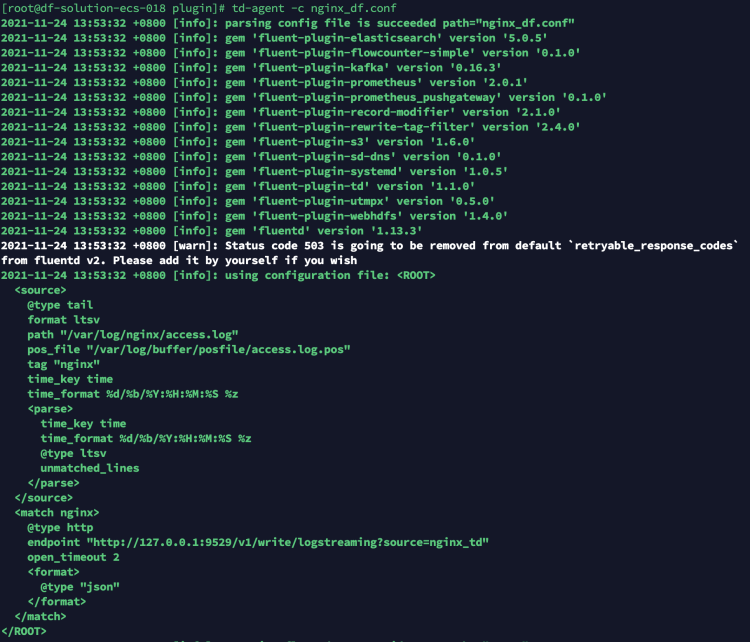
DQL로 전송된 데이터를 검증할 수 있습니다.
dql > L::nginx_td LIMIT 1
-----------------[ r1.nginx_td.s1 ]-----------------
    __docid 'L_c6et7vk5jjqulpr6osa0'
create_time 1637733374609
    date_ns 96184
       host 'df-solution-ecs-018'
    message '{"120.253.192.179 - - [03/Mar/2022":"13:55:10 +0800] \"GET / HTTP/1.1\" 304 0 \"-\" \"Mozilla/5.0 (Macintosh; Intel Mac OS X 10_15_7) AppleWebKit/537.36 (KHTML, like Gecko) Chrome/96.0.4664.45 Safari/537.36\" \"-\""}'
     source 'nginx_td'
       time 2023-11-07 13:56:06 +0800 CST
---------
1 rows, 1 series, cost 2ms
Kubernetes sidecar Fluentd로 수집한 nginx 로그를 DataKit에 연결
Deployment에 Fluentd sidecar를 배포해 nginx 로그를 수집하고 상위 server 쪽 plugin 설정으로 전달하는 예시를 기준으로, server 쪽으로 직접 보내 처리하지 않고 바로 처리한 뒤 DataKit으로 보내 Guance로 분석하려고 합니다.
apiVersion: apps/v1
kind: Deployment
metadata:
  name: sidecar-fd
  namespace: fd
  labels:
    app: webserver
spec:
  replicas: 1
  selector:
    matchLabels:
      app: webserver
  template:
    metadata:
      labels:
        app: webserver
      annotations:
    spec:
      containers:
      - name: nginx
        image: nginx:1.17.1
        imagePullPolicy: IfNotPresent
        ports:
        - containerPort: 80
        volumeMounts: # logs-volume을 nginx 컨테이너의 해당 디렉터리에 마운트합니다. 이 디렉터리는 /var/log/nginx입니다
        - name: logs-volume
          mountPath: /var/log/nginx
      - name: fluentd
        image: bitnami/fluentd:1.14.5
        #command: [ "/bin/bash", "-ce", "tail -f /dev/null" ]
        env:
        - name: FLUENT_UID
          value: fluent
        - name: FLUENT_CONF
          value: fluent.conf
        - name: FLUENTD_ARGS
          value: -c /fluentd/etc/fluentd.conf
        volumeMounts:
        - name: logs-volume
          mountPath: /var/log/nginx/
        - name: varlog
          mountPath: /var/log/
        - name: config-volume
          mountPath: /opt/bitnami/fluentd/conf/

      volumes:
      - name: logs-volume
        emptyDir: {}
      - name: varlog
        emptyDir: {}
      - name: config-volume
        configMap:
          name: fluentd-config

---

apiVersion: v1
kind: ConfigMap
metadata:
  name: fluentd-config
  namespace: fd
data:
  fluentd.conf: |
      <source>
        @type tail
        format ltsv
        path /var/log/nginx/access.log
        pos_file /var/log/nginx/posfile/access.log.pos
        tag nginx
        time_key time
        time_format %d/%b/%Y:%H:%M:%S %z
      </source>
      ## 수집된 데이터는 TCP 프로토콜로 여러 서버의 49875 포트로 전달됩니다
      ## Multiple output
      <match nginx>
       type forward
        <server>
         name es01
         host es01
         port 49875
         weight 60
        </server>
        <server>
         name es02
         host es02
         port 49875
         weight 60
        </server>
      </match>
      ## 수집된 데이터는 http 프로토콜로 로컬 DataKit에 전달됩니다
      ## nginx output
      <match nginx>
        @type http
        endpoint http://114.55.6.167:9529/v1/write/logstreaming?source=fluentd_sidecar
        open_timeout 2
        <format>
          @type json
        </format>
      </match>

---

apiVersion: v1
kind: Service
metadata:
  name: sidecar-svc
  namespace: fd
spec:
  selector:
    app: webserver
  type: NodePort
  ports:
  - name: sidecar-port
    port: 80
    nodePort: 32004
Fluentd에 마운트한 설정 파일의 match output을 수정해 타입을 http로 지정하고 endpoint를 logstreaming이 활성화된 DataKit 주소로 지정하면 수집이 완료됩니다.
apiVersion: apps/v1
kind: Deployment
metadata:
  name: sidecar-fd
  namespace: fd
  labels:
    app: webserver
spec:
  replicas: 1
  selector:
    matchLabels:
      app: webserver
  template:
    metadata:
      labels:
        app: webserver
      annotations:
    spec:
      containers:
      - name: nginx
        image: nginx:1.17.1
        imagePullPolicy: IfNotPresent
        ports:
        - containerPort: 80
        volumeMounts: # logs-volume을 nginx 컨테이너의 해당 디렉터리에 마운트합니다. 이 디렉터리는 /var/log/nginx입니다
        - name: logs-volume
          mountPath: /var/log/nginx
      - name: fluentd
        image: bitnami/fluentd:1.14.5
        #command: [ "/bin/bash", "-ce", "tail -f /dev/null" ]
        env:
        - name: FLUENT_UID
          value: fluent
        - name: FLUENT_CONF
          value: fluent.conf
        - name: FLUENTD_ARGS
          value: -c /fluentd/etc/fluentd.conf
        volumeMounts:
        - name: logs-volume
          mountPath: /var/log/nginx/
        - name: varlog
          mountPath: /var/log/
        - name: config-volume
          mountPath: /opt/bitnami/fluentd/conf/

      volumes:
      - name: logs-volume
        emptyDir: {}
      - name: varlog
        emptyDir: {}
      - name: config-volume
        configMap:
          name: fluentd-config

---

apiVersion: v1
kind: ConfigMap
metadata:
  name: fluentd-config
  namespace: fd
data:
  fluentd.conf: |
      <source>
        @type tail
        format ltsv
        path /var/log/nginx/access.log
        pos_file /var/log/nginx/posfile/access.log.pos
        tag nginx
        time_key time
        time_format %d/%b/%Y:%H:%M:%S %z
      </source>
      ## 수집된 데이터는 http 프로토콜로 로컬 DataKit에 전달됩니다
      ## nginx output
      <match nginx>
        @type http
        endpoint http://114.55.6.167:9529/v1/write/logstreaming?source=fluentd_sidecar
        open_timeout 2
        <format>
          @type json
        </format>
      </match>

---

apiVersion: v1
kind: Service
metadata:
  name: sidecar-svc
  namespace: fd
spec:
  selector:
    app: webserver
  type: NodePort
  ports:
  - name: sidecar-port
    port: 80
    nodePort: 32004
설정을 수정한 뒤 yaml 파일을 다시 배포하면 데이터 전송이 완료되며, 해당 node의 32004 포트에 접속해 데이터가 성공적으로 수집되는지 확인할 수 있습니다.
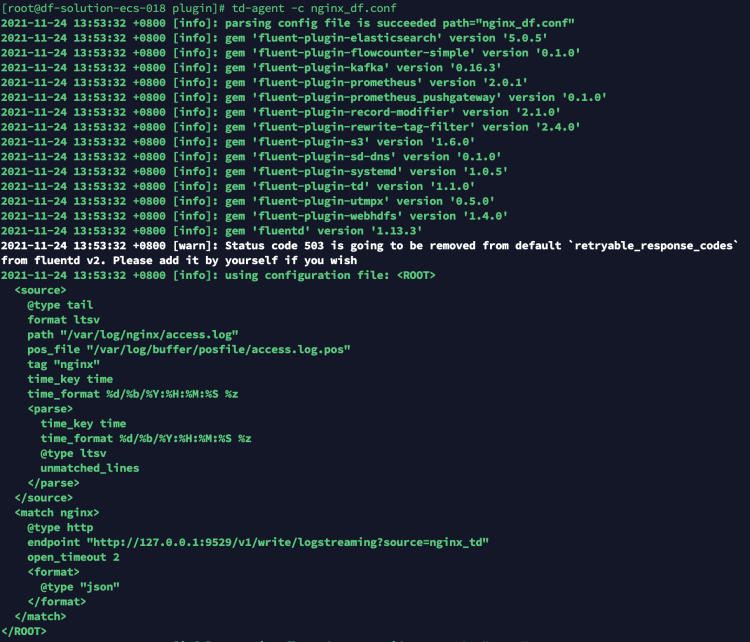
DQL로 전송된 데이터를 검증할 수 있습니다.
dql > L::nginx_td LIMIT 1
-----------------[ r1.nginx_td.s1 ]-----------------
    __docid 'L_c6et7vk5jjqulpr6osa0'
create_time 1637733374609
    date_ns 96184
       host 'df-solution-ecs-018'
    message '{"120.253.192.179 - - [24/Nov/2021":"13:55:10 +0800] \"GET / HTTP/1.1\" 304 0 \"-\" \"Mozilla/5.0 (Macintosh; Intel Mac OS X 10_15_7) AppleWebKit/537.36 (KHTML, like Gecko) Chrome/96.0.4664.45 Safari/537.36\" \"-\""}'
     source 'nginx_td'
       time 2023-11-07 13:56:06 +0800 CST
---------
1 rows, 1 series, cost 2ms