Variable Query
View variable queries are used to define the value range and data source of a variable. They support configuring whether the value range follows the dashboard time widget, meeting different data filtering needs.
Value Range Control
The selectable values obtained by a query can be configured to be affected by the dashboard time range:
| Mode | Description | Use Case |
|---|---|---|
| Follow Dashboard | Filter data based on the dashboard time widget | Only view recently active hosts, avoiding historical stale data |
| Do Not Follow Dashboard | List all historical data | Need full enumeration, e.g., all service names (services usually do not change frequently) |
Main Query Types
View variables support five query types. You can choose as needed:
| Query Type | Use Case | Key Feature |
|---|---|---|
| DQL Query | Query logs, objects, traces, and other non-metric data | Only type that supports full data types and cascading queries |
| PromQL Query | Query metrics only, familiar with Prometheus | Syntax compatible with the PromQL ecosystem |
| Data Type Query | Quick point-and-click configuration without writing queries | Visual selection, zero code |
| External Database | Connect to external MySQL or other databases | Directly use SQL queries |
| External Function | Call registered functions to dynamically generate candidate values | Supports referencing other view variables as input parameters |
| Custom | Only a few fixed options | Fill in directly, no database query needed |
DQL Query
Supports all data types including metrics, logs, infrastructure, objects, traces, and RUM. The most comprehensive.
Basic Syntax Structure
Example:
Time Range Specification
DQL supports specifying time ranges directly in the statement, which takes precedence over the dashboard time widget:
| Notation | Meaning |
|---|---|
[10m] |
Last 10 minutes |
[1h] |
Last 1 hour |
[1d] |
Last 1 day |
| Omitted | Uses the dashboard time widget |
Example:
Show Function Query
Used to query metric-related metadata information. Does not support time range.
Syntax Structure
| Syntax | Description |
|---|---|
show_measurement() |
Returns all measurements in the current workspace |
show_tag_key(from=["cpu"]) |
Returns all tags under the cpu measurement in the current workspace |
show_tag_key(from=["cpu"],keyin=["host"]) |
Returns the list of host tag values under the cpu measurement in the current workspace |
Example:
# Query all measurements
SHOW METRIC_SET()

# Query all tags of a specified measurement
SHOW LABELS FROM M::cpu
PromQL Query
PromQL queries support writing query statements manually. By default, they use the time range selected in the dashboard time widget to query and return data.
For more information about PromQL queries, refer to PromQL Quick Start.
Data Type Query
If you need quick configuration without writing query statements, you can directly select a data type and choose filter conditions on the page.
Supported data types:
- Metrics
- Basic Objects (hosts, containers, processes, etc.)
- Resource Catalog
- Logs
- APM
- RUM
In this mode, you cannot add time ranges or configure cascading queries.
External Database
If the target selectable values are stored in an external database (such as MySQL, PostgreSQL), you can choose this query type to directly connect to an existing data system.
- Select a data source;
- Enter a query statement;
- Choose the sorting method.
For more details, refer to External Data Source.
External Function
If the target selectable values need to be obtained through custom function logic, you can choose this query type to call external functions registered in the workspace to dynamically generate the candidate value list.
- Select a function: choose from the external functions registered in the current workspace;
- Add function parameters as needed, fill in the parameter name and corresponding value; supports referencing other view variables in the dashboard using the format
#{variable_name}. When the referenced variable changes, the system automatically re-calls the function and refreshes the candidate values; - Value field: specifies which field in the function's returned data will be used as the candidate value for the variable (❗️Optional; if not set, the system defaults to the first field in the returned data; to return the value of a specific field, manually enter the field name).
This query type does not support adding time ranges or configuring cascading queries.
Custom Query
If the target selectable values are fixed and limited in number, no database query is needed. You can directly define a set of values for the view variable, separated by commas ,. For example: prod,test,dev,staging.
This query type does not support adding time ranges or configuring cascading queries.
Cascading Query
Used when multiple variables have a hierarchical relationship. For example:
- After selecting a "service", the "environment" dropdown only shows the environments of that service (not all environments).
- After selecting an "environment", the "version" dropdown only shows the versions of that environment.
Configuration Conditions
- Only DQL queries support cascading configuration;
- In the child variable's query statement, use
#{parent_variable_name}to reference the current value of the parent variable.
Configuration Example
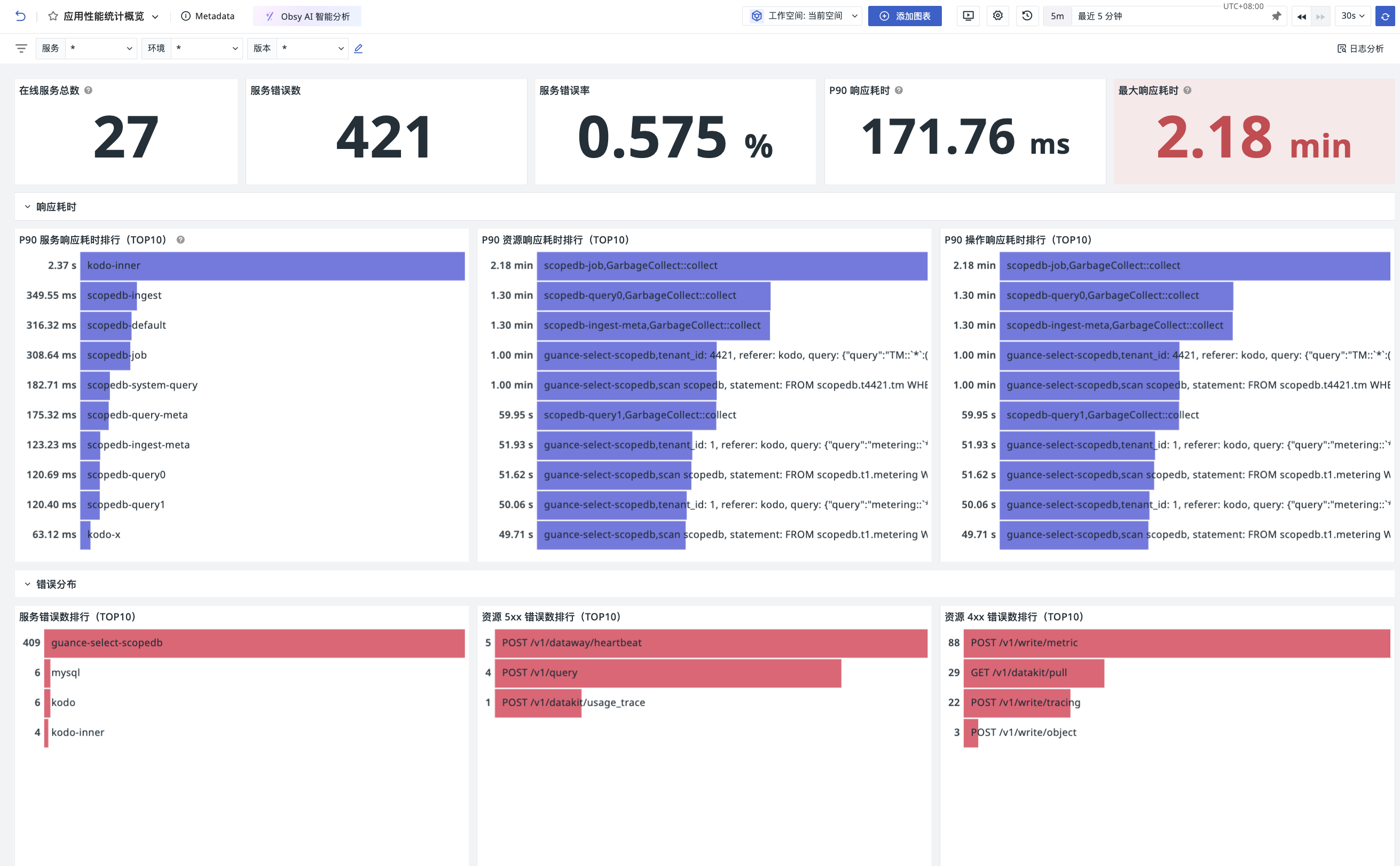
The following uses the view variable cascading filter in the Web application overview of RUM as an example, illustrating the configuration of cascading queries based on service, environment, and version:
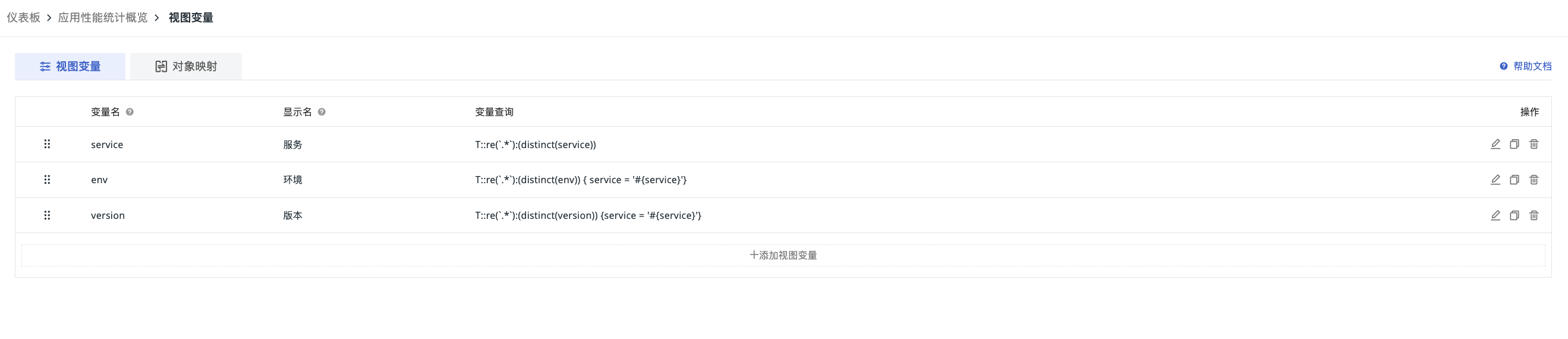
You need to configure three variable query statements in the dashboard. The second and third query statements use #{variable_name} configured in the first query:
- Variable 1 (Service): Query all application lists:
- Variable 2 (Environment): Query the environment list filtered by the selected service in Variable 1:
- Variable 3 (Version): Query the version list filtered by the selected environment in Variable 2:
Query Scenario Examples
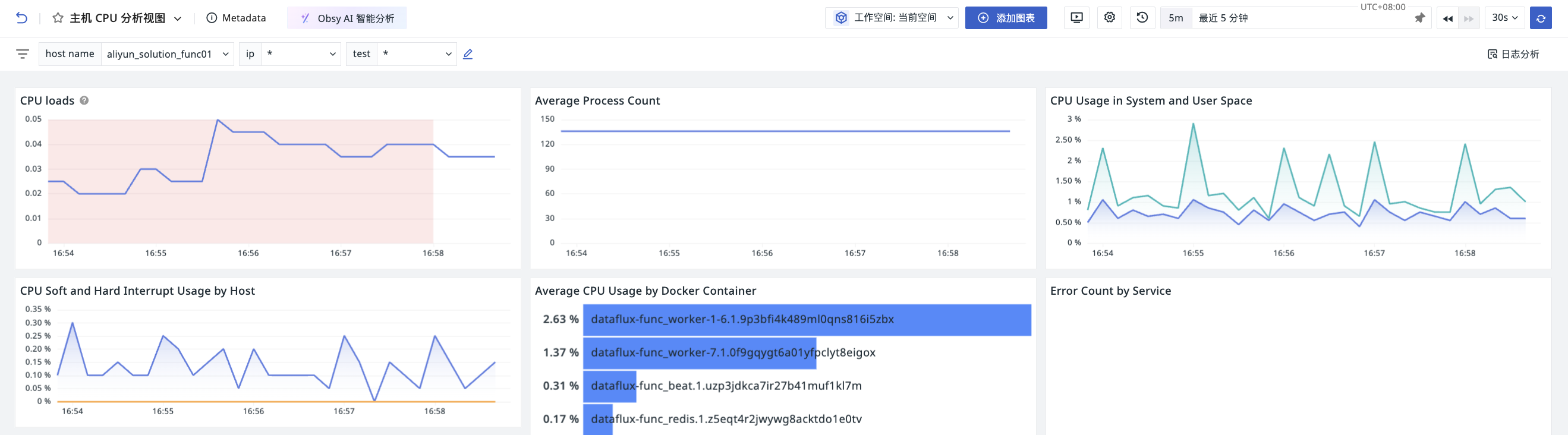
Linking to Charts
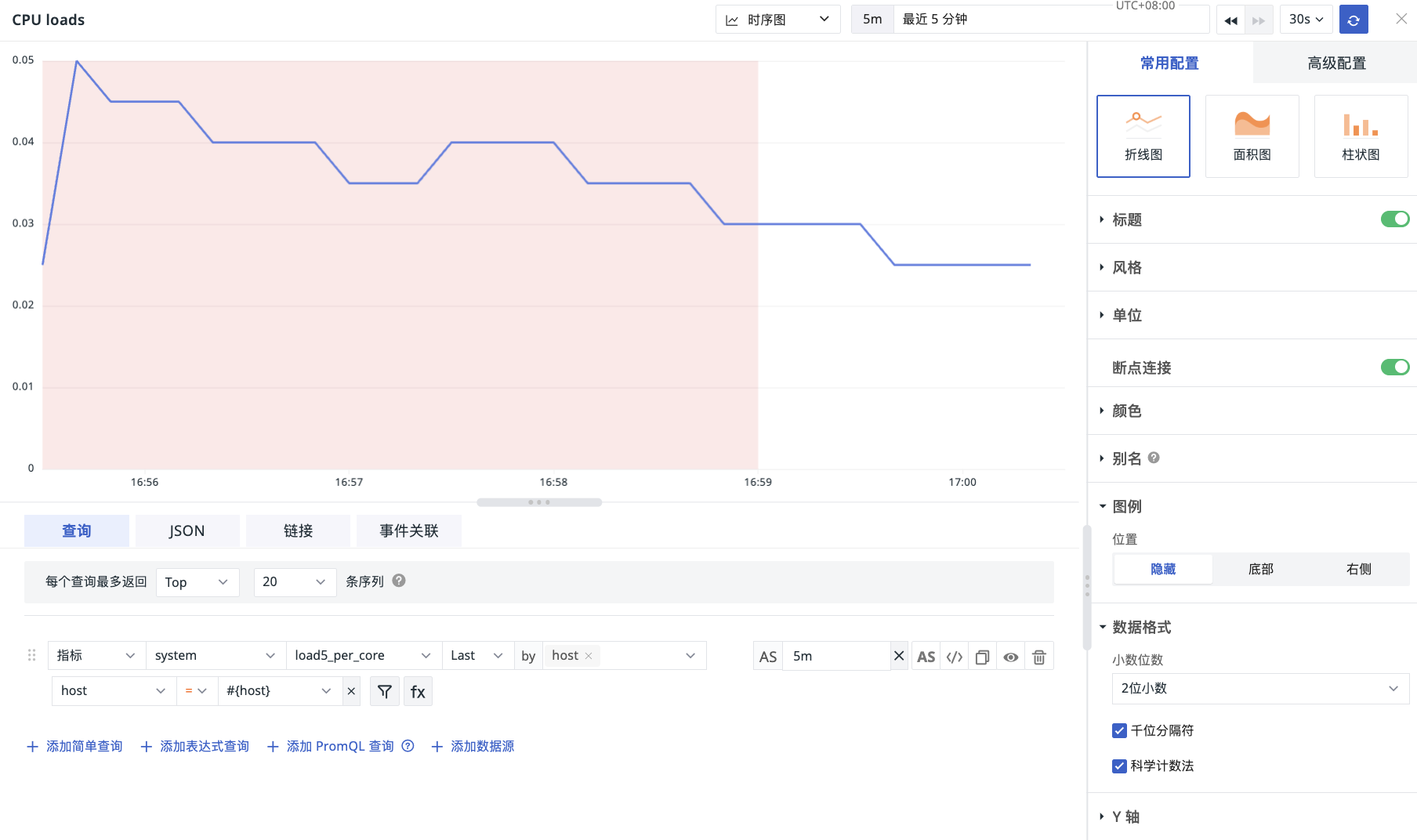
- In the chart query, when filtering a field, select the variable as the
value; - Switch the variable value in the scene view, and the chart will be filtered and displayed according to the variable tag.
Reverse Application from Chart
Prerequisite
The corresponding DQL filter contains a by grouping condition.
- Click on a specific time series or data point in the chart;
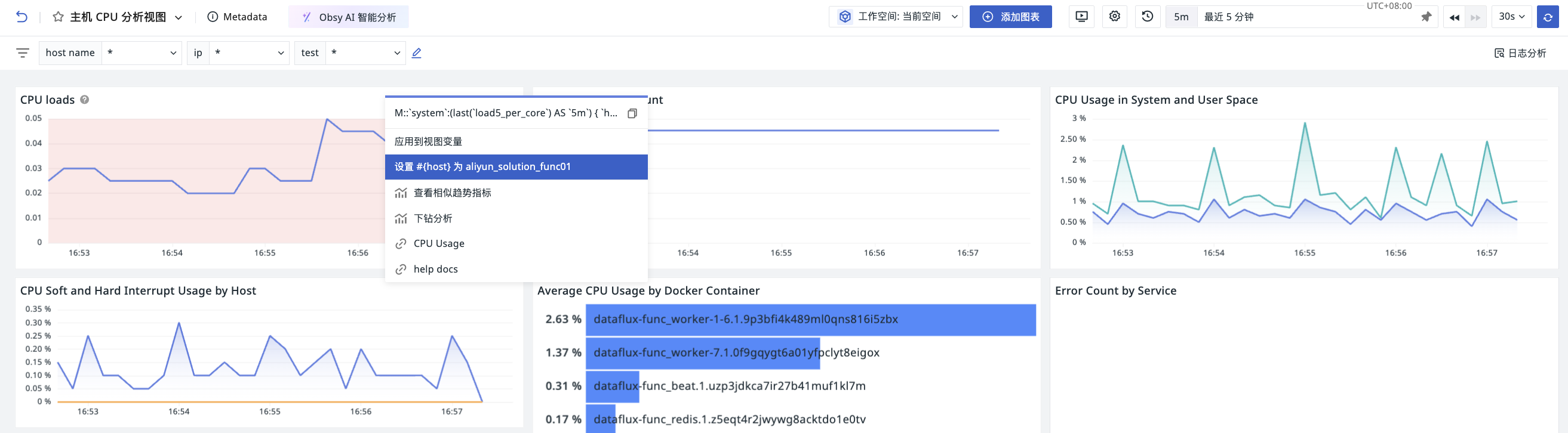
- Select Apply to View Variable;
- The system automatically fills in the query.