WeCom Bot
Set up a bot in a WeCom group chat to send alert or reminder notifications to the group via an API.
For more details, see How to set up a group bot.
Add a Bot to a Group
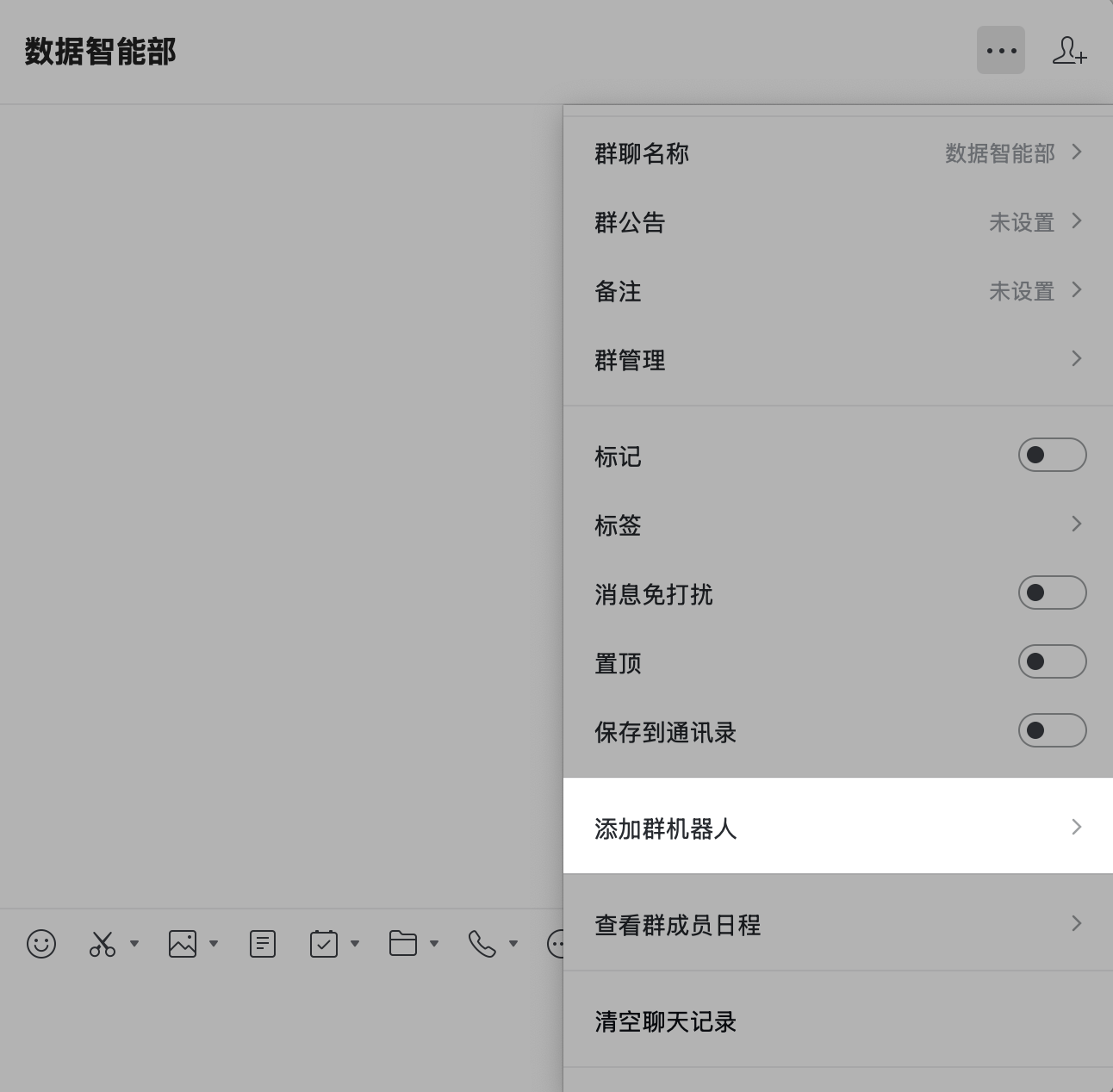
- Go to Group > Add Group Bot.
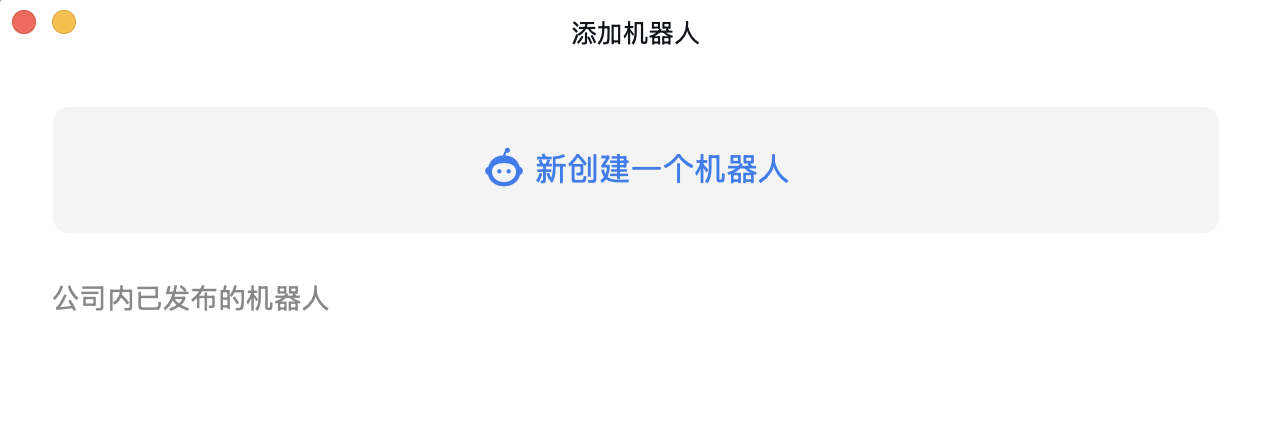
- Create a new bot.
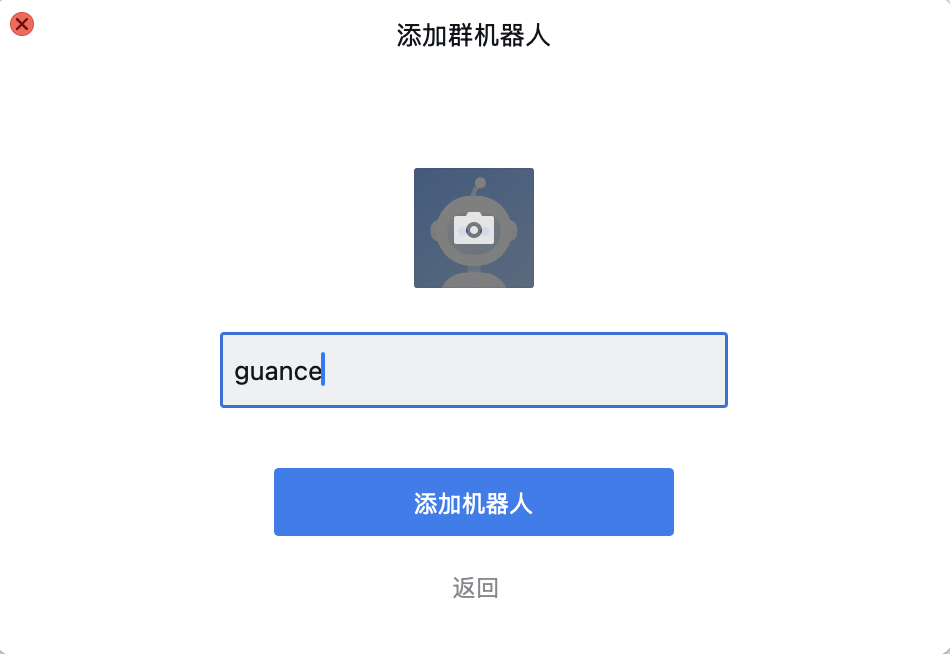
- Define a name for the bot.
- Click Add.
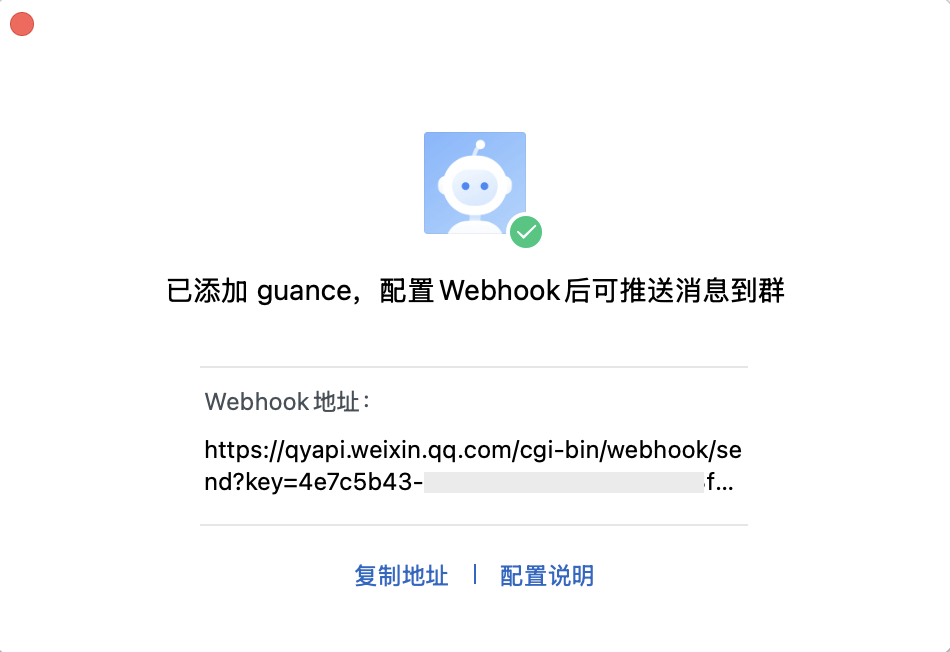
- The Webhook address of the bot is automatically obtained.
Return to the WeCom Bot Configuration Page
- Define the name of the current notification target, which is used to identify it in the notification target list.
- Enter the Webhook address obtained from the previous steps.
- Test whether the notification is sent as needed (❗️A test message is sent to the group/channel corresponding to this Webhook. Go to the corresponding notification target to check whether the test message was sent successfully).
- Configure operation permissions.
- Confirm.