Data Forwarding to Kafka Message Queues
- Complete the rule name and filter condition settings;
- Continue configuring the archive.
Configure
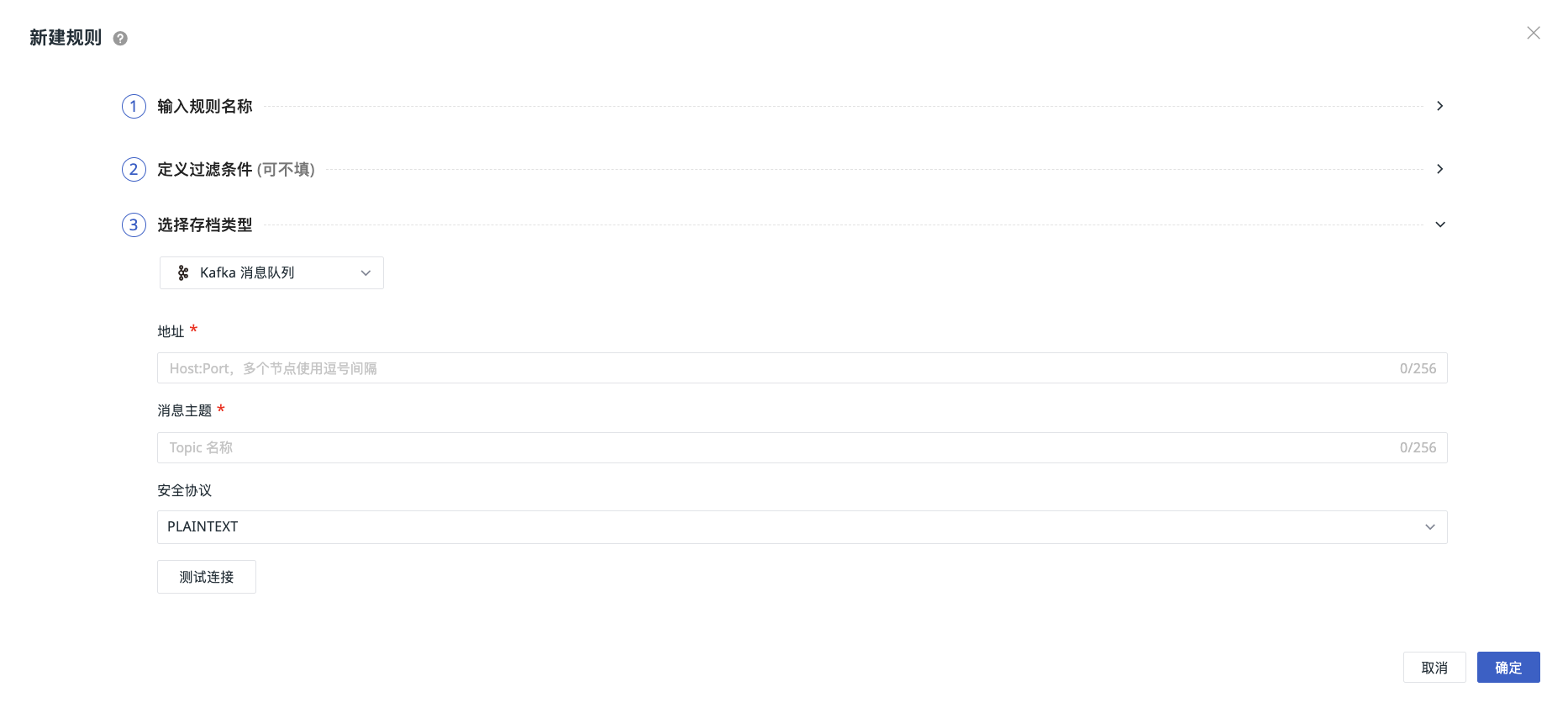
-
Address:
Host:Port. Separate multiple nodes with commas. -
Topic: the name of the Kafka topic.
-
Partition Key: optional. Below the Topic field, select or enter field names. Multiple fields are supported. The system uses the values of the selected fields to generate the partition key. For details, see Partition Key.
-
Security Protocol: On the Kafka side, SASL can use the PLAINTEXT or SSL protocol as the transport layer, which corresponds to using the SASL_PLAINTEXT or SASL_SSL security protocols. If you use the SASL_SSL security protocol, you must configure the SSL certificate.
-
Click Test Connection. If the above information meets the requirements, a message indicating that the connection test succeeded is displayed. Click OK to save the current rule.
If the test fails:
You need to verify the following:
- The address is correct
- The topic name is correct
- The SSL certificate is correct
- The username is correct
- The password is correct
Partition Key
The partition key determines which partition of the Topic the data is written to. When configuring it, enter a field name from the data. The system reads the value of the corresponding field in each record to generate the key. For example, if you select userid, the userid value of each record is used, rather than using the field name userid as a fixed key for all records.
| Configuration Method | Partition Description |
|---|---|
| Single field | For example, if you select userid, data from the same user enters the same partition, which is convenient for centralized processing by user. |
| Multiple fields | The combined values of the selected fields are used to generate the key. For example, if you select userid and region, records with the same values for both fields enter the same partition. |
| Not configured | The default partitioning method is used. |
Note
Data with the same key enters the same partition when the same Topic is used and the number of partitions, partition key configuration, and partitioning rules remain unchanged. After these configurations are adjusted, new data with the same key may enter a different partition.
PLAINTEXT
No security verification is required. You can test the connection directly.
SASL_PLAINTEXT
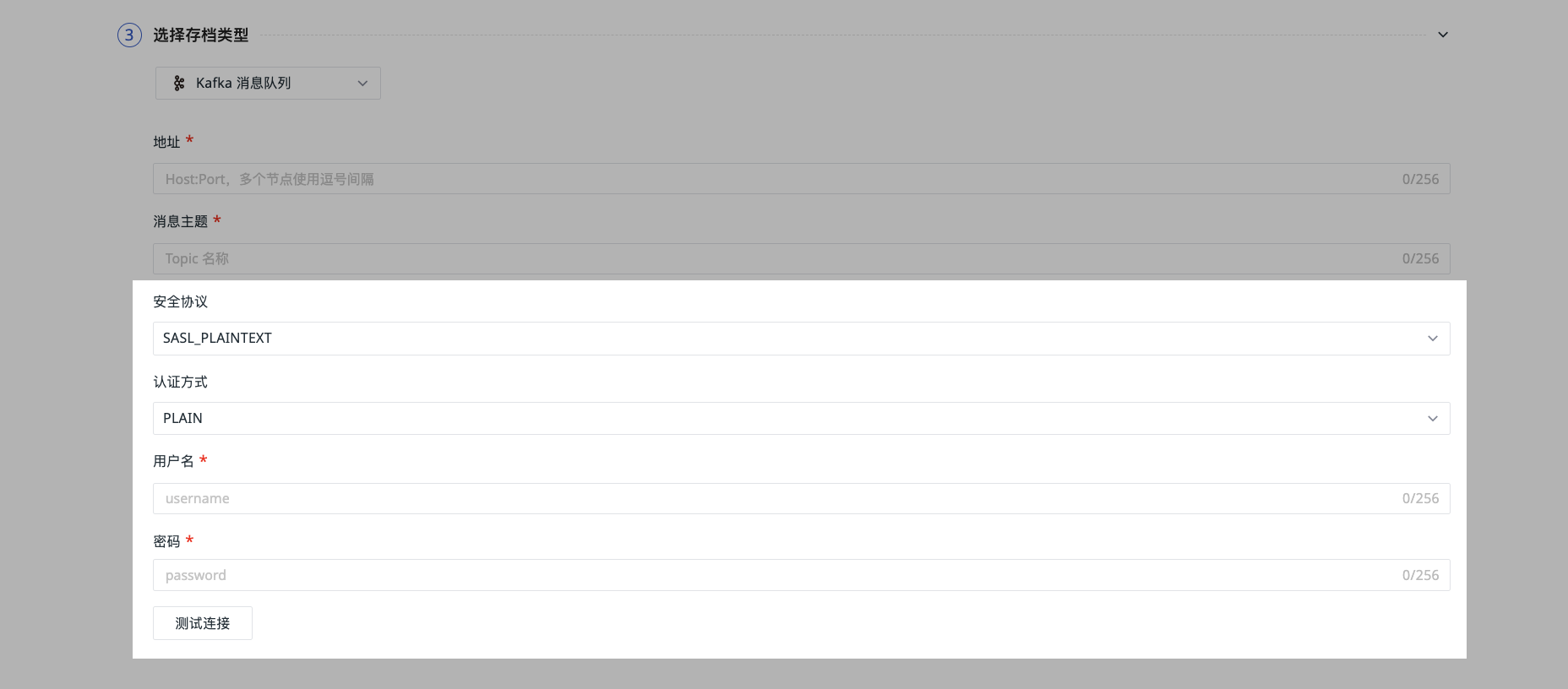
The default authentication method is PLAIN. SCRAM-SHA-256 and SCRAM-SHA-512 are also available.
Enter the username/password used for security authentication on the Kafka side, then test the connection.
SASL_SSL
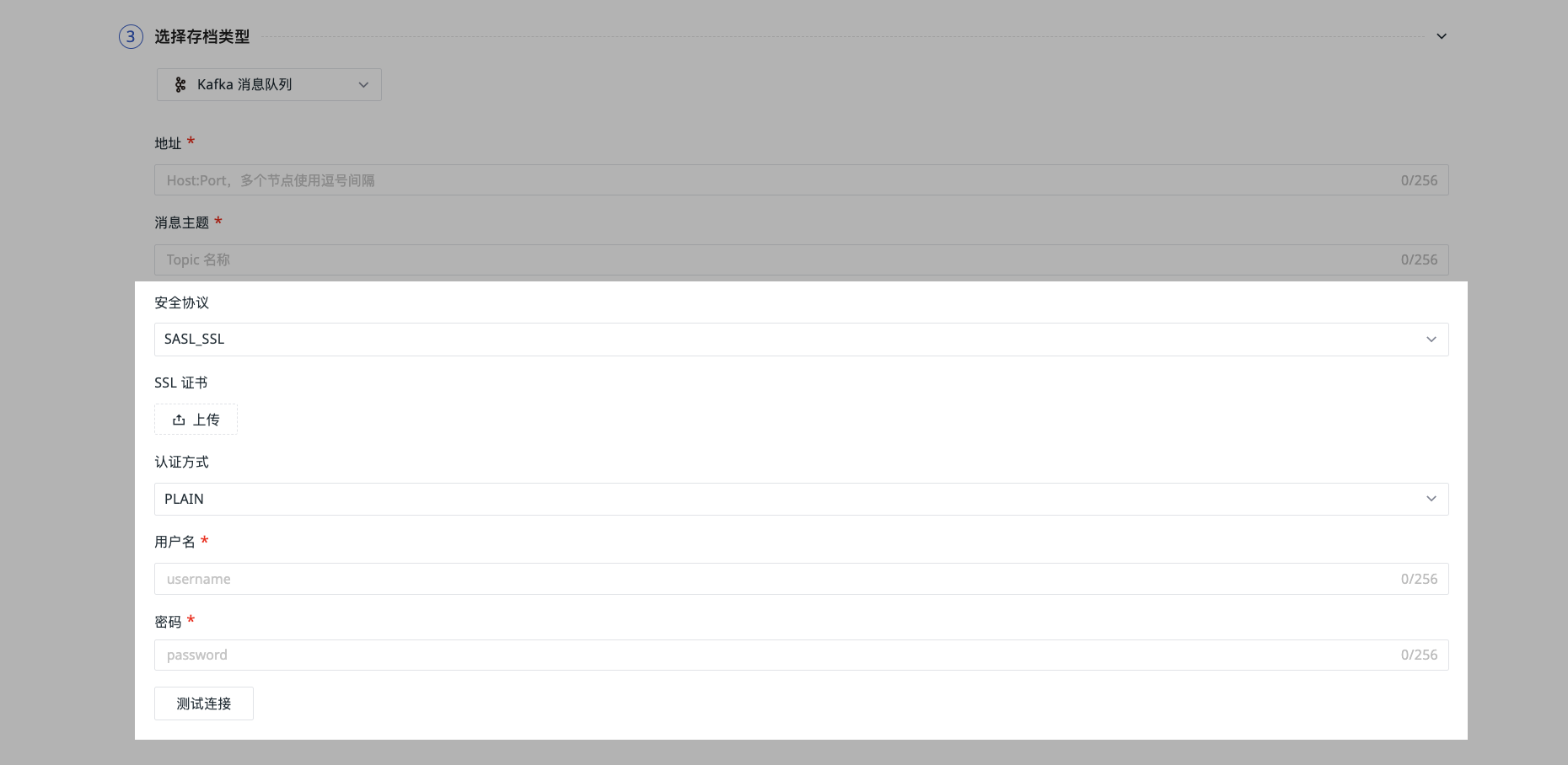
Upload the SSL certificate here.
The default authentication method is PLAIN. SCRAM-SHA-256 and SCRAM-SHA-512 are also available.
Enter the username/password used for security authentication on the Kafka side, then test the connection.