Switching to HTTPS Access
Overview
This document describes how to modify an existing deployed Guance instance from HTTP access to HTTPS.
Prerequisites
- Verify the validity of the SSL certificate and that the Ingress controller supports HTTPS before proceeding.
- Guance has been deployed and is accessible.
- Cluster permissions for Guance.
- Access to the Guance Launcher page.
Impact
The Guance Studio will be briefly unavailable.
Steps
Step 1: Update Domain and TLS Certificate in Launcher
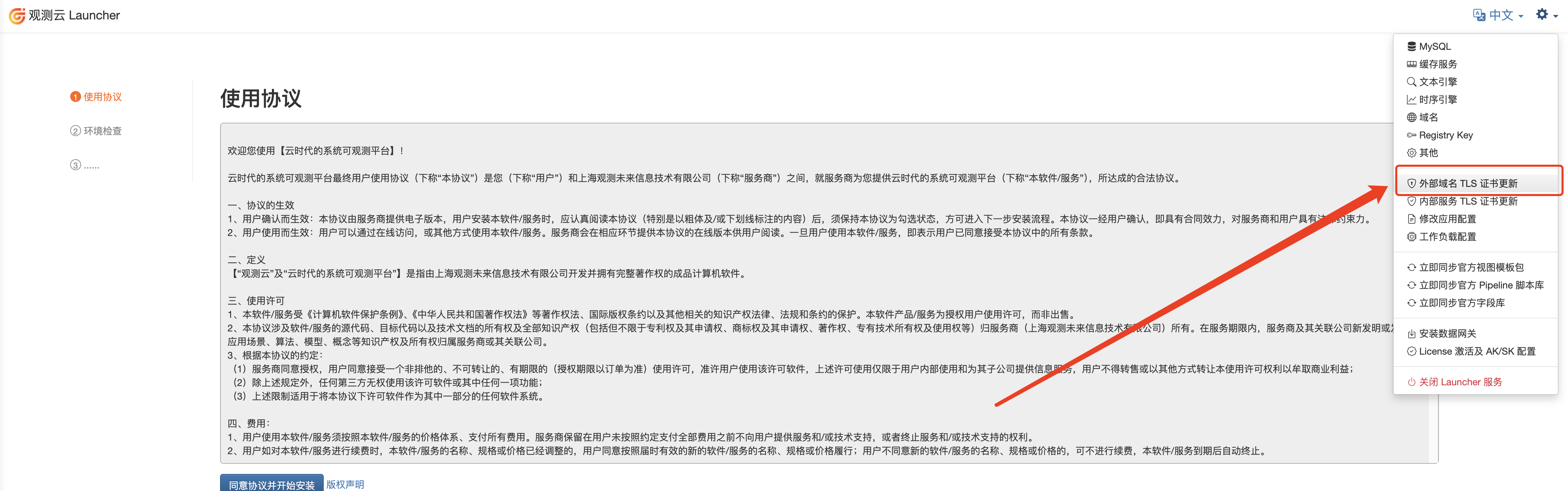
- Open the Launcher settings from the top-right corner.
- Click External Domain TLS Certificate Update.
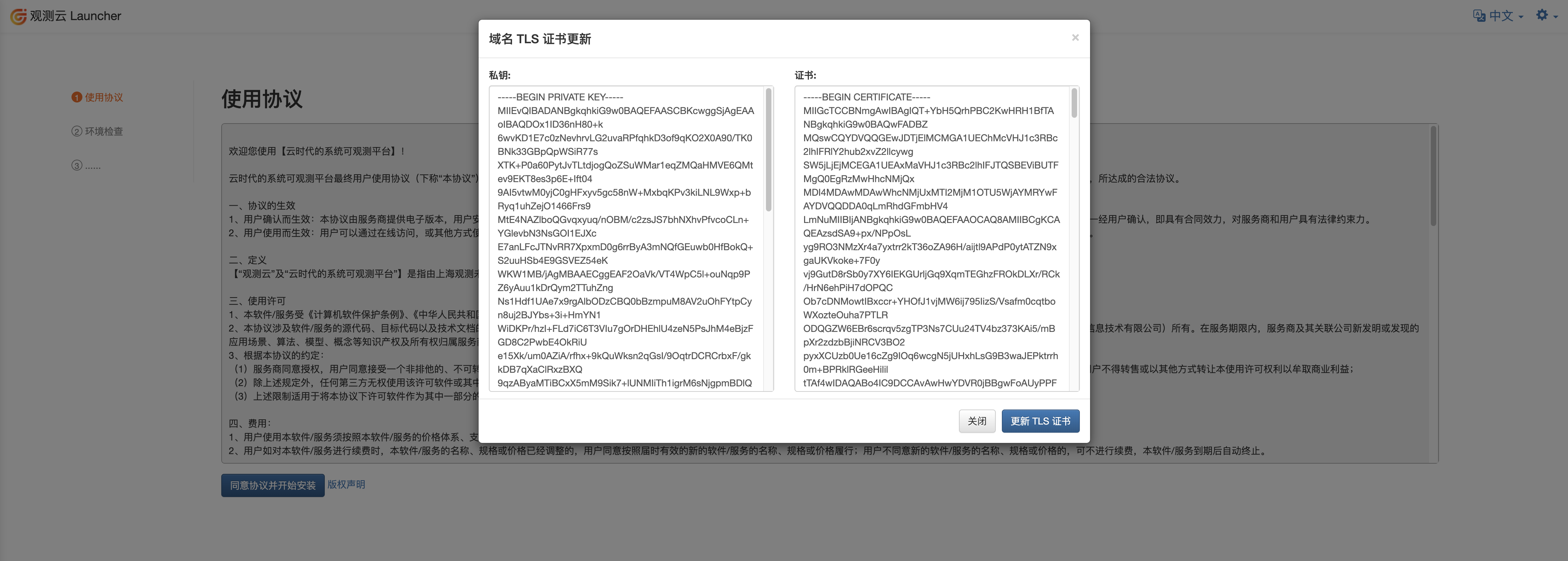
- Add the certificate information and update the TLS certificate.
- Verification
Using dataflux.cn as an example:
kubectl get secret -A  | grep dataflux.cn

forethought-core              dataflux.cn                                            kubernetes.io/tls                     2      8d
forethought-kodo              dataflux.cn                                            kubernetes.io/tls                     2      8d
forethought-webclient         dataflux.cn                                            kubernetes.io/tls                     2      8d
func2                         dataflux.cn                                            kubernetes.io/tls                     2      8d
middleware                    dataflux.cn                                            kubernetes.io/tls                     2      8d
utils                         dataflux.cn                                            kubernetes.io/tls                     2      8d
Step 2: Add TLS to Ingress
- You can run the following script to back up the current Ingress configurations:
NAMESPACE="forethought-core forethought-kodo forethought-webclient func2 middleware utils launcher"

for i in $NAMESPACE;
do
  for ing in $(kubectl get ing -n $i -o jsonpath='{.items[*].metadata.name}');
  do
  filename=ing-$i-$ing.yaml
  kubectl get ing $ing -n $i -o yaml > $filename
  done
done
- Run the following script to update the addresses:
Note
Replace the SecretName variable with your domain's secret name.
SecretName="dataflux.cn"

NAMESPACE="forethought-core forethought-kodo forethought-webclient func2 middleware utils launcher"

for i in $NAMESPACE; do
  for ing in $(kubectl get ing -n $i -o jsonpath='{.items[*].metadata.name}'); do
    # Check if the Ingress already has TLS configured
    TLS_EXISTS=$(kubectl get ing "$ing" -n "$i" -o jsonpath='{.spec.tls}')

    if [ -z "$TLS_EXISTS" ]; then
      # Extract the current Ingress hosts
      HOSTS=$(kubectl get ing "$ing" -n "$i" -o jsonpath='{.spec.rules[*].host}')

      # Use kubectl patch to update each Ingress
      kubectl patch ingress "$ing" -n "$i" --type='json' -p="[
        {
          \"op\": \"add\",
          \"path\": \"/spec/tls\",
          \"value\": [
            {
              \"hosts\": [$HOSTS],
              \"secretName\": \"$SecretName\"
            }
          ]
        }
      ]"
      echo "Updated Ingress $ing in namespace $i to use HTTPS."
    else
      echo "Ingress $ing in namespace $i already has HTTPS configured. Skipping."
    fi
  done
done
Step 3: Modify Guance Frontend Configuration
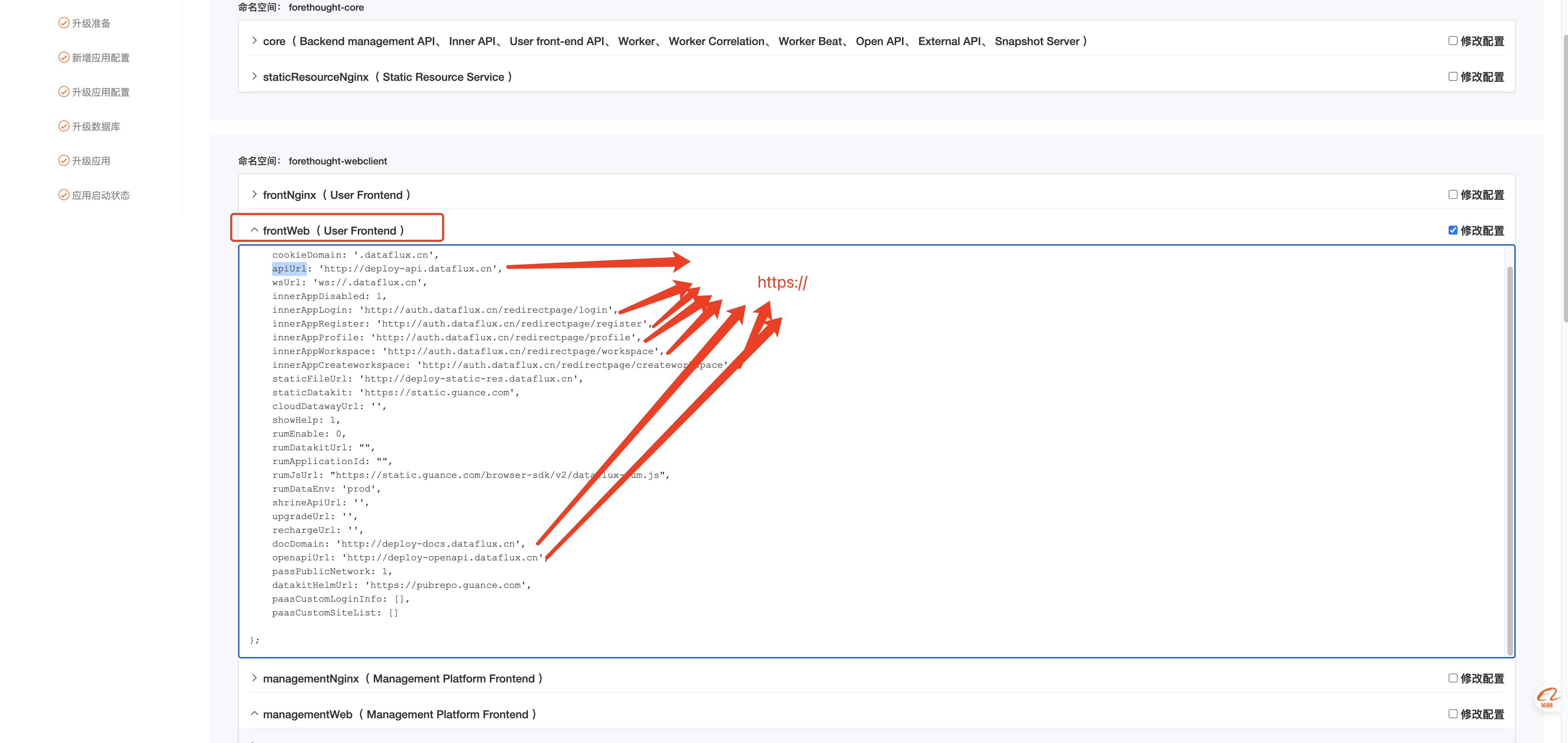
- Open the Launcher settings from the top-right corner.
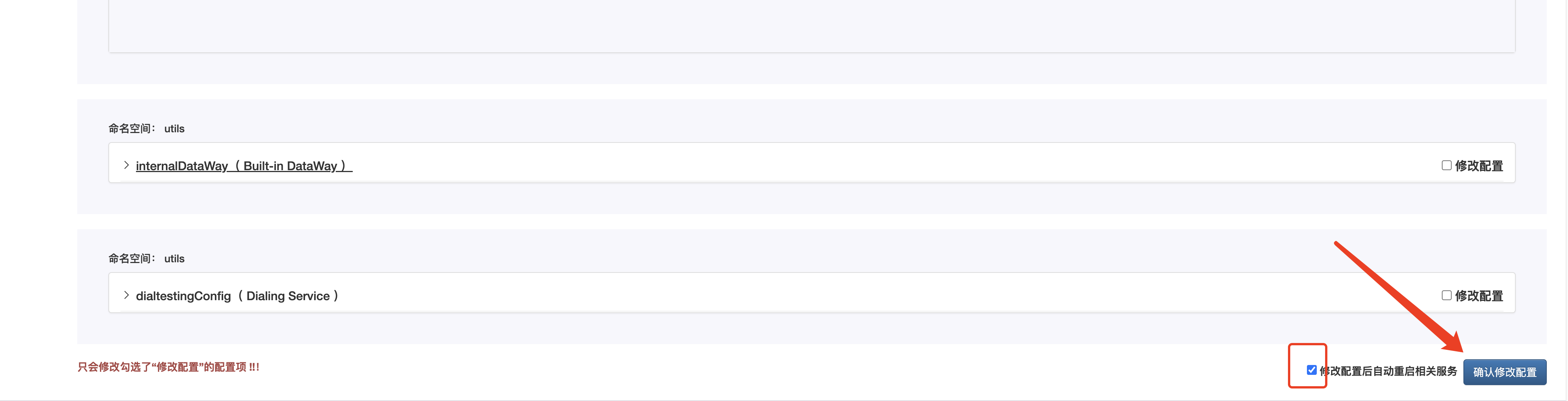
- Click Modify Application Configuration.
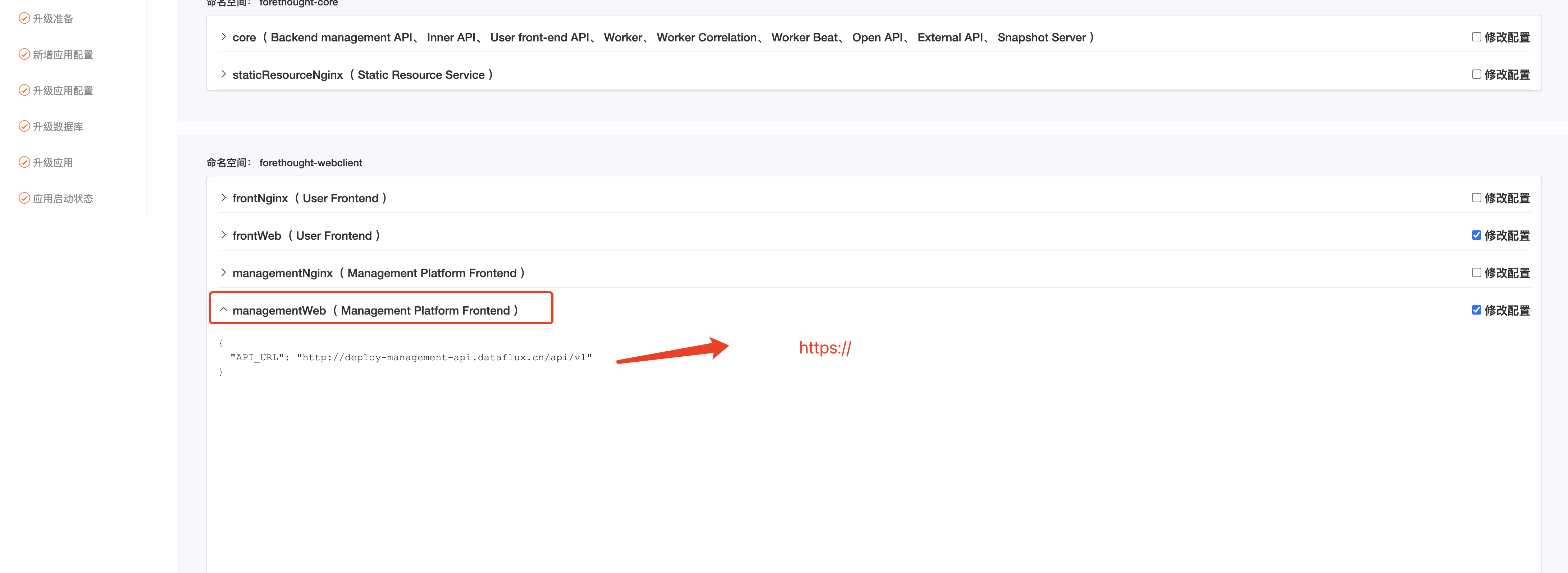
- Modify Namespace: forethought-webclient – frontWeb (User Frontend) and managementWeb (Management Platform Frontend) by changing
httptohttps.
Rollback Method
- Revert the frontend configuration changes.
- Apply the backed-up Ingress YAML files: