Slack
Incoming Webhooks is a way to send messages from other applications to Slack. After enabling Incoming Webhooks, you will get a unique URL for sending JSON payloads containing message text and some options.
For more details, see Sending messages using Incoming Webhooks.
Note
This notification target only applies to international site workspaces that have bound an International Billing Center account.
Enable Incoming Webhooks
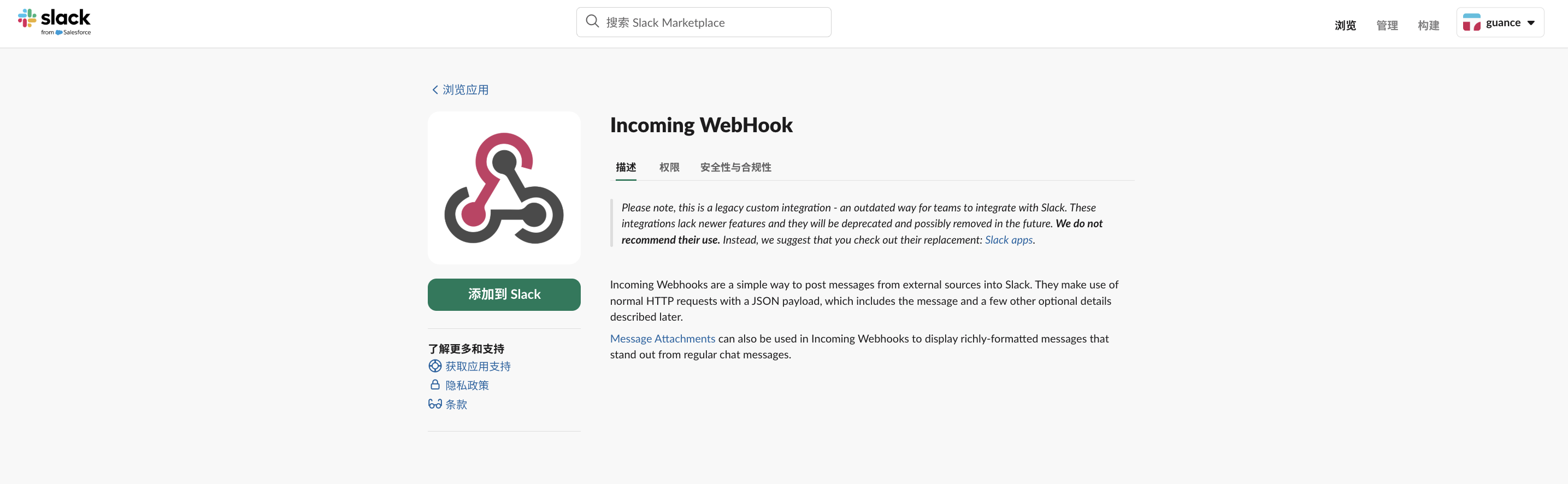
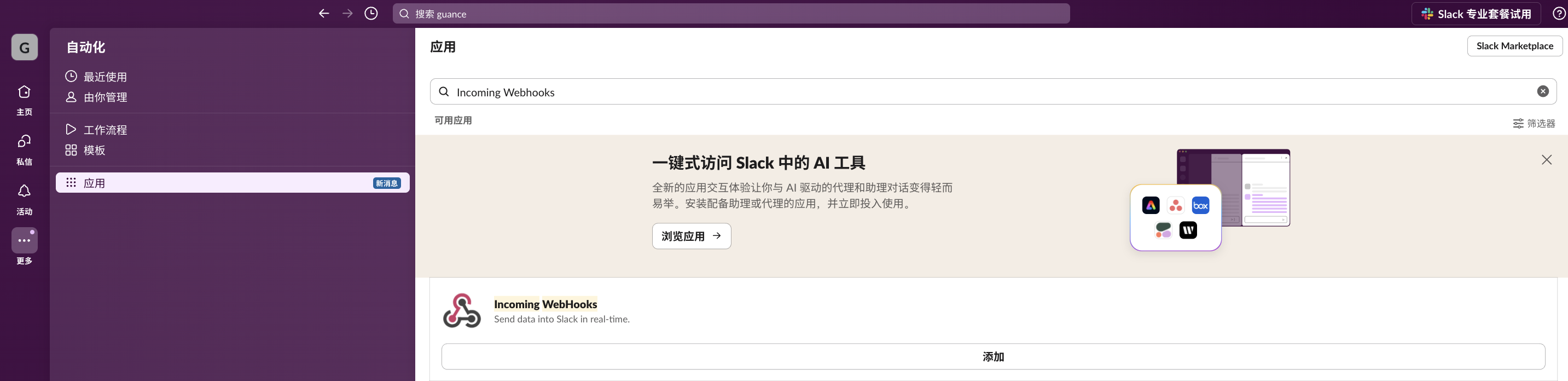
- Log in to Slack and go to the Apps page.
- Select Incoming Webhooks.
- Click Add and choose to add it to Slack.
- Select a channel as the target channel where the bot publishes messages.
- Proceed to the next step.
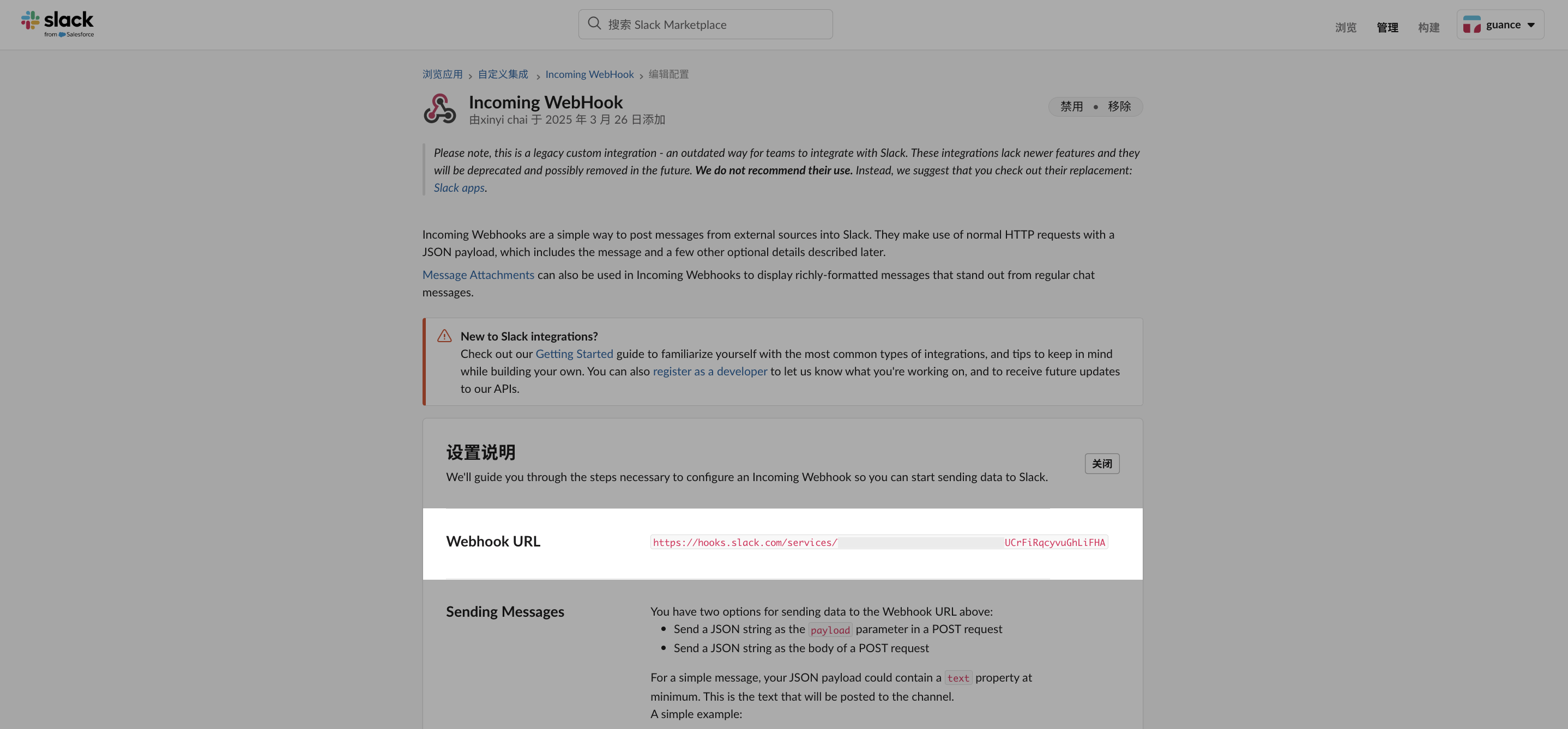
- The system will generate a unique Webhook URL for subsequent message delivery.
- Save the settings.
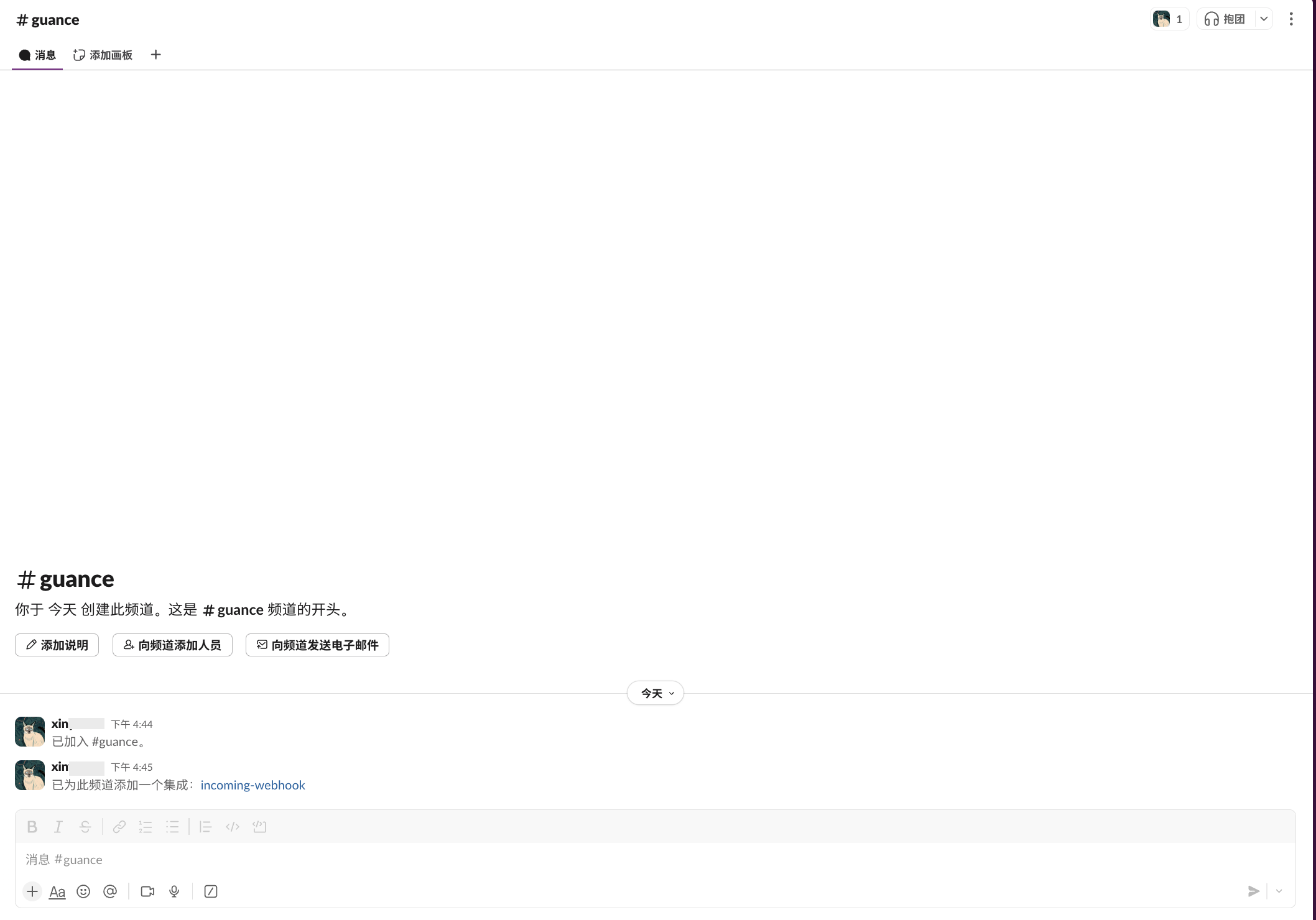
- Return to the channel and confirm that the integration has been added.
Return to the Slack Configuration Page
- Enter the Webhook URL obtained in the steps above.
- Define a name for the current notification target for identification in the notification target list.
- Test whether the notification was sent as needed (❗️ A test message is sent to the group/channel corresponding to this Webhook. Go to the corresponding notification target to check whether the test message was sent successfully).
- Configure Operation Permissions.
- Confirm.