Activating Guance
Prerequisites
- Guance has been deployed; if not, refer to Deploying the Product Using Launcher
- An activation License has been applied for; if not, refer to Applying for a License
- Guance Dataway has been deployed; if not, refer to Deploying Dataway
Activation Steps
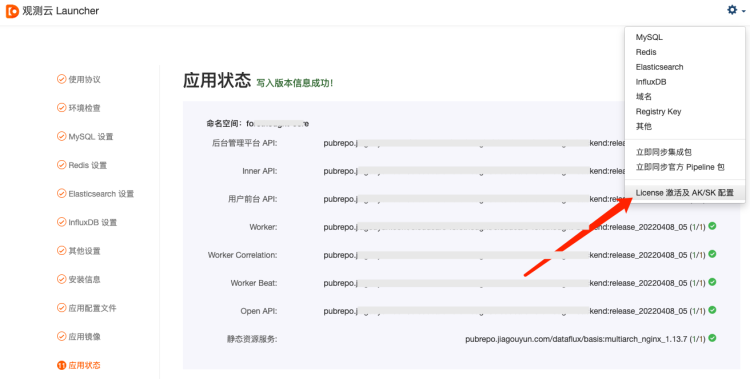
1. Open Guance Launcher
Click the "License Activation and AK/SK Configuration" menu under "Settings" in the upper right corner:
2. Activate Guance
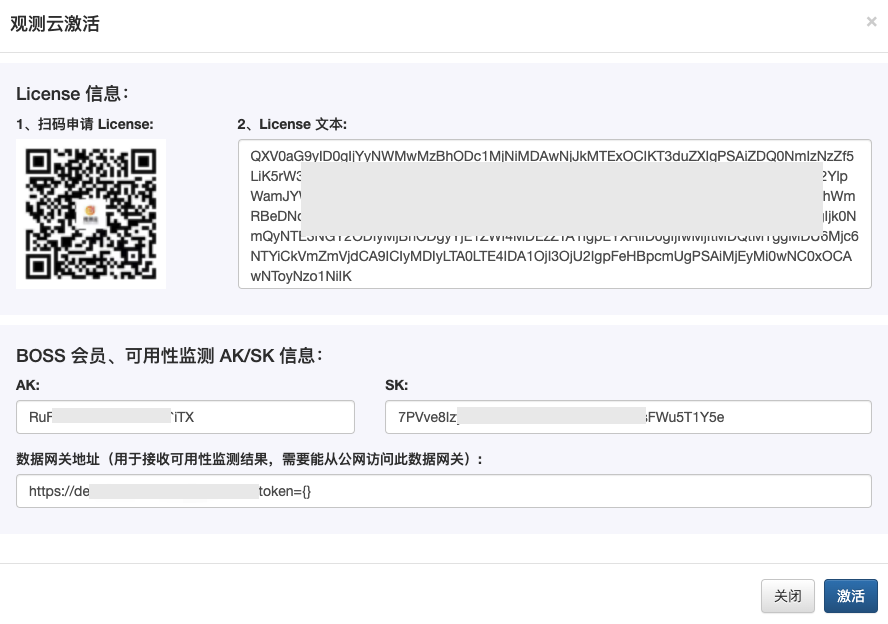
Enter the License, AK/SK, and Dataway address obtained earlier to complete the activation:
Warning
In the configuration of the "Dataway address", the part after the question mark, ?token={}, should be entered as-is without modification.