Deployment Plan Kodo Version Expired
Description
In Guance version 1.93.173 and later, when the page reports an error stating that the kodo service version is expired, you can continue using Guance by adding a parameter to the service. However, if the service version is far behind, new features will be unavailable, and when you later want to upgrade to a newer version, the upgrade process can be cumbersome and error-prone due to the large version gap. Therefore, it is recommended that the upgrade frequency of private deployment projects be the same as the SaaS iteration cycle, or at least not lag more than 3 releases behind the latest version.
Problem Description
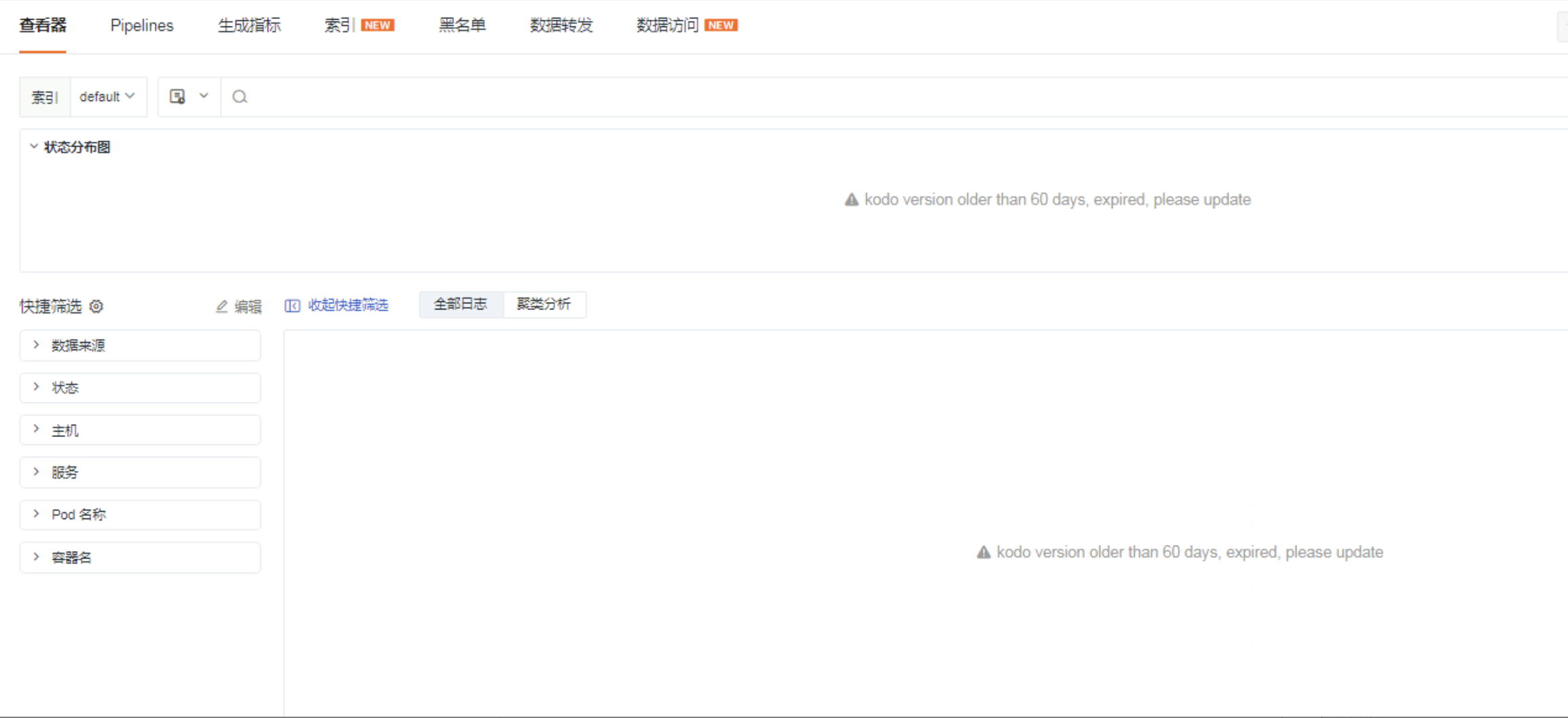
In a private deployment environment, if the kodo service version is more than 180 days behind the current SaaS version, the frontend page will throw an error: kodo version older than 60 days, expired, please update, causing some Guance features to become unavailable.
Solution
Add a parameter to the service and restart the service.
Add the following parameter:
Latest parameter, replacing KODO_DISABLE_EXPIRED_VESION_CHECKING:
⚠️ This parameter is deprecated (effective for versions 1.111.199 and earlier).
After editing, verify that the kodo and kodo-inner pods have been restarted.