Custom Tag Usage
Static Usage
You can create multiple Configurations and use preprocessor directives to set values:
- Create multiple Configurations
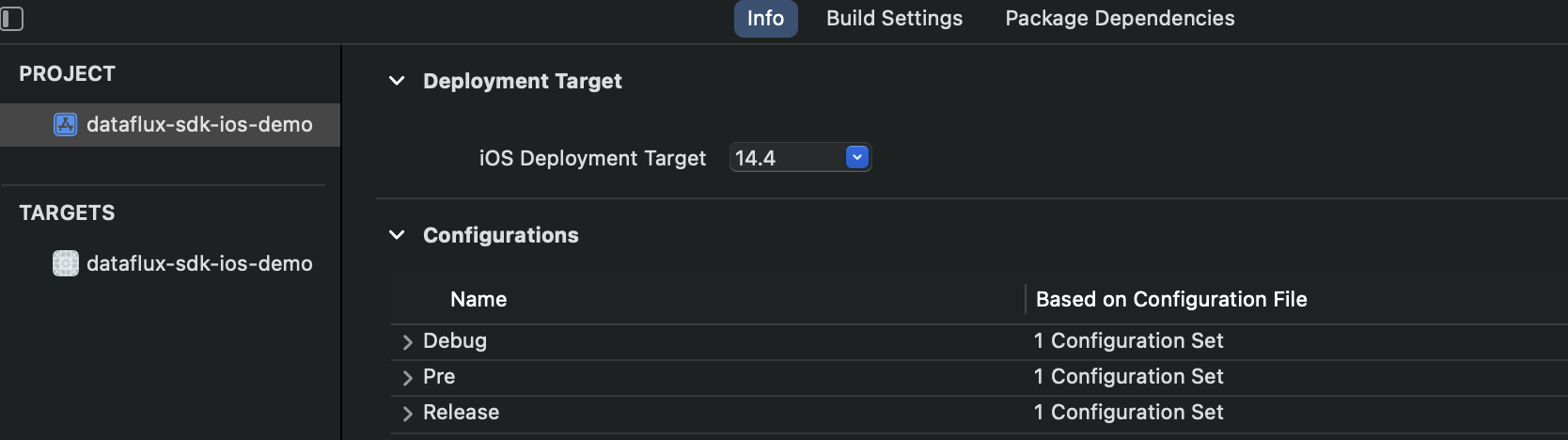
- Set preset attributes to distinguish different Configurations

- Use preprocessor directives
// Target -> Build Settings -> GCC_PREPROCESSOR_DEFINITIONS to configure preset definitions
#if PRE
#define Track_id       @"0000000001"
#define STATIC_TAG     @"preprod"
#elif  DEVELOP
#define Track_id       @"0000000002"
#define STATIC_TAG     @"common"
#else
#define Track_id       @"0000000003"
#define STATIC_TAG     @"prod"
#endif

FTRumConfig *rumConfig = [[FTRumConfig alloc] init];
rumConfig.globalContext = @{@"track_id":Track_id,@"static_tag":STATIC_TAG};
... // Other setup operations
[[FTSDKAgent sharedInstance] startRumWithConfigOptions:rumConfig];
Dynamic Usage
Since the globalContext set after RUM starts will not take effect, users can save it locally and set it to take effect the next time the application starts.
- Save locally via file storage, such as
NSUserDefaults. When configuring the SDK, add code to retrieve tag data in the configuration section.
NSString *dynamicTag = [[NSUserDefaults standardUserDefaults] valueForKey:@"DYNAMIC_TAG"] ?: @"NO_VALUE";

FTRumConfig *rumConfig = [[FTRumConfig alloc] init];
rumConfig.globalContext = @{@"dynamic_tag":dynamicTag};
... // Other setup operations
[[FTSDKAgent sharedInstance] startRumWithConfigOptions:rumConfig];
- Add a method to change file data anywhere.
- Finally, restart the application for it to take effect.
Notes
- Special key:
track_id(configured in RUM, used for tracking functionality) - When a user adds a custom tag via
globalContextthat is the same as an SDK's own tag, the SDK tag will override the user-set value. It is recommended to add a project abbreviation prefix to tag names, e.g.,custom_tag_name - The
globalContextmust be set before calling the-startRumWithConfigOptionsmethod to start RUM for it to take effect - Custom tags configured in
FTSDKConfigwill be added to all types of data
For more detailed information, refer to the SDK Demo.