Switching the Log Engine
Overview
This article describes how to switch the Guance log engine. Six different engines are supported: the original open-source Elasticsearch, the original open-source OpenSearch, managed OpenSearch on AWS, managed Elasticsearch on Huawei Cloud, managed Elasticsearch log-enhanced edition on Alibaba Cloud, and managed Elasticsearch on Alibaba Cloud. This operation is intended for switching to a production log engine during a POC.
Prerequisites
- Prepare the log engine address and account credentials
- Confirm that analysis-ik is installed successfully
- Confirm whether automatic index creation is disabled
- Prepare the Guance MySQL address and the account credentials for the
df_coredatabase
Switching Steps
Step 1: Stop the kodo-x Service
Step 2: Refresh the Configuration
Log in to the df_core database.
- Back up the table
- Query the information
Structure:
mysql> select id,host,authorization,configJSON from df_core.main_es_instance;
+----+----------------------------------------+------------------------------------------------------------------------+-------------------------+
| id | host                                   | authorization                                                          | configJSON              |
+----+----------------------------------------+------------------------------------------------------------------------+-------------------------+
|  1 | http://testing-ft-elastic.cloudcare.cn | {"admin": {"password": "xxxxx", "username": "elastic"}}                | {"provider": "elastic"} |
+----+----------------------------------------+------------------------------------------------------------------------+-------------------------+
1 rows in set (0.01 sec)
- Update the configuration
SQL> update df_core.main_es_instance a set a.authorization='{"admin": {"password": "xxxxx", "username": "elastic"}}',a.configJSON='{"provider": "elastic"}',a.host='http://elasticsearch-client-headless.middleware:9200' where id =1;
Parameter Description:
-
authorization: ES username and password -
configJSON: ES provider.Valid values:
- elastic (original open-source Elasticsearch)
- opensearch (original open-source OpenSearch)
- aws_opensearch (managed OpenSearch on AWS)
- huawei_opensearch (managed Elasticsearch on Huawei Cloud)
- aliyun_openstore (managed Elasticsearch log-enhanced edition on Alibaba Cloud)
- aliyun_elasticsearch (managed Elasticsearch on Alibaba Cloud)
-
host: ES address -
id: the ES instance ID obtained in Step 2
Step 3: Restart the Services
Step 4: Initialize the ES Templates
Log in to the forethought-core inner API container and run the commands:
$ curl 'http://127.0.0.1:5000/api/v1/inner/es/init' -X 'POST'  -H 'Content-Type: application/json'
$ curl 'http://127.0.0.1:5000/api/v1/inner/es/init_subsequent' -X 'POST'  -H 'Content-Type: application/json'
Step 5: Start kodo-x
Step 6: Clear the Redis Cache
Log in to the Redis database:
Step 7: Verification
Log in to the Guance console and carefully review the Infrastructure and Logs features.
FAQ
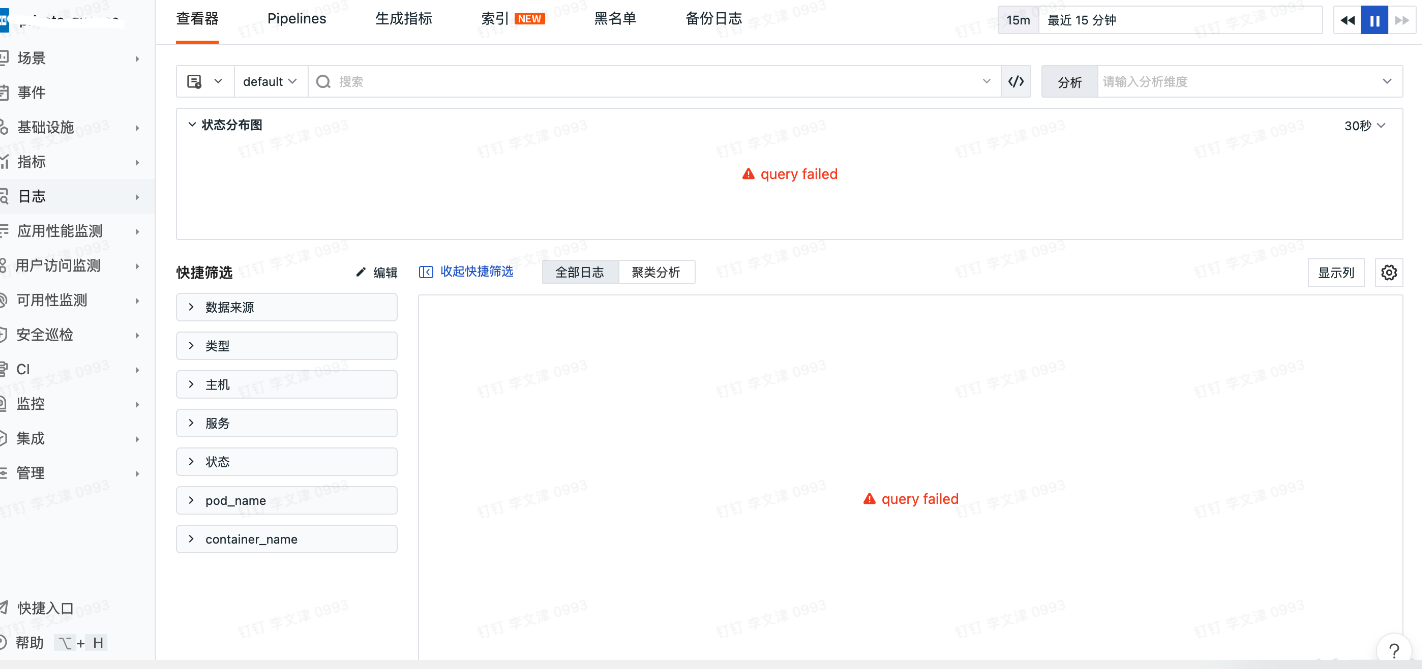
Page Query Failed
Prerequisites
- Obtain the Workspace ID of the Workspace that reported the error
- Ensure access to OpenSearch
Delete the Faulty Index
Do not omit that *