Custom Mapping
In a Deployment Plan workspace, dynamically manage workspace member role permissions through custom mapping rules. After configuration is enabled, users accessing the system via a single sign-on entry point will be assigned role permissions dynamically based on the priority order custom mapping rules of the workspace > mapping rules of the Management Console.
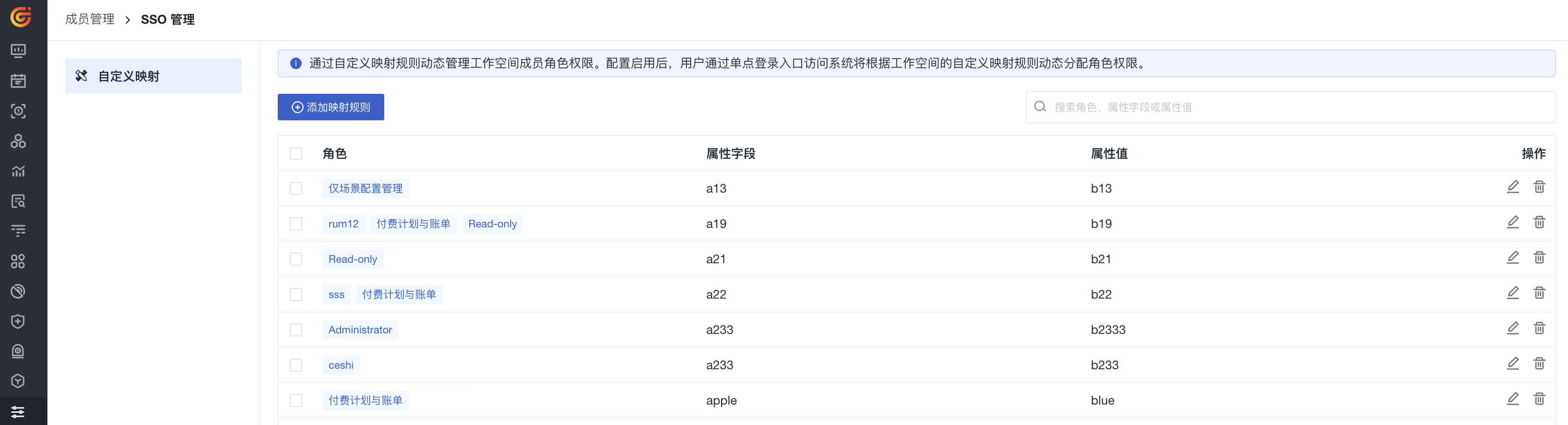
Create Mapping
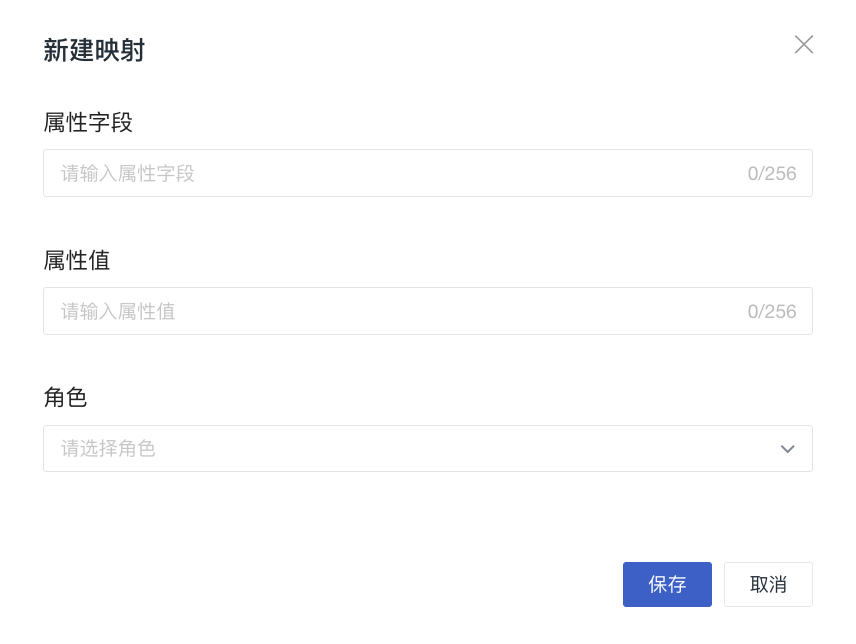
- Attribute Field / Attribute Value: The attribute fields and attribute values configured in the SAML mapping must match the attribute fields and attribute values configured on the IdP account. Only then will the SAML mapping be validated successfully. After successful validation, the IdP account will be granted the role permissions corresponding to the SAML mapping upon login.
- Role Authorization: Guance supports four default member roles: Owner, Administrator, Standard, and Read-only; or custom roles created in Role Management. Multiple selections are supported.
Search/Edit/Delete Mapping
- Search: Supports searching configured mapping roles by role, attribute field, or attribute value.
- Edit: Supports modifying the existing mapping role configuration.
- Delete: Supports deleting a single mapping role or selecting multiple to batch delete.