Data Access
Guance allows you to restrict RUM data access permissions for Workspace members at the application level. In addition, by introducing regex and desensitized fields, you can effectively strengthen the security protection of different application data and ensure information security.
Create
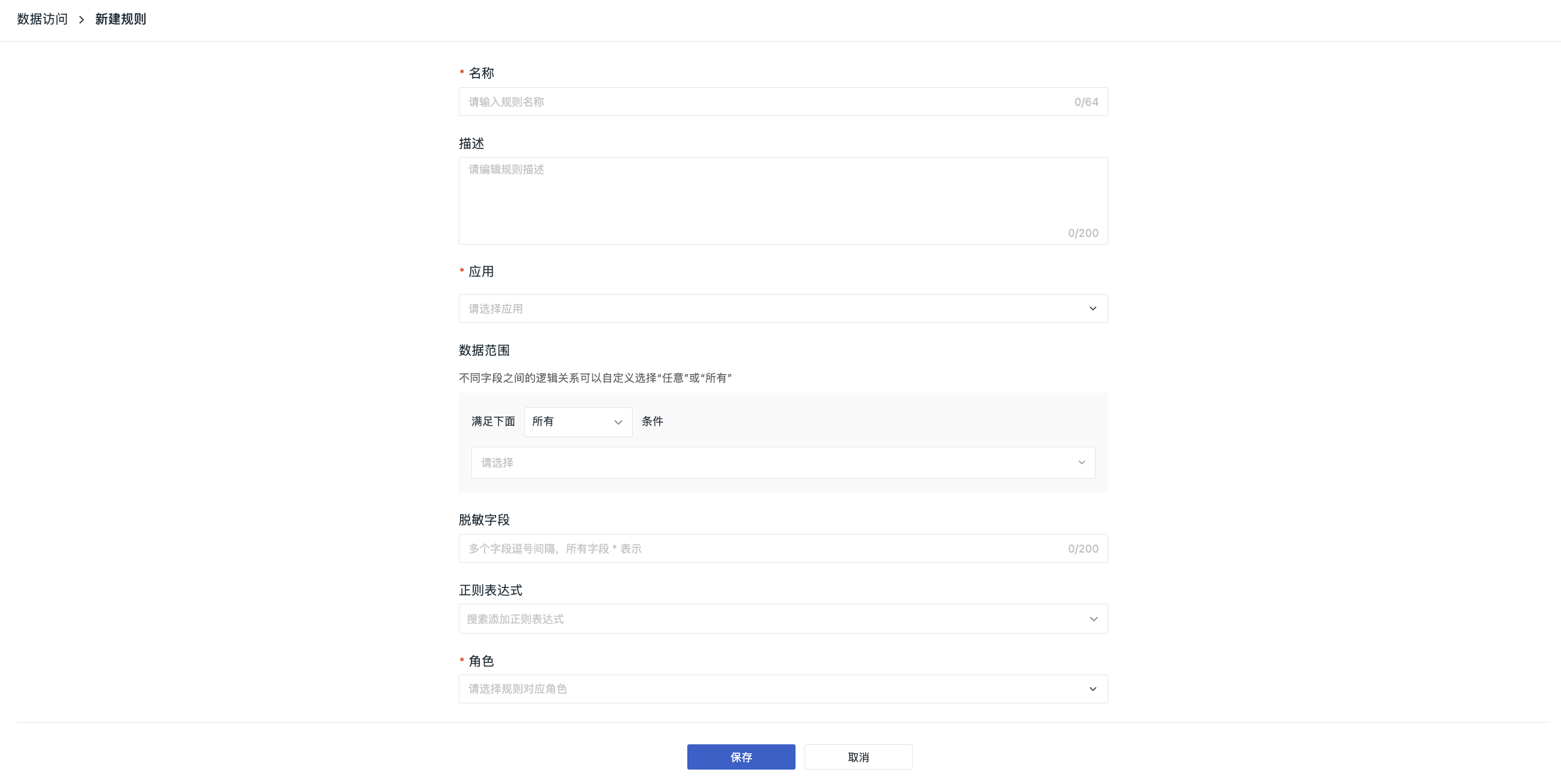
- Go to the Create Rule page;
- Enter a rule name;
- Enter a description for the rule as needed;
- Select the application ID (only applications in the current Workspace are available). You can directly apply to all applications or select single/multiple applications, covering Web, iOS, Android, etc.;
- Define the RUM data access scope under the current rule;
- Add one or more fields that need to be desensitized;
- Use regex to desensitize sensitive information in the field content;
- Select one or more member roles to which the current access rule applies, including system default roles and custom roles;
- Click Save.
Configuration Notes
When configuring data access rules, pay attention to three key logics:
- Data access scope: Members under the access rule can only access data that matches the filtering conditions.
- Regex desensitization: If you need an extra layer of data protection on top of the defined data scope, you can use regex or desensitized fields to mask sensitive data from external visibility.
- Role scenarios and query permissions: Different roles and single or combined application of different rules can produce different results for the final effect of the data access rules.
Manage List
For more details, see List Actions.
Notes
Cross-workspace queries: The RUM Explorer supports selecting multiple authorized Workspaces within the same site. Cross-workspace queries are still subject to data access rules, and choosing other Workspaces does not automatically expand the visible data scope. For authorization and read-only rules, see Cross-workspace Query Description.
Applications in different Workspaces are distinguished by "source Workspace + application ID". For example, if Workspace A and Workspace B both have a whytest-android application, they are still two independent application configurations even though the application ID is the same:
- If you select only A's application, B's application with the same name or ID will not be queried at the same time;
- If you need to query B's application, B must provide valid RUM data authorization to the current Workspace, and the corresponding application in B must be selected in the application selector;
- After selecting applications from both A and B, the results must still satisfy the data access scope and desensitization rules of the current role; you cannot infer that all data is visible based solely on Workspace authorization.
For example, if a role's data access rule restricts an application to source:kodo, expanding the Workspace query scope does not automatically remove that restriction. All query entry points must follow their corresponding rules.
Data access rules are still configured in the Workspace to which the application belongs; when creating a rule, only applications in the current Workspace can be selected. Cross-workspace queries do not change the ownership of the configured object, nor do they provide the ability to edit rules across Workspaces.