Manage Workspace Index Configuration
Introduction
This section describes how to manage workspace index settings in the backend management.
Description
Guance supports the following storage engines: OpenSearch, Elasticsearch, and Doris. The following sections describe how to manage workspace index settings for environments configured with these storage engines.
Default Index Settings for New Workspaces
This applies when you initially deploy the system and want to customize the global index settings for newly added workspaces. Modify the core ConfigMap in the forethought-core namespace by adding the following content:
WorkspaceDefaultesIndexSettings:
  number_of_shards: 1
  rollover_max_size: 30
  number_of_replicas: 1
  hot_retention: 24
| Configuration Item | Description | Default | Recommended Value |
|---|---|---|---|
| number_of_shards | Number of primary shards for the index | 1 | Keep consistent with the data nodes of the OpenSearch cluster; keep the default for Doris |
| rollover_max_size | Size of a single shard | 30 | 30 |
| number_of_replicas | Whether to enable index replicas | 1 | Recommended to enable if disk space is sufficient |
| hot_retention | Hot data retention period (hours) | 24 | Can be configured to a longer period when disk space is sufficient; this configuration does not take effect if ES has no hot-warm-cold architecture |
After adding the content, restart all services under the forethought-core namespace.
Updating Default Index Settings for Existing Workspaces
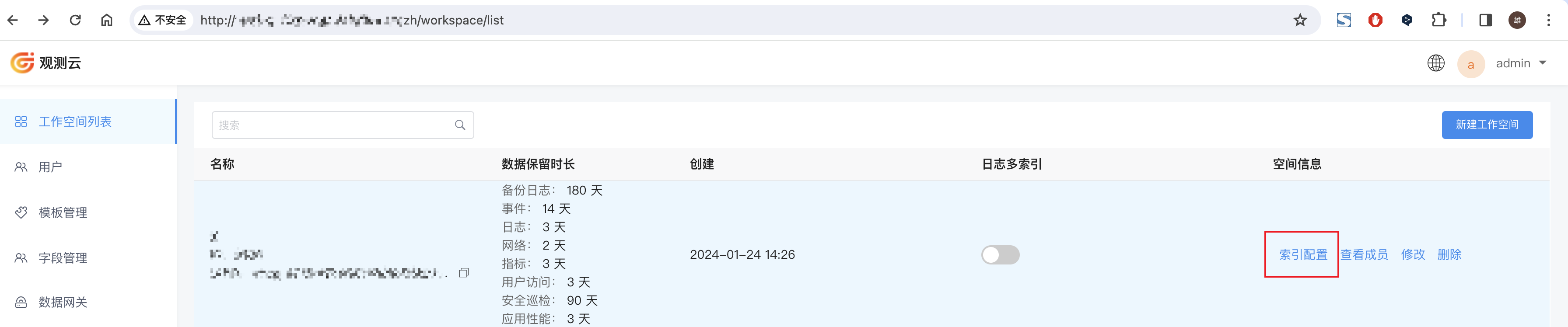
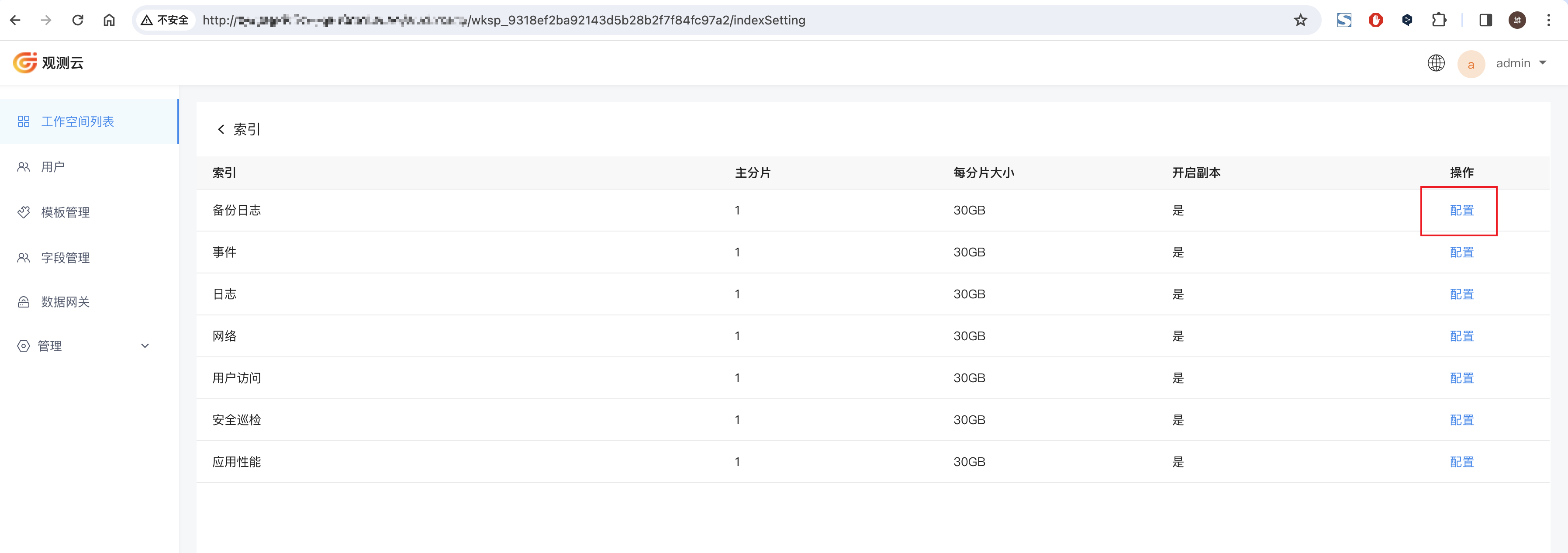
Log in to the Backend Management page as an administrator (the backend management page URL can be found in the launcher at the top-right function key → Domain, then copy the address corresponding to management). Find the workspace whose default retention policy you want to modify, click Index Settings, enter the index page, and click Configure to configure the index settings for different storage content.
Storage Engine: OpenSearch or Elasticsearch
When configuring a workspace with the storage engine set to OpenSearch or Elasticsearch, the following options are available:
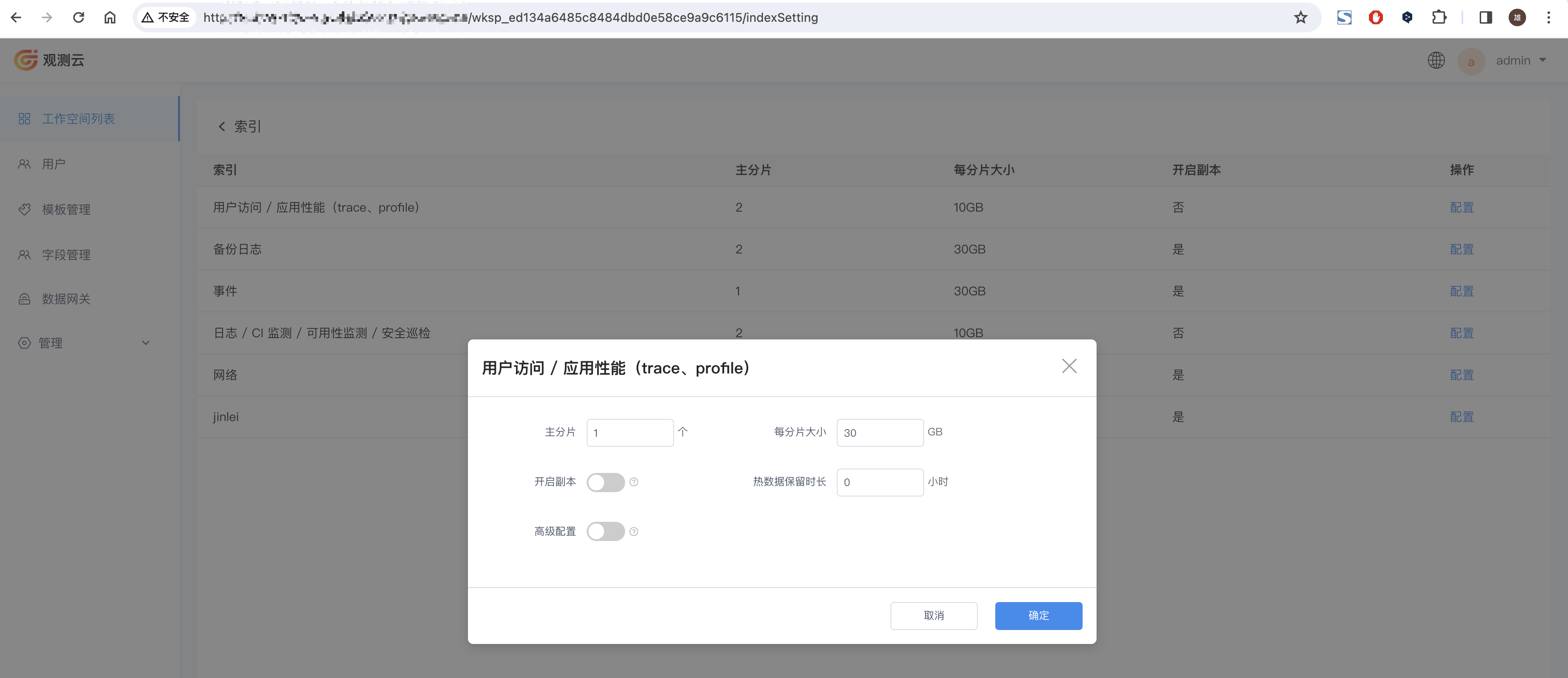
| Configuration Item | Description | Default | Recommended Value |
|---|---|---|---|
| Primary Shards | Number of primary shards for the index | 1 | Keep consistent with the data nodes of the OpenSearch cluster |
| Size per Shard | Size of a single shard | 30 | 30 |
| Enable Replicas | Whether to enable index replicas | No | When enabled, defaults to 1 replica; recommended to enable if disk space is sufficient |
| Hot Data Retention Period | Hot data retention period (hours) | 0 | Keep the default (this configuration does not take effect if ES has no hot-warm-cold architecture) |
| Advanced Configuration | Advanced configuration for the index | No | Keep the default |
Storage Engine: Doris
When configuring a workspace with the storage engine set to Doris, the following options are available:
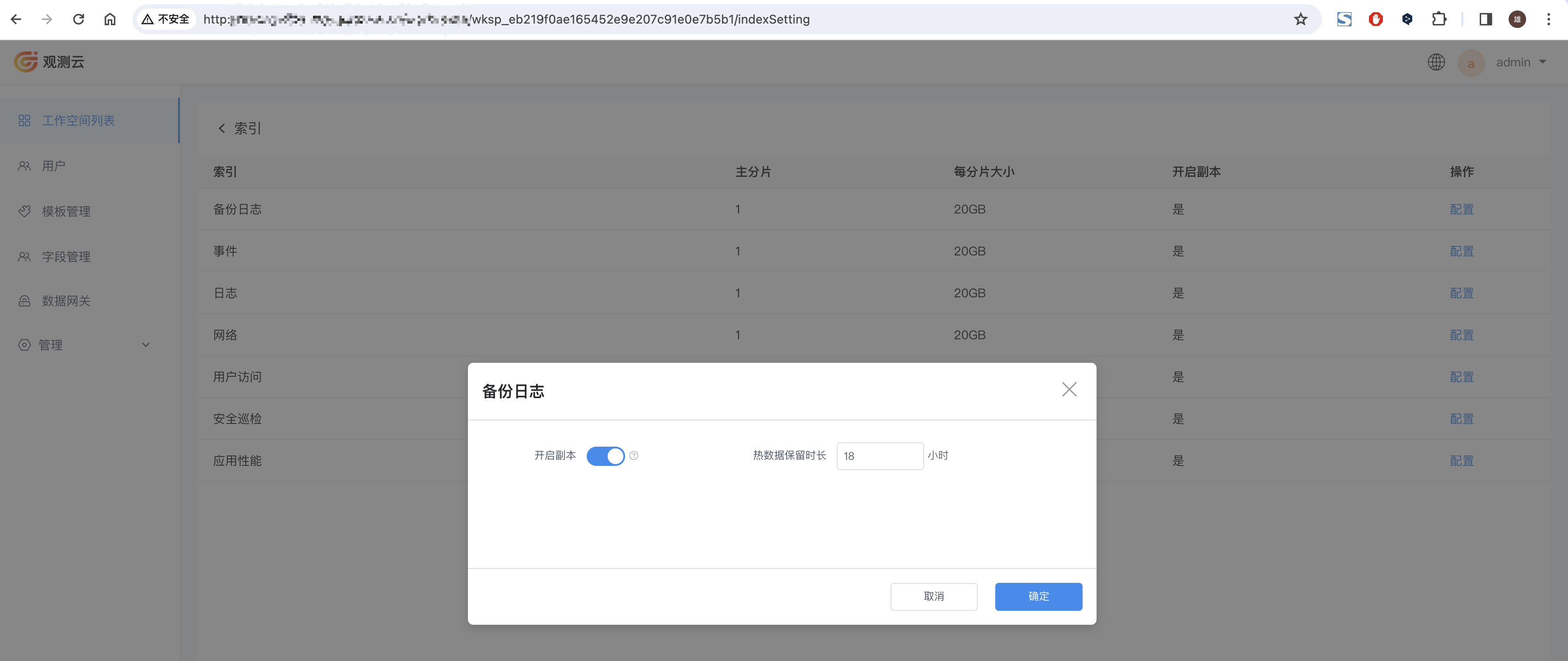
| Configuration Item | Description | Default | Recommended Value |
|---|---|---|---|
| Enable Replicas | Whether to enable replicas | No | Recommended to enable if disk space is sufficient |
| Hot Data Retention Period | Hot data is retained on disk; data exceeding the hot retention period will be migrated to object storage | 24 | Can be configured to a longer period when disk space is sufficient |