Services
Services are a core component in Kubernetes that provide stable network access to dynamic Pod groups. They expose services through a fixed ClusterIP or DNS name, shielding backend Pod changes such as scaling, failover replacement, and rolling updates.
For more information, see Services.
List
Go to Infrastructure > Containers, click Kubernetes > Services in the upper-left corner of the page, and you can view all Services retained in the workspace, including name, type, service IP, age, etc.
Details
Click a row in the list to open the details panel.
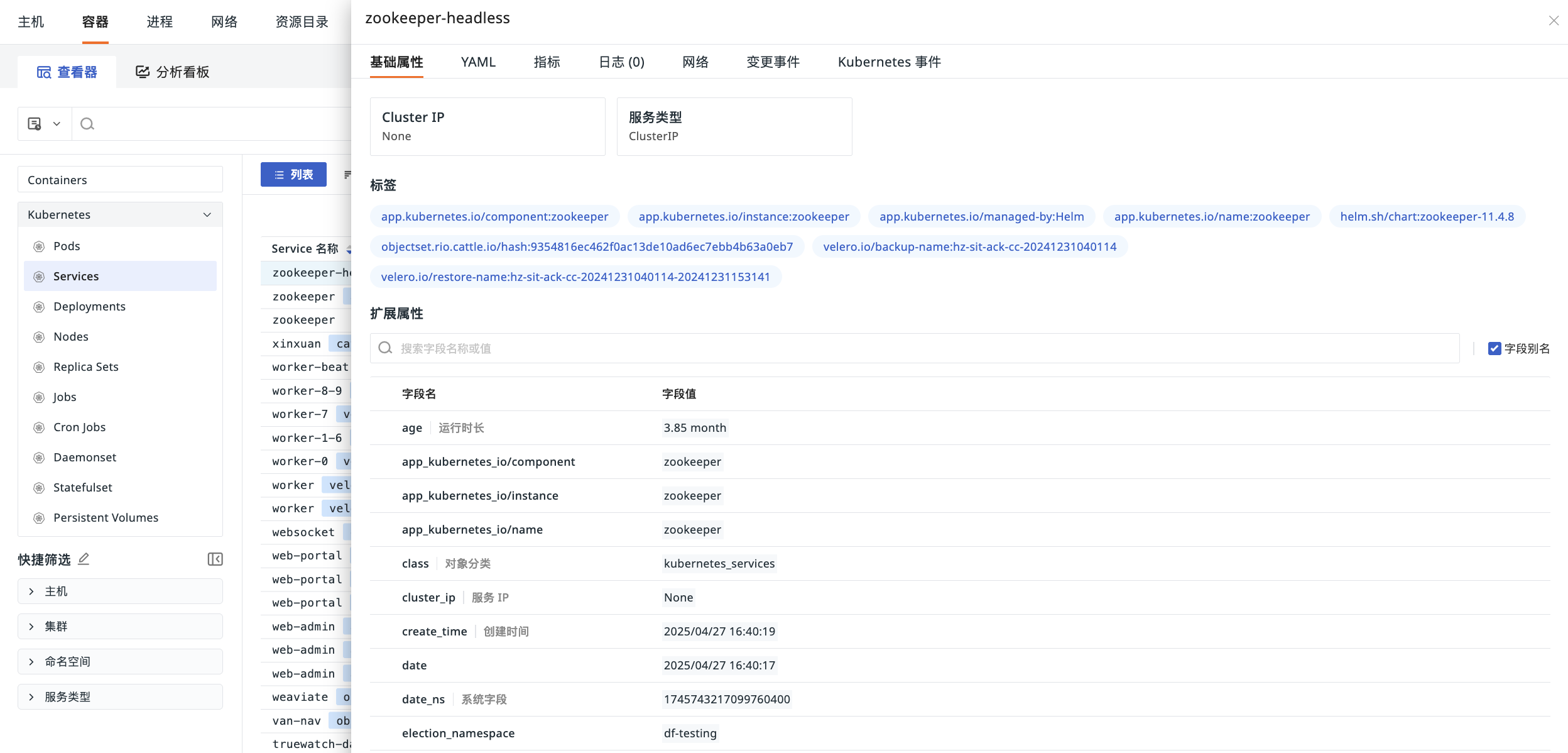
Basic Attributes
View the Cluster IP, service type, labels, and extended attributes of the Service.
- Click Cluster IP/Service Type to perform the following actions:
| Action | Description |
|---|---|
| Filter by field value | Add this field to the Explorer to view all data related to this field. |
| Reverse filter by field value | Add this field to the Explorer to view data excluding this field value. |
| Add to display columns | Add this field to the Explorer for display. |
| Copy | Copy this field to the clipboard. |
- Labels
Labels are automatically uploaded with the Service information by default. Existing labels can be used to quickly filter and display data with the same labels in the Service object list.
YAML
In the YAML tab, the system displays the complete configuration of the current Service, including all currently declared fields, system default values, associated resources, etc., which is key for troubleshooting.
Correlation Analysis
Seamlessly correlate the corresponding Service's metrics, containers, logs, network, etc., to monitor the Service's operation more quickly and comprehensively.
Change Events
For more details, see Change Events Details.
Kubernetes Events
View the corresponding event data associated with namespace, source, kind, and name.
For more details, see Explorer Configuration.