OpenSearch Index Binding
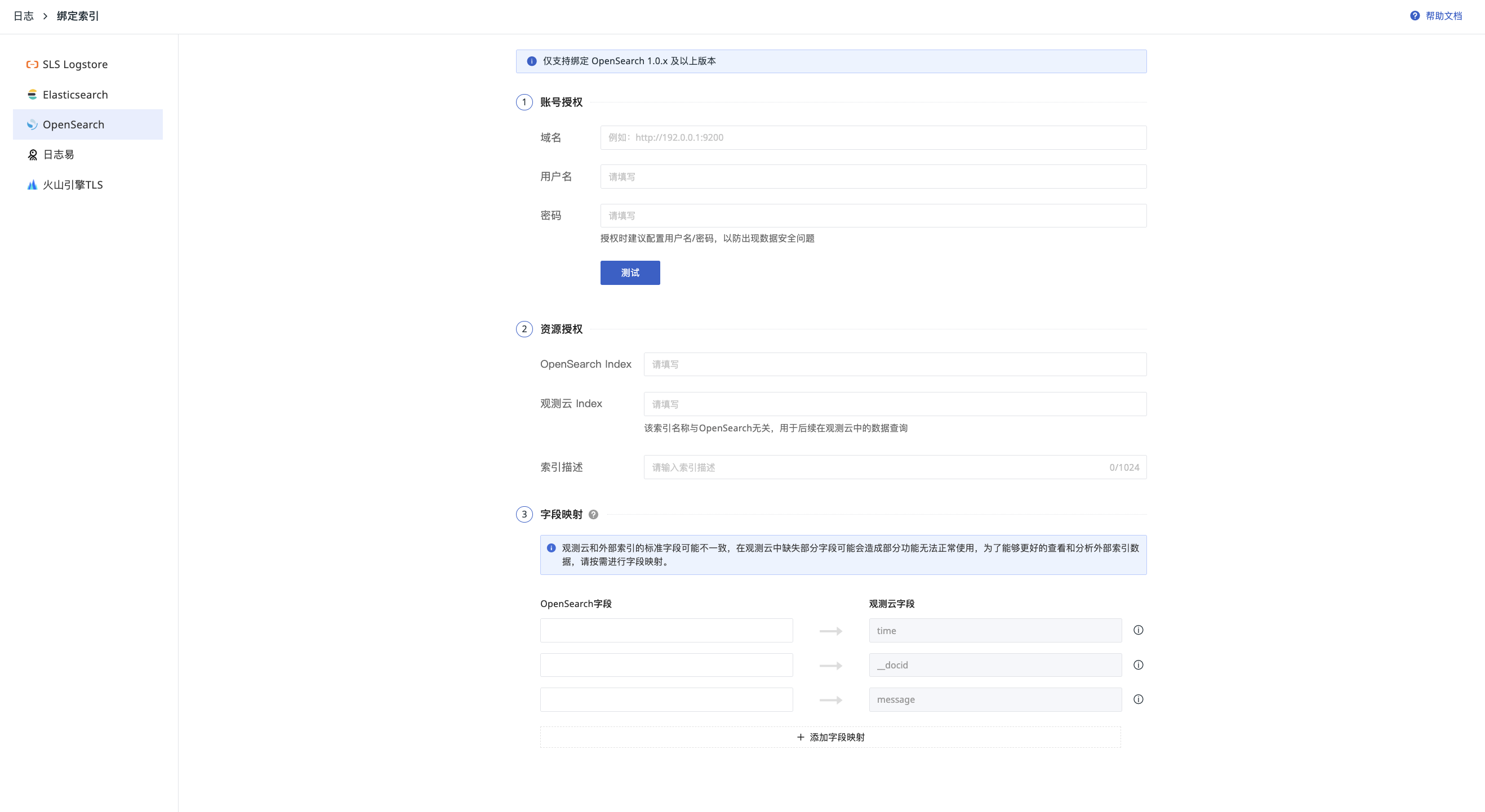
- Navigate to LOG > Index and select "Bind External Index".
- Select OpenSearch (❗️ Only supports binding with OpenSearch version 1.0.x and above).
- Perform Account Authorization.
- Perform Resource Authorization.
- Complete Field Mapping.
- After filling in the details, you can click Test to verify the correctness of the username and password.
Account Authorization
- Domain: The user access address for OpenSearch. Ensure it is accessible on the public network.
- Username: The username used to access OpenSearch.
- Password: The password required to access OpenSearch.
Resource Authorization
- OpenSearch Index: The name of the index in OpenSearch that you wish to bind and view.
- Guance Index: A unique identifier for the index in the Guance workspace. This is user-defined and cannot be duplicated. Once configured, it can be used to filter index names (❗️ This index name is unrelated to OpenSearch and is solely for your data filtering purposes within Guance).
- Optionally, provide a description for the index.
After configuration, click Confirm to complete the index binding. You can then view the data by switching indices in the Explorer.
Special Notes
Due to the rolling strategy in Elasticsearch/OpenSearch, a single index may generate multiple index rules or names. If you need to query all data under the current index or data corresponding to a specific index under the current index, follow the configuration examples below.
Index, Alias, and Shards
- An index alias is a secondary name used to refer to one or more existing indices.
- One alias can be bound to multiple indices, and one index can be bound to multiple aliases.
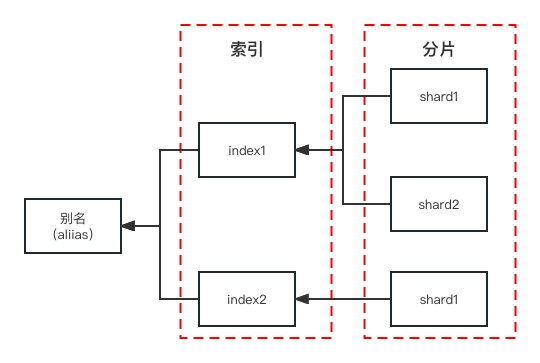
As shown in the image above, Index 1 contains 2 shards. To query the log content in Index 1, simply bind the index with the index name as Index 1. There is no need to be aware of the number or size of shards.
Index Rolling
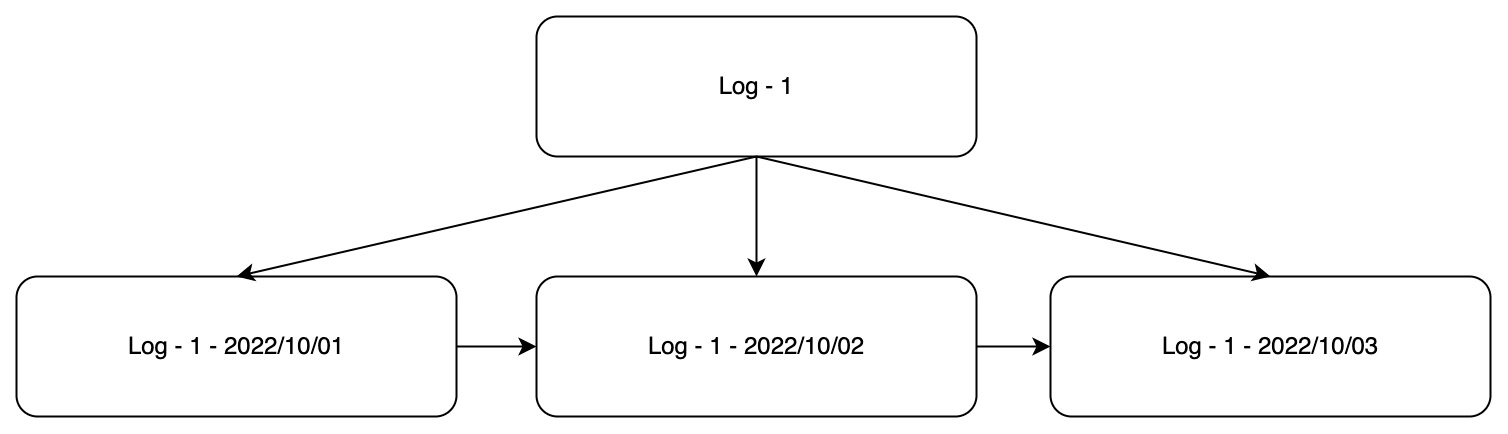
As shown in the image above, using Elasticsearch's daily rolling index strategy as an example, Log-1 is the alias for these indices, and Log-1 - 2022/10/01, etc., are the index names.
- To bind all indices in Guance, bind the index alias as shown in the example below:
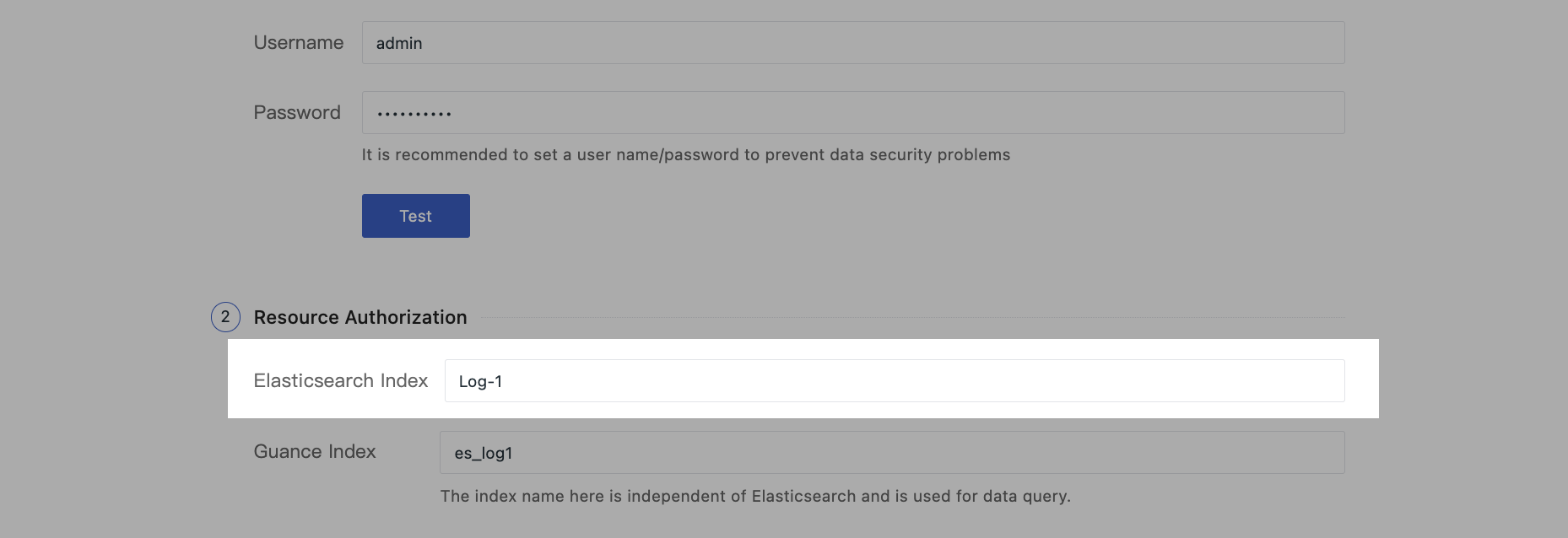
- To bind a specific index in Guance, or if there is no rolling strategy in the configuration, simply bind the specific index name as shown in the example below:
