Change Domain Access to IP Access
Change Domain Access to IP Access
1. Modify SVC Configuration of Related Services
- Modify the service status under the
forethought-webclientNamespace
kubectl patch svc  management-webclient -n forethought-webclient -p '{"spec": {"type": "NodePort"}}'
kubectl patch svc  front-webclient -n forethought-webclient -p '{"spec": {"type": "NodePort"}}'
kubectl patch svc  dataflux-doc -n forethought-webclient -p '{"spec": {"type": "NodePort"}}'
- Modify the service status under the
forethought-coreNamespace
kubectl patch svc  management-backend -n forethought-core -p '{"spec": {"type": "NodePort"}}'
kubectl patch svc  static-resource-nginx -n forethought-core -p '{"spec": {"type": "NodePort"}}'
kubectl patch svc  front-backend -n forethought-core -p '{"spec": {"type": "NodePort"}}'
- Modify the service status under the
func2Namespace
Get the corresponding SVC NodePort and record it for later use.
2. Modify ConfigMap Configuration of Related Services
-
Log in to the launcher interface via browser
-
Modify the ConfigMap configuration of
forethought-webclientrelated to backend management
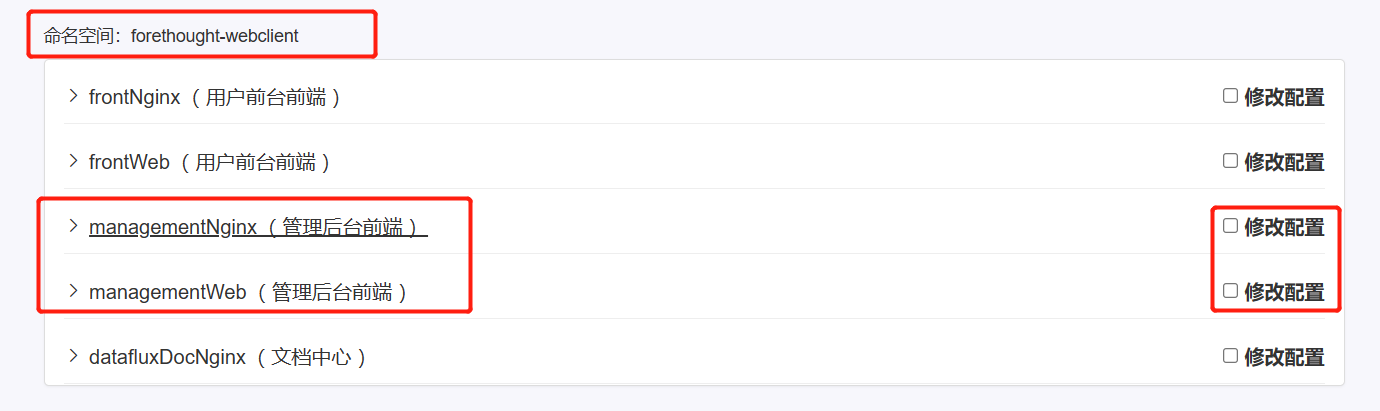
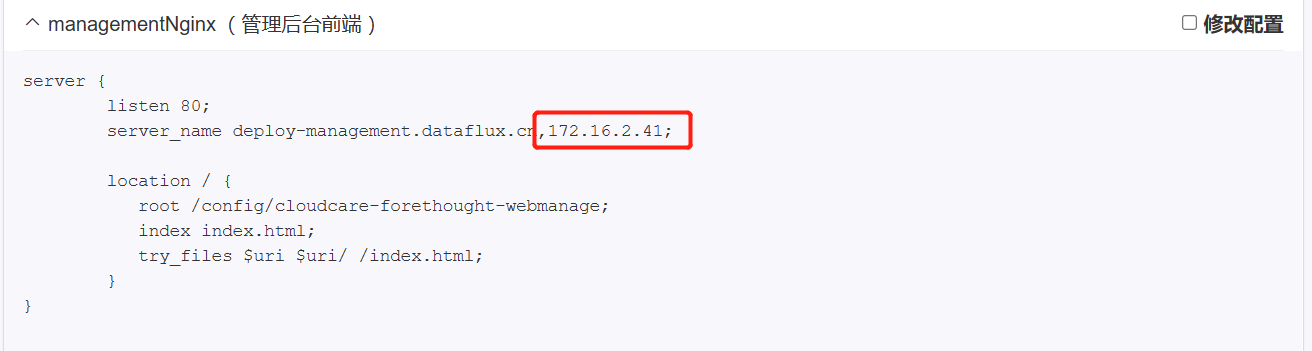

Change to the host IP + port corresponding to
management-backendunder theforethought-coreNamespace
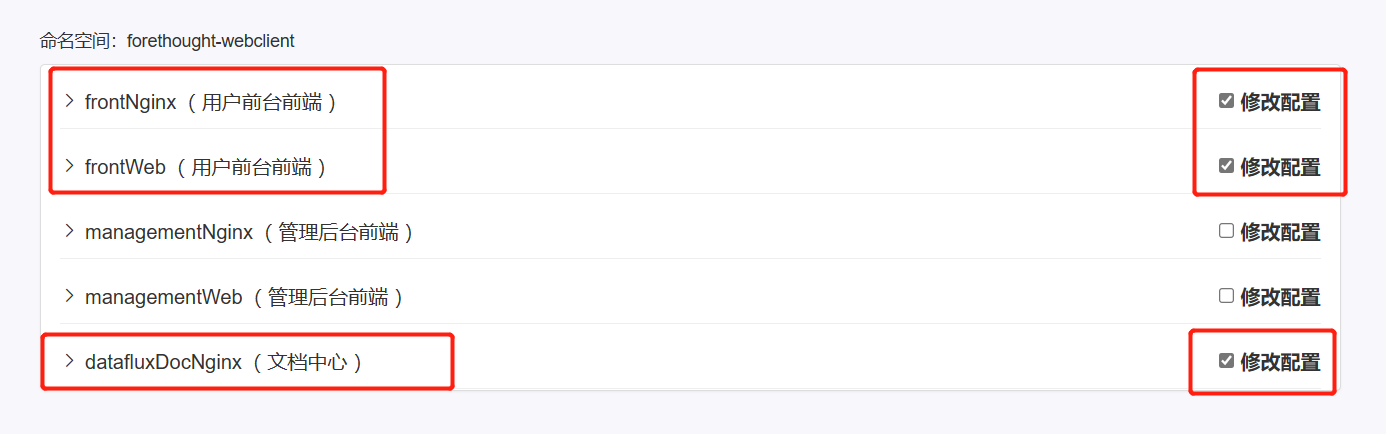
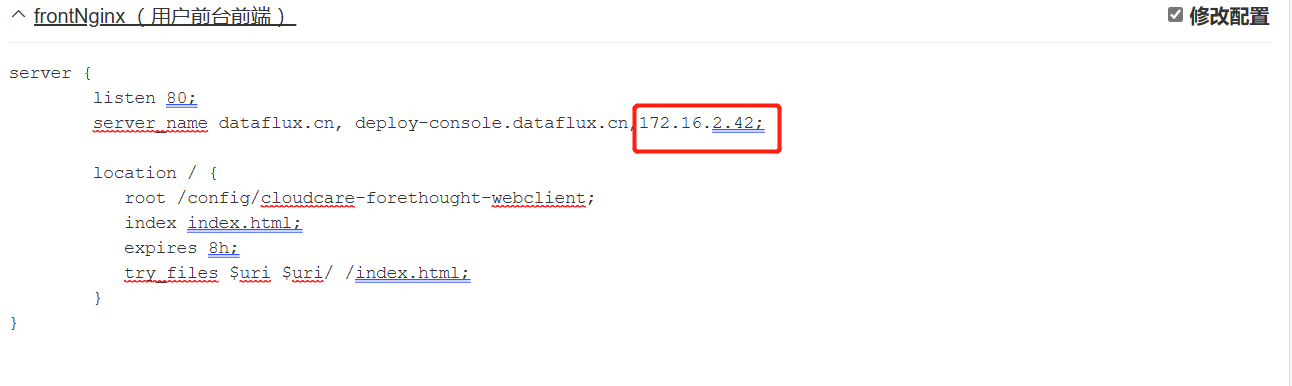
- Modify the ConfigMap configuration of
forethought-webclientrelated to the homepage
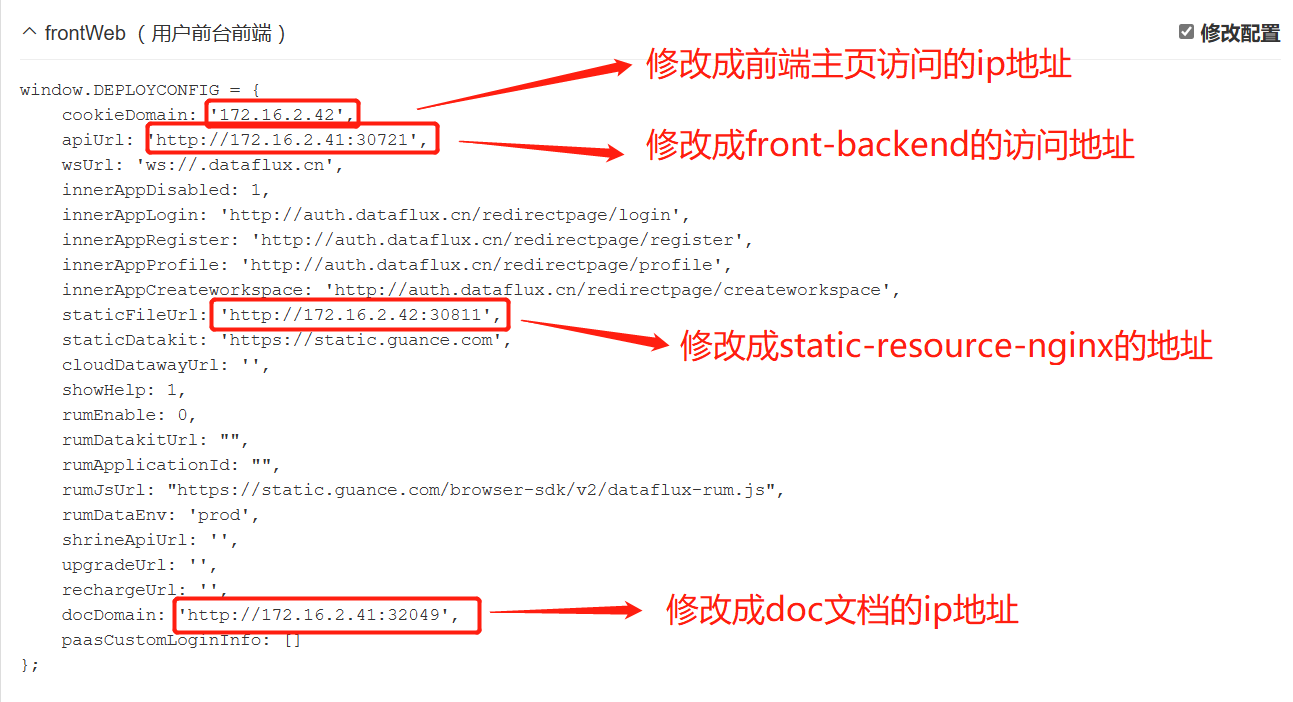
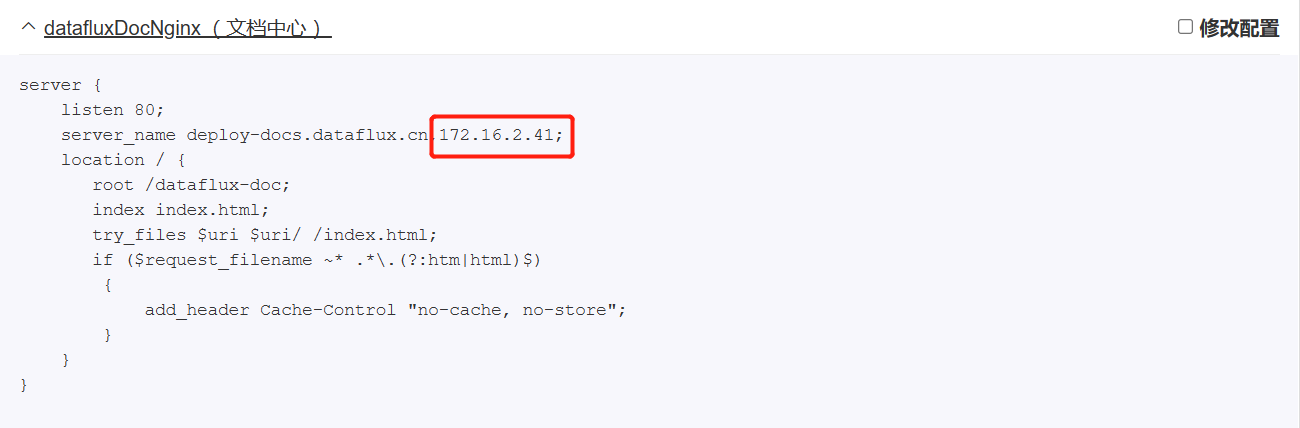
- Modify the ConfigMap configuration of
forethought-corerelated to the homepage

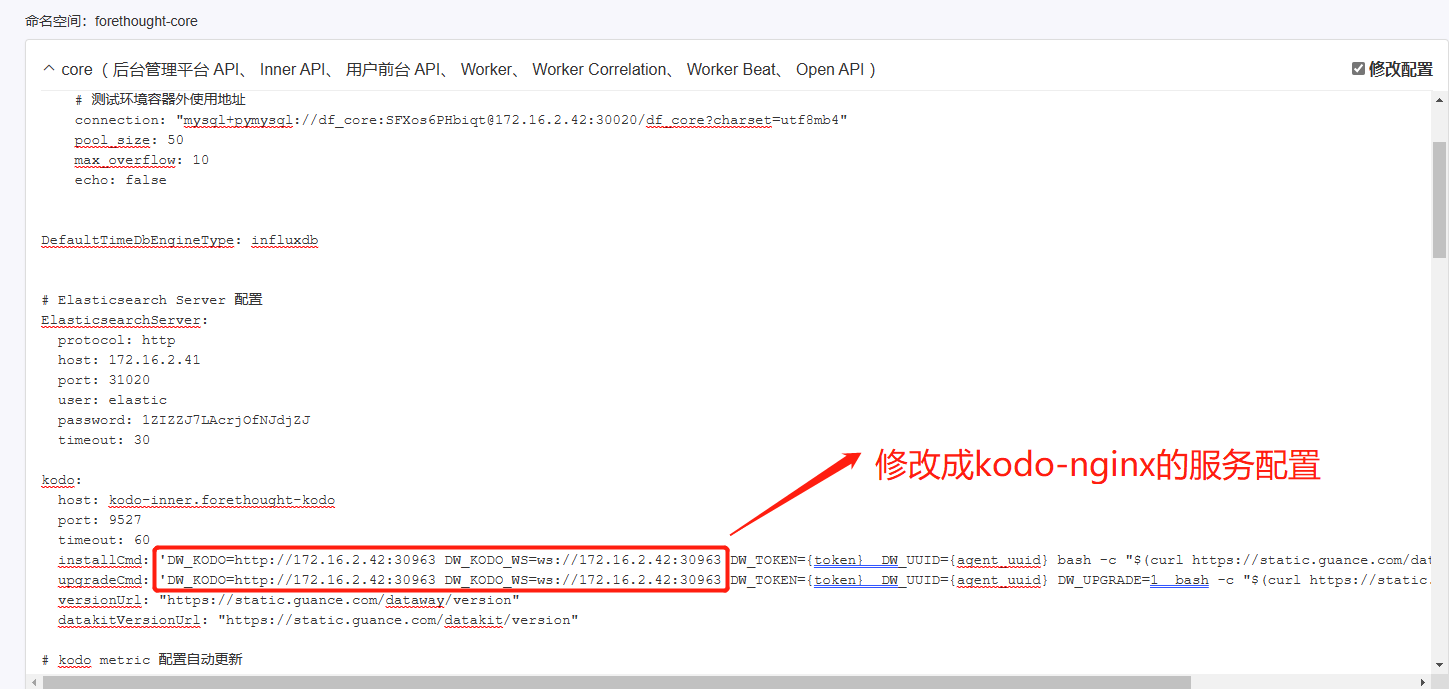

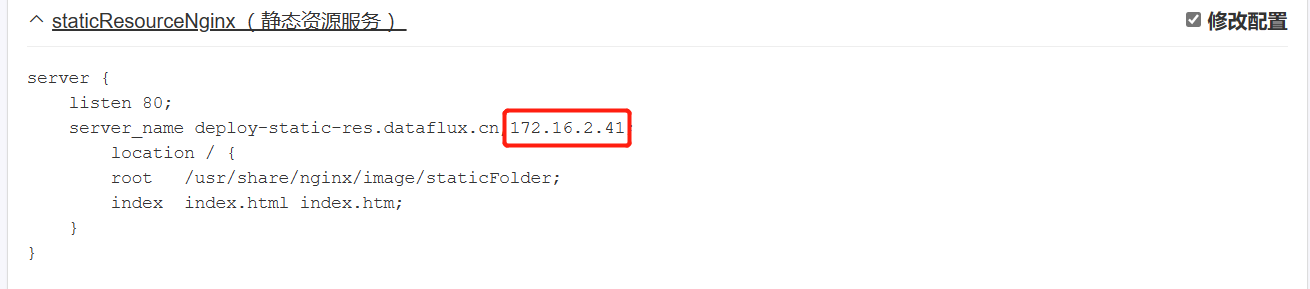
- Modify the ConfigMap configuration of
kodo-nginxunderforethought-kodo
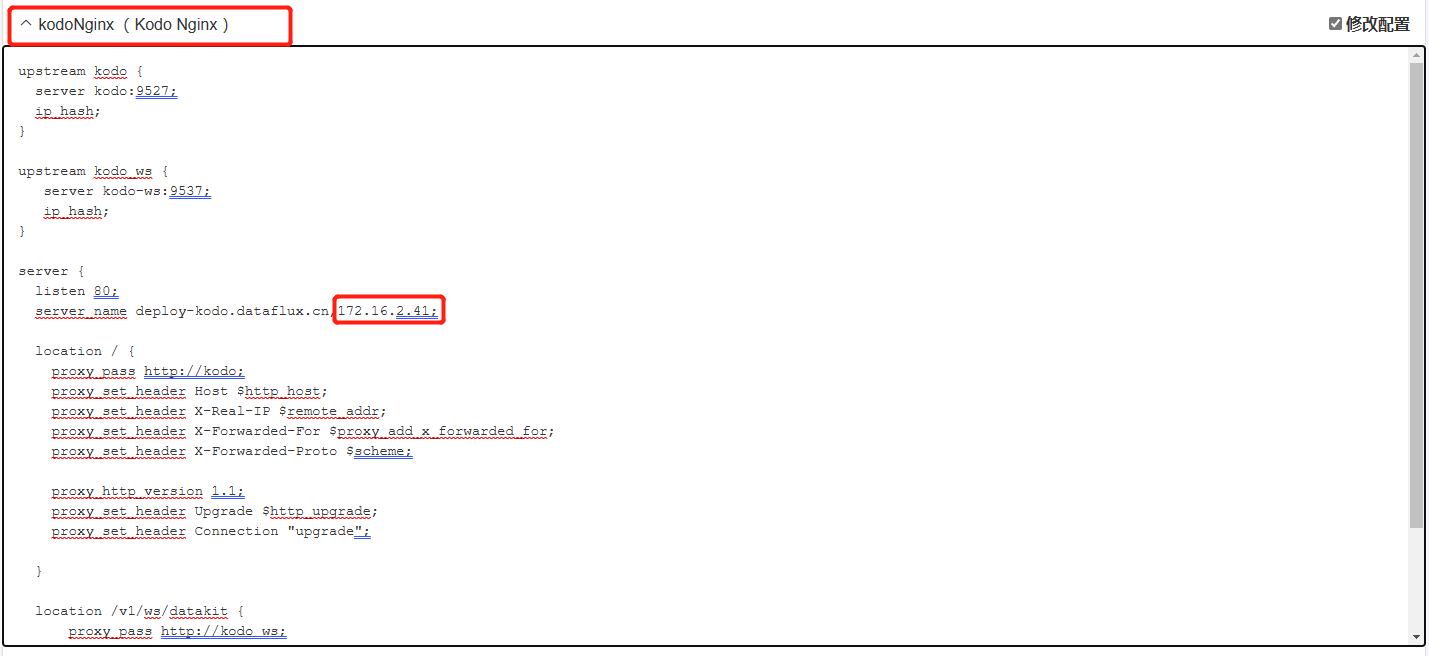
- Modify the ConfigMap configuration of
func2related to the func center
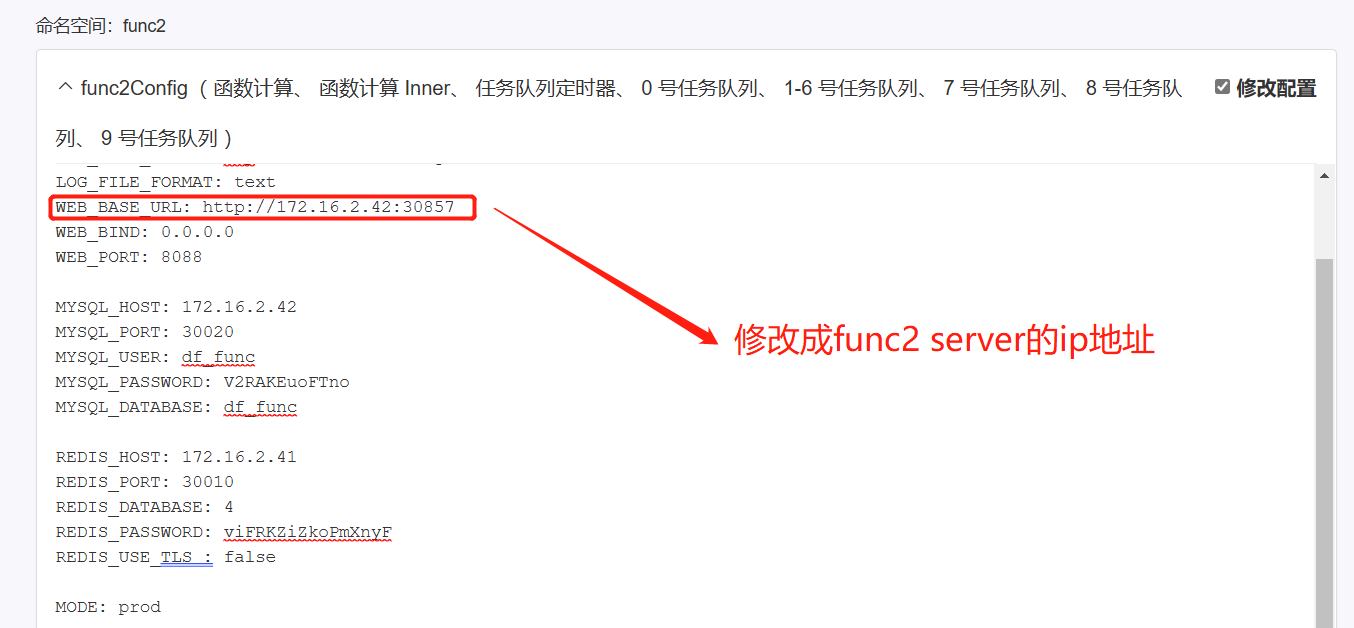
- Confirm and modify the configuration, then select to restart the service and verify it in the browser

Note: After modification, wait a few minutes for the service to restart before accessing.