Login Methods
The Billing Center supports two login methods: logging in directly through the Billing Center link, and accessing the Billing Center through Guance SSO.
Logging In to the Guance Billing Center
You can log in directly to the Guance Billing Center via the link (https://boss.guance.com/).
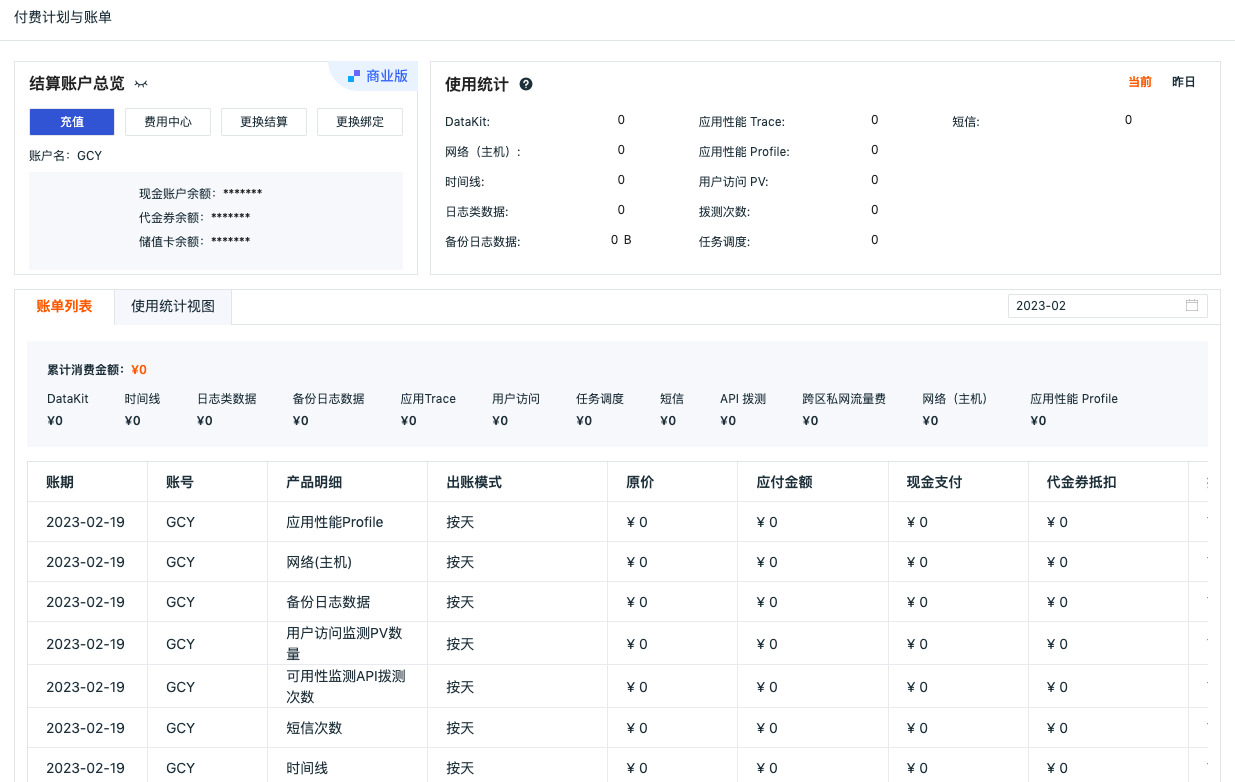
After logging in to the Billing Center, you can view the account balance, top up the account with cash, vouchers, or prepaid cards, change payment methods, manage your account, view billing details, and perform other operations.
Note: If you forget your password, you can recover it on the login page of the Guance Billing Center via Forgot Password.
Logging In via Guance
-
Open Guance, select your login site, and enter your username and password to log in.
-
Enter Plans & Billing in the workspace and click Billing Center.
-
The system redirects you based on the current Owner account's login status for the Billing Center:
- If SSO login is enabled: go directly to the Billing Center;
- If SSO login is not enabled: go to the Billing Center login page.
Note
The Billing Center entry is only available to the workspace Owner. Administrators and other members do not see this entry.