Change Events
The Change Events Explorer centrally displays event data records triggered based on Infrastructure Change Detection rules. It records and audits operational activities within Kubernetes clusters that deviate from expected patterns, helping users track resource configuration changes and identify configuration drift.
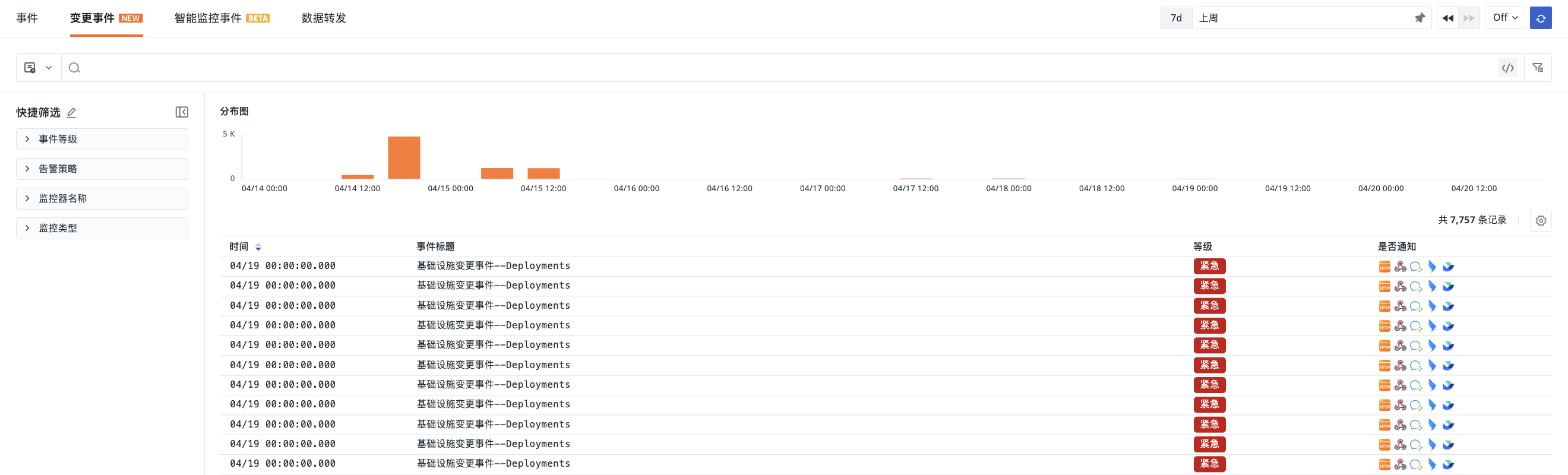
Event List
The Change Events list provides the following capabilities:
- Event Distribution Chart: View the statistical count of events at different alert levels across various time points using stacked bar charts.
- Search and Filter: Perform keyword searches, quick filters, field filters, and related searches based on tags, fields, text, etc., to quickly locate specific resource or type change events.
- Create Monitor: Click the button to directly create an "Infrastructure Change Detection" monitor for a specific data entry in the explorer, achieving a closed loop from problem discovery to monitoring configuration.
Event Details
Click on an event to enter the details page and view the complete context of the change event:
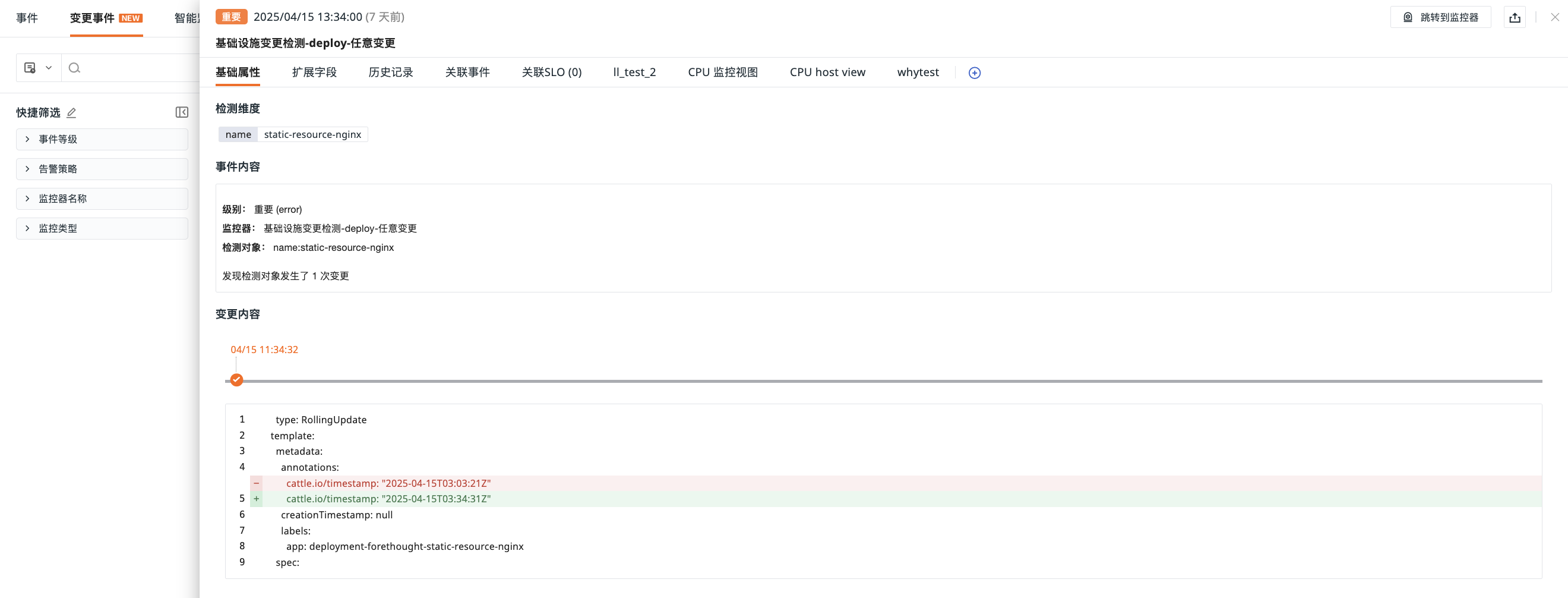
For more details, refer to Event Details.
Basic Attributes
Detection Dimension
Displays field information under dimension_tags, containing specific attributes used to identify and categorize events during the detection process, such as cluster name, namespace, resource type, etc.
Change Content
Generated based on the Event Content Description defined on the monitor configuration page, containing key information such as the trigger condition, time, and involved resources for the change.
Difference Comparison
The core information area for change events, providing the following information:
-
Timeline: By default, displays the latest 10 change events. The highlighted time node represents the current single change event.
-
Change Details: Click on a node in the timeline to display the corresponding change event details. Presents the configuration content before and after the change in a diff comparison format, such as container image version changes, environment variable adjustments, replica count modifications, etc.
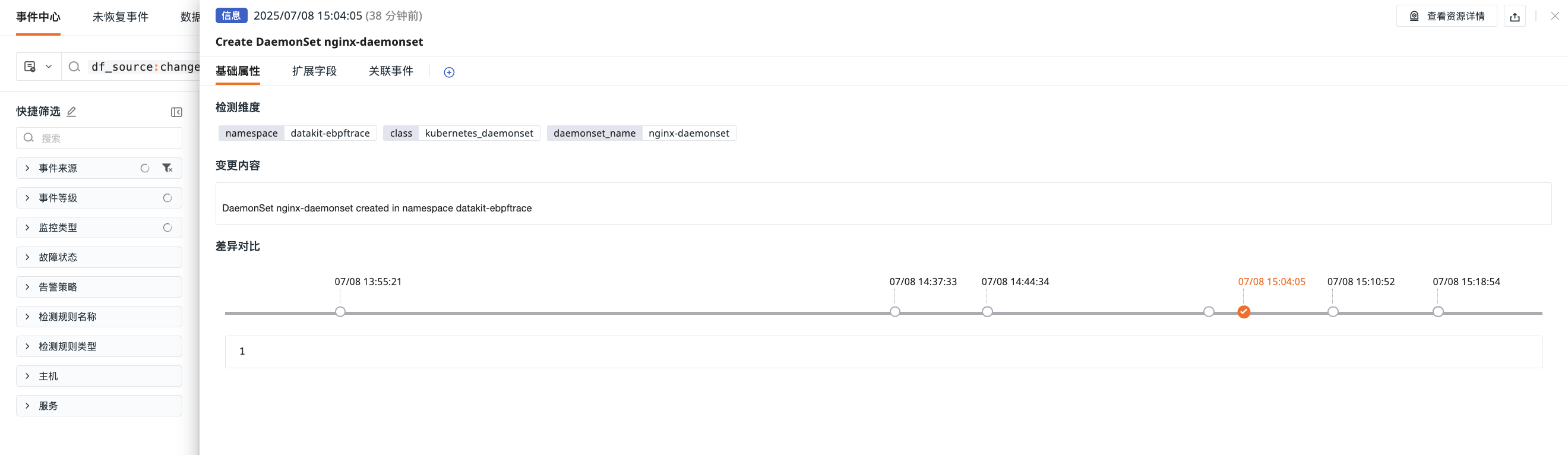
For the object change types supported by the system and their configuration templates, refer to Change Events.