Synthetic Monitoring Explorer
Synthetic Monitoring provides comprehensive data details for your Synthetic Test tasks through the Explorer, including performance test results for network sites such as DNS, SSL, and TTFB, as well as response details and failure reasons for failed tests.
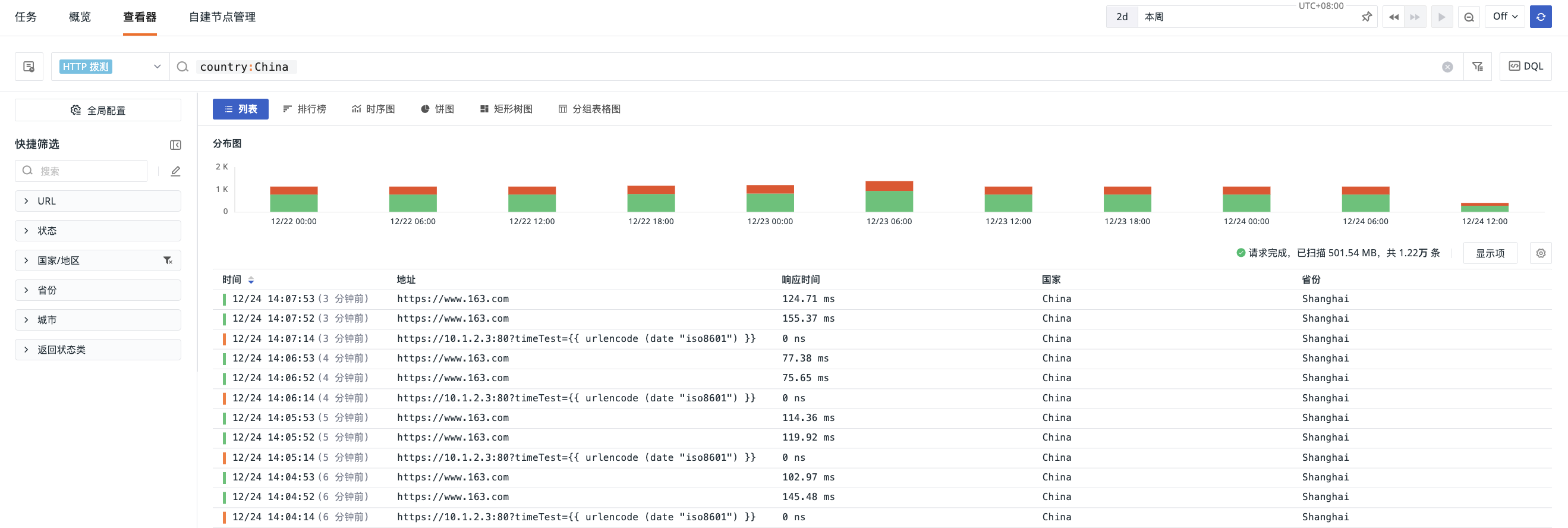
Query Analysis
For more details, see Explorer Settings.
Distribution Chart
The distribution chart counts the number of test records within the current time range and filter conditions. By default, records are displayed stacked by test status. You can also switch to a count-based view via the Status Distribution Chart Preference to see the total number of test records per time period in a monochrome bar chart.
Different data types correspond to different data statuses. For example, the statuses of http (API Test) data include:
OK: indicates a successful requestFAIL: indicates a failed request
Data Export
After filtering the data to be analyzed in the Explorer list, you can export it as a local CSV file or to a scenario dashboard or note.
To export a specific record, open its detail page and click the icon in the top-right corner to export it.