Elasticsearch Index Binding
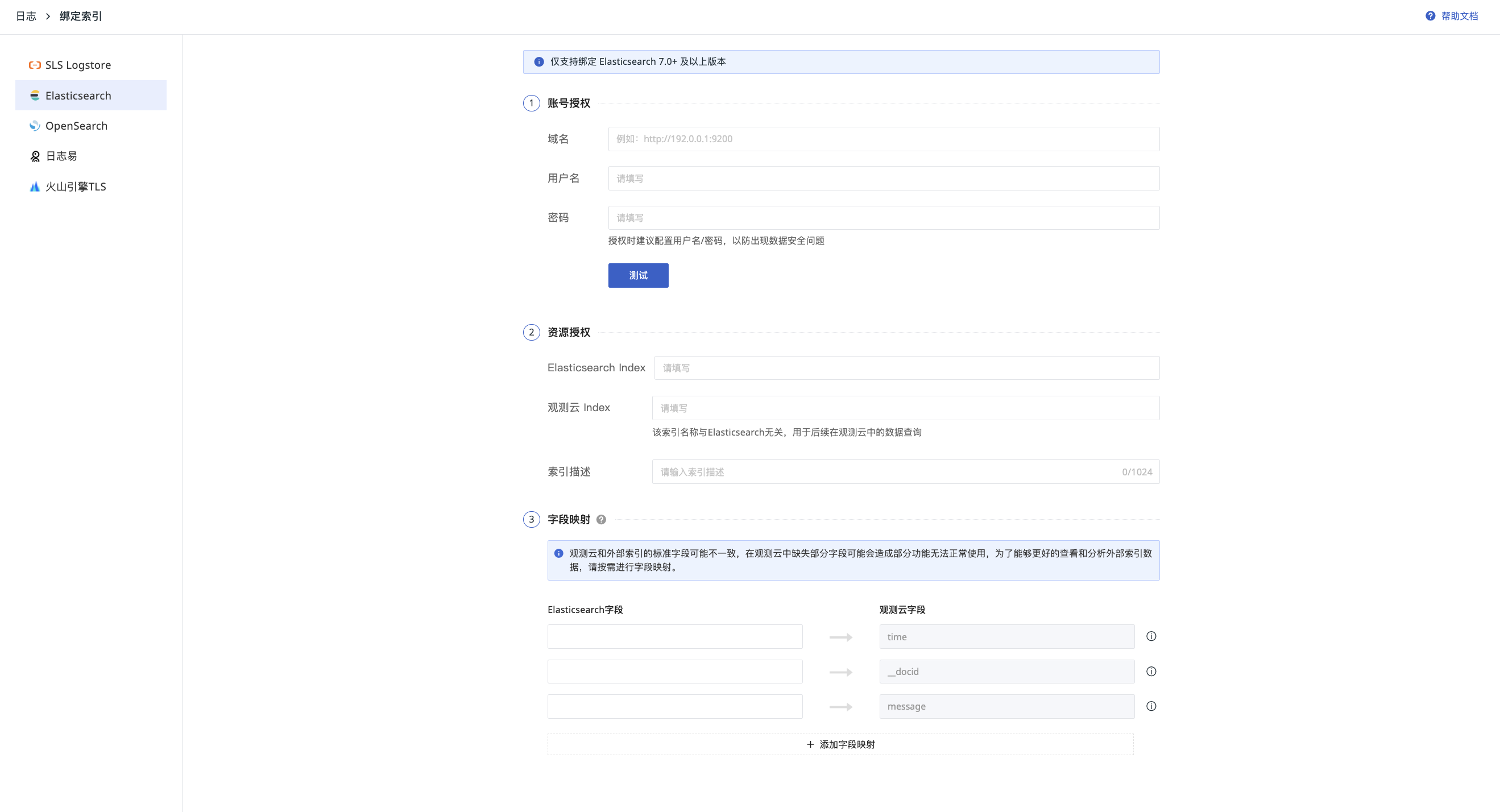
- Go to Log > Index, and select "Bind External Index".
- Choose Elasticsearch (❗️Only supports binding to Elasticsearch version 7.0+).
- Perform Account Authorization.
- Perform Resource Authorization.
- Complete Field Mapping.
- After filling in the details, you can click Test to verify the correctness of the username and password.
Account Authorization
- Domain: The user access address for Elasticsearch. Ensure it is accessible on the public network.
- Username: The username used to access Elasticsearch.
- Password: The password required to access Elasticsearch.
Resource Authorization
- Elasticsearch Index: The name of the index in Elasticsearch that you want to bind and view.
- Guance Index: A unique identifier for the index in the Guance workspace. This is custom-defined by the user and cannot be duplicated. Once configured, it can be used to filter index names (❗️This index name is unrelated to Elasticsearch and is only for your subsequent data filtering in Guance).
- Optionally, provide a description for the index.
After configuration, click Confirm to complete the index binding. You can then view the data by switching indices in the Explorer.