Synthetic Monitoring Troubleshooting
Self-hosted Node Management: Name or service not known
Overview
The Self-hosted Node Management page reports Name or service not known.
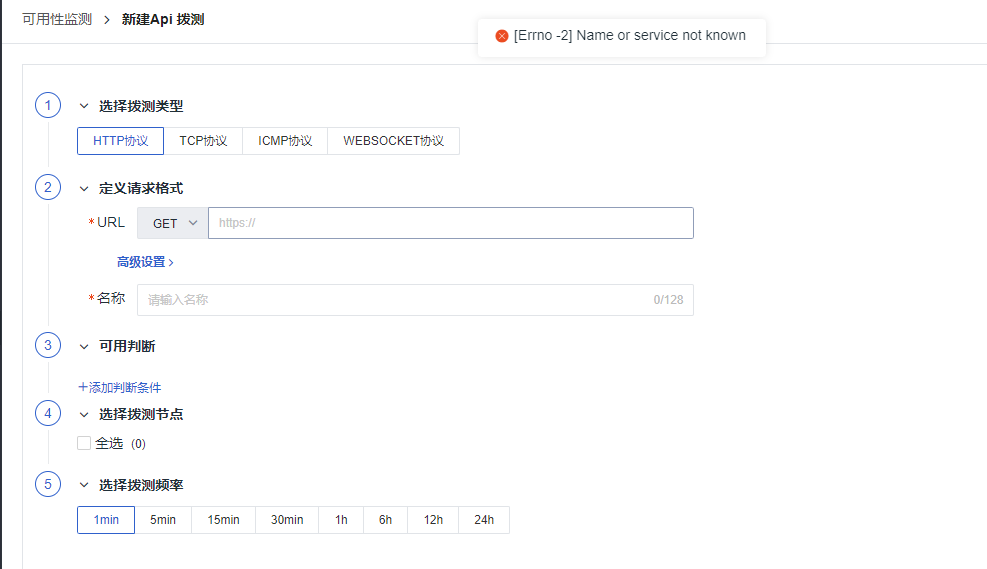
Error Cause
- Due to load balancing issues with some cloud providers, the service cannot access its own ingress domain name.
Steps
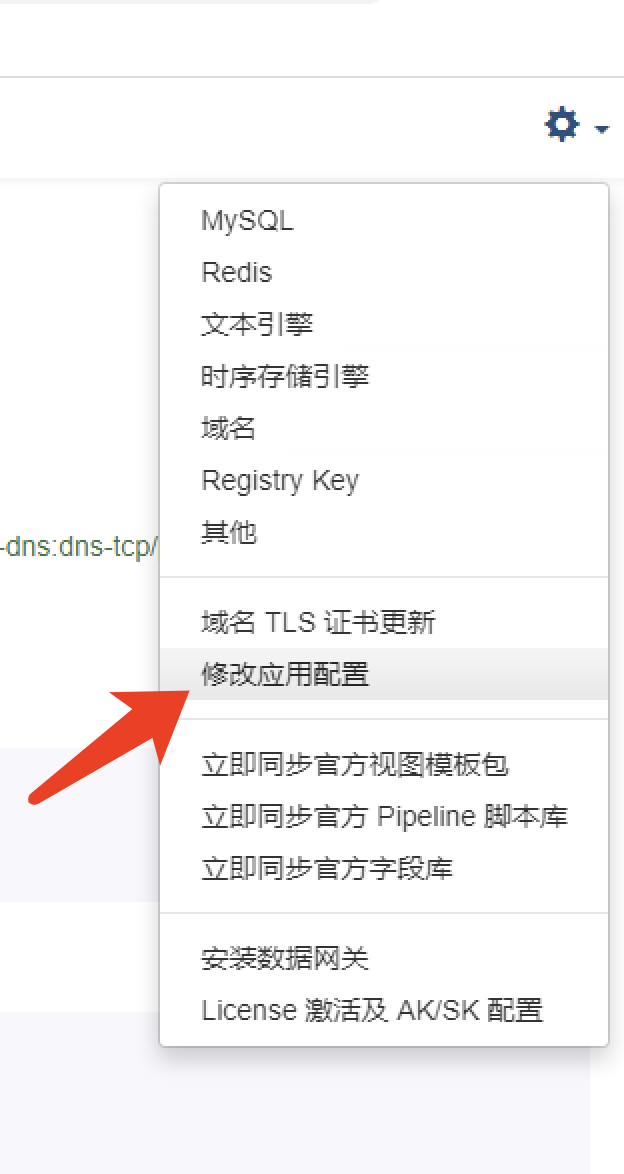
1. Open Launcher and Modify Application Configuration
Access the Launcher service and click Modify Application Configuration in the top-right corner.
2. Add Parameters
Modify Namespace: forethought-core - core and add the internal_server parameter:
3. Automatically Restart Related Services After Configuration Modification
Select the option to automatically restart related services after modifying the configuration.

Missing Data in Synthetic Monitoring Explorer
Overview
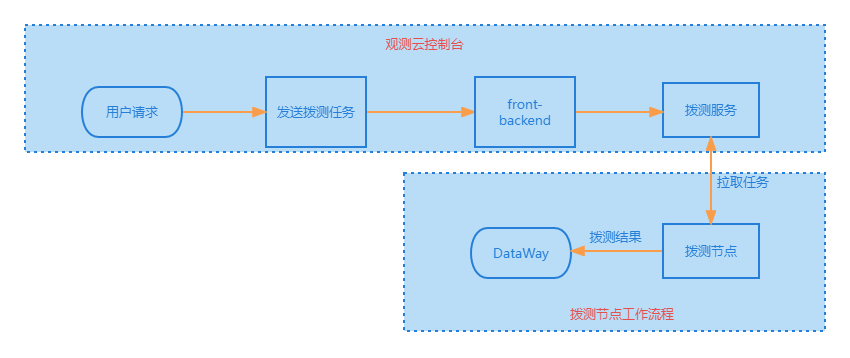
This section describes how to troubleshoot missing data in the Synthetic Monitoring Explorer.
Flowchart
Troubleshooting Steps
Step 1: Verify Configuration
-
First, check whether the configuration file is correct.
-
Verify the ConfigMap named
coreunder theforethought-corenamespace.
# Cloud Dial Testing Service
DialingServer:
  # Dial Testing Center address configuration
  use_https: true
  port: 443                                     ## Modify according to actual situation
  host: 'dflux-dial.guance.com'                 ## Modify according to actual situation
  timeout: 10
dflux-dial.guance.com is the official Dial Testing Center. To switch to a private Dial Testing Center, refer to the ingress configuration.
- Verify the ConfigMap named
dialtesting-configunder theutilsnamespace.
global:
    enable_inner_api: false
    stats_on: 256
    listen: ":9538"
    sys_external_id: "ak_R5Fxxxxxxxxx8Go8-wksp_system"
sys_external_id is composed of uuid + external_id from the aksk table described below.
- Confirm the data in the
aksktable of the MySQLdf_dialtestingdatabase.
| id | uuid | accessKey | secretKey | owner | parent_ak | external_id | status | version | createAt | updateAt |
|---|---|---|---|---|---|---|---|---|---|---|
| 1 | ak_R5Fxxxxxxxxx8Go8 | asjTxxxxxxxxxxxxxXMJ | zeiX99gxxxxxxxxxxxxxxxx2h5 | system | -1 | wksp_system | OK | 0 | 1,686,218,468 | 1,686,218,468 |
- Check whether the data matches the
DialingServerSetentry inKeycodeof themain_configtable in thedf_coredatabase.
| id | keyCode | description | value |
|---|---|---|---|
| 6 | DialingServerSet | Dial Testing Service Configuration | "{\"ak\": \"asjTxxxxxxxxxxxxxXMJ\", \"sk\": \"zeiX99gxxxxxxxxxxxxxxxx2h5\", \"dataway\": \"http://deploy-openway.dataflux.cn?token={}\"}" |
- Verify consistency with the data in the
dialServiceAKmodule of the Launcher configuration.
Steps: Log in to the Launcher interface → Click the button in the top-right corner → Select Other.
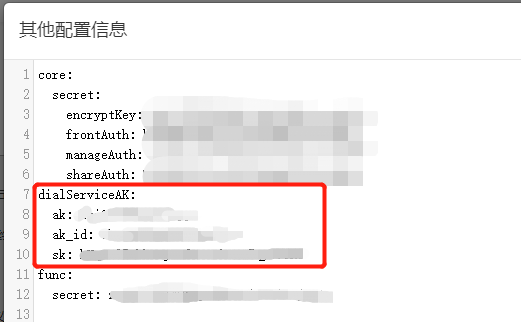
Correspondence table:
Key in aksk table |
Key in dialServiceAK module of Launcher Other Configuration |
|---|---|
| uuid | ak_id |
| accessKey | ak |
| secretKey | sk |
If they do not match, modify based on the database values.
- If the Dial Testing Center has been switched or any modification has been made, re-activate the license on the Launcher page to re-write the information.
No need to change the license configuration – simply reactivate it.
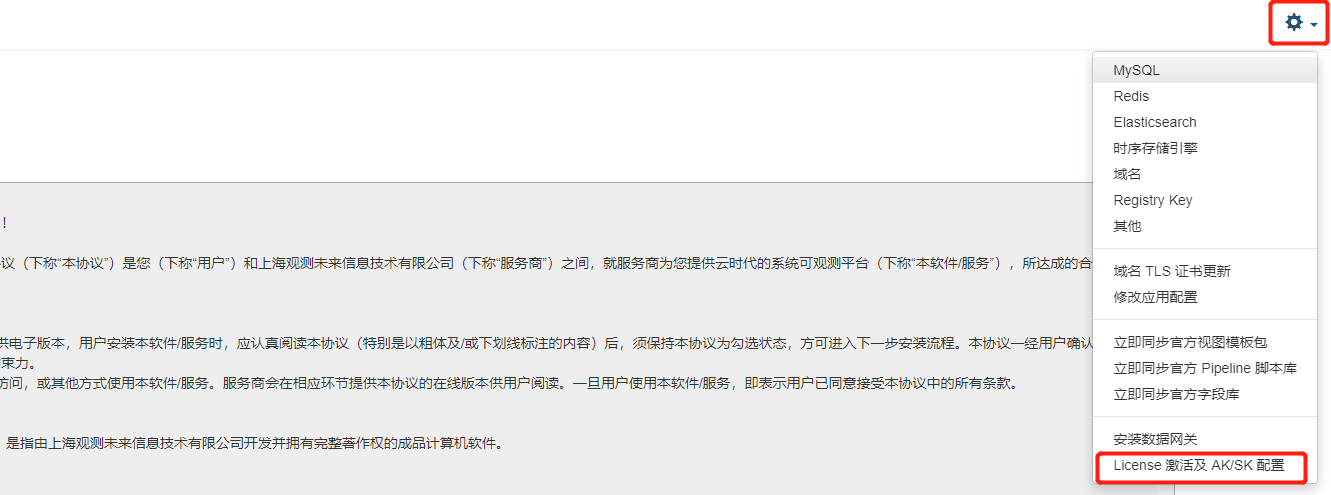
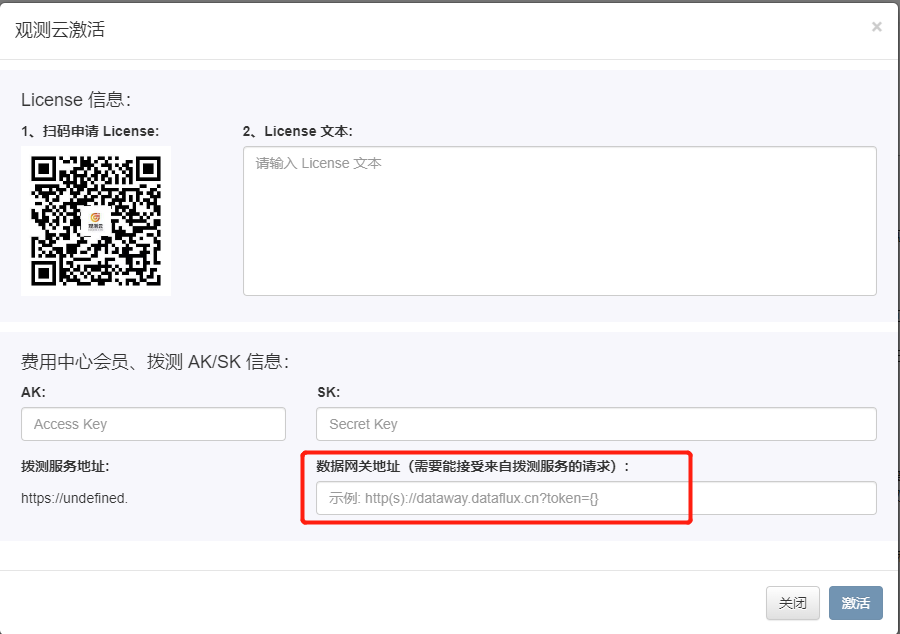
Confirm that the DataWay address matches the example format exactly. token={} does not need to be modified.
Step 2: Confirm Communication
On the Synthetic Test node machine, use the ping command to verify communication with the Dial Testing Center and DataWay.
Step 3: Check if Data is Reported
On the synthetic test node machine, run the following commands to check whether data is being reported.
- Verify I/O communication is normal:
sudo datakit monitor -M IO

## DYNAMIC_DW represents the Dial Testing Center service; Points(ok/total) matching indicates no issues
┌IO Info───────────────────────────────────────────────────────────────────────────────────────────────────────────────────────────────────────────────────────────────────────────────────────────────────────────────────────────────────┐
│       Cat│ChanUsage│   Points(ok/total)│                     Bytes(ok/total/gz)                                                                                                                                                          │
│DYNAMIC_DW│      0/1│          626 /626 │         389.392 k/389.392 k(267.603 k)                                                                                                                                                          │
│         M│      0/1│1.7955 M/1.796043 M│560.715703 M/560.880362 M(240.616886 M)                                                                                                                                                          │
│         O│      0/1│  588.045 k/588.2 k│ 516.475667 M/516.613201 M(37.964566 M)
- Check if the input is working normally:
sudo datakit monitor -M In
## For dialtesting, if Feeds and TotalPts are not 0, data is being uploaded
┌Inputs Info(11 inputs)────────────────────────────────────────────────────────────────────────────────────────────────────────────────────────────────────────────────────────────────────────────────────────────────────────────────────┐
│                Input│Cat│    Feeds│ TotalPts│Filtered│      LastFeed│     AvgCost│Errors                                                                                                                                                 │
│          dialtesting│ L │     626 │     626 │      0 │25 minutes ago│          0s│  0                                                                                                                                                    │
│                  cpu│ M │ 112.71 k│ 112.71 k│      0 │ 6 seconds ago│   237.807?s│  0                                                                                                                                                    │
Step 4: Check Logs
Use the following command to check the DataKit logs on the synthetic test node for further diagnosis.