Troubleshooting
How to Verify RUM SDK Initialization
- Open the browser console:
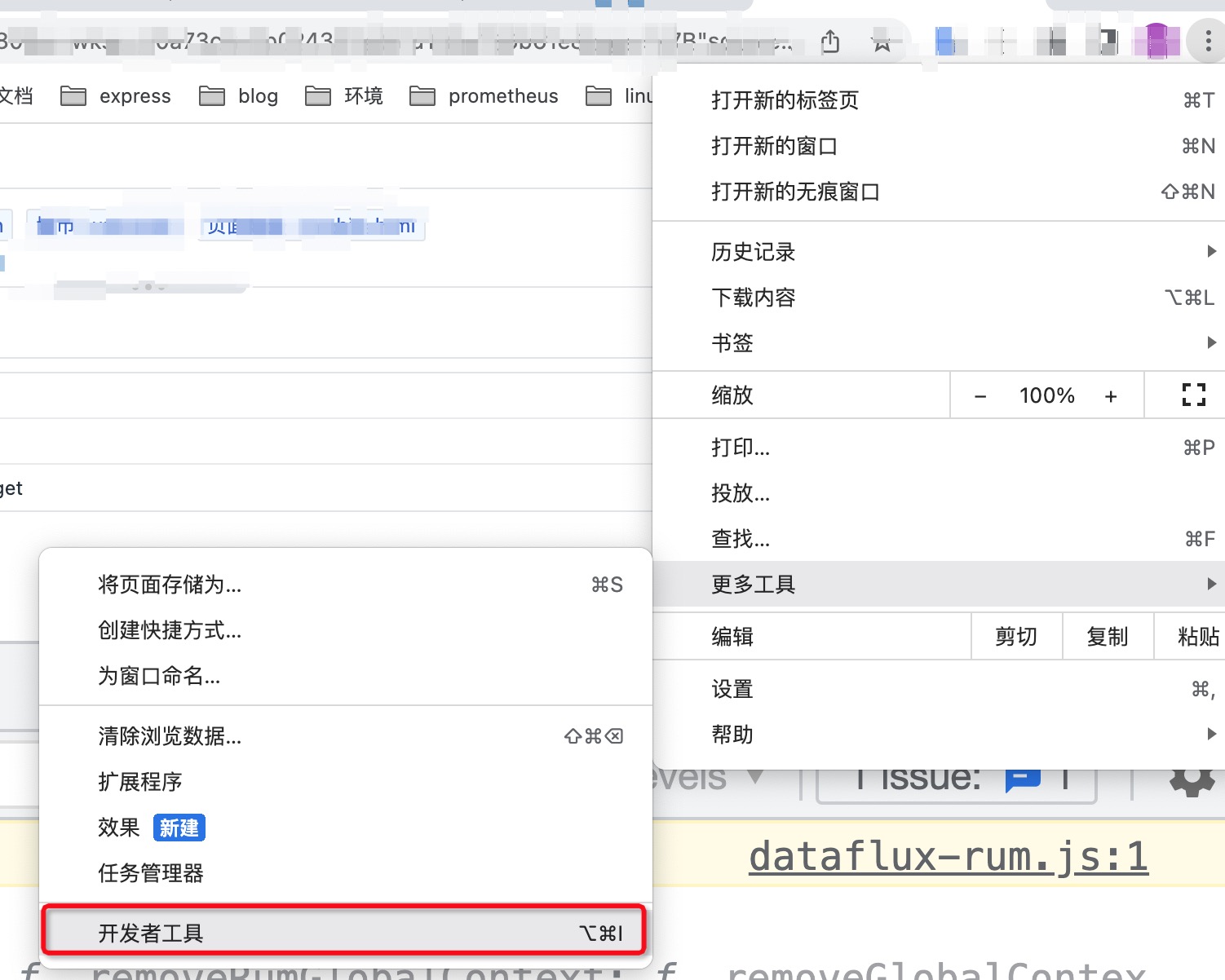
- Check if the
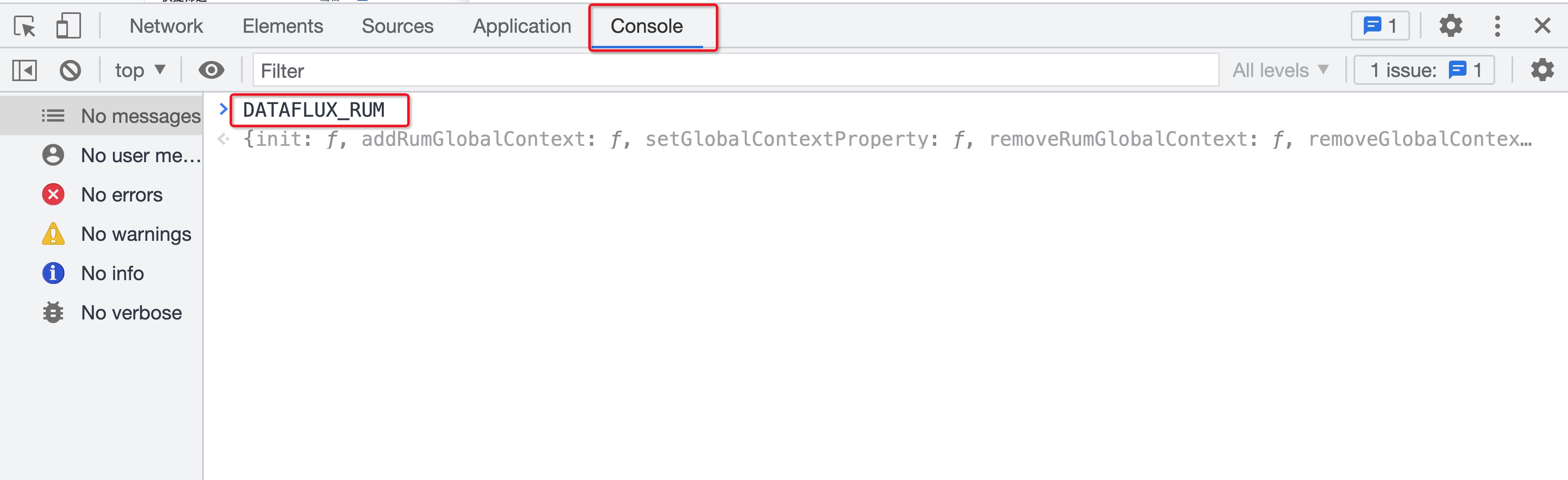
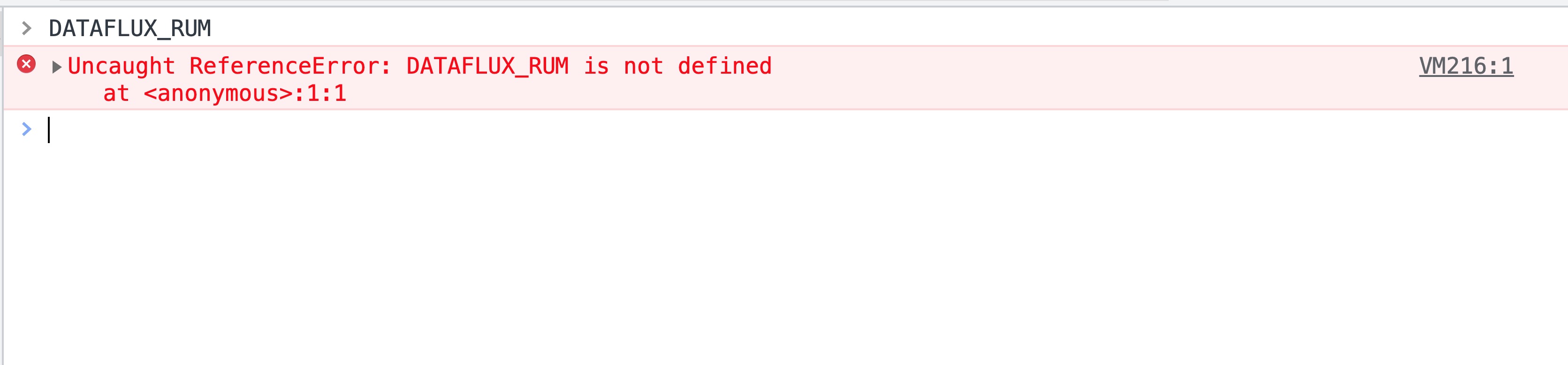
DATAFLUX_RUMobject exists:
If it exists:
If it does not exist:
- Execute
DATAFLUX_RUM.getInternalContext()to check if the object was initialized successfully:
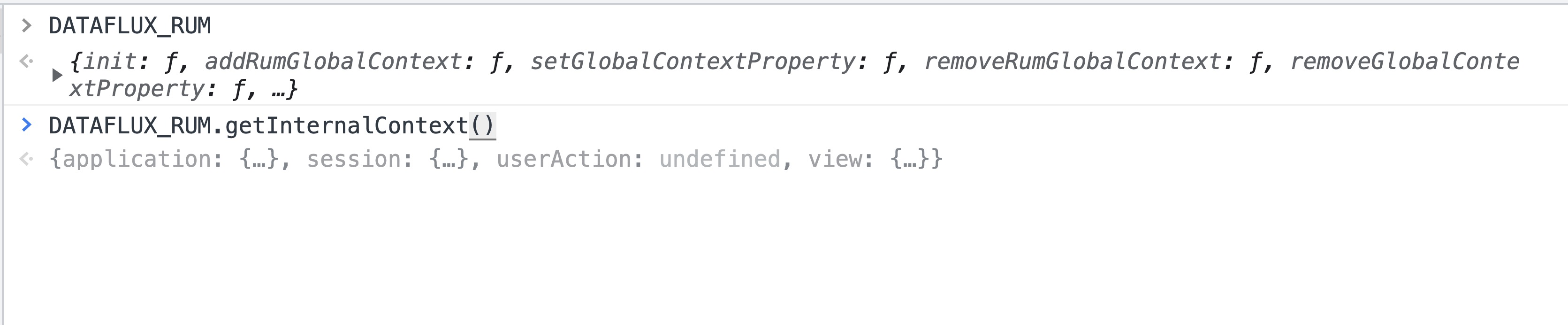
If initialization succeeded, you can retrieve the session, application, view and other objects for the current application page.
Initialization Failed
- If you integrated via CDN, verify that the current application is served over
https. - Check that the configuration is correct (including the format and names of the configuration parameters).
Initialization Succeeded but Data Is Not Reported or Is Incomplete
- Check the browser version and refer to the browser support list to confirm whether the corresponding data type is supported.
- Check where the RUM Browser SDK is initialized in your application code, and consider moving the initialization call as early as possible.
Session Replay Cannot Play
Page Shows "No Replay Data"
Check in order:
- Whether
sessionReplaySampleRateis greater than0. - Whether
startSessionReplayRecording()was called after the SDK was initialized. - Whether the current SDK version supports Session Replay.
- Whether DataKit has
session_replay_endpointsenabled. - If using a public DataWay, whether the client can reach the data upload endpoint.
- Whether the current Session was excluded from replay data collection by the sampling policy.
Page Shows "Data Being Generated"
The replay data has entered the processing pipeline. Please refresh the page after a moment. If the status persists for a long time, check whether replay data is still being continuously uploaded.
Page Shows "Incomplete Replay Data"
Possible causes:
- Some data was not uploaded before the session ended.
- The user closed the page or application, causing cached data to not be sent in time.
- Client network issues.
- SDK initialization or recording started too late.
- Data upload was blocked by a proxy, firewall, or browser policy.
Page Shows "Status Query Error" or "Replay File Retrieval Error"
First refresh the page and try again. If the issue persists, record the Session ID, application ID, time of occurrence, and page error information, then contact technical support.
For integration and sampling configuration, see How to Integrate Session Replay. For the collection pipeline, recovery mechanism, and data gap classification, see Session Replay Collection Principles and Data Integrity.
XHR/FETCH Requests Are Not Correlated with APM Traces
Check whether the allowedTracingOrigins configuration is enabled in the initialization options and verify its format. (If configured as a regular expression, make sure the array contains regex objects, not strings.)
Correct:
```js
datafluxRum.init({
applicationId: '
How to Confirm That APM and Front-End XHR/FETCH Are Correlated
- Open the browser console.
- In the XHR/FETCH request's Request Headers, check whether the corresponding header keys are present. The image below shows the ddtrace-related request headers:
