LDAP Single Sign-On
LDAP (Lightweight Directory Access Protocol) is an application protocol for handling various directory services. Microsoft Entra ID supports this mode through Microsoft Entra Domain Services (AD DS).
The GuanceDeployment Plan supports users who already have an LDAP service to log in with a single click via this protocol. The following are some necessary configuration fields:
| Field | Description |
|---|---|
host |
LDAP server domain name. Supported formats: |
port |
Service port. The port in host overrides this parameter. |
baseDN |
Base DN location. Refer to [Field Concept Supplement] |
bindDN |
Username (DN) used for authentication when establishing a connection with the LDAP service. |
searchAttribute |
Entry name used to filter accounts when searching for other accounts. This entry name, together with the username entered by the user, forms a DIT entry. (This value can determine a unique user based on the username.) |
bindPassword |
Password used for authentication when establishing a connection with the LDAP service. |
mapping |
Attribute field mapping from account attributes to Guance. The attribute values provided by LDAP are generally lists. In Guance, if the attribute value is an array/list structure, the first element is taken as the value by default. Refer to [Field Concept Supplement > 2. Account Attribute Fields] |
Field Concept Supplement
-
Directory Information Tree (DIT): DIT is a hierarchical structure, similar to a file system. To identify an entry, you must specify its path in the DIT, starting from the leaf representing the entry to the top of the tree. This path is called the Distinguished Name (DN) of the entry.
- Distinguished Name (DN): Consists of the entry's name and value key-value pairs (comma-separated), forming a path from the leaf to the top of the tree. The DN of an entry is unique throughout the DIT and only changes when the entry is moved to another container within the DIT.
-
Account Attribute Fields:
| Account Attribute in Guance | Field Description on Guance Side | Account Attribute Provided by LDAP Service (after conversion via ldap3, default fields) |
|---|---|---|
username |
The email field name of the login account in the authentication service, required. | mail |
email |
The username field name of the login account in the authentication service, required. If the value does not exist, email is used. |
uid |
mobile |
The phone number field name of the login account in the authentication service, optional. | mobile |
exterId |
The unique identifier field name of the login account in the authentication service, required. | uid |
Configuration Details
Add the following configuration in the Guance Launcher namespace: forethought-core > core. Adjust the configuration variable values as needed:
# LDAP Client Configuration (configuration main reference: https://ldap3.readthedocs.io/en/latest/server.html)
LDAPClientSet:
  # Whether to enable LDAP, disabled by default
  enable: false
  # The server parameter format follows https://ldap3.readthedocs.io/en/latest/server.html
  server:
    # LDAP server domain name, can be a domain name or ldap://xxx or ldaps://xxx
    host: "ipa.demo1.freeipa.org"
    # Connection timeout
    connect_timeout: 6
    # Whether to enable SSL
    use_ssl: false
    # Whether to read server schema and server-specific information (default is SCHEMA). For optional values, see https://ldap3.readthedocs.io/en/latest/server.html#server-object
    get_info: "SCHEMA"
    tls:
      # Default is none; path to the file containing the client private key
      local_private_key_file:
      # Default is none; path to the file containing the server certificate
      local_certificate_file:
      # Default is none; path to the file containing the CA certificate
      ca_certs_file:
      # Default is none; string specifying which ciphers must be used. It applies to the latest Python interpreter, allowing changes to ciphers in SSLContext or wrap_socket() methods; ignored in older versions. Default is none.
      ciphers:
      # Whether to validate the server certificate. Optional values: CERT_NONE (ignore certificates), CERT_OPTIONAL (not required, but validated if provided), and CERT_REQUIRED (required and validated)
      validate: "CERT_REQUIRED"
      # SSL or TLS version to use, can be one of: SSLv2, SSLv3, SSLv23, TLSv1 (according to Python 3.3. The list of versions may differ in other Python versions). Currently defaults to TLS 1.2
      version: "PROTOCOL_TLSv1_2"
  connection:
    # Default is none; to access Active Directory: using ldap3, you can also use the NTLM v2 protocol to connect to an Active Directory server. This can be set to NTLM.
    authentication:
    # authentication, sasl_mechanism, and sasl_credentials should follow https://ldap3.readthedocs.io/en/latest/bind.html?highlight=Active%20Directory#digest-md5
    # Default is none; when accessing Active Directory, sasl_mechanism can be DIGEST_MD5; default is none
    sasl_mechanism:
    # When accessing Active Directory, you need to:
    # To use the DIGEST-MD5 mechanism, you must pass a 4- or 5-value tuple as sasl_credentials: (realm, user, password, authz_id, enable_signing). If not used, you can pass None for 'realm', 'authz_id', and 'enable_signing':
    sasl_credentials:
  # Whether to enable TLS on top of the standard connection. If true, TLS will be checked and enabled after establishing the connection to LDAP.
  startTls: false
  baseDN: "dc=demo1,dc=freeipa,dc=org"
  bindDN: "uid=admin,cn=users,cn=accounts,dc=demo1,dc=freeipa,dc=org"
  bindPassword: "Secret123"
  # Attribute used for searching accounts. Method 1: `searchAttribute: uid` only specifies the attribute field name; Method 2: `searchAttribute: "(uid={username})"` custom filter statement, where the parentheses and the username in curly braces are required.
  # Note: For AD users, this is generally set to sAMAccountName.
  searchAttribute: "uid"
  # The class name of the account information when searching for accounts. Note: If connecting to LDAP on Microsoft AD, this should be persion.
  # To confirm, install `ldapsearch` (a third-party LDAP connection tool) and run `ldapsearch -x -H ldap://xxx.cn:389 -D "bindDN info" -w "bindPassword info" -b "baseDN content" "(cn=target user)"`. The objectClass in the returned result is the optional list.
  personObjectClass: "inetOrgPerson"
  mapping:
    # The username field name of the login account in the authentication service, required. If the value does not exist, use email.
    username: uid
    # The email field name of the login account in the authentication service, required.
    email: mail
    # The phone number field name of the login account in the authentication service, optional.
    mobile: mobile
    # The unique identifier field name of the login account in the authentication service, required.
    exterId: uid
Example configuration for accessing the LDAP service over the internal network without SSL:
# LDAP Client Configuration (configuration main reference: https://ldap3.readthedocs.io/en/latest/server.html)
LDAPClientSet:
  # Whether to enable LDAP, disabled by default
  enable: true
  # The server parameter format follows https://ldap3.readthedocs.io/en/latest/server.html
  server:
    # LDAP server domain name, can be a domain name or ldap://xxx or ldaps://xxx
    # Local development address with host binding: 172.16.211.111 openldap-server
    host: "<域名 、 协议+域名+端口>"
    # Whether to read server schema and server-specific information (default is SCHEMA). For optional values, see https://ldap3.readthedocs.io/en/latest/server.html#server-object
    get_info: "ALL"
  # Base DN
  baseDN: "<基础DN>"
  # DN bound when the client establishes the connection
  bindDN: "<客户端建立连接时绑定的DN>"
  # Password corresponding to bindDN
  bindPassword: "<与 bindDN 对应的密码>"
  # Attribute used for searching accounts
  searchAttribute: cn
  # The class name of the account information when searching for accounts. Note: If connecting to LDAP on Microsoft AD, this should be persion.
  # To confirm, install `ldapsearch` (a third-party LDAP connection tool) and run `ldapsearch -x -H ldap://xxx.cn:389 -D "bindDN info" -w "bindPassword info" -b "baseDN content" "(cn=target user)"`. The objectClass in the returned result is the optional list.
  personObjectClass: "inetOrgPerson"
  # If the account attributes do not match the table below, adjust accordingly
  mapping:
    # The username field name of the login account in the authentication service, required. If the value does not exist, use email.
    username: cn
    # The email field name of the login account in the authentication service, required.
    email: mail
    # The phone number field name of the login account in the authentication service, optional.
    mobile: mobile
    # The unique identifier field name of the login account in the authentication service, required.
    exterId: cn
Using LDAP Single Sign-On to Log In to Guance
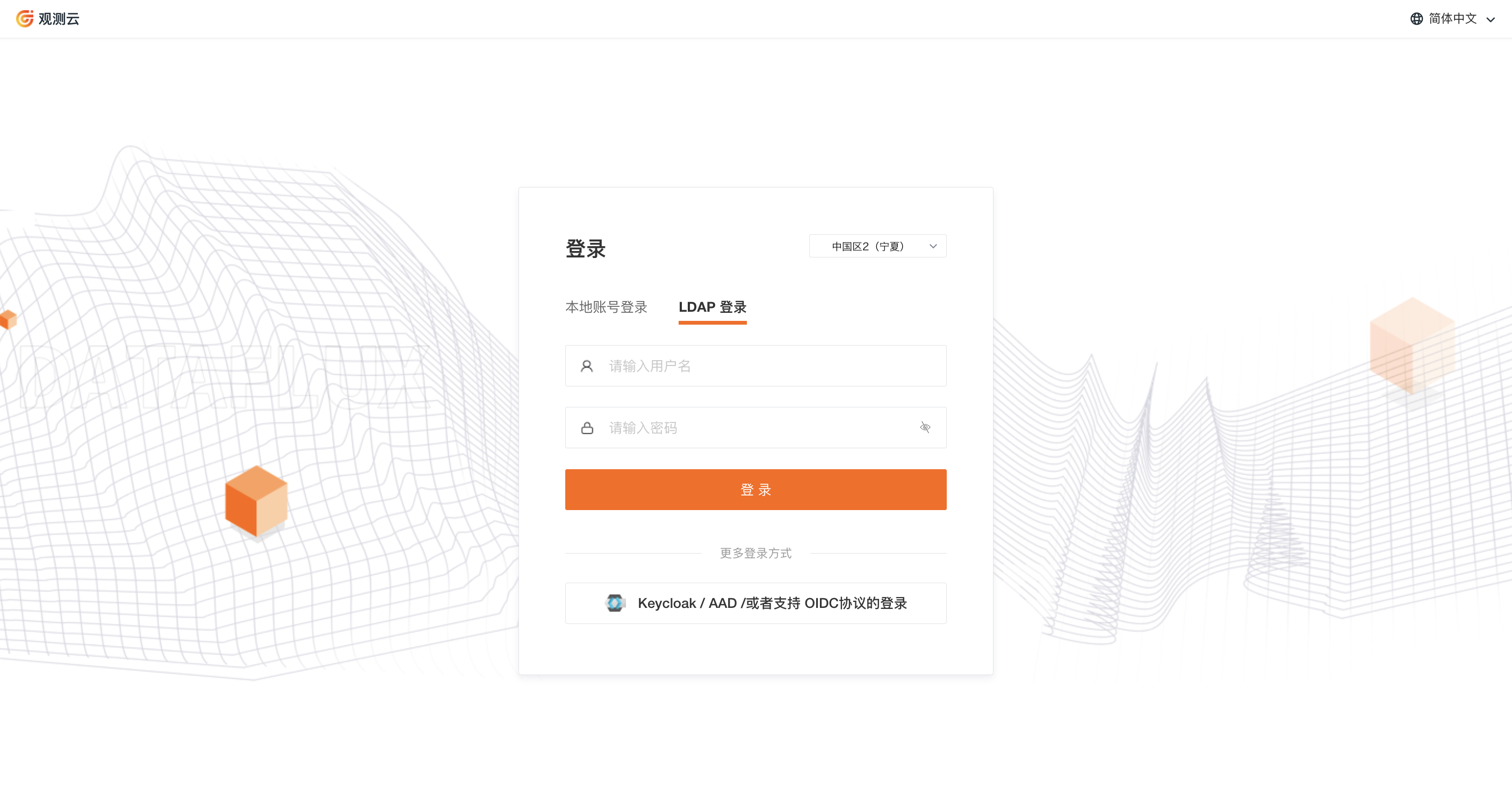
After adding the above configuration, you can use LDAP single sign-on to log in to Guance.
1) Open the login URL of the GuanceDeployment Plan and select LDAP Login on the login page.
2) Enter the username and password used on the LDAP server.
3) Log in to the corresponding workspace in Guance.