Doris
1 Host List Empty After Switching Storage Engine to Doris
Problem Description: After switching the storage engine to Doris, when creating a new workspace, data can be queried in the logs, but the host list in the Infrastructure is empty, showing no information.
When the query end time is adjusted to one day later, for example, if the current time is 4:00 PM on April 23, you can set the query end time to 4:00 PM on April 24, and then the host list will display content in the Infrastructure.
Solution: Check the time zone configuration of the Doris cluster to see if it is set to Asia/Shanghai. If not, modify it to Asia/Shanghai.
# Connect to the cluster from the FE machine using the mysql command
mysql -uroot -h127.0.0.1 -P 9030
show variables like '%time_zone%';
# If the result is not Asia/Shanghai, modify it using the following command
set global time_zone = "Asia/Shanghai";
2 Doris Insert Component Error: Insufficient Disk Space
Problem Description: Data reporting by Guance is abnormal, with NSQ accumulating. However, no errors are found in the query. Checking the Doris-logs insert component logs reveals insufficient disk space, which can also be verified using the df -h command.
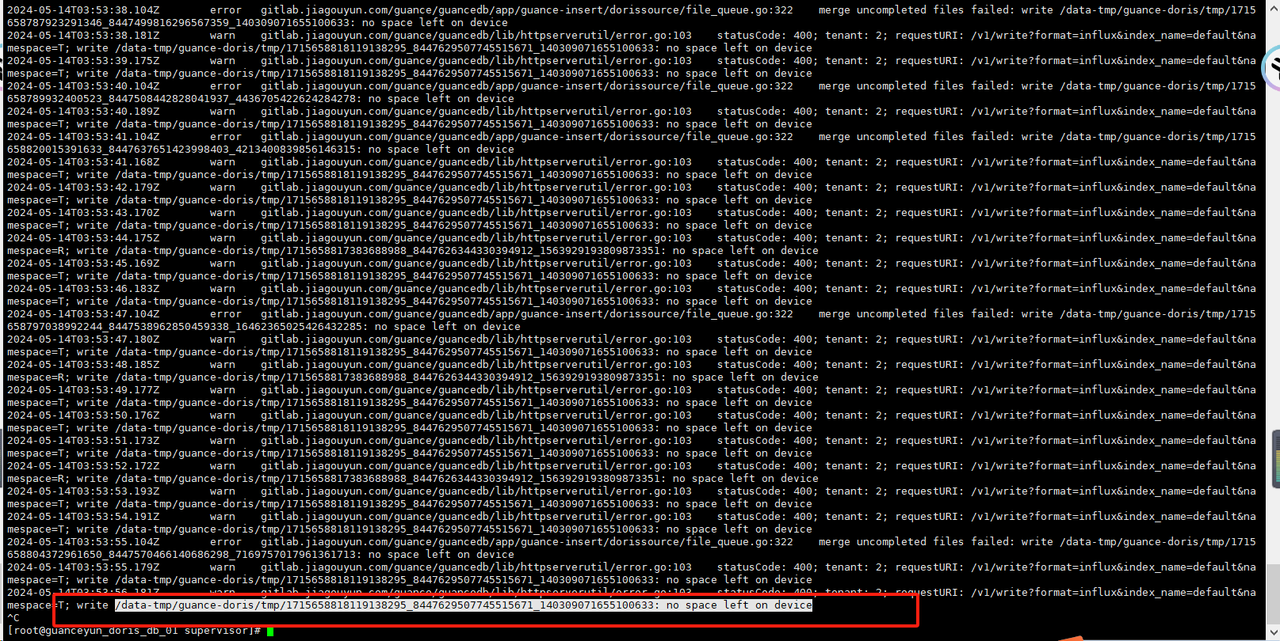
Solution: Remount the directory and restart the insert component. If this issue occurs frequently, it is recommended to upgrade the memory of the Doris-logs server.
# If the machine memory is 16 GB, use size=8G; if 32 GB, use size=16G; if 64 GB, use size=16G or size=32G
mount -o size=8G -t tmpfs none /data-tmp && sudo supervisorctl restart guance-insert
3 Doris BE Node Disk Usage at 100%
Problem Description: Guance data reporting and querying are abnormal, with NSQ accumulating. Checking the logs shows that the BE node disk space usage is at 100%.
Solution: Delete tables to free disk space.
Note
In a test environment, if the data is not needed, table deletion can be performed. In a production environment, table deletion is prohibited; instead, disk expansion is required.
Method 1: Get the large table
If the BE is a single node, the following command may fail.
# Connect to the cluster from the FE machine using the mysql command
mysql -uroot -h127.0.0.1 -P 9030

# Get the table name with the largest data size
select concat(table_schema, '.', table_name)
from information_schema.tables
where table_schema like 'db%'
order by data_length desc
limit 1;

# Drop the table
drop table <table_name>;
Method 2: Get the large table
If self-monitoring is enabled, you can view the Doris dashboard item Table Write QPS TOP 10 to find the large table.
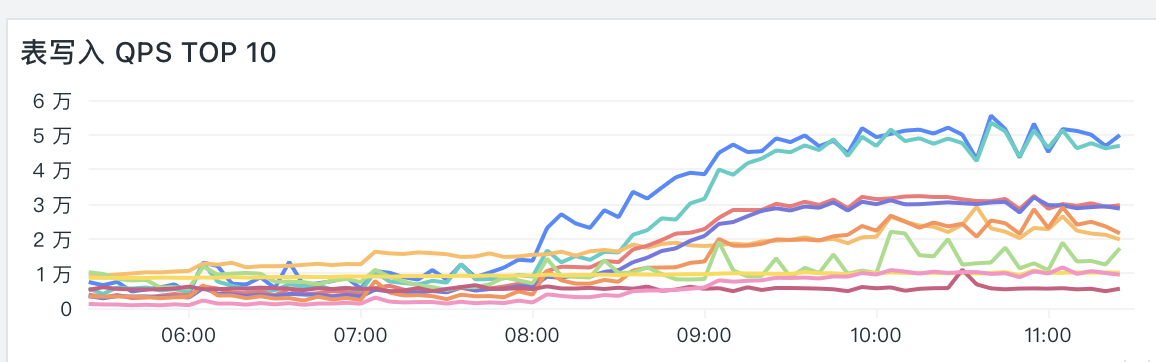
From this chart, obtain the accountID.
After deleting the large table using either method, free up disk space and restart the BE.
# Remove the broken disk mark on the BE node machine
sed -i '/broken/d' /home/doris/doris/be/conf/be_custom.conf
# Restart the BE
Log in to the manager web and restart the BE node.
4 How to Verify Whether the Workspace-Level Hot Data Modification Is Effective
Problem Description: After modifying the workspace-level index hot data retention duration in the Guance backend, how can you verify that the modification is effective?
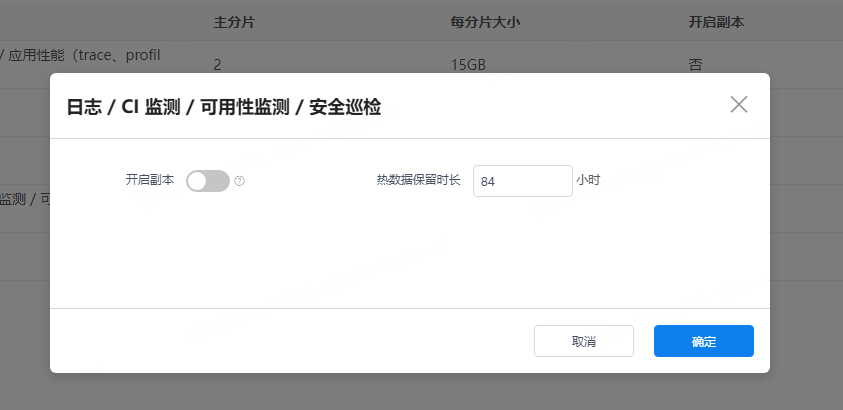
Solution:
# Connect to the cluster from the FE machine using the mysql command
mysql -uroot -h127.0.0.1 -P 9030
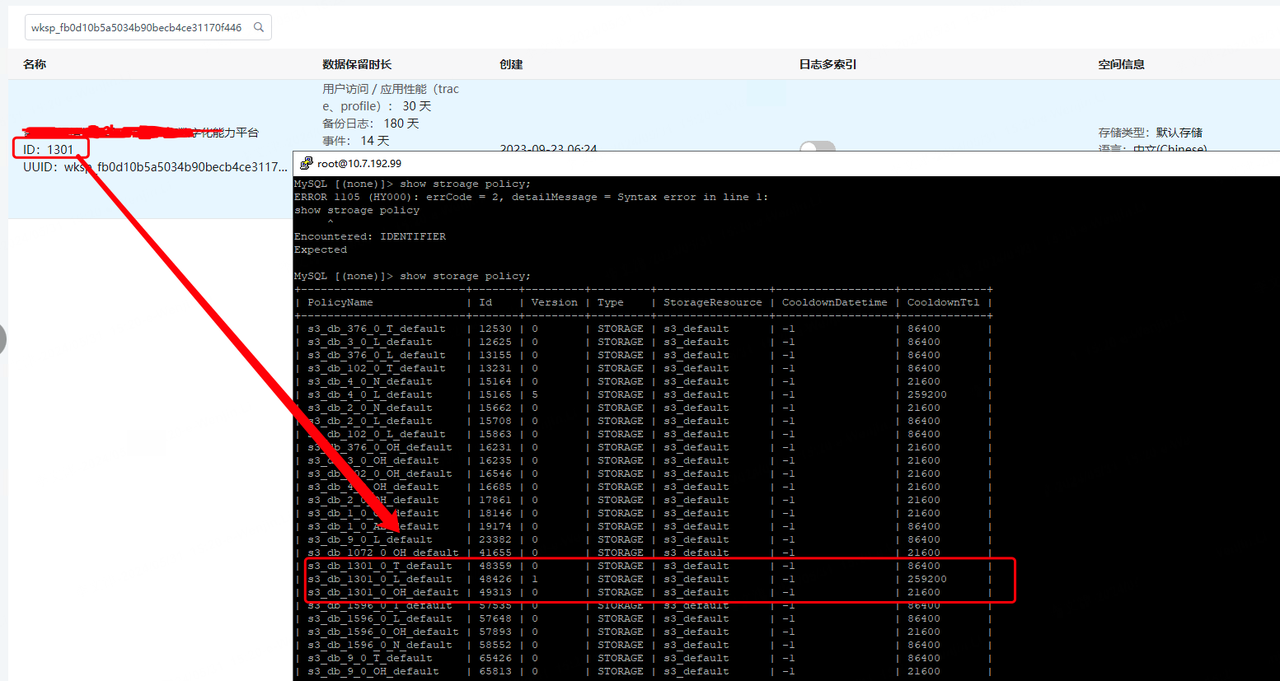
show storage policy;
# CooldownTtl is the hot data duration (in seconds), PolicyName is the corresponding object, and the number in the middle is the workspace ID.
5 Doris Server doris User Password Expired
Problem Description: The password of the doris user on the Doris server has expired. After expiration, the manager cannot properly manage the cluster.
Solution:
Option 1:
Modify the password expiration policy for the doris user.
# View the user's password policy
chage -l username
# -M -1 means the password never expires; refer to the chage usage for details
chage -M -1 username
Option 2:
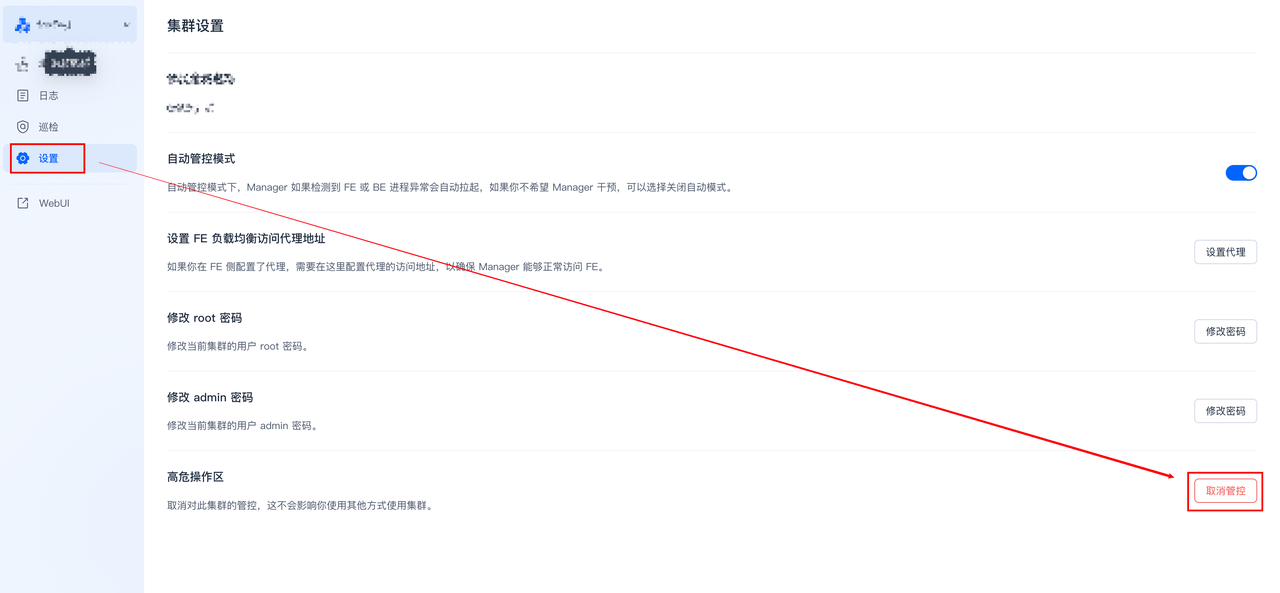
After changing the password of the doris user on all Doris servers (the new password must be consistent), unmanage the cluster from the manager web (fe01_ip:8004) and then re-manage the cluster.
6 Doris Cluster BE Node Scale-In
Problem Description: Due to a reduction in data volume, the Doris cluster is over-provisioned and needs to be scaled in by reducing the number of BE nodes.
Solution:
Decommission the BE node on the manager web.

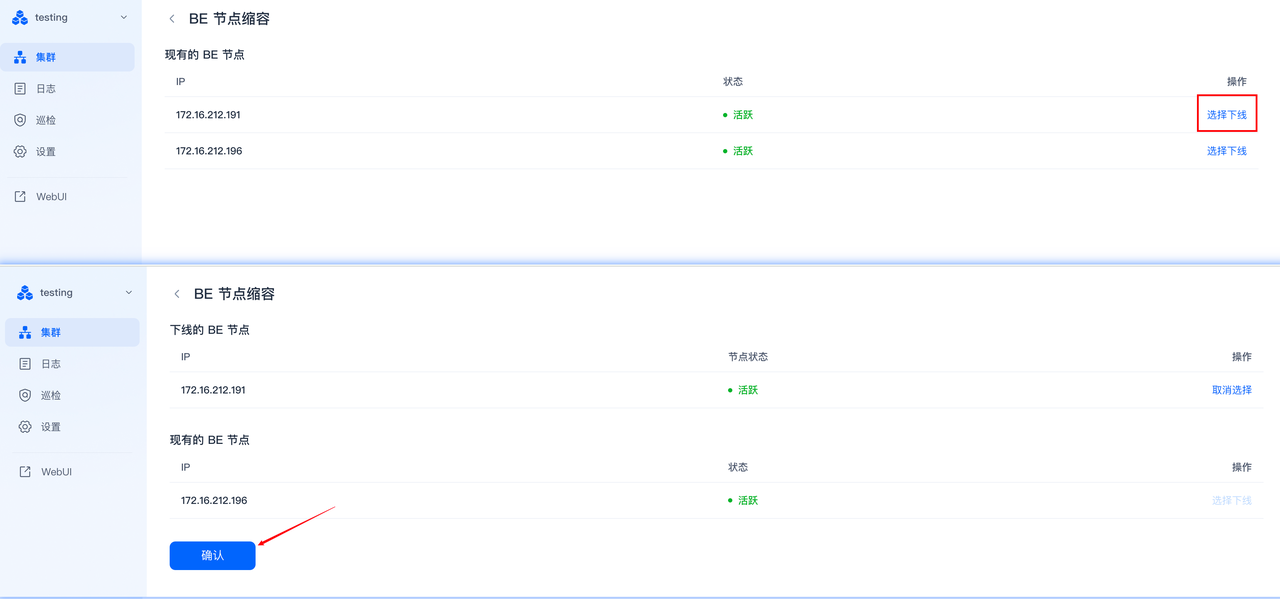
Wait for the tablet count of the decommissioned BE node to be fully migrated.
# Connect to the cluster from the FE machine using the mysql command
mysql -uroot -h127.0.0.1 -P 9030
show backends;
# When TabletNum and DataUsedCapacity decrease to 0, the data migration is complete.
Reclaim the decommissioned node machine.
7 Clicking Host Object Page Error: kodo Service API Request Error: Service Unavailable
Problem Description: Clicking the Host object returns the error: kodo service API request error: Service Unavailable.
Solution:
Check the GuanceDB for logs select component logs and find the following error:
Log in to the Doris manager web, view the BE role parameters, and find that the arrow_flight_sql_port parameter does not exist. Add the arrow_flight_sql_port parameter to the BE node in the manager.
After adding the parameter, restart the BE node.