Embedding Pages via iframe
Overview
This document describes how users of the self-hosted Deployment Plan can embed Guance pages into external platforms through iframe.
Configure External Platform Access
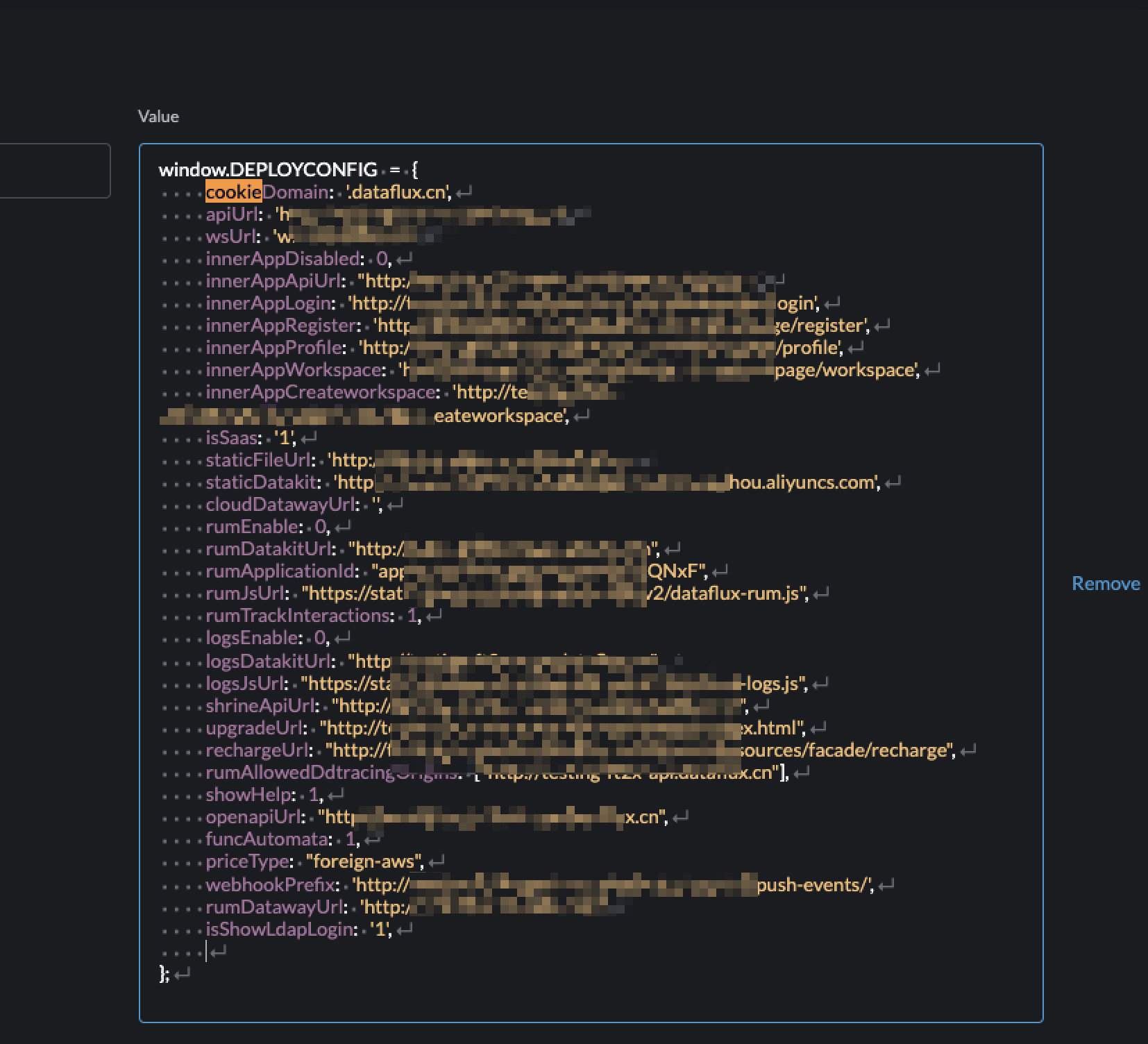
After deployment, locate the DEPLOYCONFIG configuration file and add cookieSameSite:"none" to the configuration. This allows external platforms to embed Guance pages via iframe. (By default, the cookieSameSite value is set to LAX, which does not allow embedding by external platforms.)
How to Obtain the iframe Link
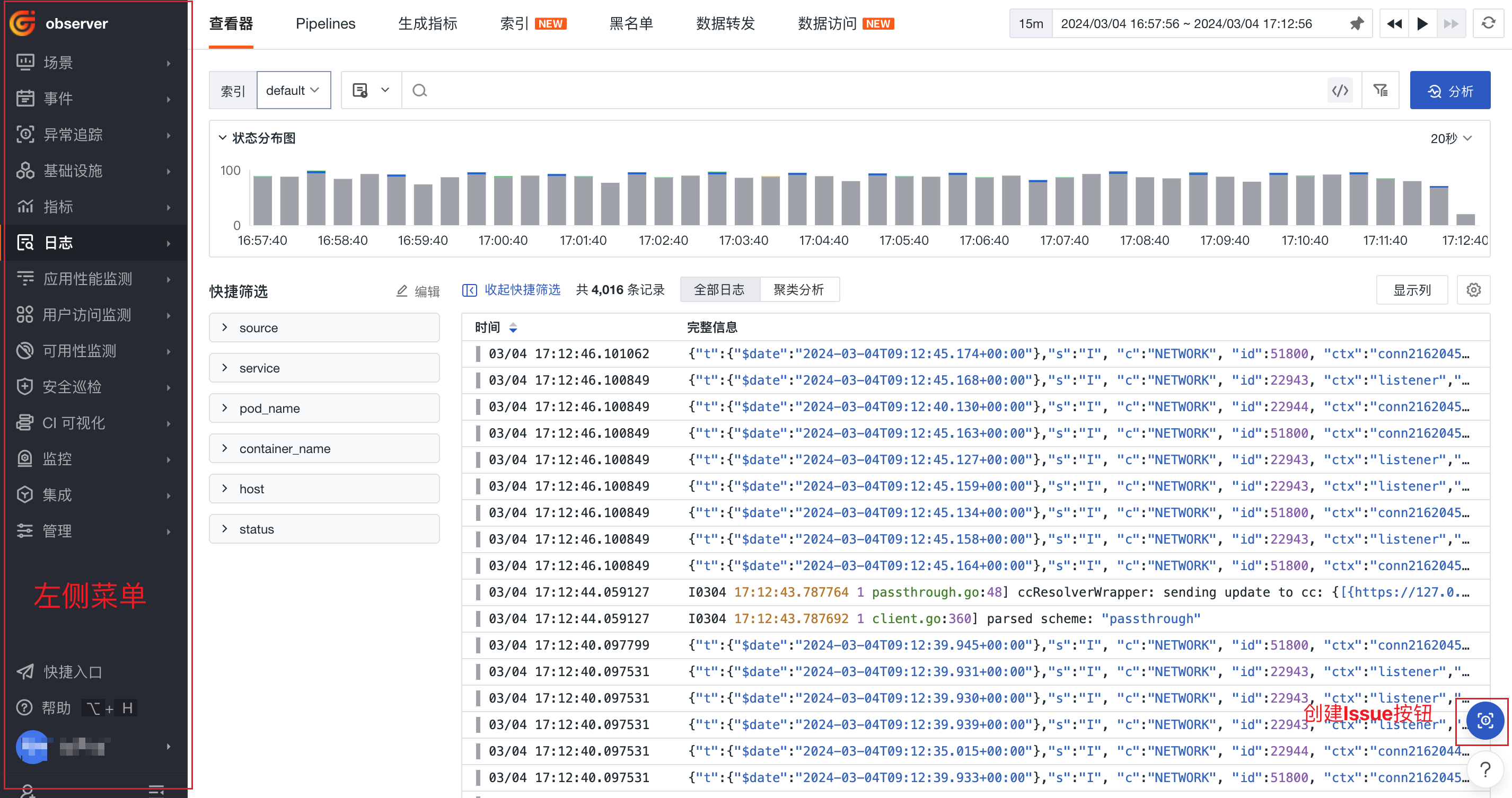
Directly navigate to the target Guance page you want to embed and copy the page URL. You can control the visibility of the left navigation menu and the "Create Issue" button in the lower-right corner by appending parameters to the URL. Example: <iframe src="https://console.guance.com/logIndi/log/all?hideWidget=true&hideTopNav=true&hideLeftNav=true"></iframe>
| Parameter | Required | Type | Description |
|---|---|---|---|
| hideWidget | No | Boolean | Hides the "Create Issue" button in the lower-right corner. Default is not hidden; true means hidden. |
| hideLeftNav | No | Boolean | Hides the left navigation menu of the Guance console. Default is not hidden; true means hidden. |
| hideTopHeader | No | Boolean | Hides the top navigation bar of the Guance console. Default is not hidden; true means hidden. |