Apply for License
Guance Deployment Plan provides a simple yet feature-rich productized local deployment platform for community users such as teachers, students, and cloud computing enthusiasts. You are welcome to apply for a free download and trial to build your own Guance platform and experience the full product features.
Steps
Register a Deployment Plan Account
Open the deployment plan registration URL directly: https://boss.guance.com/index.html#/signup?type=private. Follow the prompts to register a deployment plan account.
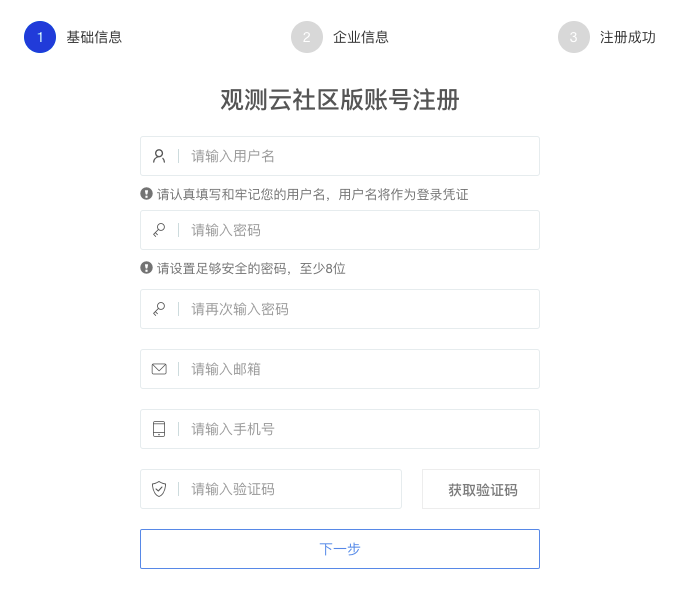
After registration, enter the Guance Deployment Plan Billing Center.
Obtain AK/SK
In the "AK Management" section of the Guance Deployment Plan Billing Center, click "Create AK". Copy the created AK and SK, then fill them into the AK and SK fields in "Step4: Activate Deployment Plan".
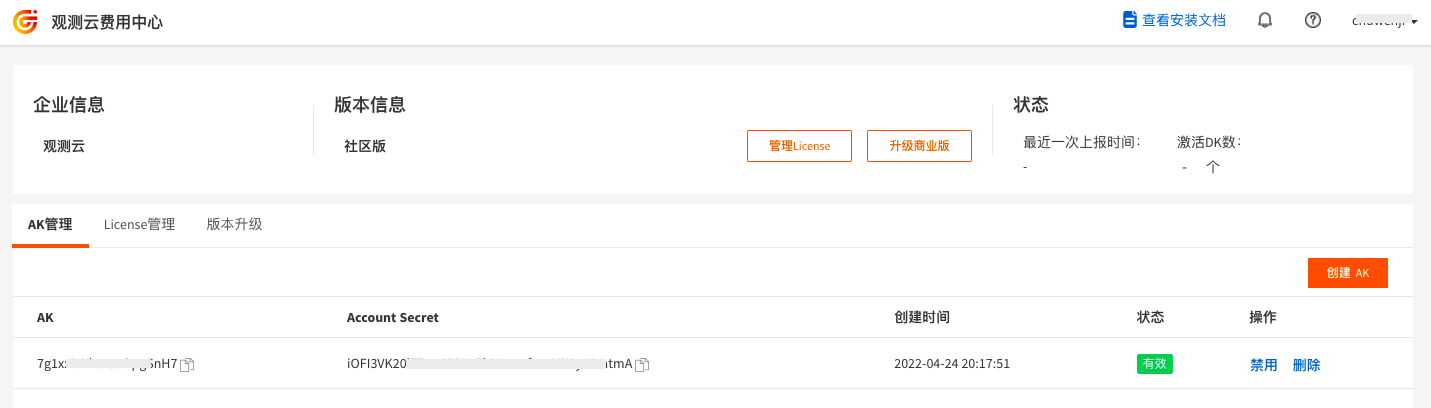
Obtain a License
In the "License Management" section of the Guance Deployment Plan Billing Center, click "Create License". When creating a License, you need to agree to the Deployment Plan User License Agreement and complete phone verification. Copy the created License and fill it into the License text field in "Step2: Activate Deployment Plan".
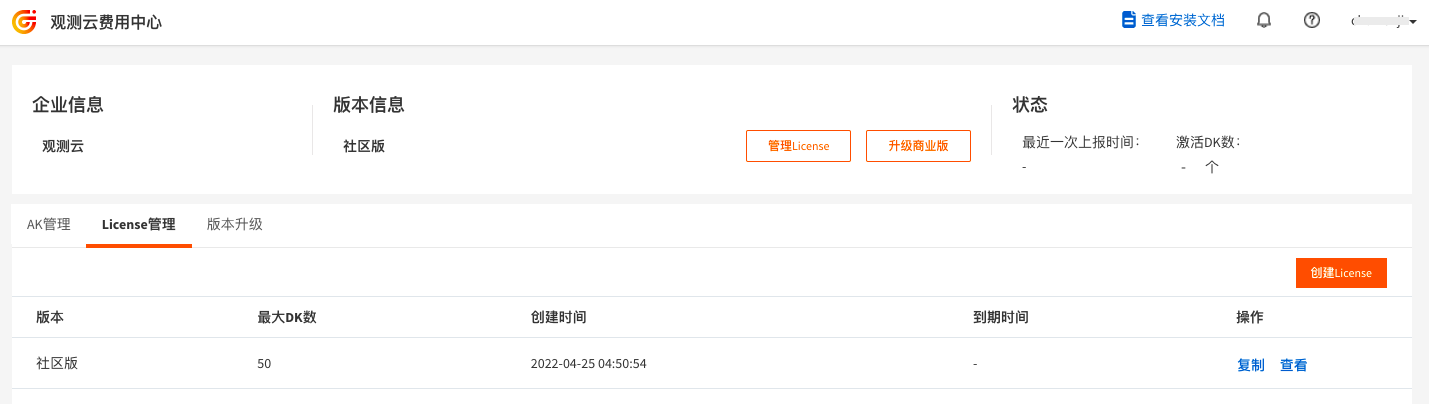
Note:
-
After obtaining the License, proceed to activate it. If the License is not activated, data cannot be queried.
-
Keep the
?token={}after the data gateway address as-is; do not remove it. You do not need to specify an actual token.{}is just a placeholder.
FAQ
How to apply for a License with a DataKit quantity limit?
- Access the launcher console;
- Enter the application configuration modification interface;
- Modify the
datakit_usage_check_enabledconfiguration item under the kodo-inner component to determine whether to check if the DataKit quantity exceeds the License limit.