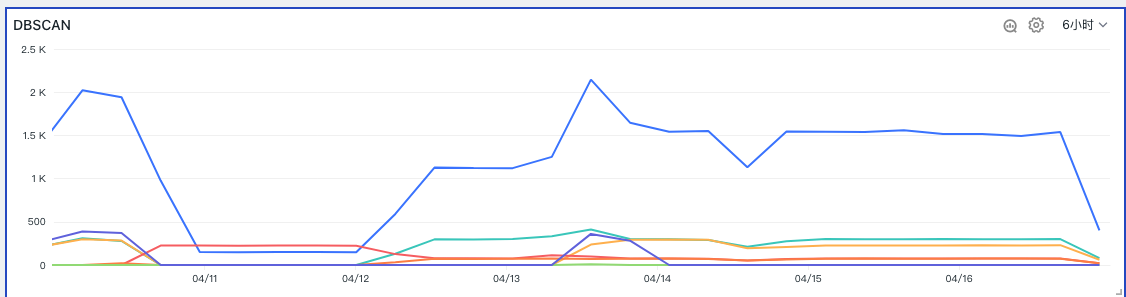
DBSCAN
Detects outlier objects among multiple time series based on historical data.
Algorithm Overview
DBSCAN is a density-based clustering algorithm. It groups regions that reach a certain density threshold into clusters and treats low-density regions as noise. The DBSCAN algorithm does not require the number of clusters to be specified in advance, can discover clusters of arbitrary shapes, and is robust to noisy data.
- Detection target: Multiple time series data.
- Use case: Suitable for scenarios where outliers need to be identified within a group of time series.
- Parameters: Detection window T, distance parameter.
- Meaning: From the time series in the range
Now - TtoNow, which time series are anomalous. - Return: Returns 1 to n outlier time series.
Core Parameters
Distance (eps): float, default=0.5
The distance parameter defines the maximum distance between two samples for one to be considered as in the neighborhood of the other. It is not the maximum distance between points within a cluster. (float, default=0.5)
You can configure any floating-point value in the range (0–3.0). If not configured, the default distance parameter is 0.5. The larger the distance, the fewer outliers are detected; a distance that is too small may produce many outliers, while a distance that is too large may result in no outliers being detected. Therefore, you should set an appropriate distance parameter based on the characteristics of your data.
Use Cases
Taking the center function DBSCAN as an example, when a user joins a Guance Workspace, DBSCAN is available as an option. The Advanced Functions - DBSCAN outlier detection examines multiple time series against historical data.
In Scenarios, select Time Series Chart, click the Add Function button under Query, choose Advanced Functions > DBSCAN, and set the algorithm parameters. The view will display the outlier effect across multiple time series, as shown in the figure:
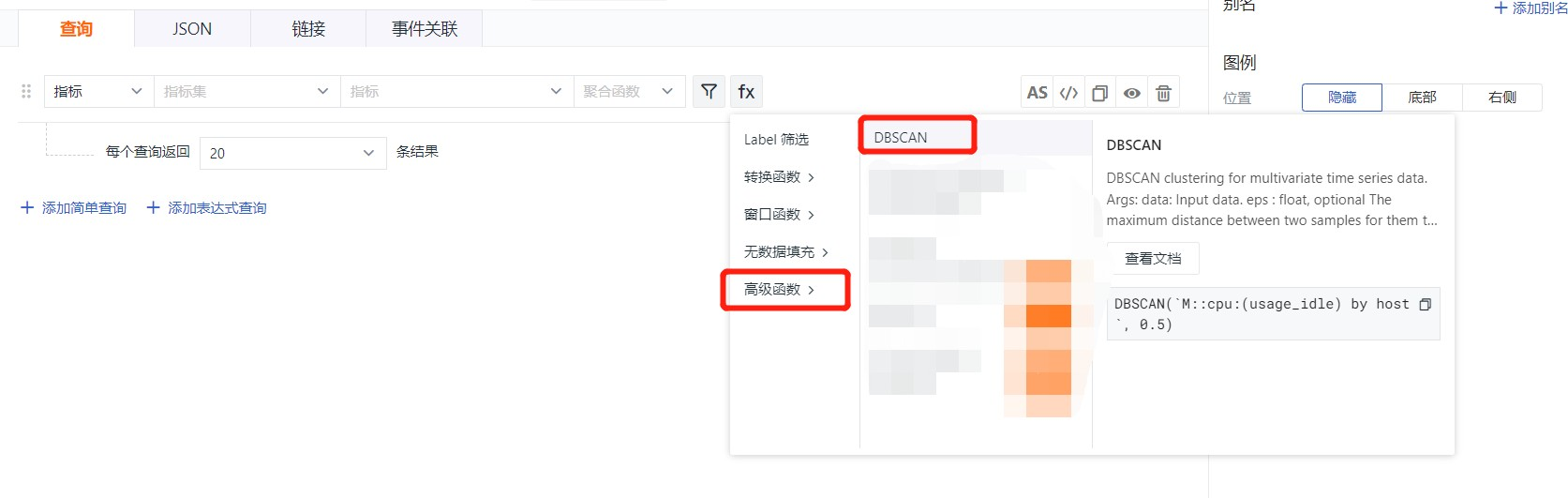
Example DQL query syntax:
Warning
When running the query:
- You must include a time-slicing clause in the query, e.g.
1h:5m:1m. - The algorithm requires at least five values; ensure the query returns enough data points.
- The algorithm processes multiple time series, so a
GROUP BYfield must be present in the query.
Display Style
- Effect when outliers are detected:
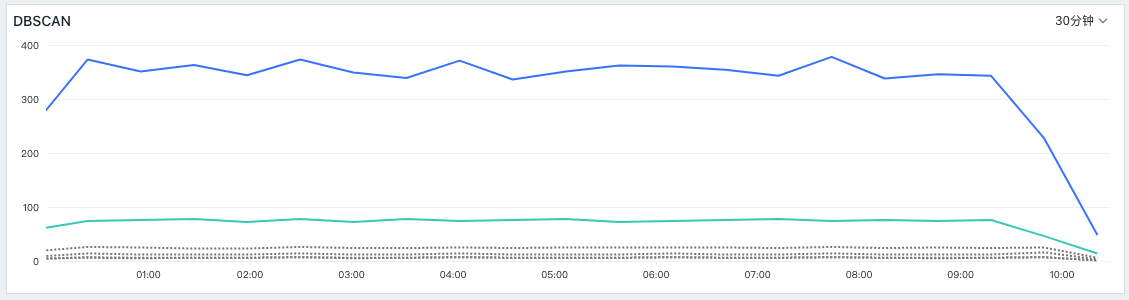
- When no outliers are detected, the original data is displayed on the frontend: