Kubernetes Cluster
1 Sealos node notready, kubelet reports node not found
Log in to the problematic node and check the kubelet logs.
The logs show that the apiserver is unreachable. Test network connectivity. The test shows that the network is unreachable. Disable the firewall on the master node to resolve the issue.2 Kylin ARM architecture Sealos deployment timeout
Check if any other containerized products are deployed.
Redundant software is found. Uninstall the redundant software. Uninstall sealos and reinstall it.3 Calico component fails to start when deploying a Kubernetes cluster on bare metal
When deploying a Kubernetes cluster on bare metal, the Calico component fails to start with the following error.
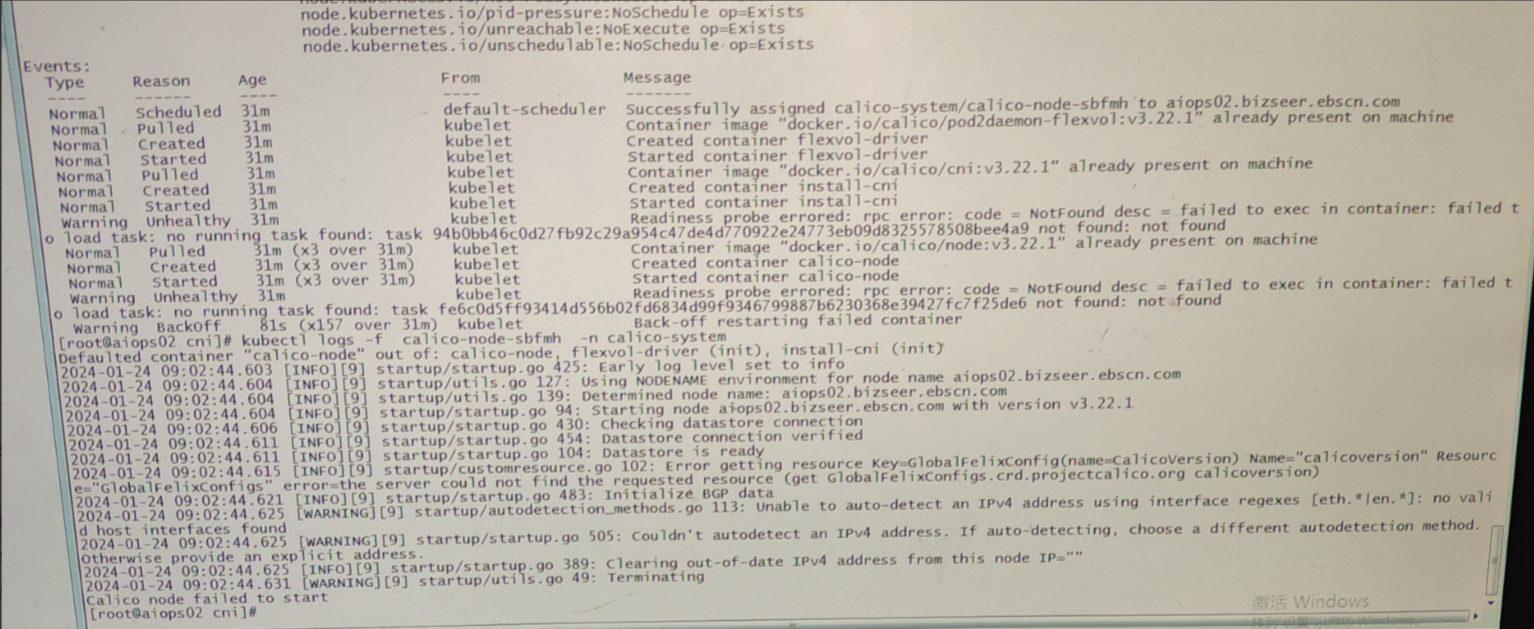
kubectl -n calico-system get installations.operator.tigera.io
kubectl -n calico-system edit installations.operator.tigera.io default

# Change to interface: eth.*|en.*|bound.*  The bound.* should be modified based on the name of the physical NIC, and the regex must match it.
nodeAddressAutodetectionV4:
  interface: eth.*|en.*
4 Kylin ARM architecture sealos deployment reports segmentation fault
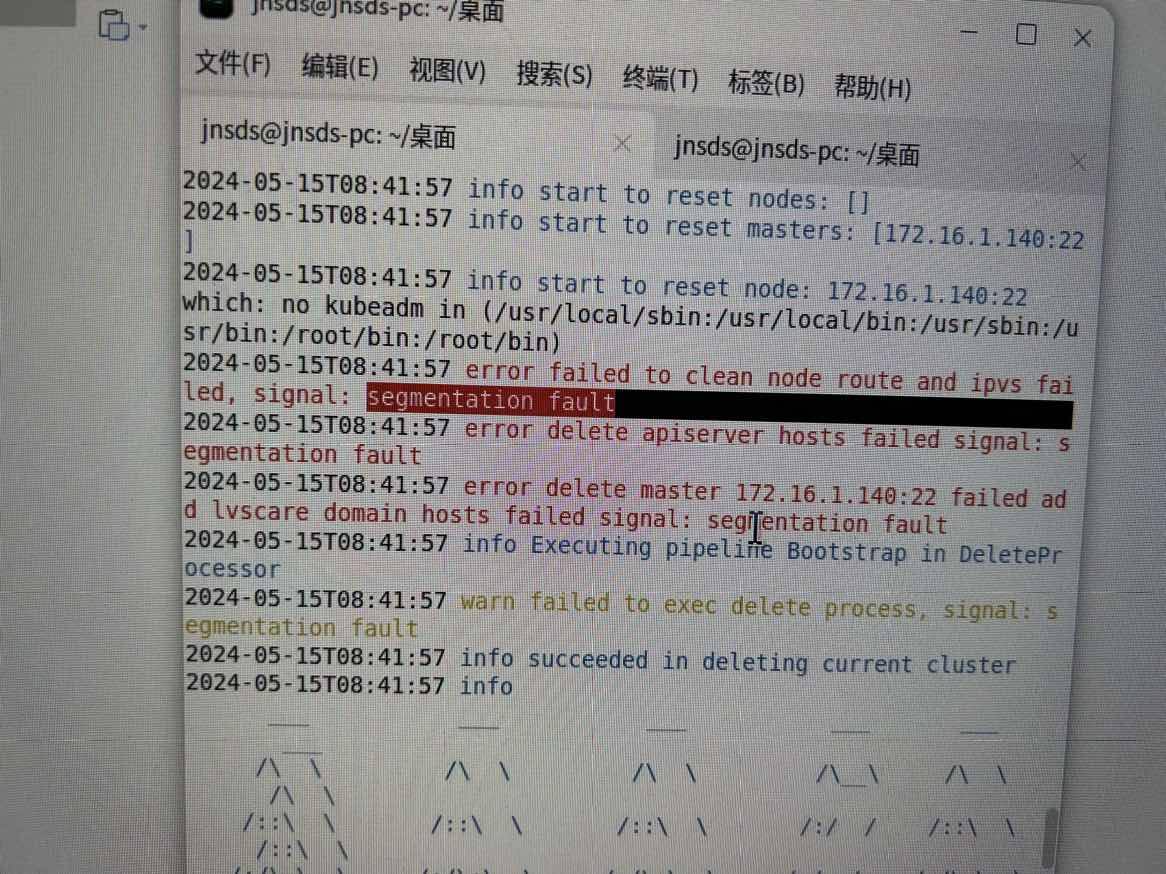 Install a newer version of sealos and the Kubernetes cluster.
# sealos
wget https://mirror.ghproxy.com/https://github.com/labring/sealos/releases/download/v4.3.7/sealos_4.3.7_linux_arm64.tar.gz \
   && tar zxvf sealos_4.3.7_linux_arm64.tar.gz sealos && chmod +x sealos && mv sealos /usr/bin
# k8s cluster
sealos run pubrepo.guance.com/googleimages/kubernetes:v1.25.16-4.3.7 pubrepo.guance.com/googleimages/helm:v3.8.2 pubrepo.guance.com/googleimages/calico:v3.24.1  --single  --debug
5 Sealos installation reports port conflict, 'Port: 10249 occupied'
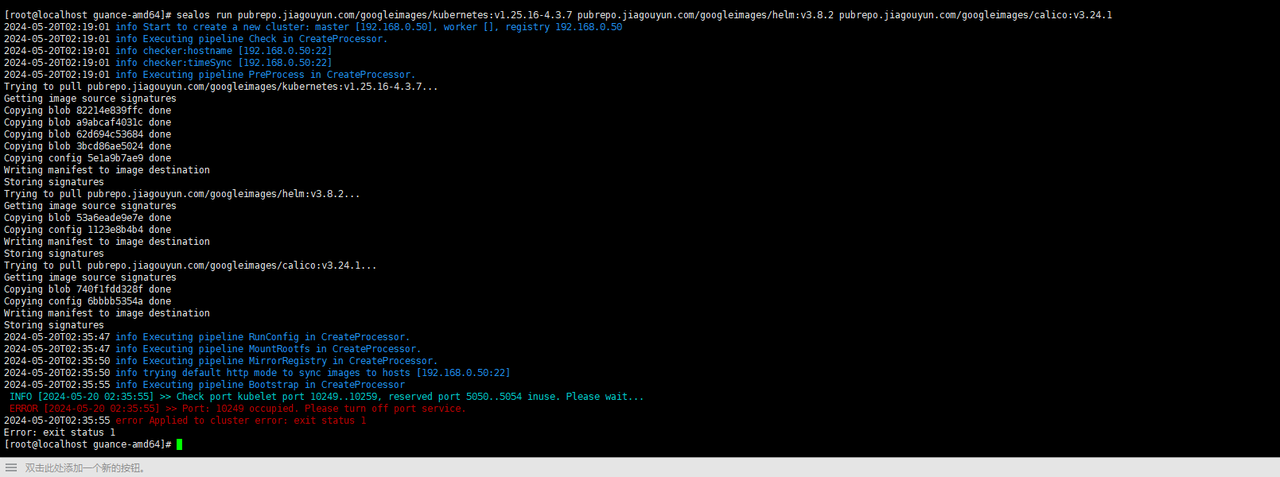 Check if the port is in use. If a conflict exists, close the port.
lsof command may be abnormal.
whereis lsof
# If there are multiple lsof commands and only one works correctly, rename or move the other lsof binaries using `mv`.
6 Kubelet fails to start during sealos cluster deployment
OS: openEuler 22.03
Problem description: During the sealos deployment, it keeps reporting errors and gets stuck, unable to start the cluster. It is suspected to be a kubelet issue. Check the kubelet logs.
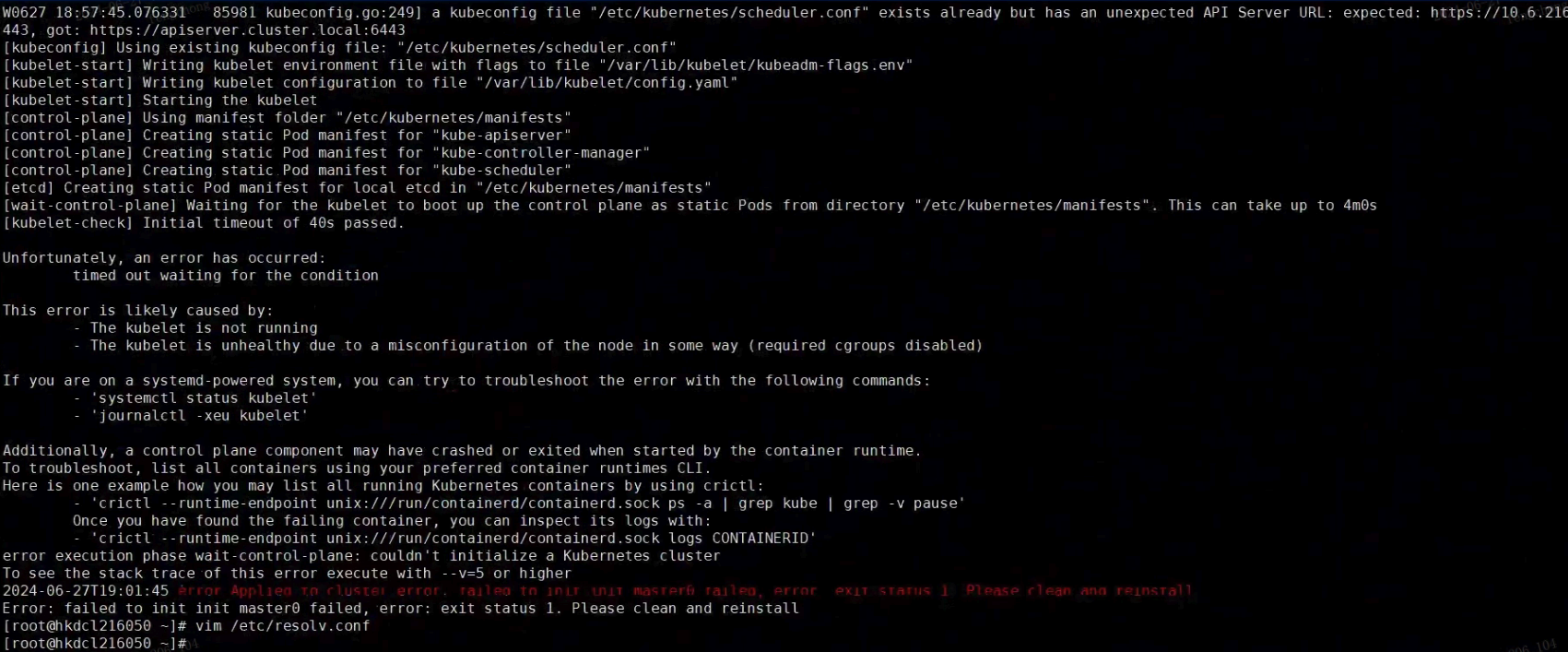 By checking the /var/log/message log, it is found that the /etc/resolv.conf file does not exist.
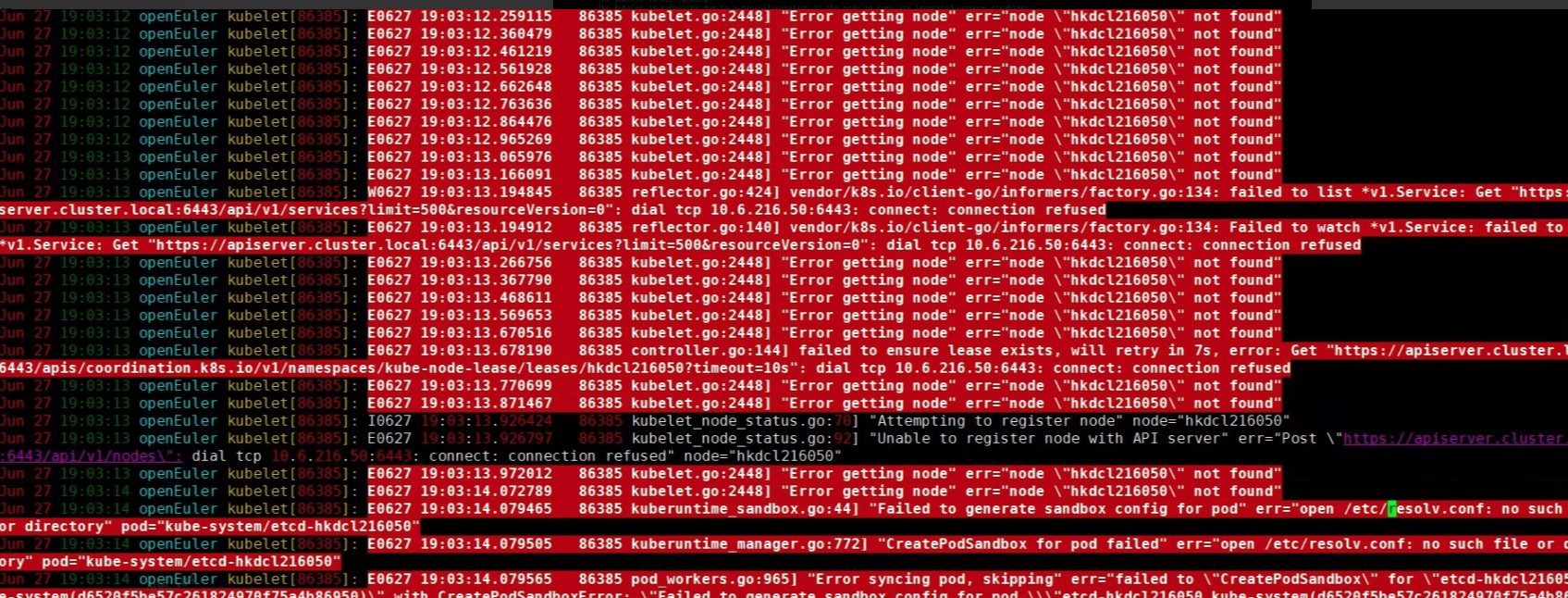 Create the file and configure the correct DNS server, then reinstall sealos.