Lark Bot
A Lark custom bot is an automated tool that can only be used in the group chat in which it was created. It can automatically push messages by calling a preset webhook address without requiring approval from the tenant administrator.
For more details, see Custom Bot Usage Guide.
Add a Custom Bot to a Group
Invite a Custom Bot to the Group
- Go to Group > Settings > Group Bots;
- Go to Add Bot;
- Select Custom Bot;
- Set the avatar, name, and description of the custom bot, then click Add.
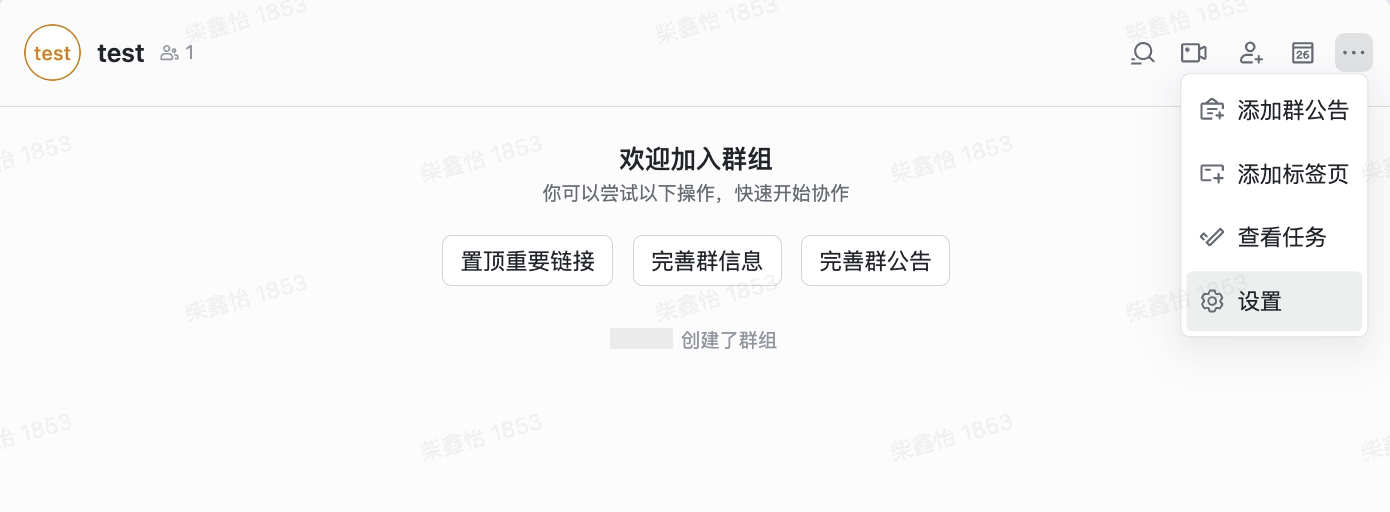
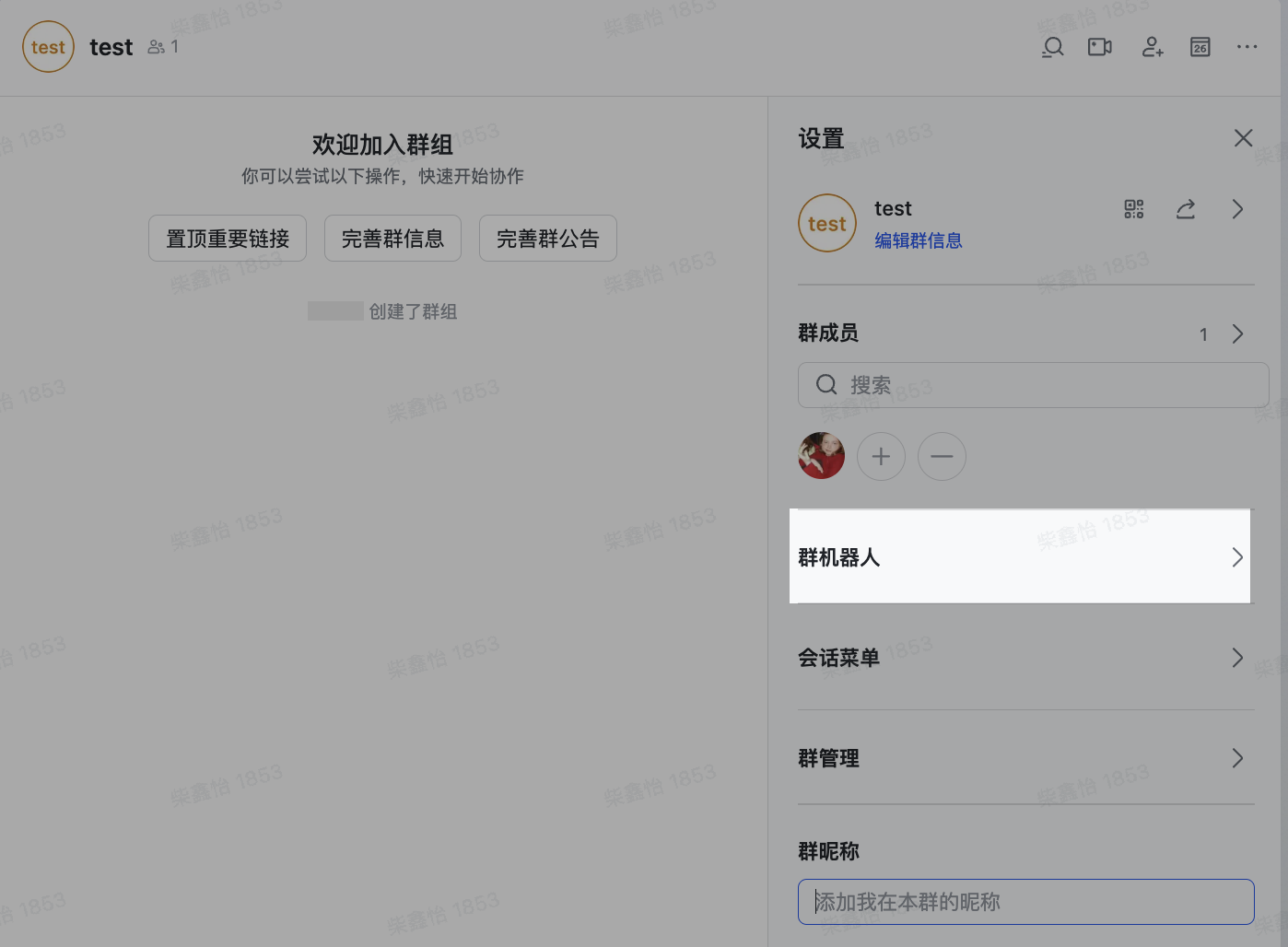
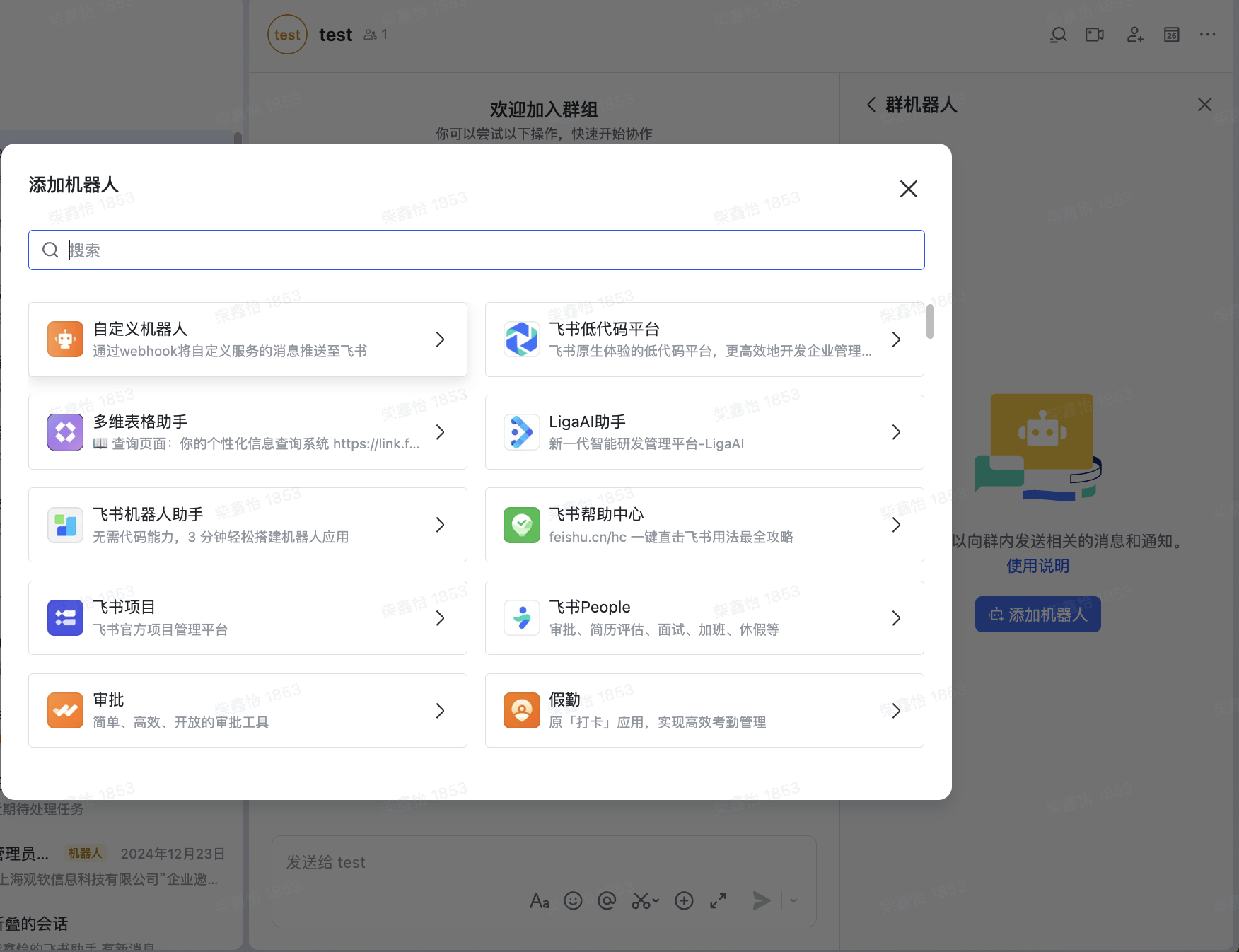

Obtain the Webhook Address
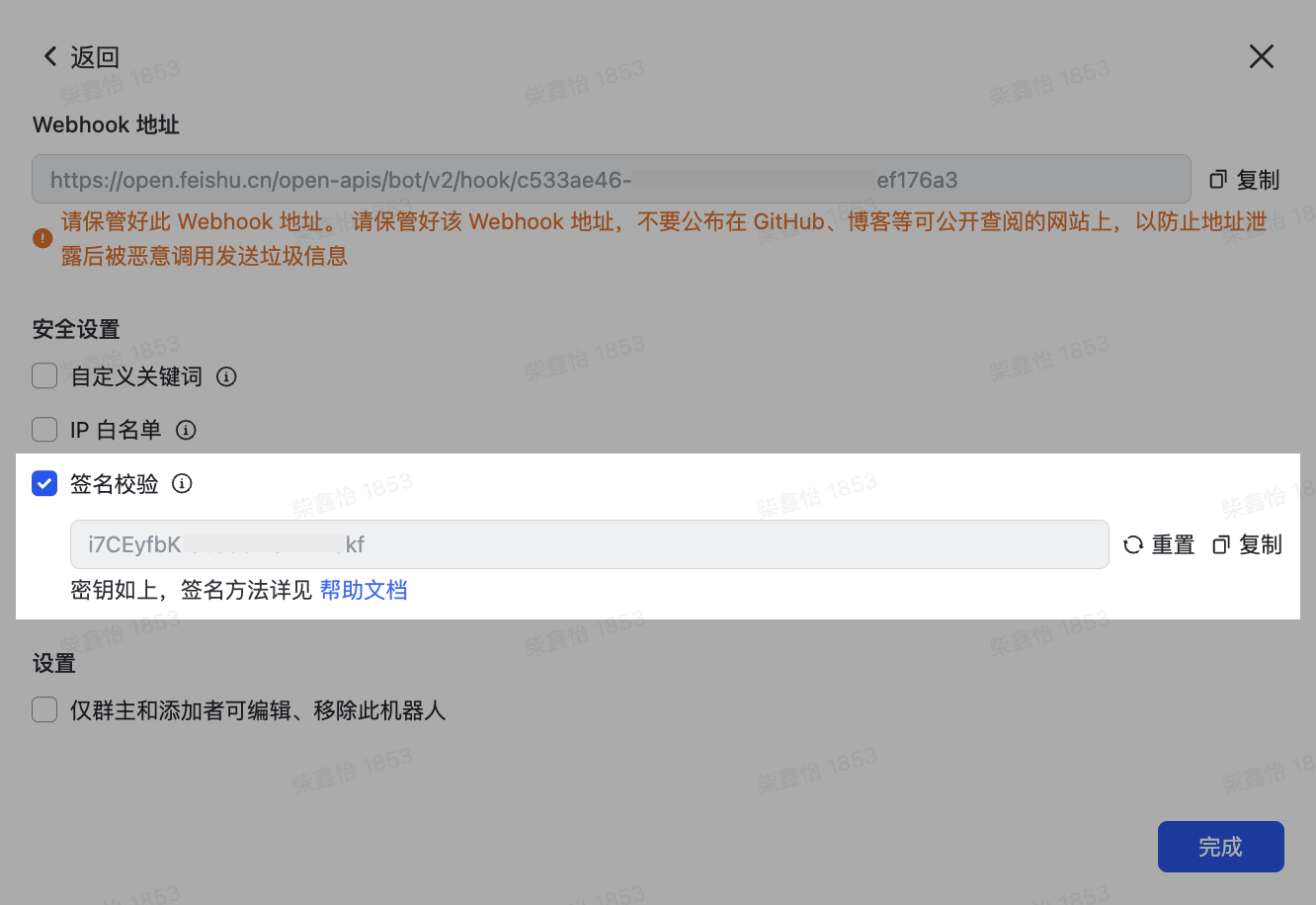
After the bot is created, you can directly copy the Webhook address.
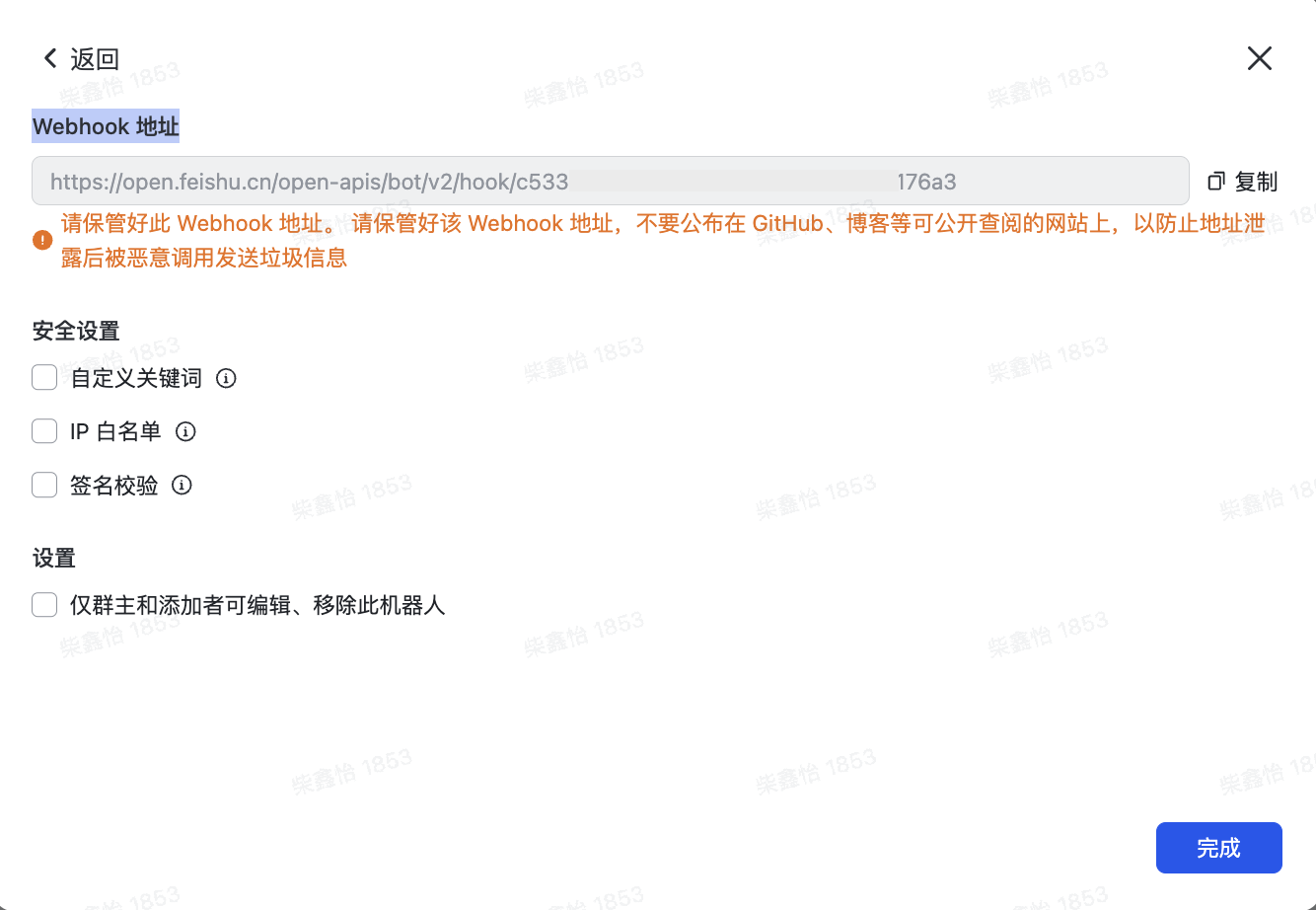
After adding a custom bot to the group, you can configure security settings for the bot.
For example, enable signature verification for the bot. Requests must pass signature verification before they can successfully call the Webhook to send messages.
After you select this option, the secret key is automatically provided to you.
Return to the Lark Bot Configuration Page
- Define the current notification target name, which is used for identification in the notification target list;
- Fill in the Webhook address obtained in the previous steps;
- Test whether the notification is sent as needed (❗️A test message is sent to the group/channel corresponding to this Webhook. Go to the corresponding notification target to check whether the test message was sent successfully);
- Fill in the Lark signature verification secret key as needed;
- Configure Operation Permissions;
- Confirm.