Forward Data to Alibaba Cloud OSS
- Complete the rule name and filter condition settings.
- Continue configuring the archive.
Configure
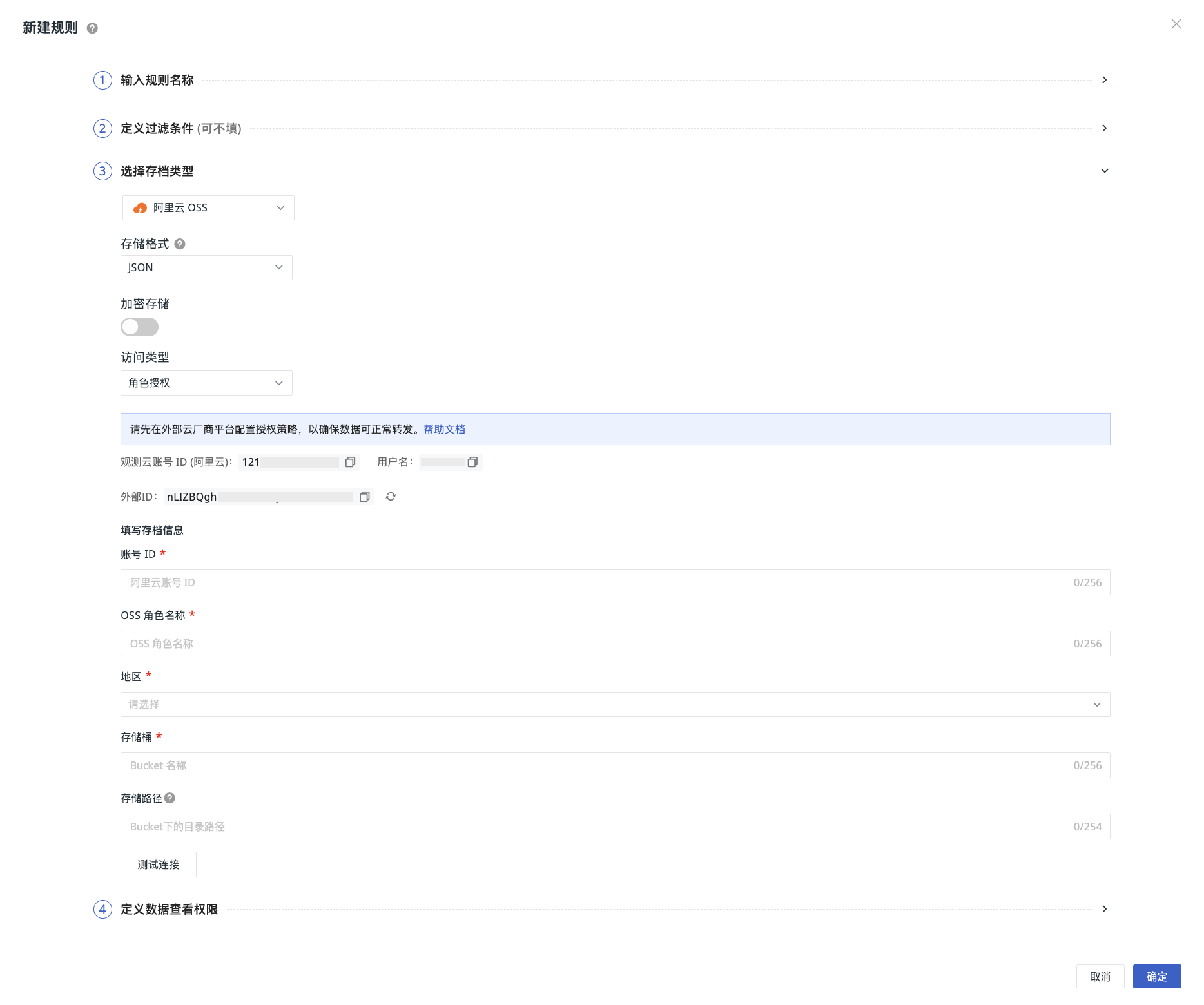
- Select Alibaba Cloud OSS as the archive type, which means saving the matched data to this object storage.
- Choose the storage format.
- Choose whether to encrypt storage.
- Select the access type.
- Click "Confirm" to create successfully.
Note
If the archive type information changes, you need to confirm that the configuration of the associated platform has been updated accordingly to avoid data write failures due to configuration changes. The new configuration rule will take effect within 5 minutes.
Access Type
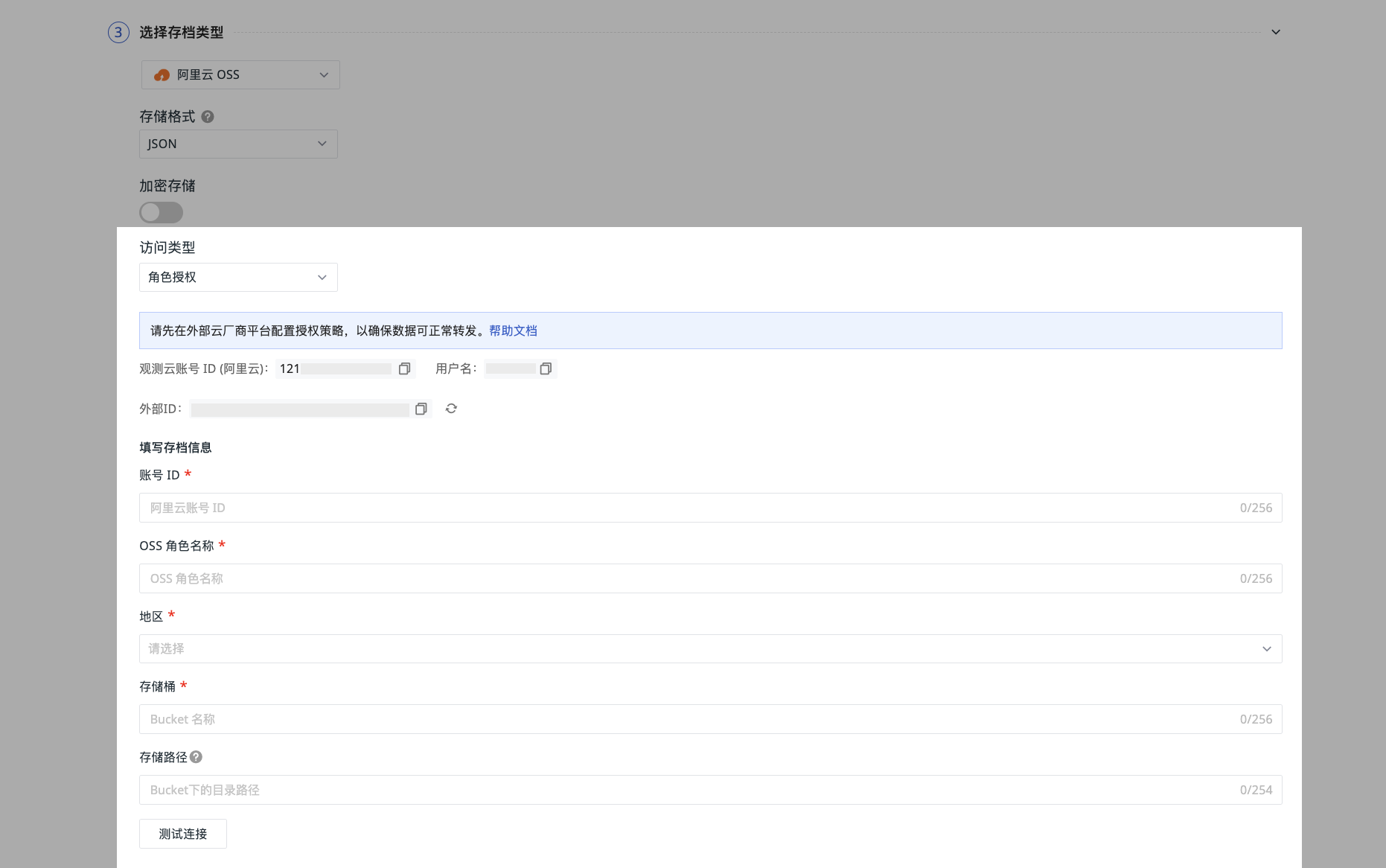
Role Authorization
-
You need to use the external ID generated by default by Guance to configure role authorization.
-
After configuring the authorization role on the Alibaba Cloud console, fill in the archive information, including the Alibaba Cloud account ID, OSS role name, region, and Bucket name.
-
Fill in the storage path to facilitate further differentiation and locating the specific location of data forwarding.
-
Click "Test Connection". If the above information meets the specifications, a successful connection test prompt will appear. Click confirm to save the current rule.
If the test fails:
You need to confirm:
- Whether the authorization is successful
- Whether the account ID is correct
- Whether the bucket exists
- Whether the region is inconsistent
When this situation occurs, operate with caution:
-
If you click to regenerate the external ID, the historical ID will become invalid after 24 hours. Please go to the Alibaba Cloud console to replace it as soon as possible.
-
Do not click to generate the external ID multiple times. Please operate with caution!
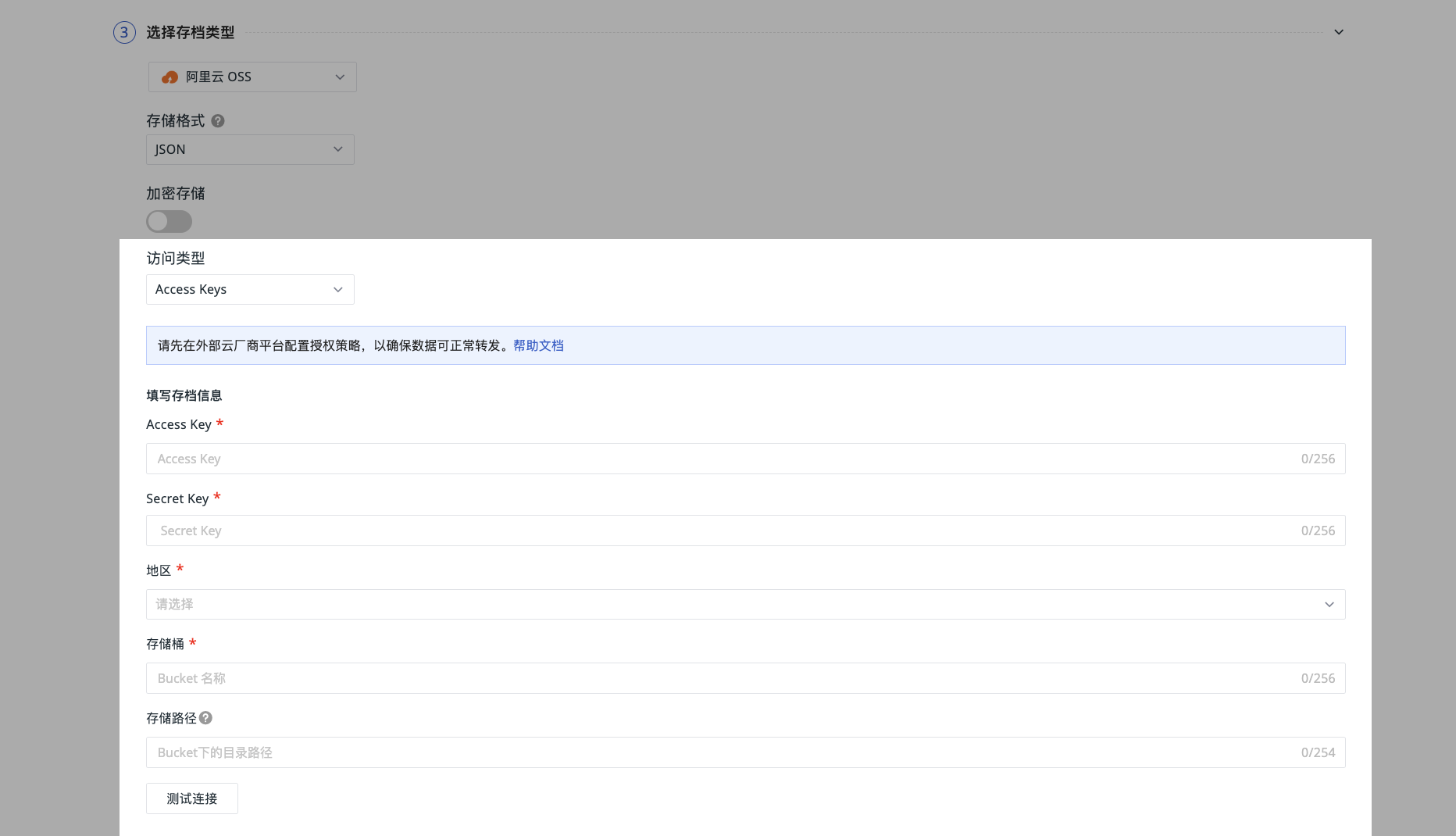
Access Keys
-
You need to configure the Guance RAM policy in Alibaba Cloud. After configuration, fill in the account information, input the Alibaba Cloud AK & SK, region, and Bucket name.
-
Fill in the storage path to facilitate further differentiation and locating the specific location of data forwarding.
-
Click "Test Connection". If the above information meets the specifications, a successful connection test prompt will appear. Click confirm to save the current rule.
If the test fails:
You need to confirm:
- Whether the account ID is correct
- Whether the AK / SK exists
- Whether the bucket exists
- Whether the region is inconsistent
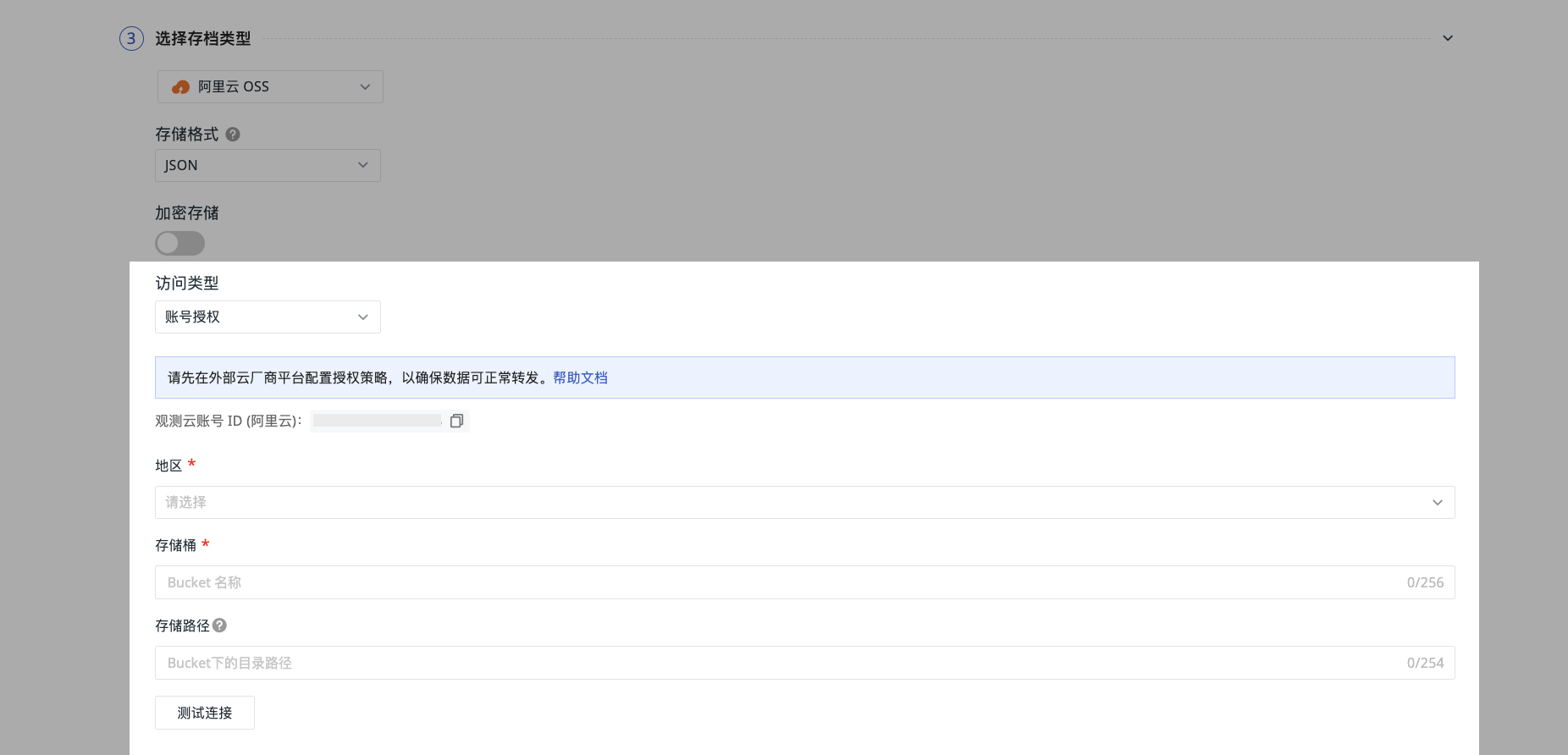
Account Authorization
-
Alibaba Cloud provides cross-account authorization capability. You need to use the dedicated account ID of Guance and add a cross-account access authorization policy according to the configuration instructions.
-
After configuration, select the region and input the bucket name.
-
Fill in the storage path to facilitate further differentiation and locating the specific location of data forwarding.
-
Click "Test Connection". If the above information meets the specifications, a successful connection test prompt will appear. Click confirm to save the current rule.
If the test fails:
You need to confirm:
- Whether the account ID is correct
- Whether the bucket exists
- Whether the region is inconsistent
Data Waiting Time
Data is first written to a local temporary file. When the file size reaches 256 MB or the waiting time reaches the set value, the system automatically compresses and uploads it. You can adjust the waiting time according to actual needs, including 15 minutes, 30 minutes, and 1 hour:
- Shorter setting results in lower downstream data latency but generates more files.
- Longer setting results in fewer files but correspondingly increases downstream data latency.
Storage Path Naming Convention
- Create a single folder or multi-level folders. A slash (/) indicates creating multi-level folders.
- Folder names cannot start or end with a slash (/).
- Cannot contain more than two consecutive slashes (/).
- Applicable to all access types.
Note
- If the filled folder does not exist, the system will directly create it, and data will still be stored under that path.
- Please change the storage path with caution. Due to a delay of about 5 minutes for configuration updates, after the change, some data may still be forwarded to the original directory.
Next Steps
Continue configuring the data viewing permissions under the current forwarding rule.