Create
Go to Security Monitoring > Security Incidents > Create to start creating.
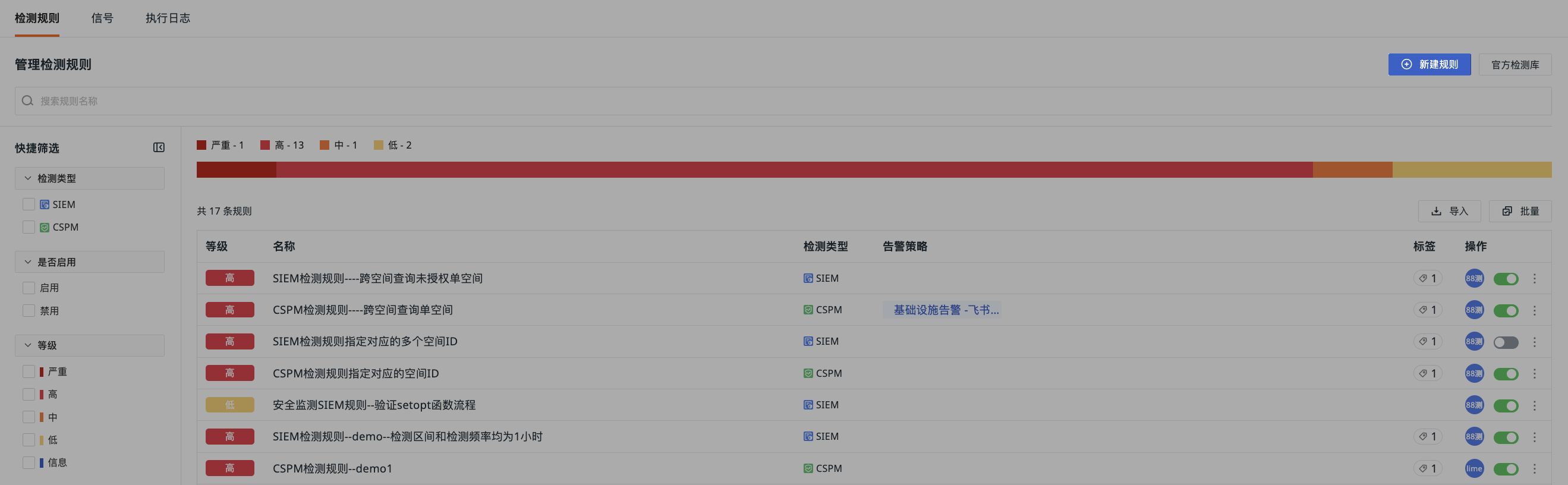
Detection Type
| Field | Description |
|---|---|
| SIEM | Security Information and Event Management (SIEM) A security technology that aggregates and analyzes log and event data from different systems (such as servers, network devices, cloud services, and applications) using built-in query functions. |
| CSPM | Cloud Security Posture Management (CSPM) A set of automated processes and tools for continuously managing and reducing configuration risks in cloud environments. Its core function is to scan cloud infrastructure (such as compute instances, storage services, and network configurations) to automatically identify misconfigurations that deviate from security baselines and compliance standards. |
| ABA | AI Agent Behavior Analytics (ABA) Used to detect abnormal operations, privilege escalation, sensitive data leakage, and other high-risk behaviors during AI Agent execution. Detection results can display risk events and alert levels in the Agent's Session, Trace, Tool, and Skill views. |
Basic Settings
Detection Frequency
The rule runs at the interval set here (e.g., every 5 minutes, every 1 hour). The available options are: Last 1 minute, Last 5 minutes, Last 15 minutes, Last 30 minutes, Last 1 hour, Last 6 hours, Last 12 hours, Last 24 hours.
In addition to these predefined options, you can enter a custom crontab schedule to configure the execution cycle based on seconds, minutes, hours, days, months, weeks, etc.
Detection Range
The time range for data query each time the task runs. The available detection ranges vary depending on the detection frequency.
| Detection Frequency | Detection Range (dropdown options) |
|---|---|
| 1m | 1m/5m/15m/30m/1h/3h |
| 5m | 5m/15m/30m/1h/3h |
| 15m | 15m/30m/1h/3h/6h |
| 30m | 30m/1h/3h/6h |
| 1h | 1h/3h/6h/12h/24h |
| 6h | 6h/12h/24h |
| 12h | 12h/24h |
| 24h | 24h |
Define Detection Rules
When defining security detection logic, you can use DQL to query data in the script and set signal trigger logic by defining conditional expressions (e.g., field matching, threshold judgment, etc.).
When writing rules manually, you can:
- Toggle text wrapping or overflow;
- Use shortcuts to format content;
- Copy with one click;
- Write script content directly in the editor;
- Use fx functions;
- Test the script;
- Edit the script in full screen.
Example:
# data1,ok = dql("T::re(`.*`):(avg(duration), service, span_id, status) by host limit 1")
# #data2 = dql("T::re(`.*`):(max(duration), service, span_id, status) by host limit 2")


# #result: detection result, required, type: basic type (string, integer, float)
# #result = data1.avg(duration)

# #dimension_tags: detection object, optional, type: map
# #dimension_tags = {"host":data1['series'][0][0]['tags']['host']}

# #status: severity, optional, type: enum. If defined here, takes precedence over the severity defined on the UI page.
# #Available values: critical, high, medium, low, info
# status = "high"

# #extra_data: additional attributes, optional, type: map
# #related_data = {"service":"wwwww"}
# #related_data = {"service":data1['series'][0][0]['columns']['service'],
#                # "span_id":data1['series'][0][0]['columns']['span_id'],
#                # "status":data1['series'][0][0]['columns']['status']}


# #fn trigger(result: int|float|bool|str, level: str = "", dim_tags: map = {}, related_data: map = {})
# #trigger(data1,status,dimension_tags,related_data)
# host = dql_series_get(data1,"host")
# service = dql_series_get(data1,"service")
# status = dql_series_get(data1,"status")
# trigger(data1,status,dimension_tags={"host":host},related_data={"service":service,"status":status})


data1 = dql("T::re(`.*`):(avg(duration), service, span_id, status) by host limit 1")
status = "high"
host = dql_series_get(data1,"host")
#printf("%v", {"host": host_o})
#host_info = dql_series_get(host_o,"host")
#printf("%v", {"host": host_info})
service = dql_series_get(data1,"service")
span_id = dql_series_get(data1,"span_id")

trigger(data1,status,dimension_tags={"host":host[0][0]},related_data={"service":service,"span_id":span_id})
The script example above consists of three main parts:
-
Data Query: Use DQL to query all metrics (
re(.*)), calculate the average value of thedurationfield for eachhostgroup, and return theservice,span_id, andstatusfields.limit 1means only one result is returned. -
Data Processing:
-
Alert Trigger:
trigger(data1,status,dimension_tags={"host":host[0][0]},related_data={"service":service,"span_id":span_id})
This triggers an alert with a severity of high. dimension_tags identifies the detection object (here, host is used as the dimension tag), and related_data attaches associated data (service and span_id).
Note
During script editing, the relevant information will appear in the resulting event only after you add both dimension_tags and related_data fields.
Security Severity
Select the security severity for the current detection rule:
| Severity | df_status Value |
|---|---|
| Critical | critical |
| High | high |
| Medium | medium |
| Low | low |
| Info | info |
Note
If the detection rule defines a custom security severity through conditional logic (e.g., status=high), the system will use the severity defined in the rule, and the global security severity setting will no longer apply.
Configure Rule Description
When adding a detection rule, enter the detection conclusion and remediation suggestions. These will be sent as the title and description of the alert notification.
- Define the rule title;
- Enter the rule description.
- Optionally add global tags to the current rule.
Alert Configuration
Select an existing alert policy from the current workspace to associate with this rule. Once the rule is enabled, alert notifications will be triggered according to the selected alert policy.
Permissions
Set view permissions for security monitoring data to enhance data security.
All members with the manage permission for Security Monitoring in the workspace can operate on this rule.
Only specified members can operate on this rule. You can select members, roles, and teams from the workspace.