DataWay List Empty in Integration
As shown in the figure below:
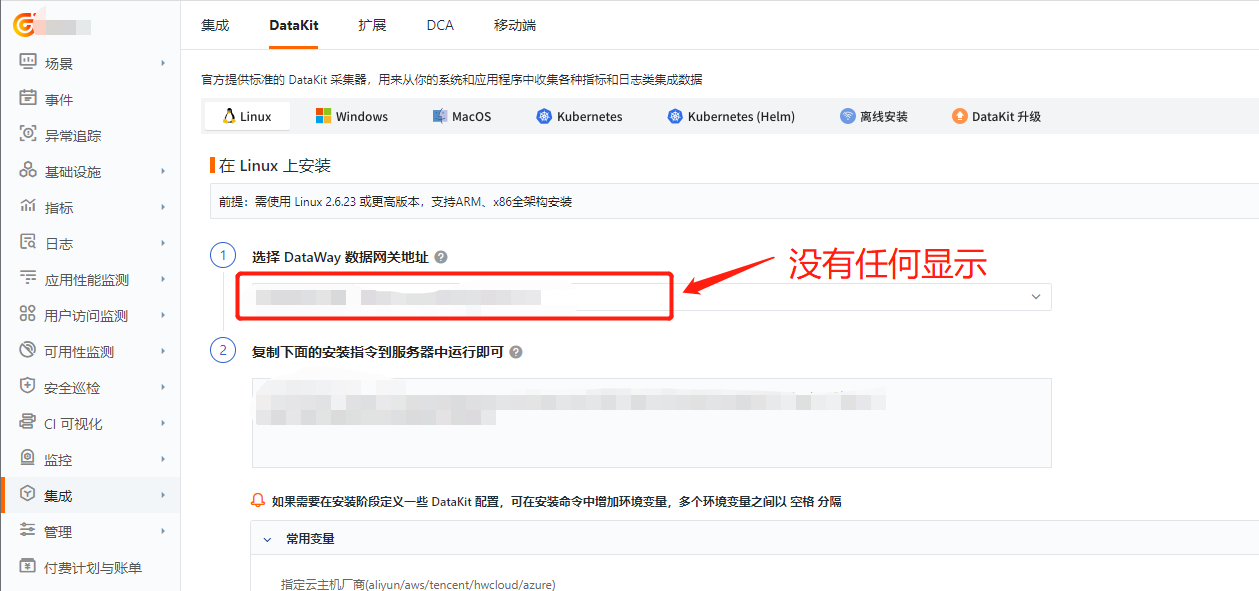
Troubleshooting Approach
Assumption 1: The backend management interface does not display the version number. After installing DataWay, only the version number indicates a successful connection.
As shown in the figure:

- First, check whether the DataWay configuration file is correct — whether the correct listening port and Workspace token information are configured.
- Check whether the DataWay service is running normally.
- Whether there are errors when running normally.
-
Check whether the deployed kodo service is abnormal. Confirm by examining the kodo service logs.
-
First, enter the pod of the kodo service.
- Then, go to the
/logdatadirectory and view the log files.
- Check whether the DataWay service can communicate normally with the kodo service (including whether the
datawayserver has not added the correct resolution of thedf-kodoservice in thehostsfile). - Go to Studio Integration and check the DataWay list to see if it is normal.
Assumption 2: The backend management interface displays the version number, but the DataWay list under the DataKit module in Studio Integration is empty.
- The above issues have been resolved, but the list is still empty.
- If you have deployed before, it may be caused by the Redis cache not being cleared. If no persistent storage is configured, restart the container.