Scheck Best Practices
- Version: 1.0.7-7-g251eead
- Release Date: 2023-04-06 11:17:57
- Supported OS: windows/amd64, windows/386, linux/arm, linux/arm64, linux/386, linux/amd64
Introduction
In routine operations, an important task is to inspect the status of systems, software, logs, and other components. Traditional approaches often involve engineers writing shell (bash) scripts to perform such inspections, using remote script management tools to manage clusters. However, this method is very dangerous because system inspection operations often require high privileges and are typically run as root. If a malicious script is executed, the consequences could be disastrous. In practice, there are two types of malicious scripts: one that executes malicious commands, such as rm -rf, and another that steals data, for example, by leaking data to the outside via network I/O. Therefore, Security Checker aims to provide a new, secure scripting approach (restricting command execution, local I/O, and network I/O) to ensure that all behaviors are safe and controllable. Security Checker will collect inspection events in a log format through a unified network model. Additionally, Security Checker will provide a vast, updatable rule library covering inspections for systems, containers, networks, security, and more.
scheck is short for Security Checker
scheck only pushes security inspection events; there is no recovery notification
Prerequisites
| Service Name | Version | Required | Purpose |
|---|---|---|---|
| Datakit | 1.1.6 or later Installation | Yes | Receive scheck signals |
| DataFlux | DataFlux SaaS or other private deployments | Yes | View security inspections |
Configuration
1 Install Scheck
2 Check Installation Status and Datakit Running Status
- Check scheck status
$systemctl status scheck
● scheck.service - security checker with lua script
   Loaded: loaded (/usr/lib/systemd/system/scheck.service; enabled; vendor preset: disabled)
   Active: active (running) since 六 2021-07-03 00:13:15 CST; 2 days ago
 Main PID: 15337 (scheck)
    Tasks: 10
   Memory: 12.4M
   CGroup: /system.slice/scheck.service
           └─15337 /usr/local/scheck/scheck -config /usr/local/scheck/scheck.conf
- Check datakit status
$ systemctl status datakit
● datakit.service - Collects data and upload it to DataFlux.
   Loaded: loaded (/etc/systemd/system/datakit.service; enabled; vendor preset: disabled)
   Active: active (running) since 六 2021-07-03 01:07:44 CST; 2 days ago
 Main PID: 27371 (datakit)
    Tasks: 9
   Memory: 29.6M
   CGroup: /system.slice/datakit.service
           └─27371 /usr/local/datakit/datakit
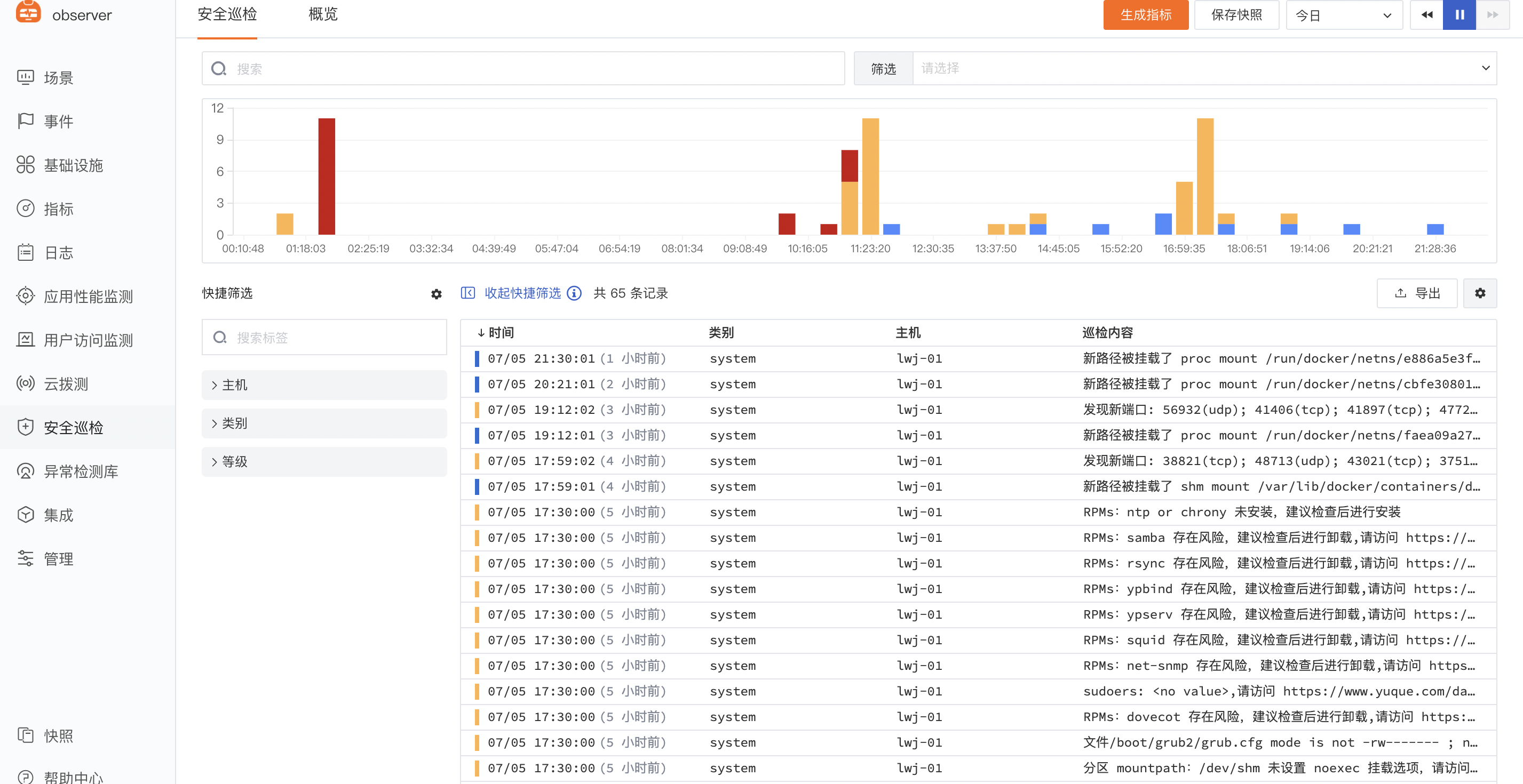
3 Log in to the DataFlux Console to View Security Inspection Records (SaaS Platform)
- Select Security Check in the left sidebar to view inspection content
Related Commands
Security Checker cmd
- View help
$scheck -h
Usage of scheck:
  -check-md5
        md5 checksum
  -config string
        configuration file to load
  -config-sample
        show config sample
  -funcs
        show all supported lua-extend functions
  -test string
        the name of a rule, without file extension
  -testc int
        test rule count
  -version
        show version
  -doc
        Generate doc document from manifest file
  -tpl
        Generate doc document from template file
  -dir
        Use with `-doc` `-tpl` to output files to the specified directory
  -luastatus
        Display all lua running statuses and output to the current directory, file format is Markdown
  -sort
        Use with `-luastatus` to sort. Options: name, time, count. Default is count.
     ./scheck -luastatus -sort=time
  -check
        Pre-compile all lua files in the user directory to check for syntax errors
  -box
        Show list of all files loaded into the binary
- Start/Stop commands