Forward Data to Google Cloud GCS
Regional Restrictions
Currently, this archive type is only supported for use in Hong Kong, China and global region sites.
- Complete the Rule Name and Filter Condition Settings.
- Continue configuring the archive.
Configuration
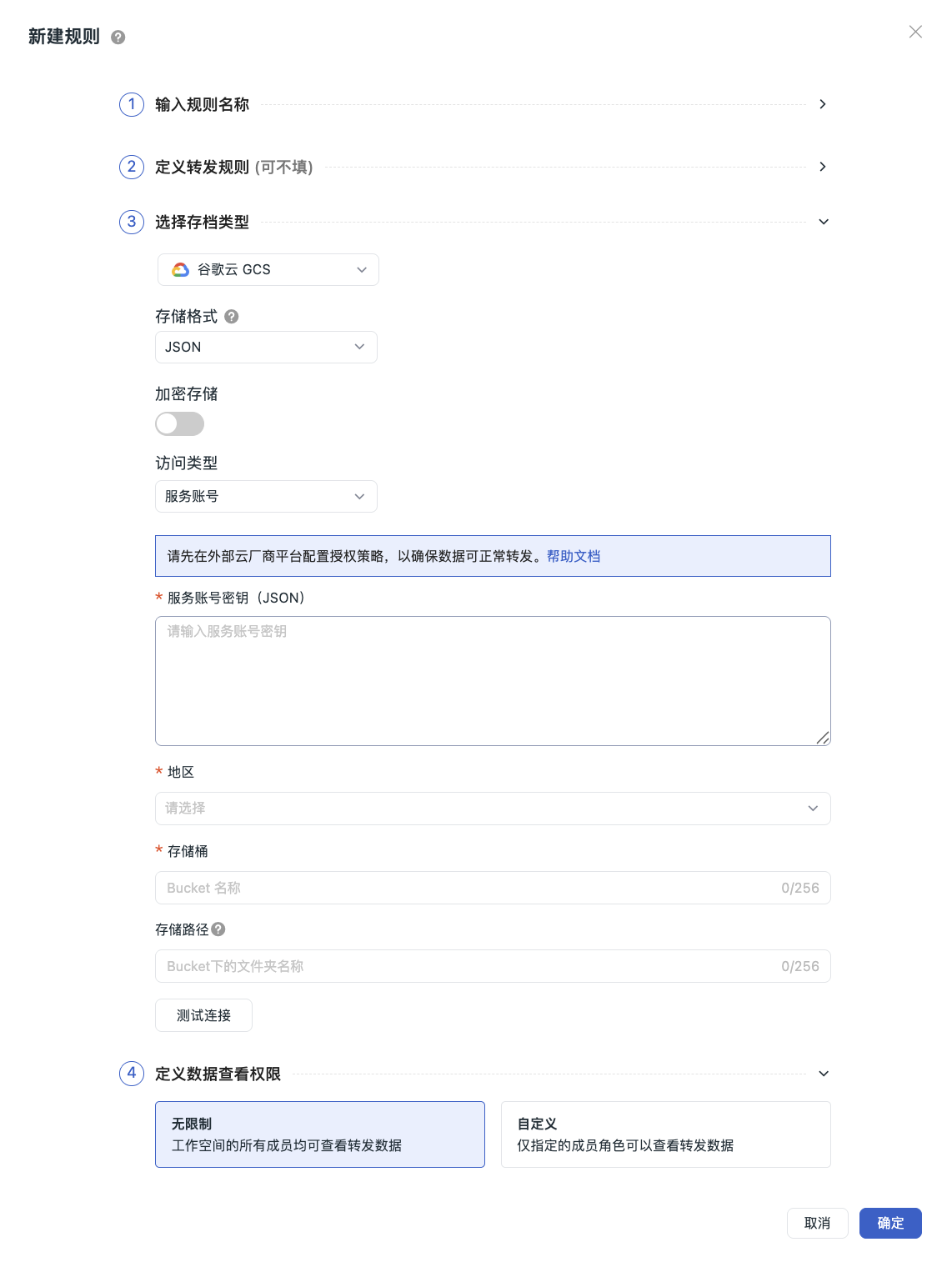
- Select Google Cloud GCS as the archive type, which means saving the matched data to this object storage.
- Choose the Storage Format.
- Choose whether to Encrypt Storage.
- Select the Access Type.
- Click "Confirm" to successfully create the rule.
Note
If the archive type information changes, you need to confirm that the configuration of the associated platform has been updated accordingly to avoid data write failures due to configuration changes. The new configuration rule will take effect within 5 minutes.
Access Type
Service Account
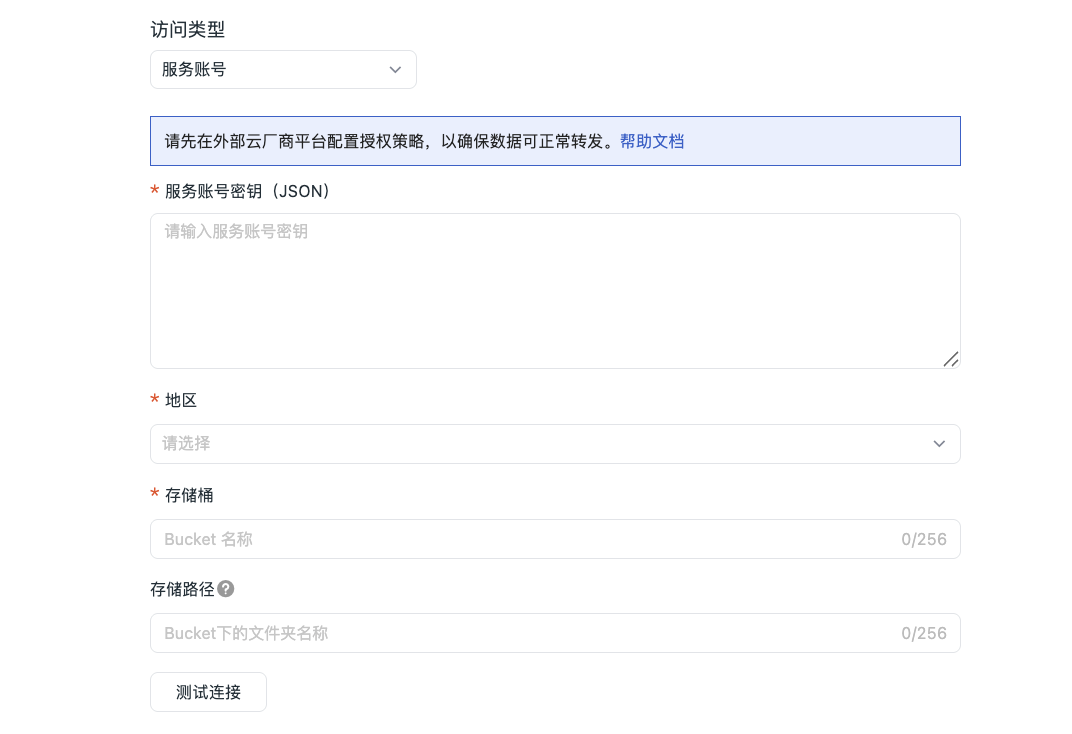
- After configuring the authorization role in the Google Cloud console, fill in the archive information, including the service account key (JSON), region, and Bucket name.
- Fill in the Storage Path to facilitate further differentiation and locating the specific destination for data forwarding.
- Click "Test Connection". If the above information meets the specifications, a successful connection test will be indicated. Click "Confirm" to save the current rule.
If the test fails:
You need to confirm:
- Whether the authorization was successful
- Whether the service account key is correct
- Whether the storage bucket exists
- Whether the Region is inconsistent
HMAC Access Keys
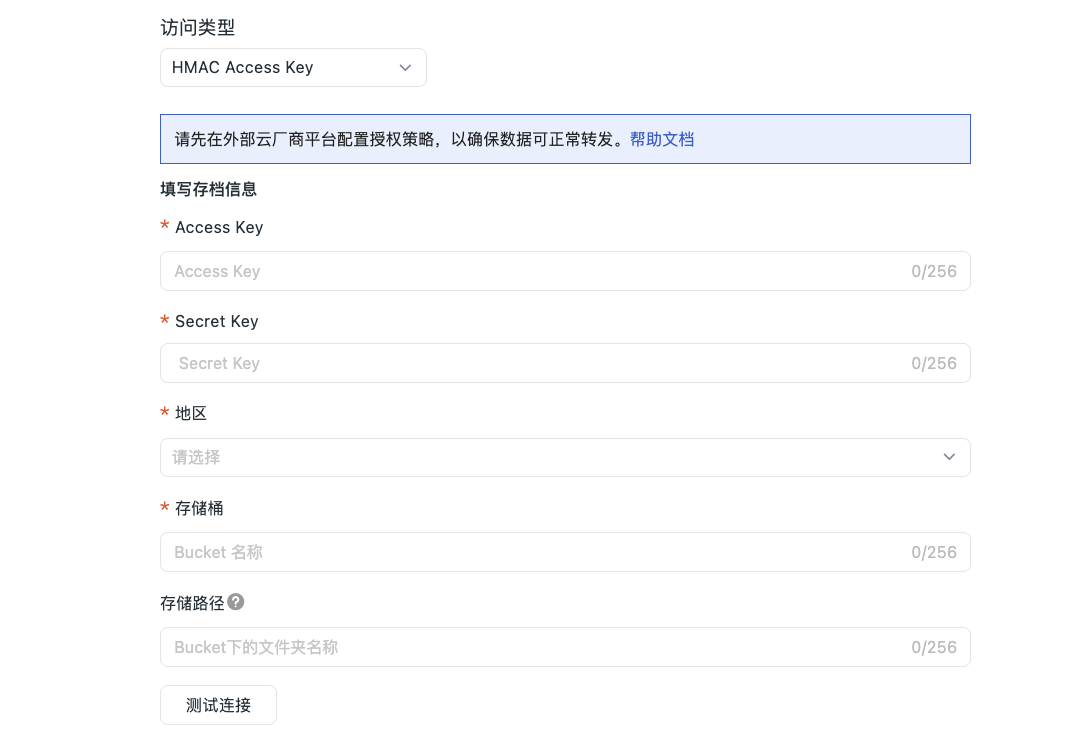
- You need to configure the Guance RAM policy in Alibaba Cloud. After configuration, fill in the account information, input the Google Cloud AK & SK, region, and Bucket name.
- Fill in the Storage Path to facilitate further differentiation and locating the specific destination for data forwarding.
- Click "Test Connection". If the above information meets the specifications, a successful connection test will be indicated. Click "Confirm" to save the current rule.
If the test fails:
You need to confirm:
- Whether the AK / SK exists
- Whether the storage bucket exists
- Whether the Region is inconsistent
Data Waiting Time
Data is first written to a local temporary file. When the file size reaches 256 MB or the waiting time reaches the set value, the system automatically compresses and uploads it. You can adjust the waiting time according to actual needs, including 15 minutes, 30 minutes, and 1 hour:
- Setting it shorter results in lower downstream data latency but generates more files.
- Setting it longer results in fewer files but correspondingly increases downstream data latency.
Storage Path Naming Convention
- Create a single folder or multi-level folders. A slash (/) indicates creating multi-level folders.
- Folder names cannot start or end with a slash (/).
- Cannot contain more than two consecutive slashes (/).
- Applicable to all access types.
Note
- If the filled-in folder does not exist, the system will create it directly, and data will still be stored under that path.
- Please change the storage path with caution. Due to a delay of about 5 minutes for configuration updates, after the change, some data may still be forwarded to the original directory.
Next Steps
Continue configuring the Data Viewing Permissions under the current forwarding rule.