Collecting Amazon ECS Logs with Guance
Introduction
Amazon Elastic Container Service (Amazon ECS) is a highly scalable, fast container management service that allows you to easily run, stop, and manage containers on a cluster. These containers can run on your own EC2 servers or on serverless infrastructure managed by AWS Fargate.
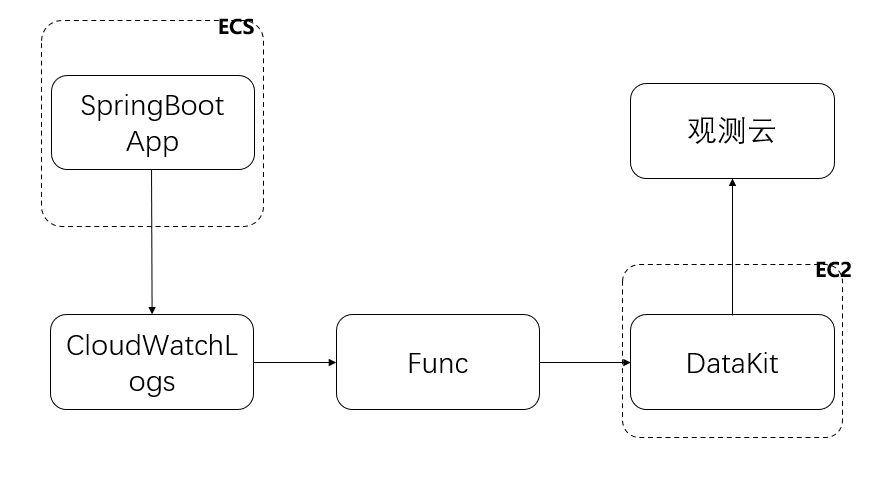
For tasks using the Fargate launch type, you need to start the container's awslogs log driver. Logs output by applications running in the container via STDOUT and STDERR I/O streams are sent to log groups in CloudWatch Logs. These logs are then collected by Func, which writes them into Guance through the DataKit deployed on EC2.
This document describes log collection for containers managed by AWS Fargate.
Prerequisites
- Create a Guance account first.
- Install DataKit
- Install Func (Portable Edition)
- Have a Java application running on ECS.
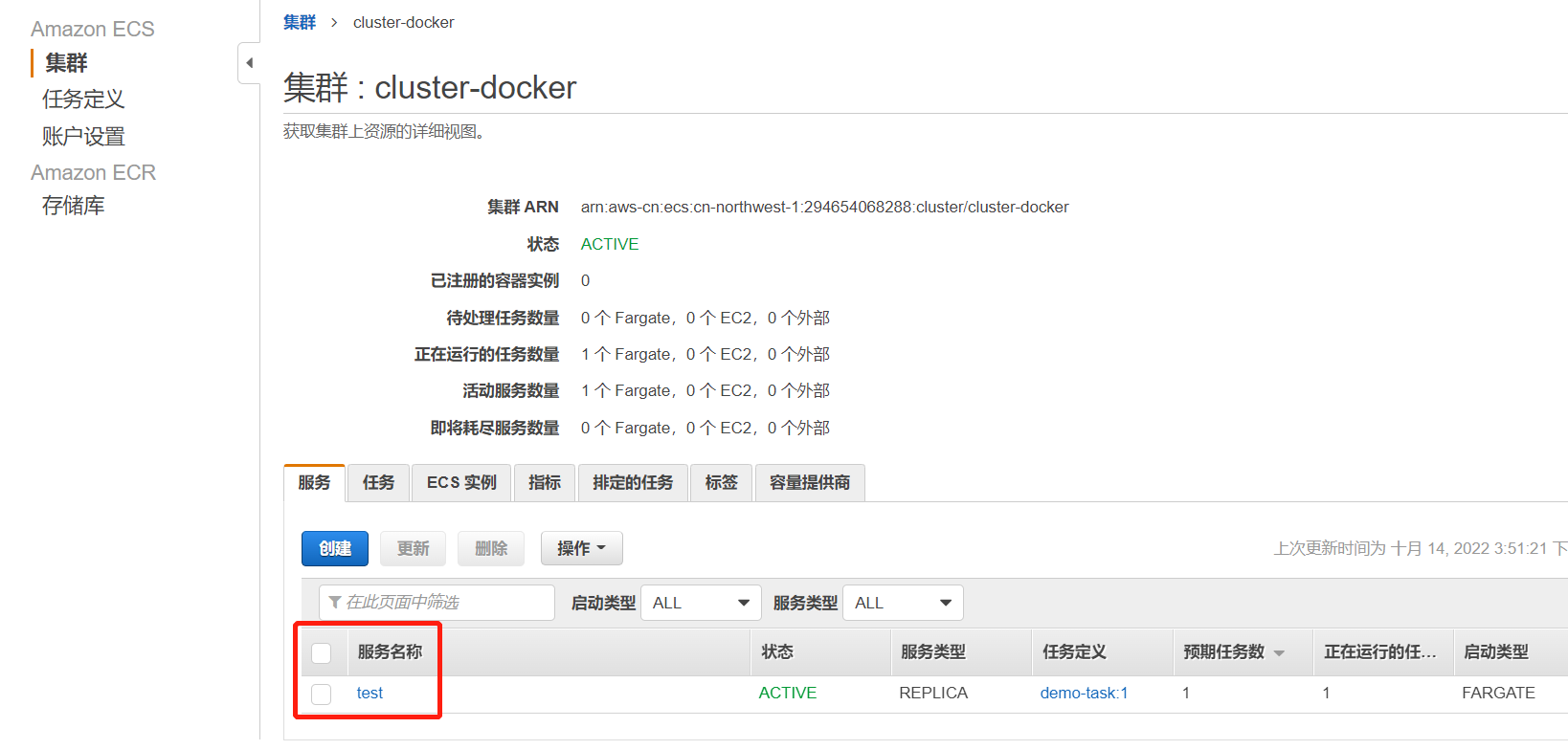
The ECS cluster name used here is cluster-docker. Check the sample logs and log groups below. Log in to AWS, go to Elastic Container Service, click Clusters, and then select cluster-docker.

Click Service Name.
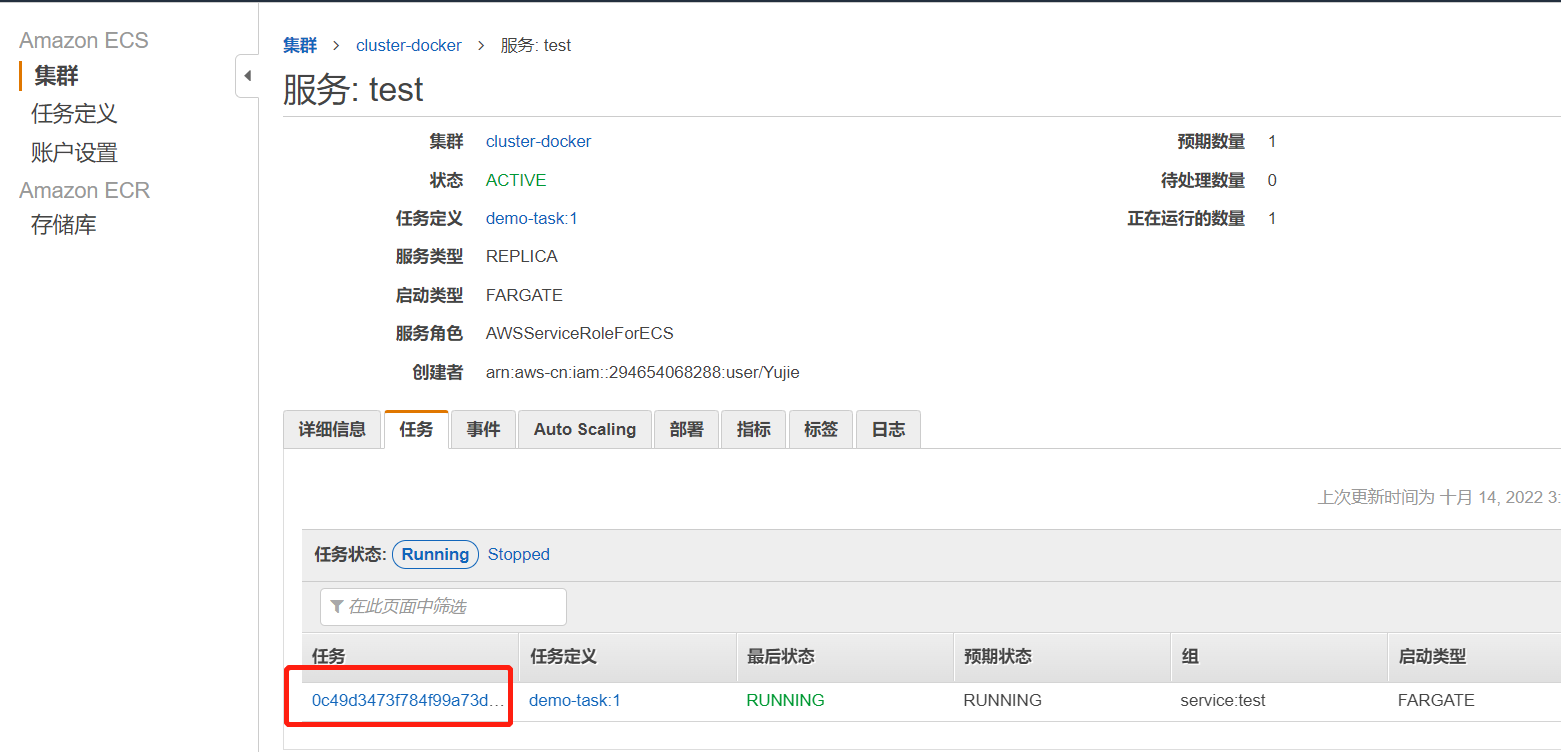
Enter the task.
Under the Details tab, find Log configuration below the container.
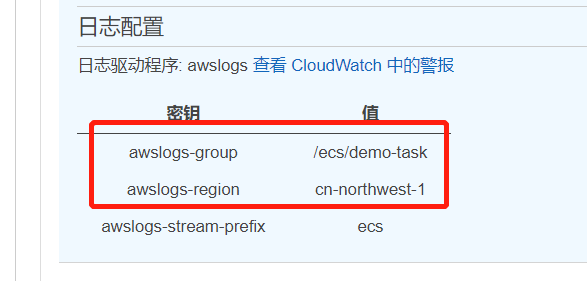
Click the Log tab to view the application logs. These logs will be collected next.
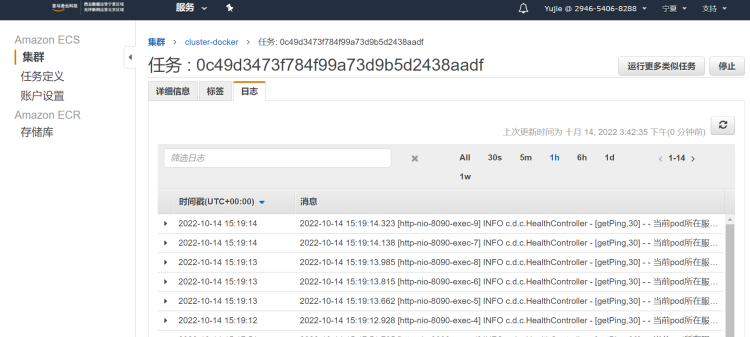
Procedure
Warning
The example uses DataKit version 1.4.18.
Step 1: AWS Configuration
1.1 User Credentials
Use the AWS account that deployed ECS. The Access key ID and Secret access key provided when creating the user will be used later.
1.2 Set AWS User Permissions
Log in to the AWS IAM console. Under Users, find the user associated with ECS, then click Add permissions.
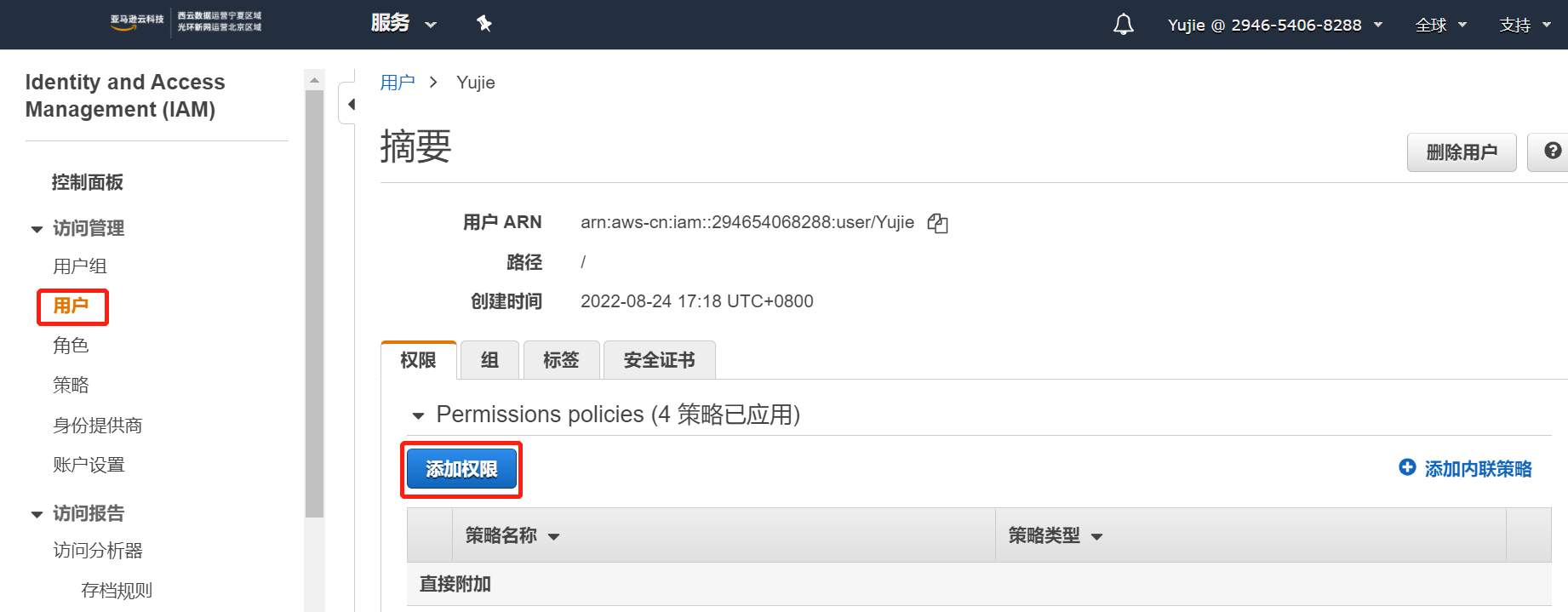
Click Attach existing policies directly. In the Filter policies field, select CloudWatchLogsReadOnlyAccess and CloudWatchEventsReadOnlyAccess, then click Next: Review.
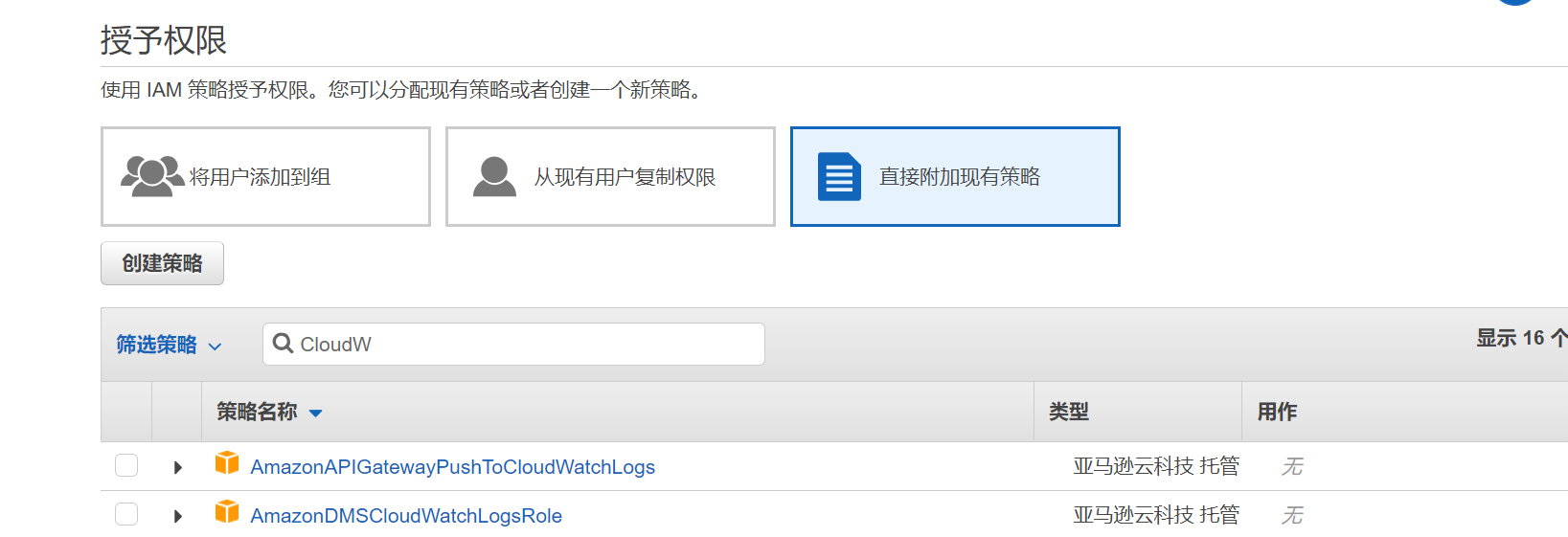
Step 2: Func Configuration
2.1 Configure Environment Variables
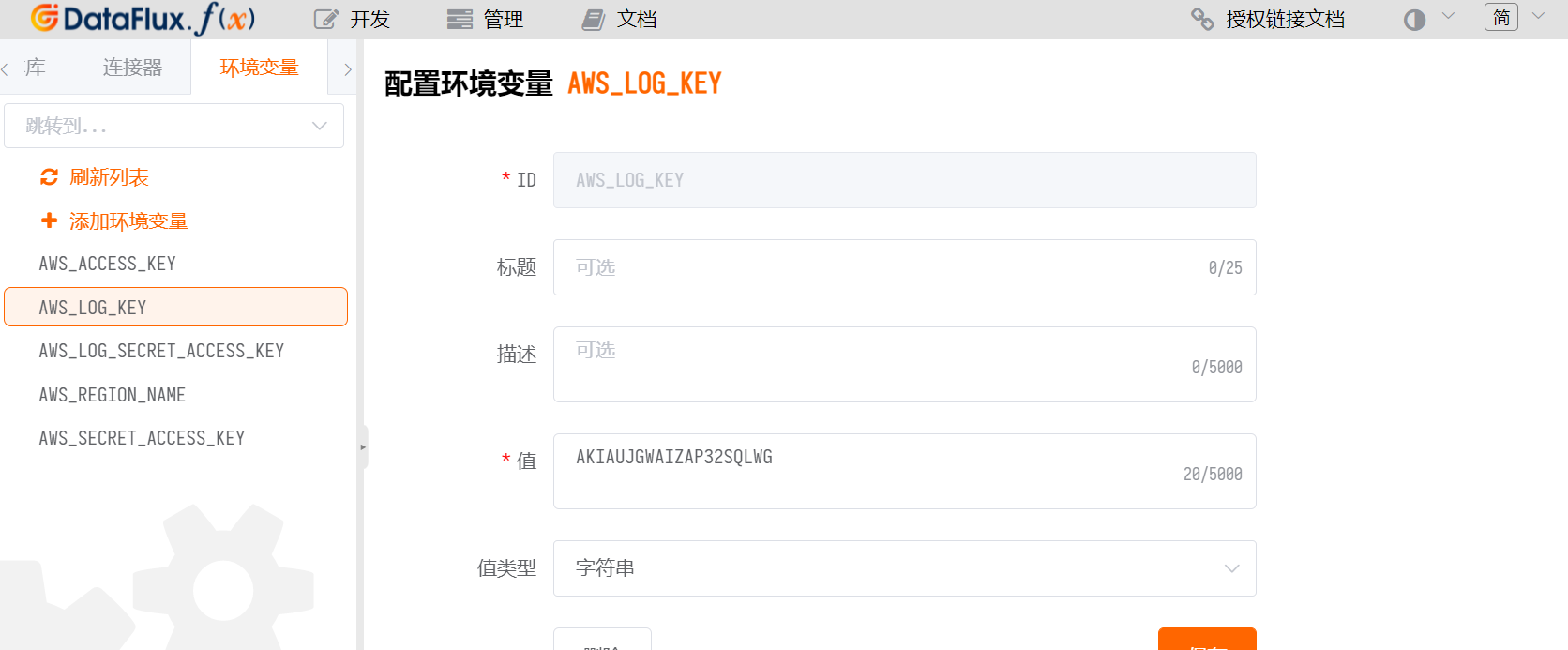
Log in to Func, go to Development > Environment Variables > Add Environment Variable. Add three environment variables:
AWS_LOG_KEY– value is theAccess key IDof the AWS user from Step 1.1.AWS_LOG_SECRET_ACCESS_KEY– value is theSecret access keyof the AWS user from Step 1.1.AWS_REGION_NAME– value is theREGIONof the AWS user.
2.2 Configure Connector
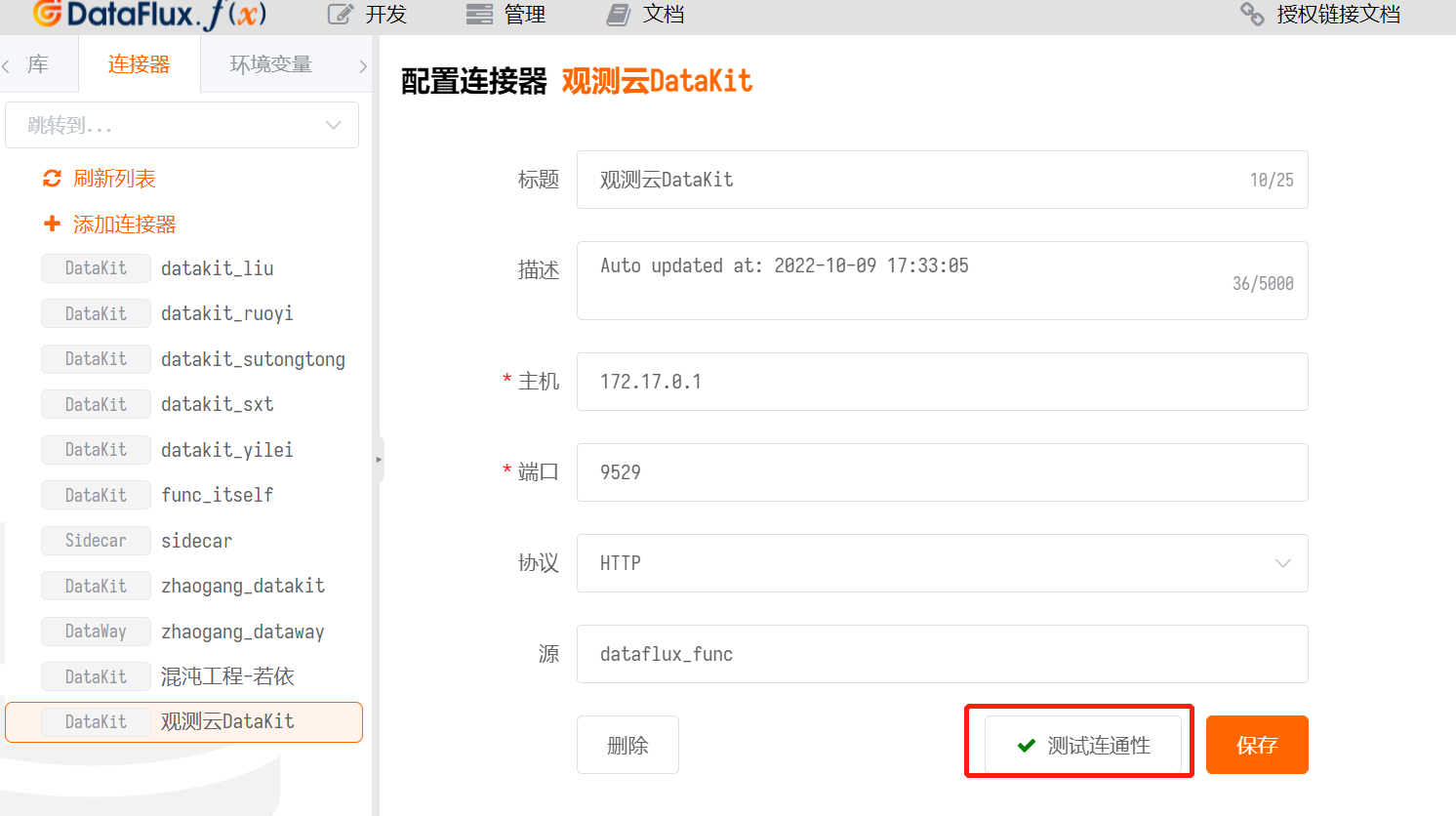
Log in to Func, go to Development > Connector > Add Connector.
Here the ID must be datakit. The host is the address of the machine where DataKit is installed, and the port is the DataKit port. (In this example, the IP address is used directly, so the protocol is HTTP.)
Click Test Connectivity. If a  is returned, DataKit is available.
2.3 Configure PIP Tool
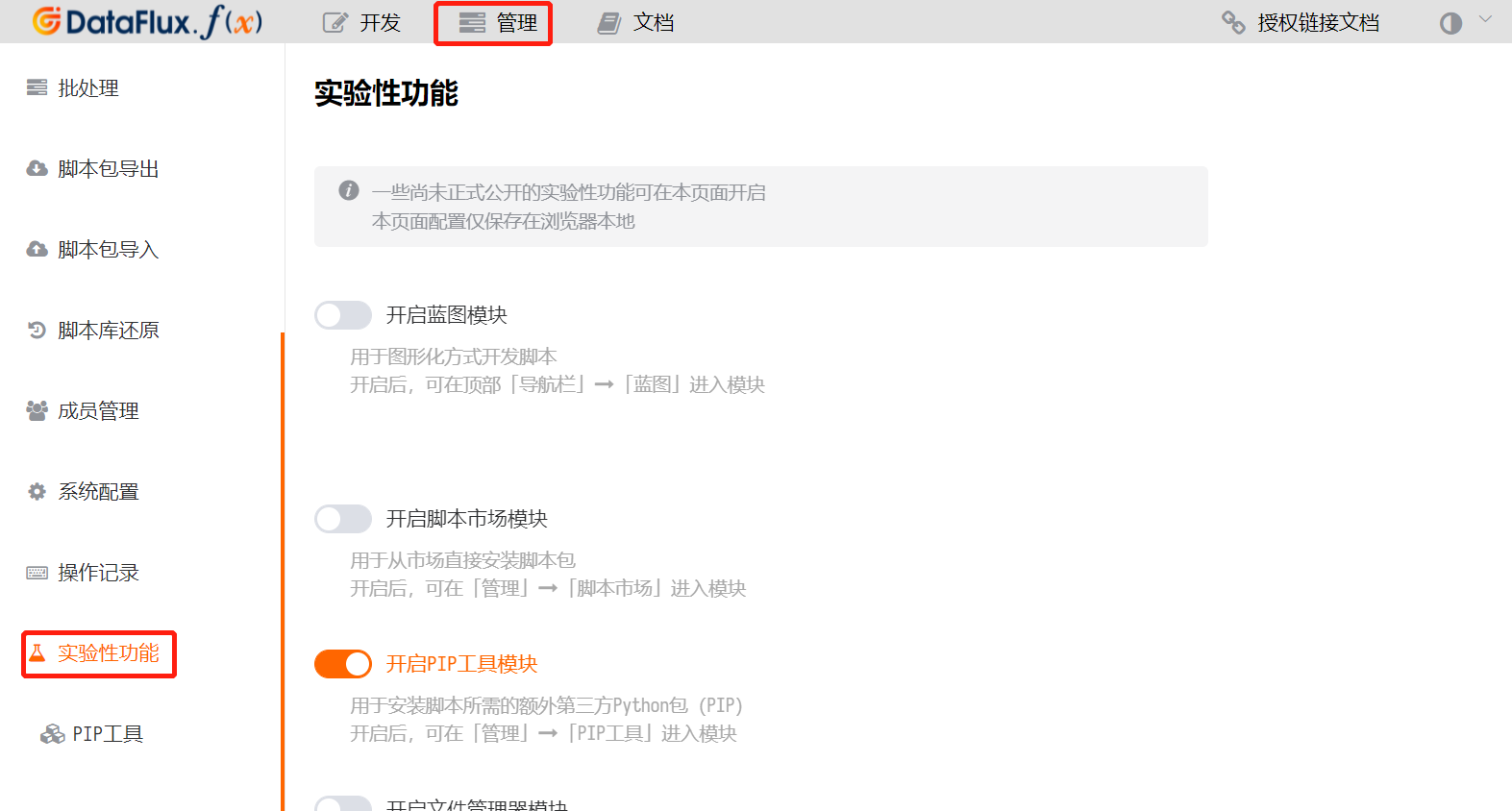
Log in to Func, go to Management > Experimental Features, and enable the PIP Tool Module on the right.
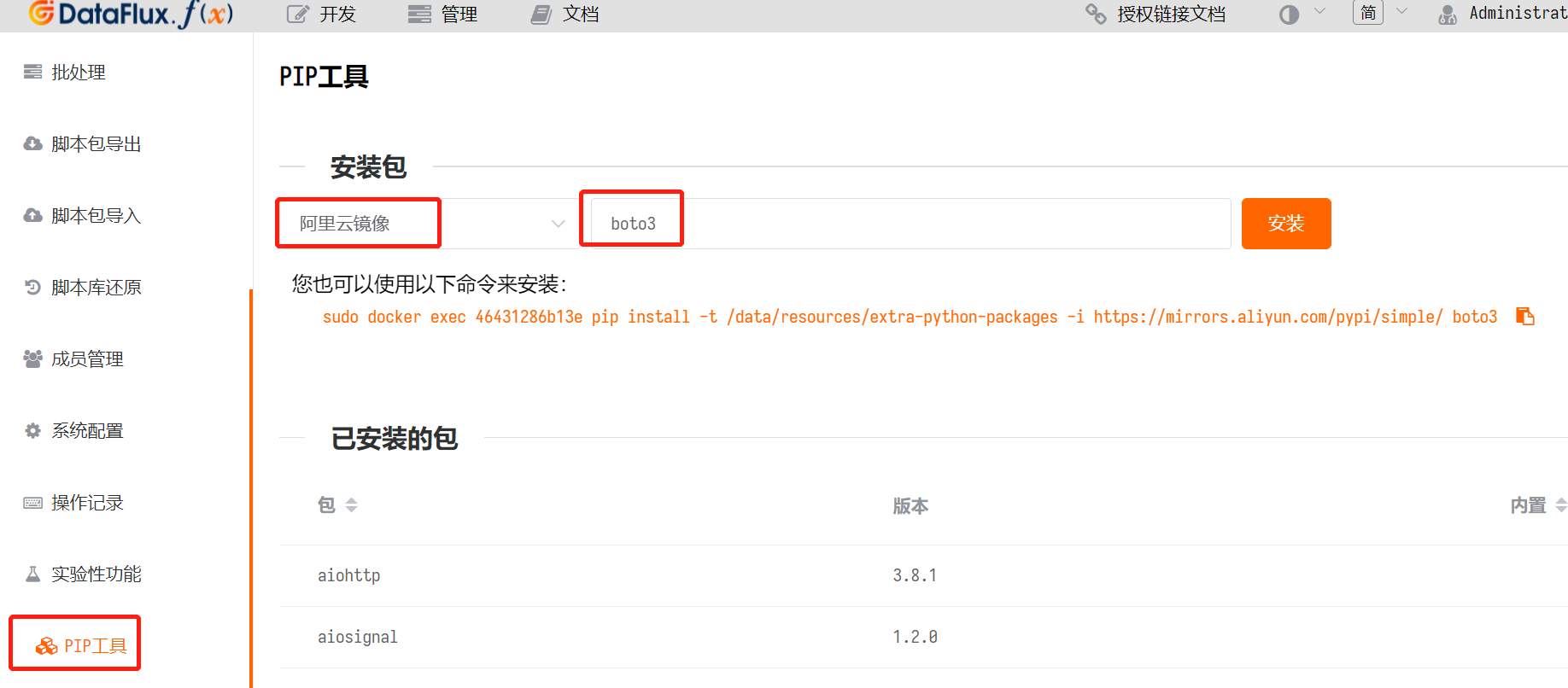
Click PIP Tool on the left. Select Alibaba Cloud Mirror, enter boto3, and click Install.
2.4 Script Library
Log in to Func, go to Development > Script Library > Add Script Set. The ID can be customized. Click Save.
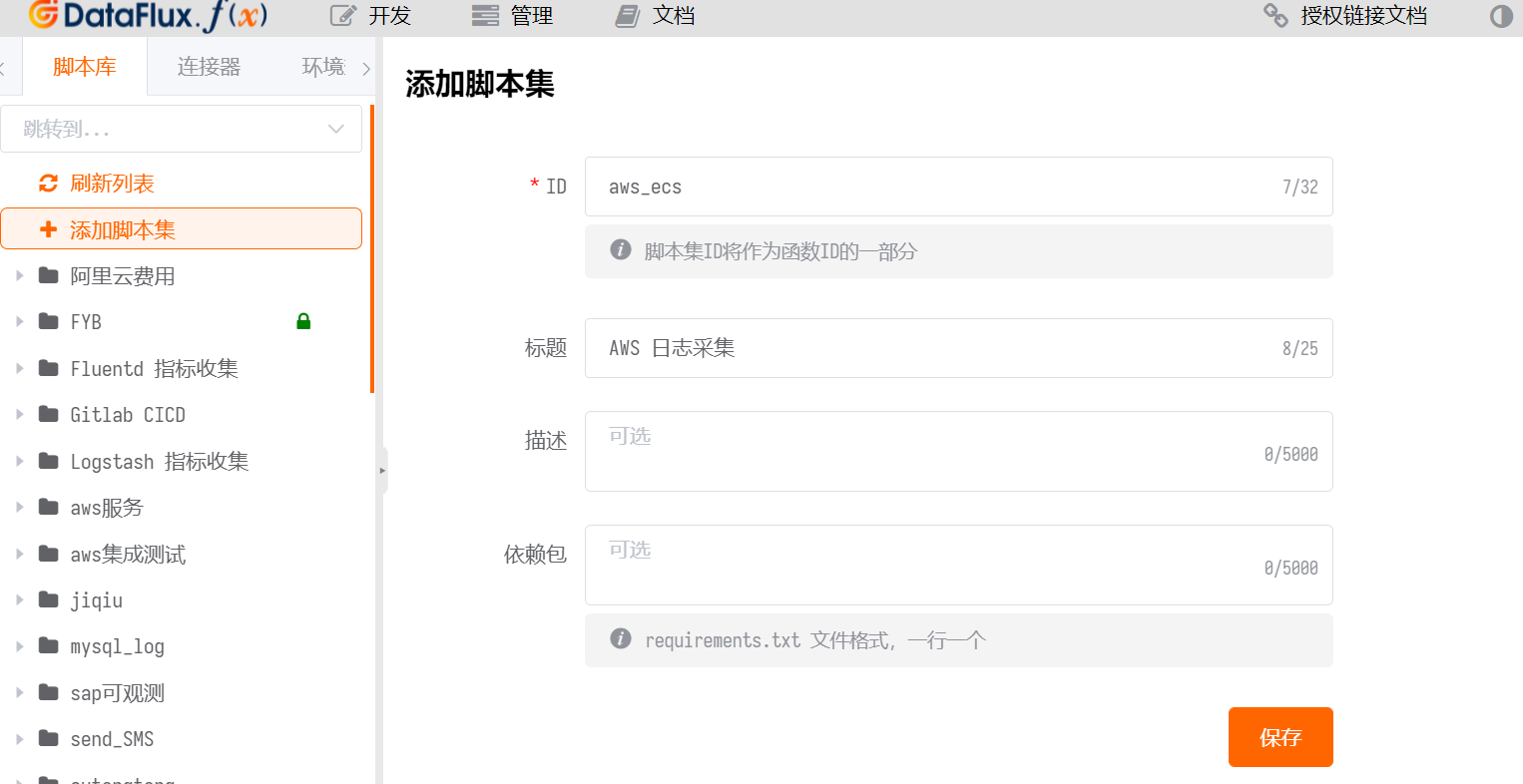
Find AWS Log Collection and click Add Script.
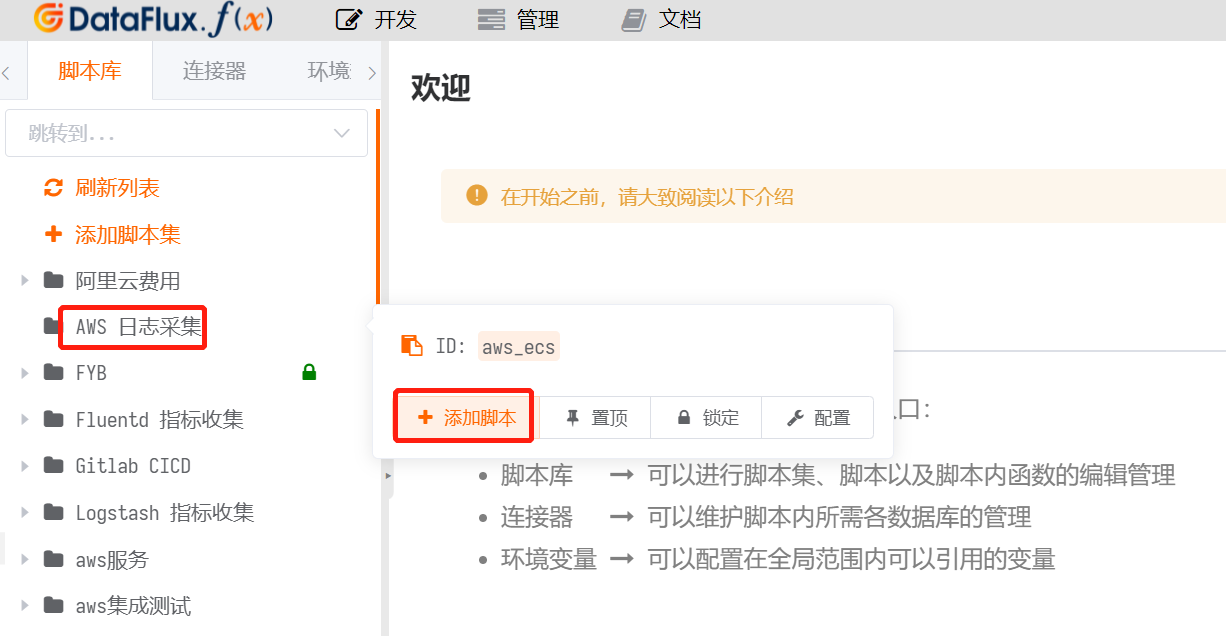
Enter an ID. In this example, it is set to aws_ecs__log. Click Save.
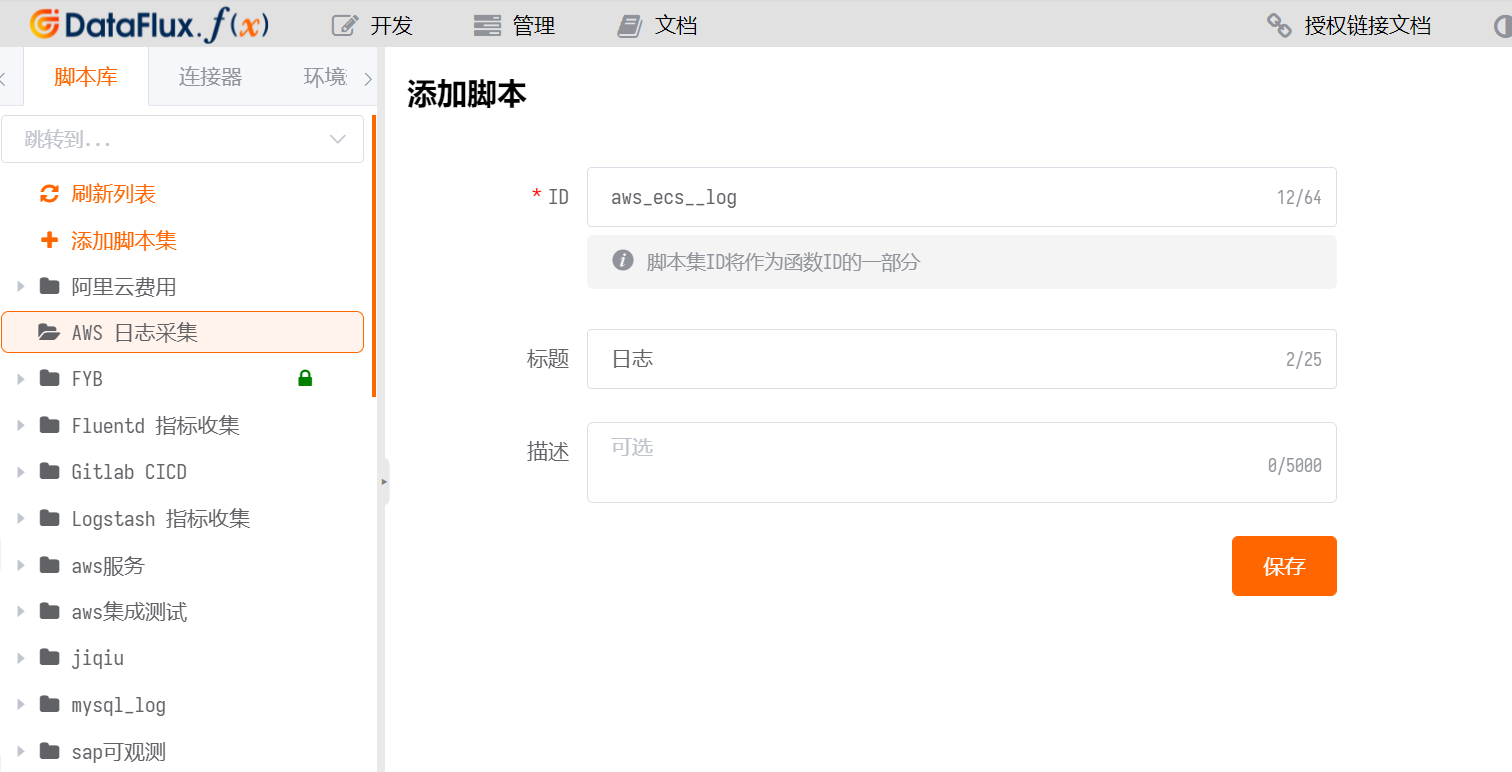
Click Edit.
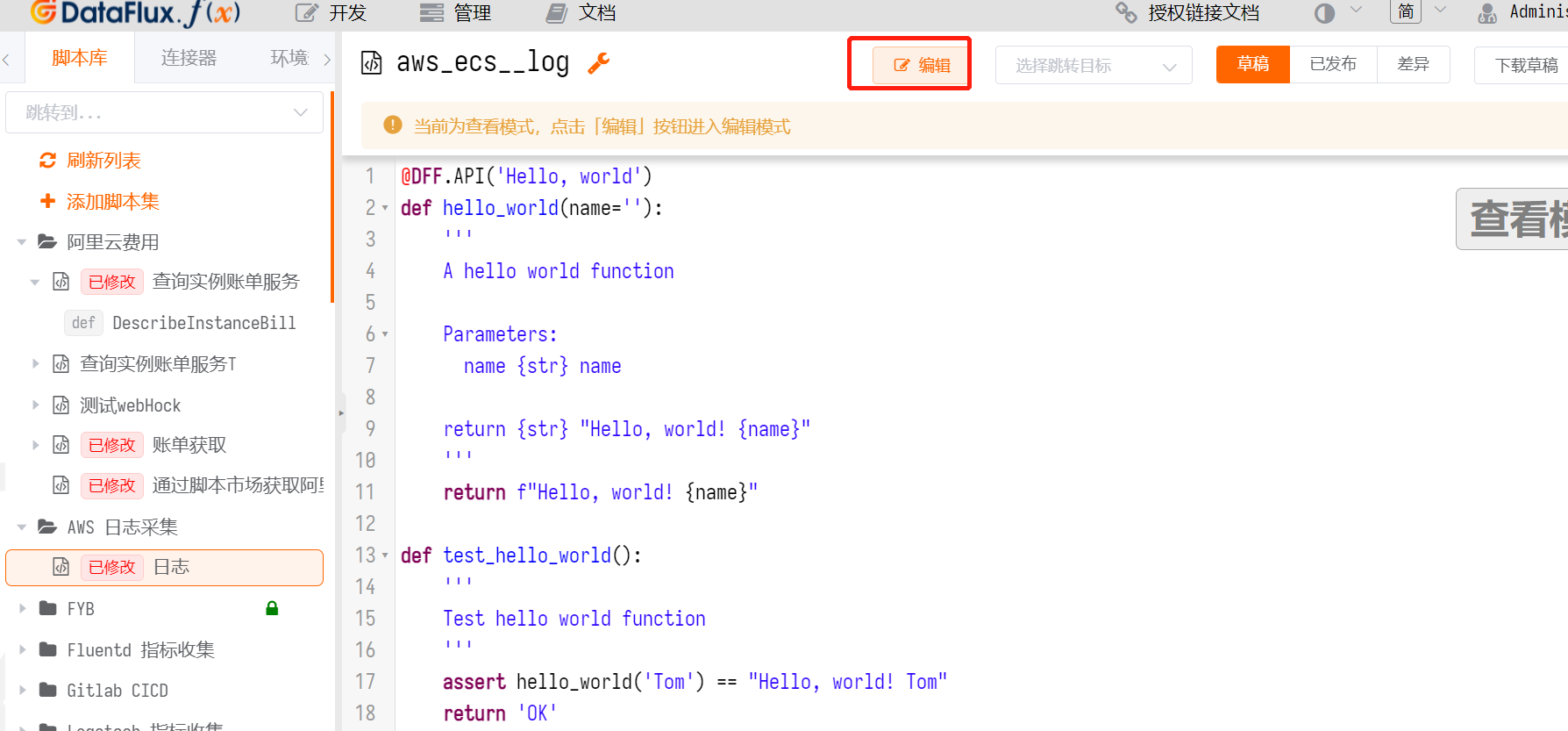
Enter the following content:
Content to Enter
    import boto3
    import json
    import time
    scope_id='ecs_log'

    @DFF.API('aws_ecs log', timeout=500, api_timeout=180)
    def run(measurement, logGroupName, interval):
        print(measurement, logGroupName, interval)
        get_log_data(measurement, logGroupName, interval)
        # if data is not None:
        #     push_log(data)
        # else:
        #     print("None")


    def get_cron_time(interval, measurement):
        cache = DFF.CACHE.get('last_time_%s' %measurement,scope=scope_id)
        if cache == None:
            currentTime = int(round(time.time() * 1000))
            startTime = currentTime - int(interval) * 1000
            endTime = currentTime
        else:
            currentTime = int(round(time.time() * 1000))
            if currentTime - int(cache) > 10 * 60 * 1000:
                startTime = currentTime - int(interval) * 1000
                endTime = currentTime
            else:
                startTime = int(cache) + 1
                endTime = currentTime
        print(startTime, endTime)
        return  startTime, endTime

    def get_log_data(measurement, logGroupName, interval):
        logTime = get_cron_time(interval, measurement)
        startTime = logTime[0]
        endTime = logTime[1]
        isPush = False
        client = boto3.client(
            'logs',
            aws_access_key_id=DFF.ENV('AWS_LOG_KEY'),
            aws_secret_access_key=DFF.ENV('AWS_LOG_SECRET_ACCESS_KEY'),
            region_name=DFF.ENV('AWS_REGION_NAME')
        )# print(client.meta.config)
        try:
            nextToken = 'frist'
            logData = []
            while nextToken != '':
                if nextToken == 'frist':
                    nextToken = ''
                    response = client.filter_log_events(
                        logGroupName=logGroupName,
                        startTime=startTime,
                        endTime=endTime,
                        limit=1000,
                        #filterPattern="?ERROR ?WARN ?error ?warn",
                        interleaved=False
                    )
                else:
                    response = client.filter_log_events(
                        logGroupName=logGroupName,
                        startTime=startTime,
                        endTime=endTime,
                        nextToken=nextToken,
                        limit=1000,
                        #filterPattern="?ERROR ?WARN ?error ?warn",
                        interleaved=False
                    )
                try:
                    if len(response['events']) > 0:
                        data = []
                        lastTimeList = []
                        for i in response['events']:
                            # print("hii", i['logStreamName'])
                            log = {
                                'measurement': measurement,
                                'tags': {
                                    'logGroupName': logGroupName,
                                    'logStreamName': i['logStreamName'],
                                    'host': '127.0.0.1'
                                },
                                'fields': {
                                    'message': i['message'],
                                    'time': i['timestamp']
                                }
                            }
                            data.append(log)
                            lastTimeList.append(i['timestamp'])
                        push_log(data)
                        print("max %s"  % max(lastTimeList))
                        DFF.CACHE.set('last_time_%s' % measurement, max(lastTimeList), scope=scope_id, expire=None)
                        isPush = True
                    else:
                        DFF.CACHE.set('last_time_%s' % measurement, endTime , scope=scope_id, expire=None)
                    nextToken = response['nextToken']
                except:
                    nextToken = ''
        except Exception as  e:
            print('Error: %s' % e )
            return None
        if not isPush:
            DFF.CACHE.set('last_time_%s' % measurement, endTime , scope=scope_id, expire=None)

    def push_log(data):
        datakit = DFF.SRC('datakit')
        status_code, result = datakit.write_logging_many(data=data)
        if status_code == 200:
            print("total %d"  % len(data))
            print(status_code, result)
Warning
- The
ecs_logon line 4 of the above content must be unique within the same Func instance. It can be changed to another string. - The
awc_ecson line 6 is the script set ID just added. - The
AWS_LOG_KEY,AWS_LOG_SECRET_ACCESS_KEY, andAWS_REGION_NAMEon lines 40, 41, and 42 correspond to the environment variable names from Step 2.1. If the environment variable names are changed, they must be updated accordingly.
2.5 Test the Script
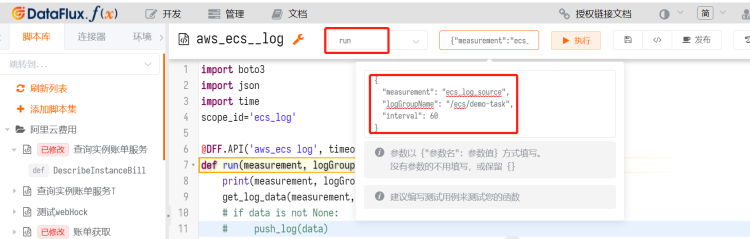
Select run as shown in the image. In the content of the second red box:
measurement: enterecs_log_source. This value corresponds to the log source in Guance.logGroupName: enter the value ofawslogs-groupfound in the log configuration from the Prerequisites.interval: set the collection frequency. In this example, it is 60 seconds.
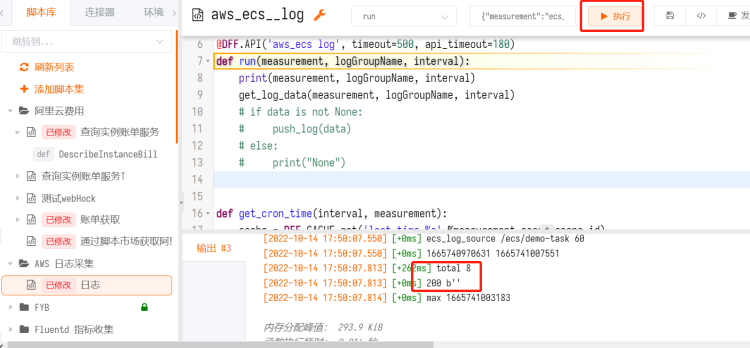
Click Execute. The output shows total 8, meaning 8 logs were reported.
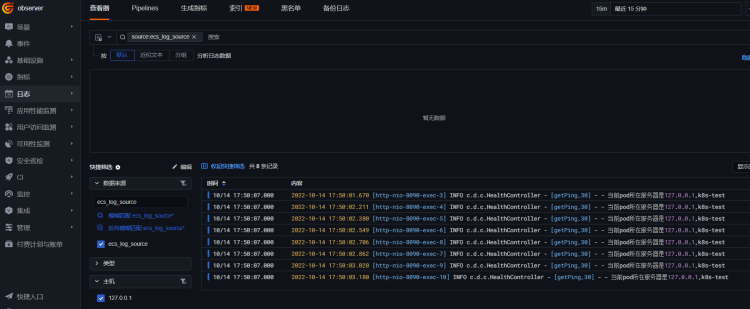
Log in to Guance, go to the Logs module, and select the data source ecs_log_source. You can see the logs.
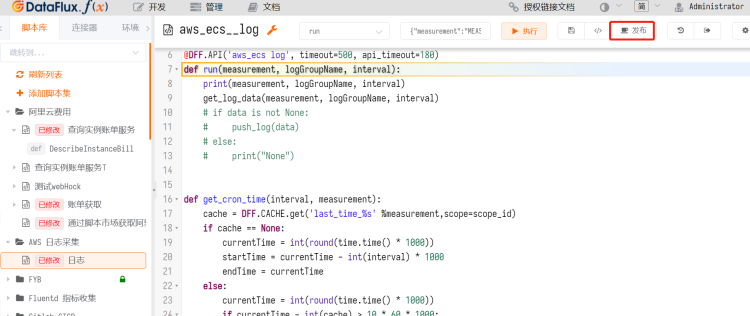
Click Publish in the top-right corner.
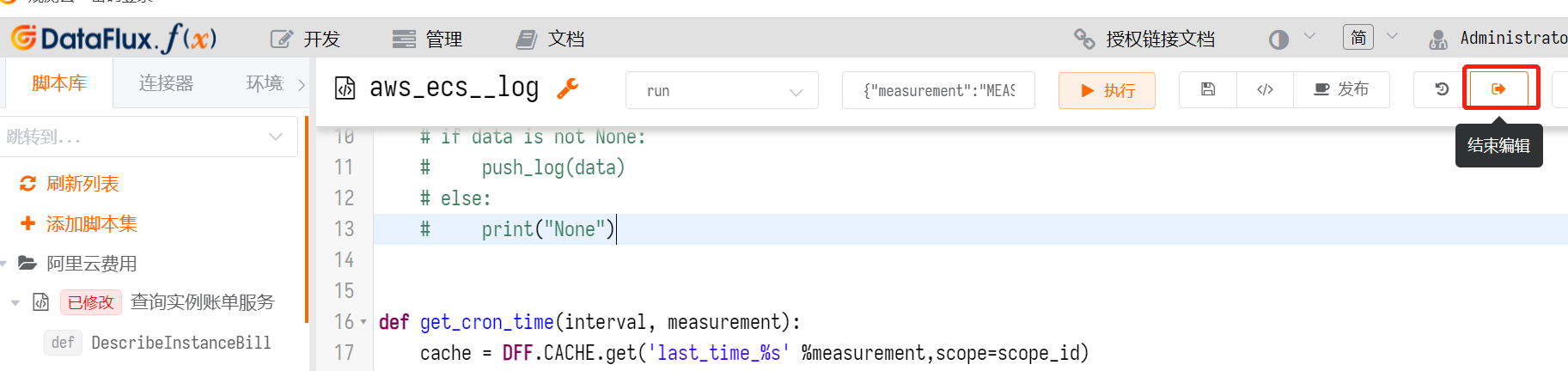
Click End Editing in the top-right corner.
2.6 Automate Log Collection
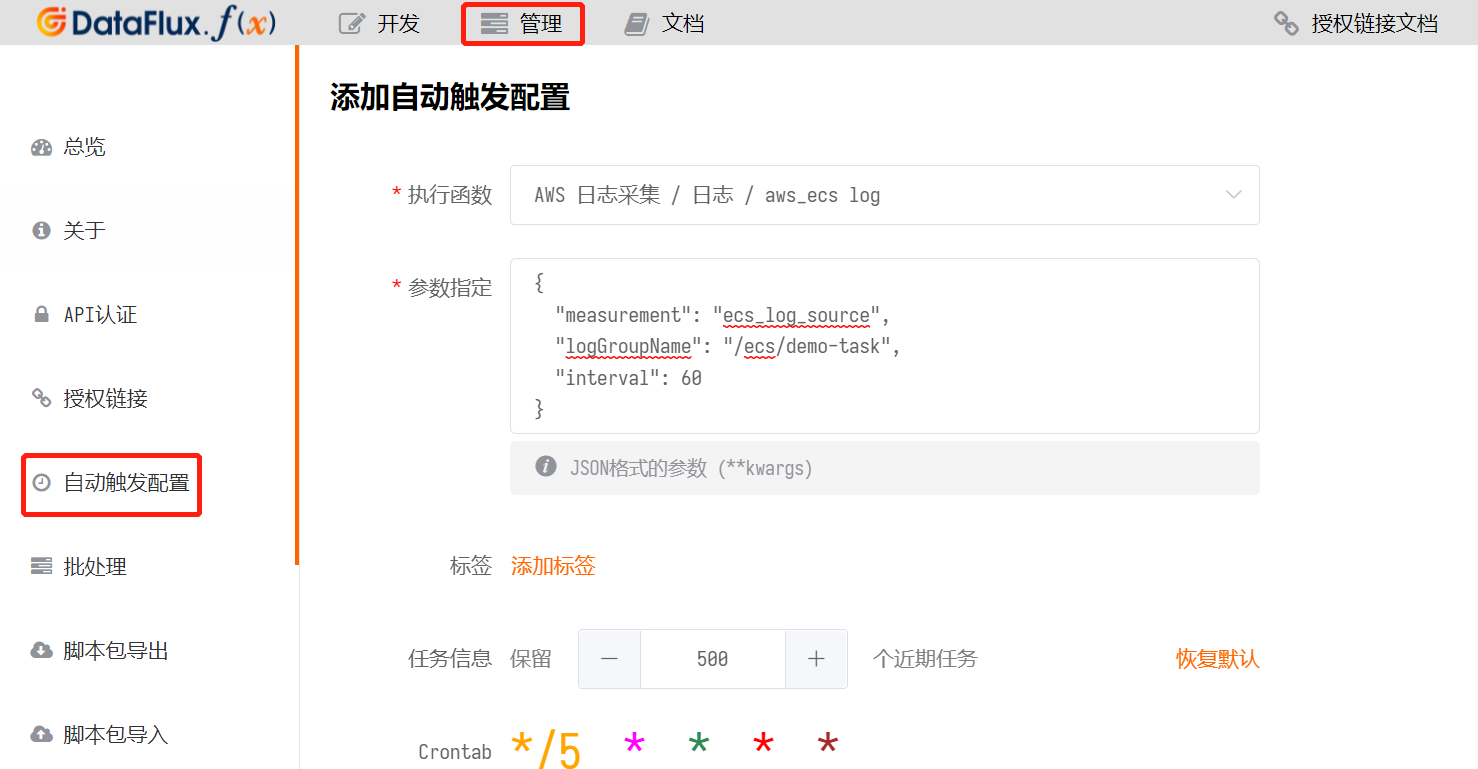
Log in to Func, go to Management > Auto Trigger Configuration > Create. Enter the parameters from the previous execution.
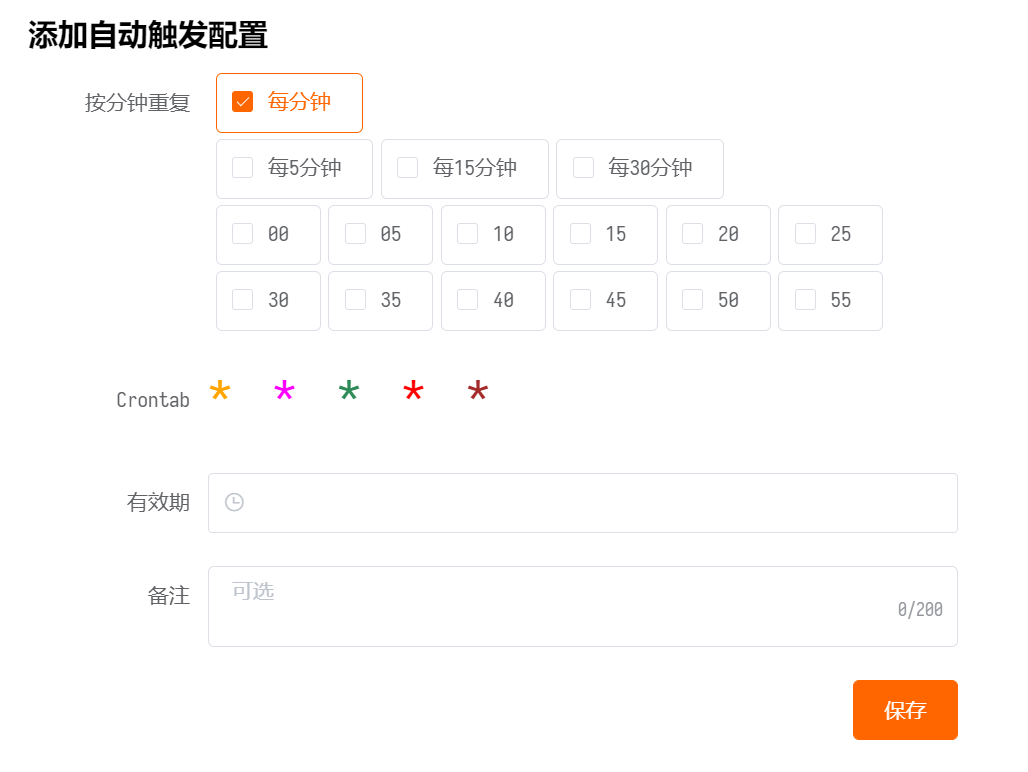
Set the frequency to every minute or every 5 minutes, then click Save.
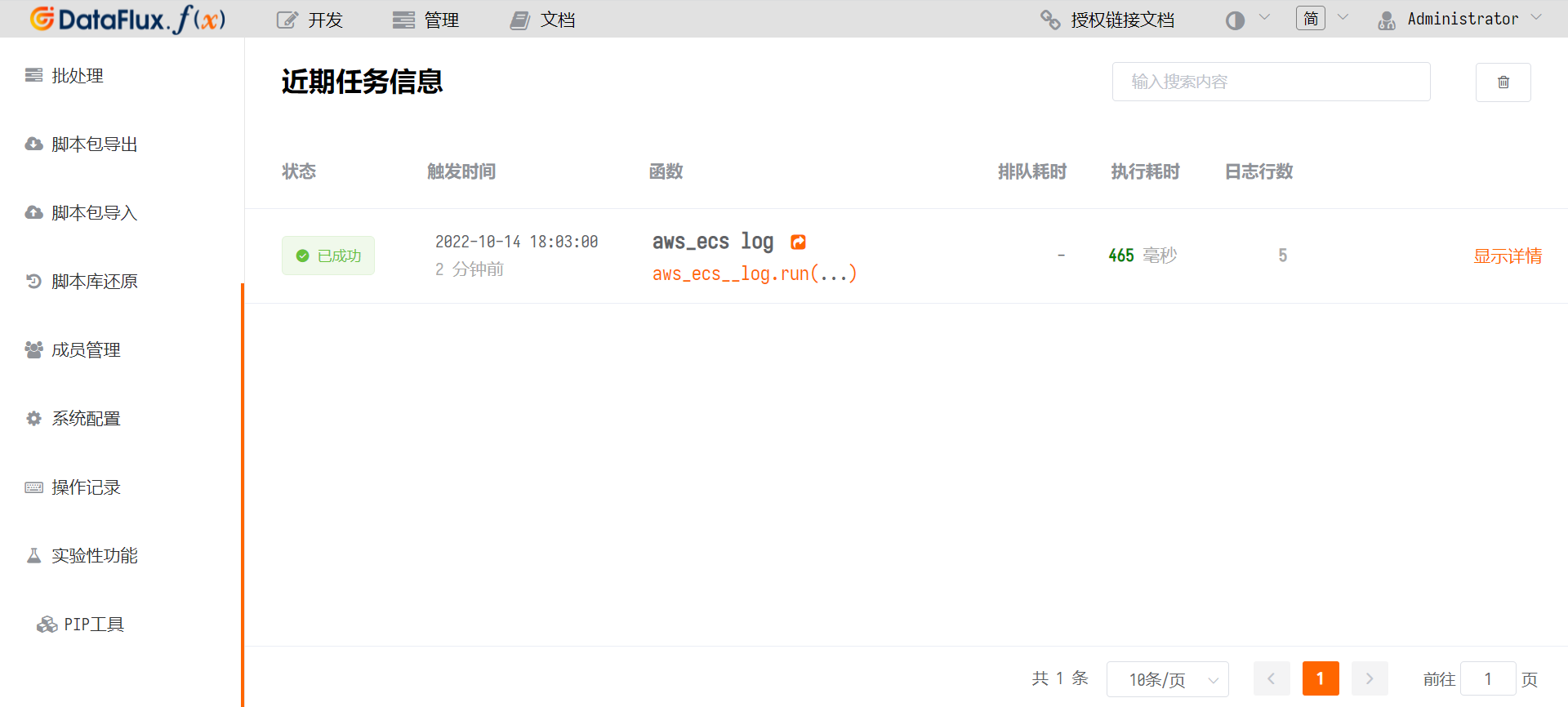
The Auto Trigger Configuration list now contains a record for aws_ecs log.
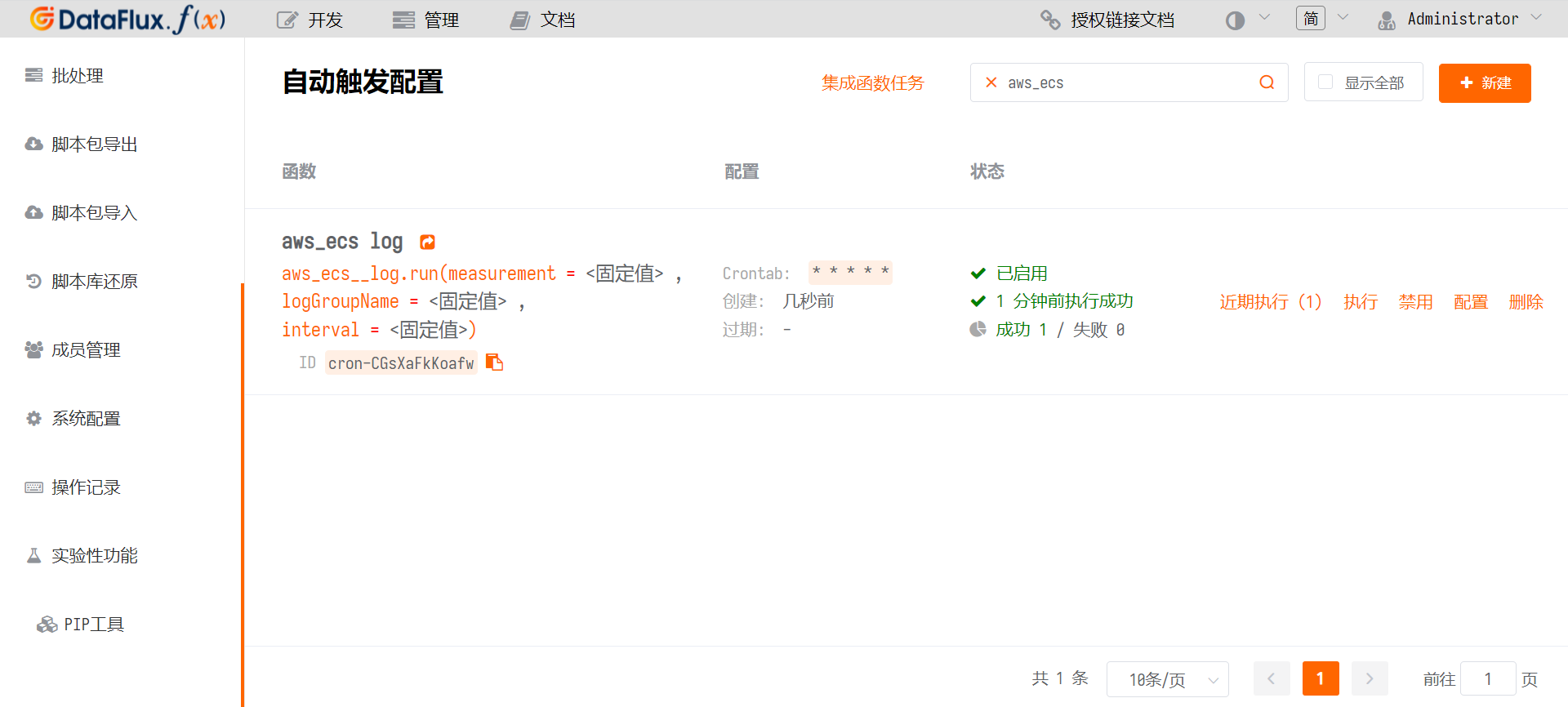
Click Recent Executions to view the execution status.