Mapping DataKit Service Using ExternalName in Kubernetes Cluster
Introduction
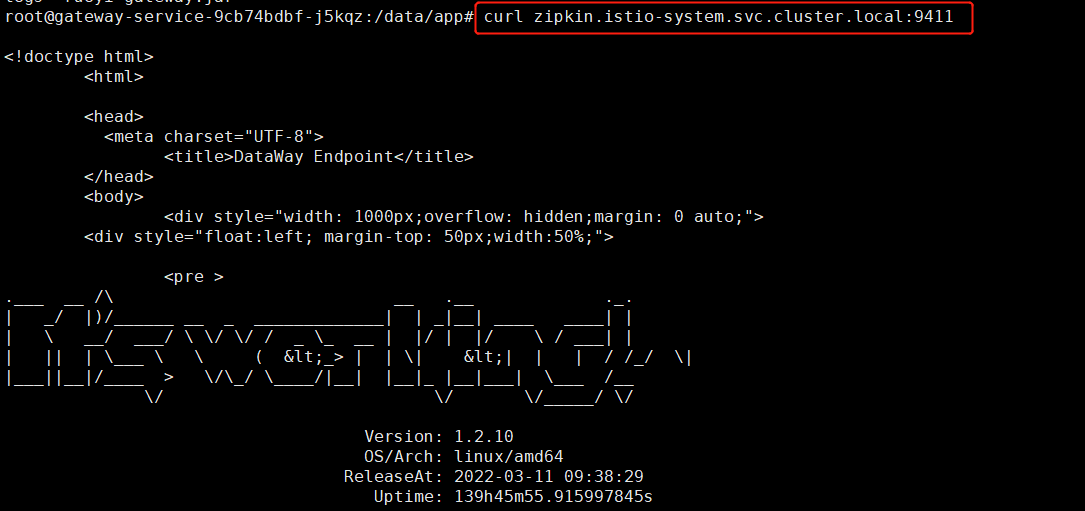
In a Kubernetes cluster, after deploying DataKit as a DaemonSet, there may be an application that previously pushed trace data to the Zipkin service in the istio-system namespace on port 9411, i.e. the access address was zipkin.istio-system.svc.cluster.local:9411.
If you do not want to change the push address, you can use the Kubernetes ExternalName service type. By performing the following two steps, the application can connect to DataKit:
-
First, define a ClusterIP service type to map port 9529 to port 9411.
-
Second, use an ExternalName service to map the ClusterIP service to a DNS name.
1 Define a ClusterIP Service
apiVersion: v1
kind: Service
metadata:
  name: datakit-service-ext
  namespace: datakit
spec:
  selector:
    app: daemonset-datakit
  ports:
    - protocol: TCP
      port: 9411
      targetPort: 9529
After deployment, containers inside the cluster can access the DataKit port 9529 using datakit-service-ext.datakit.svc.cluster.local:9411.
2 Define an ExternalName Service
apiVersion: v1
kind: Service
metadata:
  name: zipkin
  namespace: istio-system
spec:
  type: ExternalName
  externalName: datakit-service-ext.datakit.svc.cluster.local
After deployment, containers inside the cluster can push data to DataKit using zipkin.istio-system.svc.cluster.local:9411.