Best Practices for Alibaba Cloud DTS Incremental Data Migration (Function)
Prerequisites
Install DataKit
- Click the [Integrations] module, [DataKit], and select the appropriate installation command based on your operating system and system type.
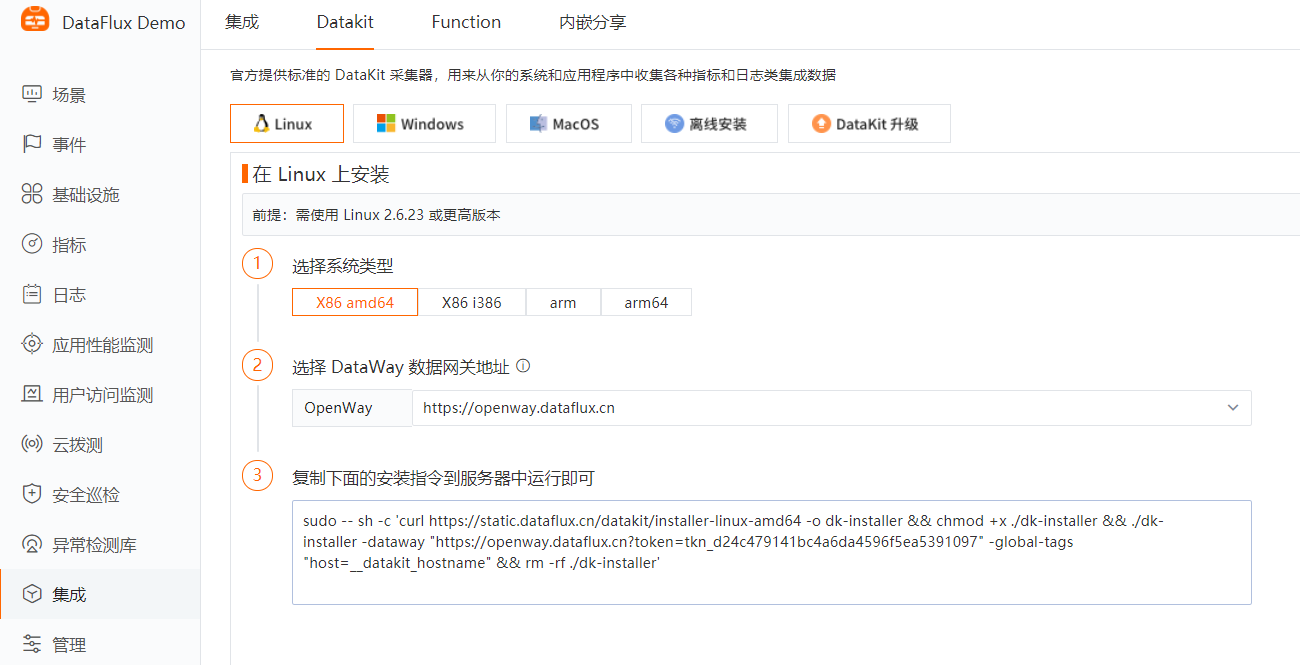
- Copy the DataKit installation command and run it directly on the server to be monitored.
- Installation directory: /usr/local/datakit/
- Log directory: /var/log/datakit/
- Main configuration file: /usr/local/datakit/conf.d/datakit.conf
- Plugin configuration directory: /usr/local/datakit/conf.d/
Install Function
- Click the [Integrations] module, [Function], download the installation package, and execute the installation command.
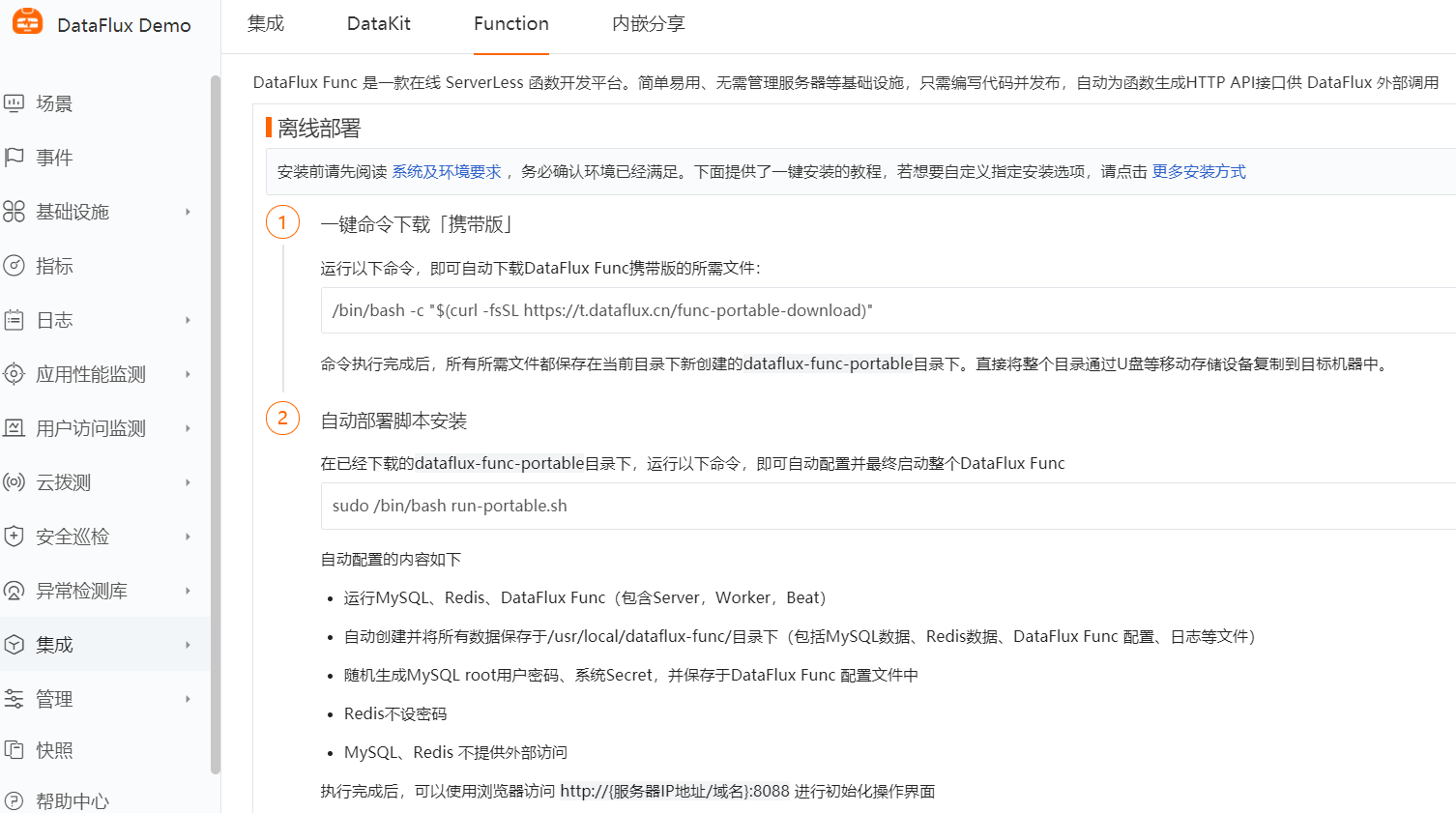
- After installation, access http://服务器IP地址:8088 using a browser to initialize the interface.

- Log in to the system using the default username/password admin.
RAM Access Control
-
Log in to the RAM console: https://ram.console.aliyun.com/users
-
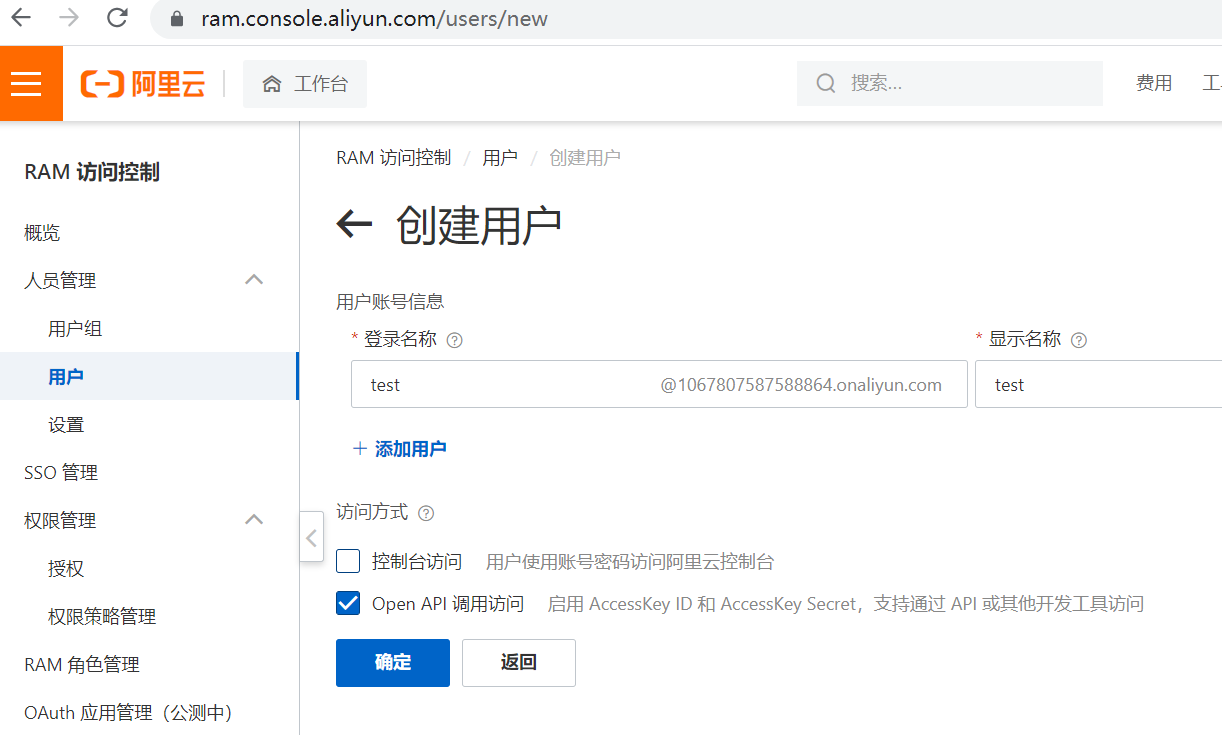
Create a user: Personnel Management -> Users -> Create User.
-
Save or download the CSV file containing the AccessKey ID and AccessKey Secret (used in the configuration file).
-
Grant user permissions (read-only access to Data Transmission Service (DTS)).

Script Development
Alibaba Cloud DTS Incremental Data Migration
-
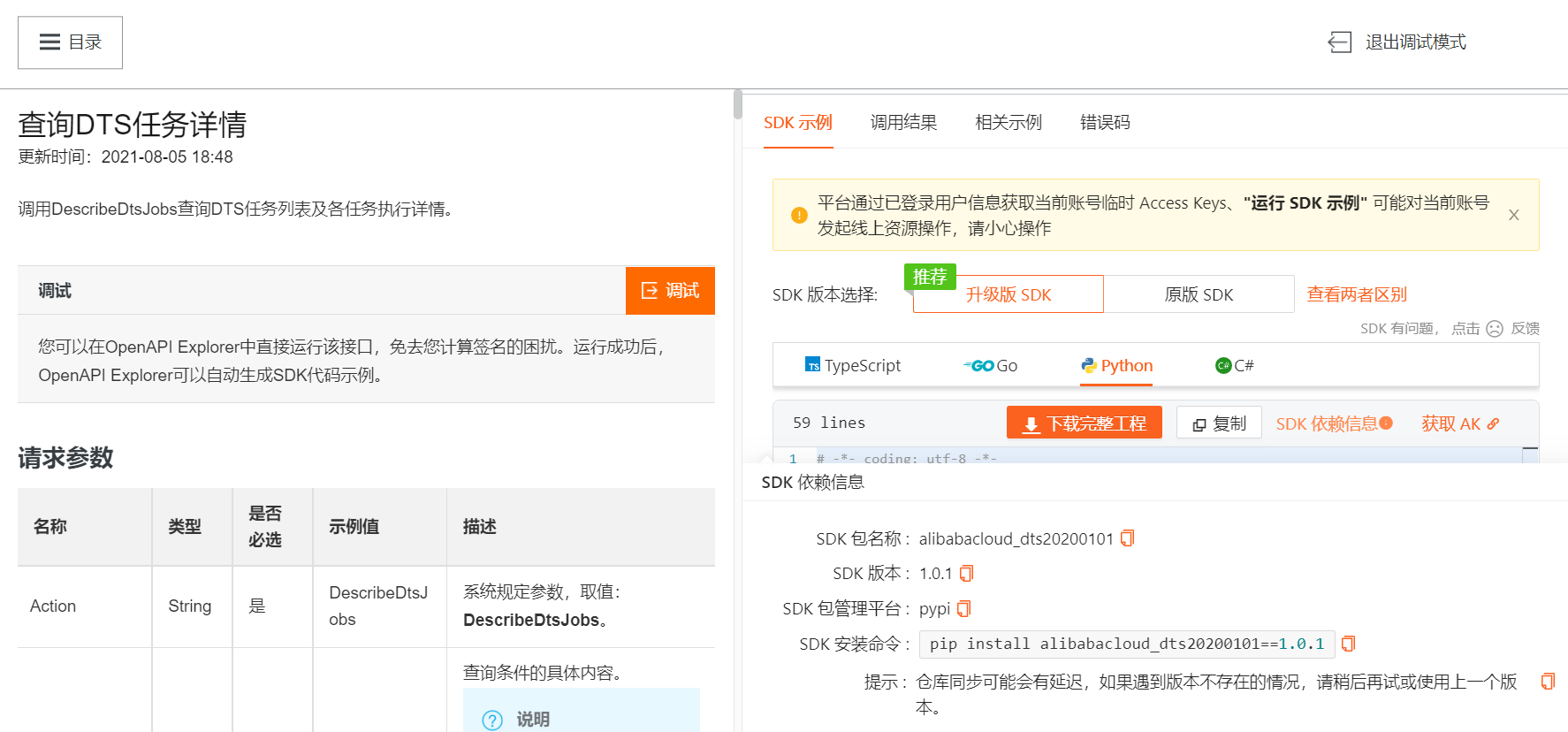
Access [Alibaba Cloud DTS Documentation - New API - Describe DTS Job Details] and enter the debug mode.
-
Find the SDK dependency information - New SDK, and copy the SDK installation command.
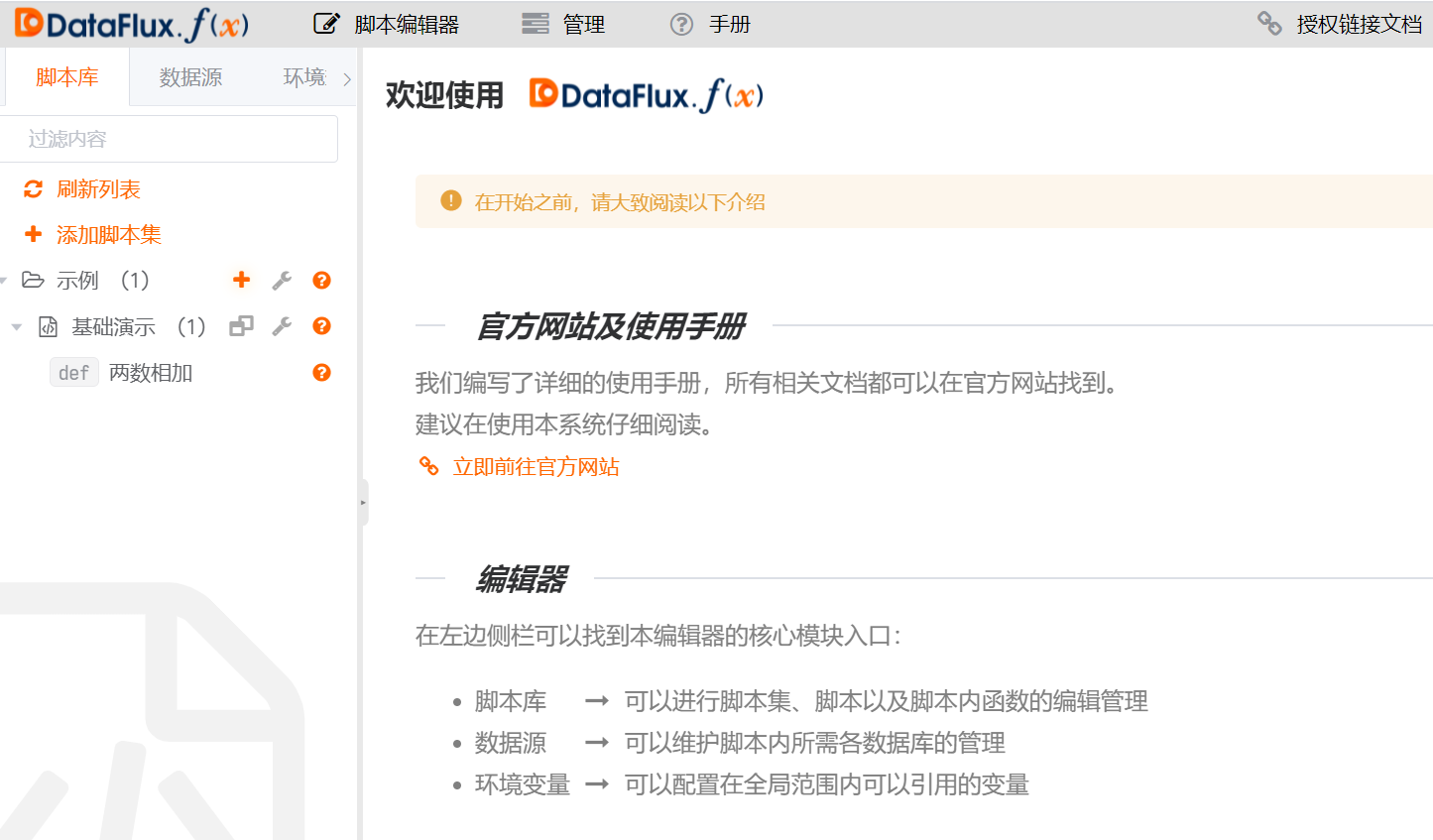
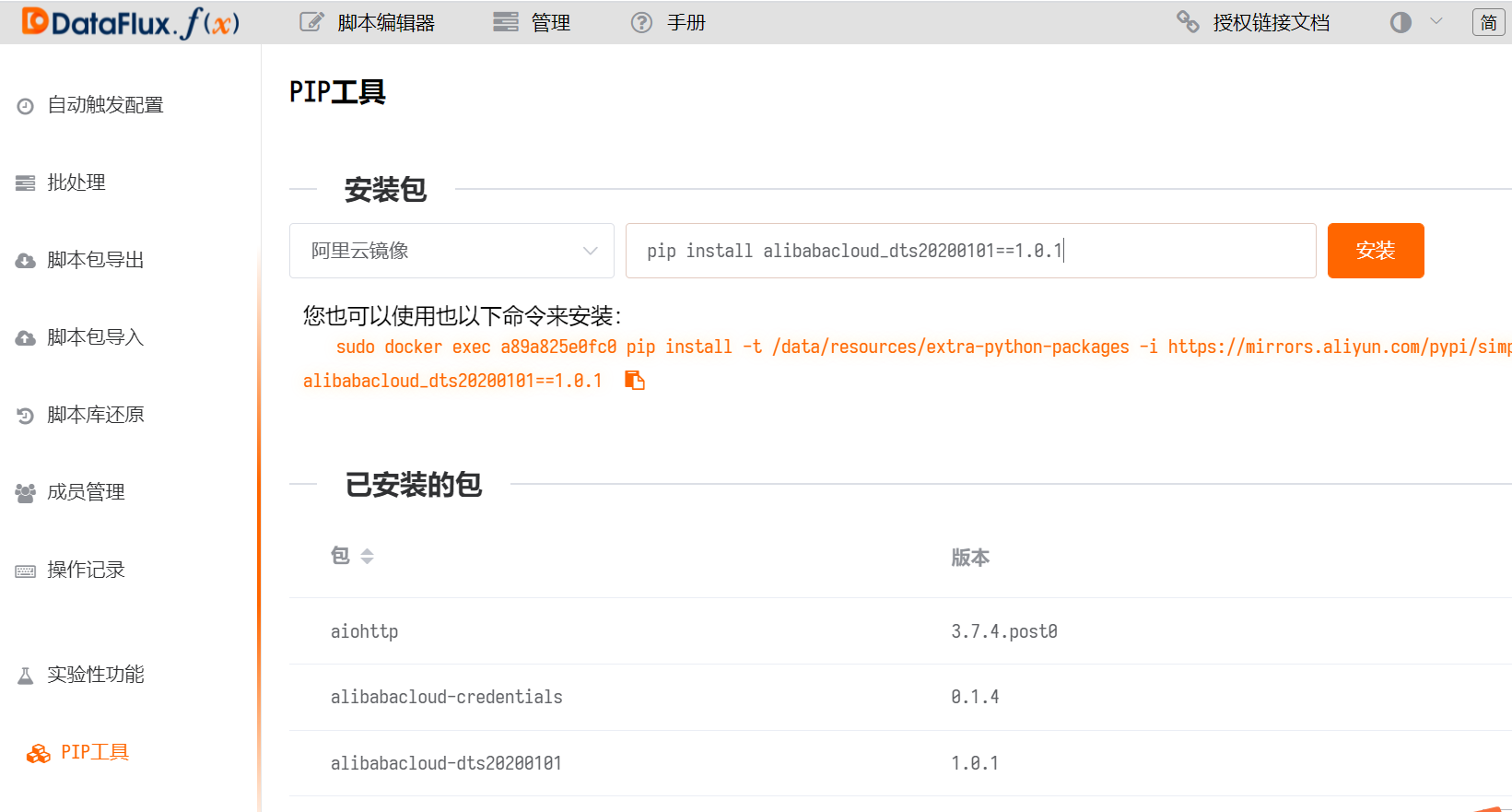
- Management -> Experimental Features -> Enable the PIP Tool Module.

- Install the Alibaba Cloud SDK dependency package.
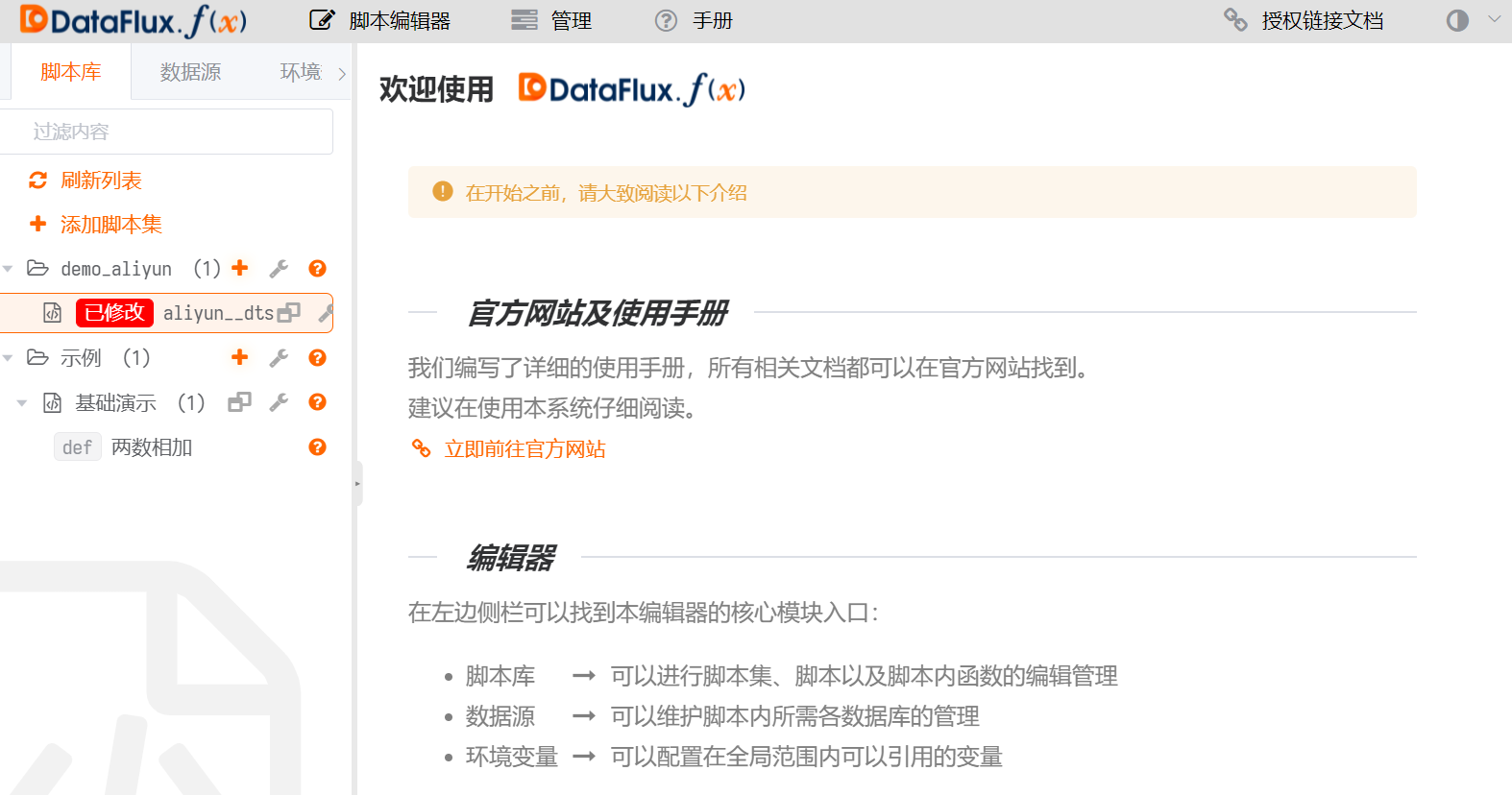
- Create a script set and add a script.
- Write the code. You need to fill in the AccessKey ID, AccessKey Secret, and Region.
Reference documentation:
# -*- coding: utf-8 -*-

import sys
import json
from typing import List

from alibabacloud_dts20200101.client import Client as Dts20200101Client
from alibabacloud_tea_openapi import models as open_api_models
from alibabacloud_dts20200101 import models as dts_20200101_models

# Alibaba Cloud SDK
class Sample:
    def __init__(self):
        pass

    @staticmethod
    def create_client(
        access_key_id: str,
        access_key_secret: str,
    ) -> Dts20200101Client:
        """
        Initialize the account Client using AK&SK
        @param access_key_id:
        @param access_key_secret:
        @return: Client
        @throws Exception
        """
        config = open_api_models.Config(
            # Your AccessKey ID,
            access_key_id=access_key_id,
            # Your AccessKey Secret,
            access_key_secret=access_key_secret
        )
        # Access domain
        config.endpoint = 'dts.cn-hangzhou.aliyuncs.com'
        return Dts20200101Client(config)

    @staticmethod
    def main(
        args: List[str],
    ) -> None:
        client = Sample.create_client('accessKeyId', 'accessKeySecret')
        describe_dts_jobs_request = dts_20200101_models.DescribeDtsJobsRequest(region='cn-hangzhou')
        client.describe_dts_jobs(describe_dts_jobs_request)

@DFF.API('dts_demo', timeout=300)
def dts_demo():
    # Instantiate sample
    sample = Sample()
    client = sample.create_client(
        access_key_id="AccessKey ID",
        access_key_secret="AccessKey Secret"
    )
    describe_dts_jobs_request = dts_20200101_models.DescribeDtsJobsRequest(
    # Task type of the DTS instance. MIGRATION; SYNC; SUBSCRIBE.
            region='region',job_type='MIGRATION'
        )
    response = client.describe_dts_jobs(describe_dts_jobs_request).to_map()
    dtsjoblist = response['body']['DtsJobList'][0]
    dts_instanceid = dtsjoblist['DtsInstanceID']
    dts_jobname = dtsjoblist['DtsJobName']
    # Status indicator of incremental data migration or synchronization
    datasynchronization = response['body']['DtsJobList'][0]['DataSynchronizationStatus']
    dts_status = datasynchronization['Status']
    dts_percent = datasynchronization['Percent']

    # Line protocol data
    points = [
        {'measurement': 'aliyun_api_dts',
         'tags': {'instanceId': dts_instanceid,'jobname': dts_jobname},
         'fields': {'dts_status': dts_status,'dts_percent':dts_percent}
        }
    ]
    write_metrics(points)

def write_metrics(points: list):
    datakit = DFF.SRC('datakit')
    res = datakit.write_metric_many(points)
- Add a decorator before the main function (export the function as an HTTP API endpoint).
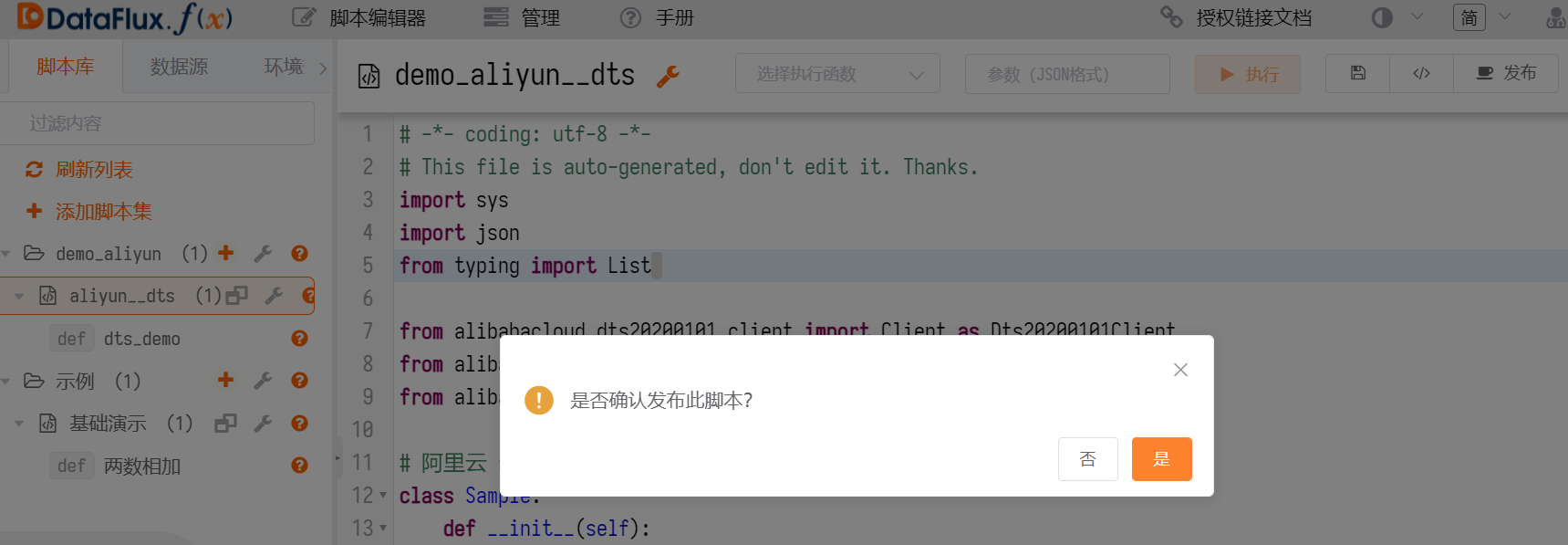
- Publish the script.
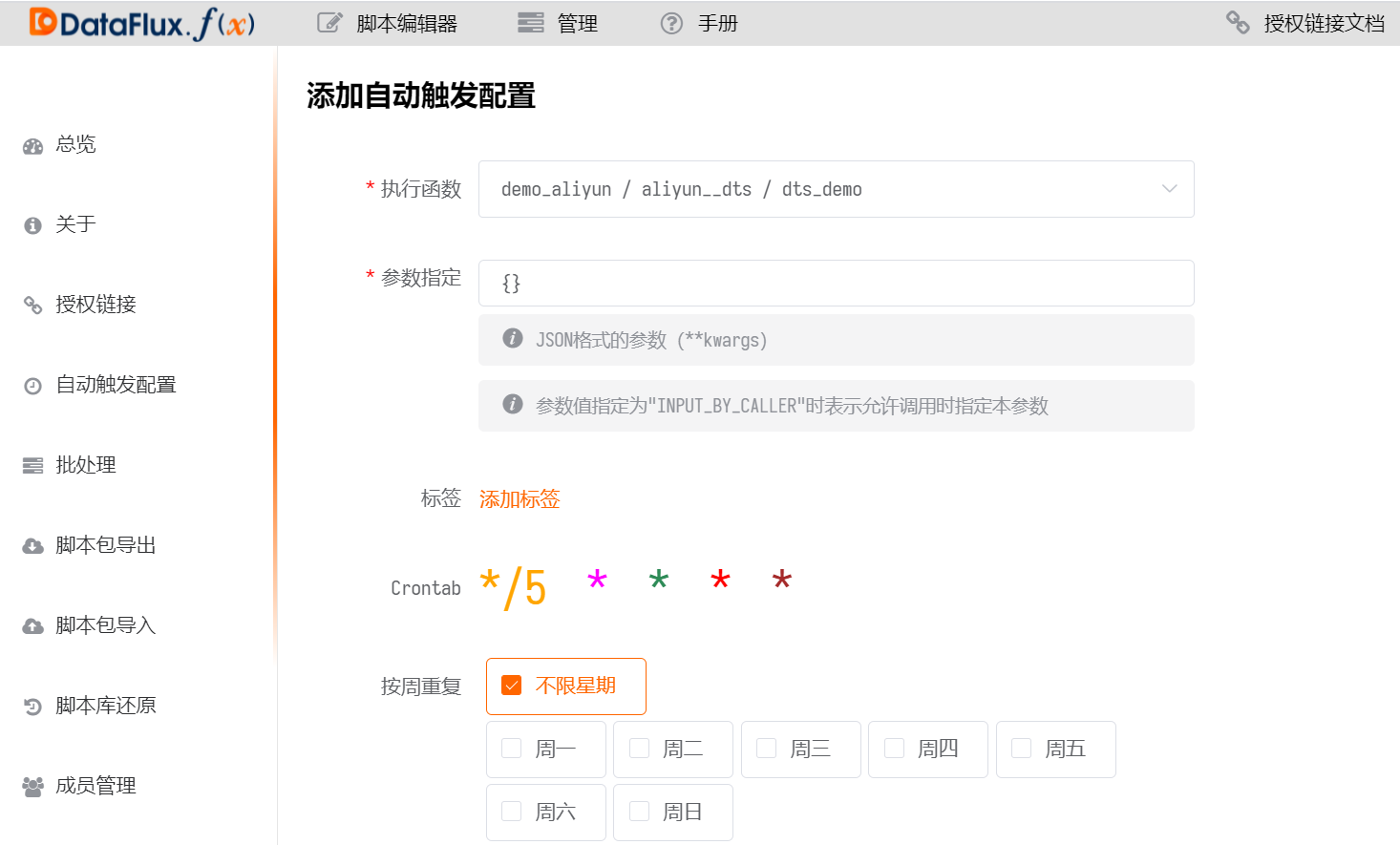
- Add a scheduled task (data collection frequency). Management -> Auto Trigger Configuration -> Select the scheduled time.
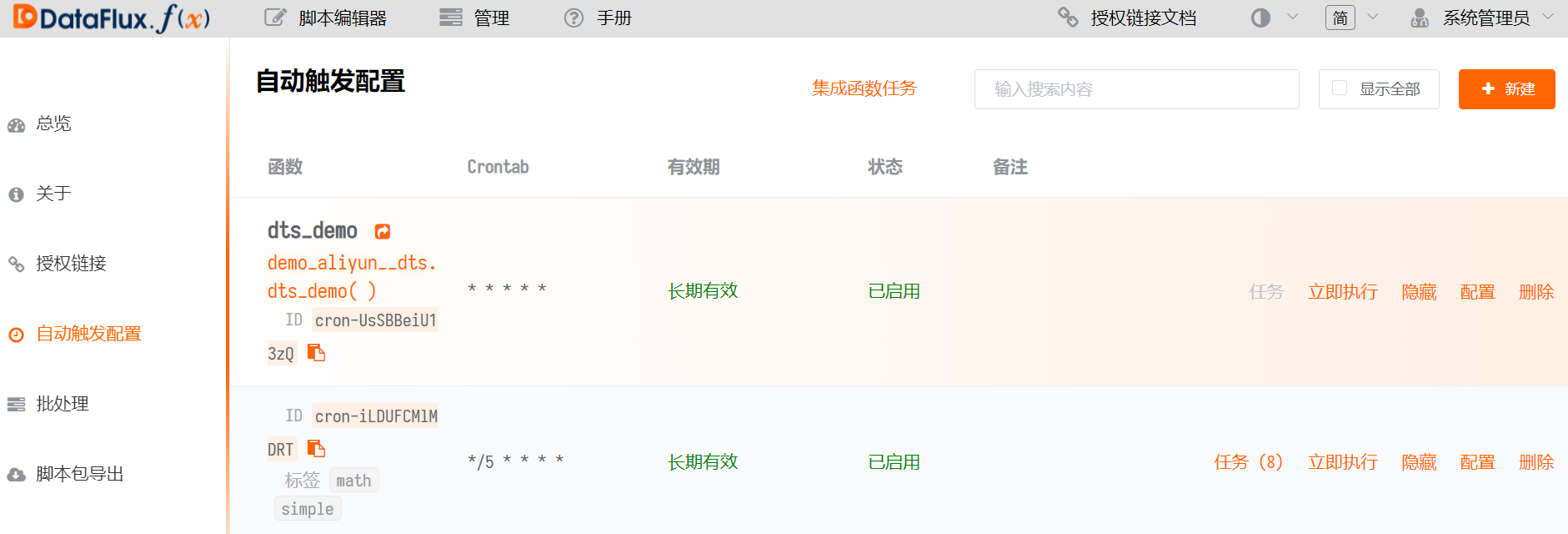
- After adding, you can see all scheduled tasks.
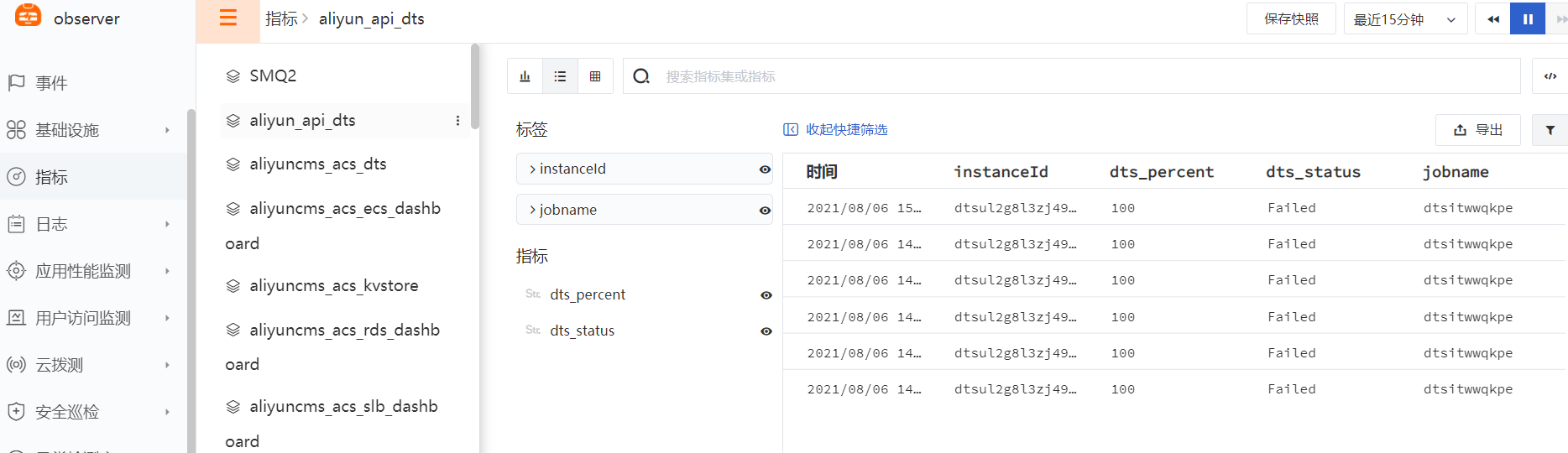
- View data metrics - DataFlux - [Metrics].
- Add [Anomaly Detection Library] - DTS Migration Anomaly Rules.
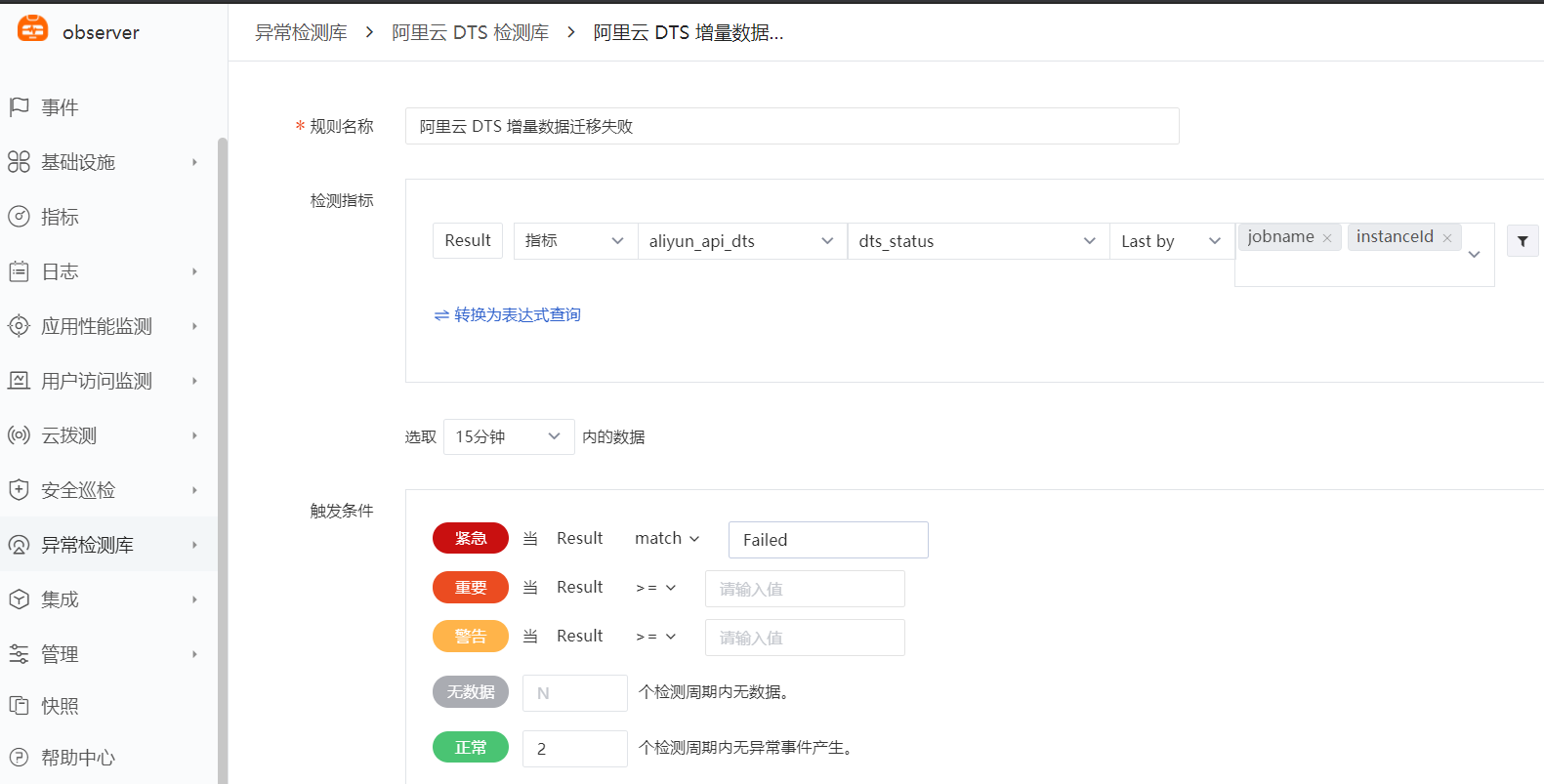
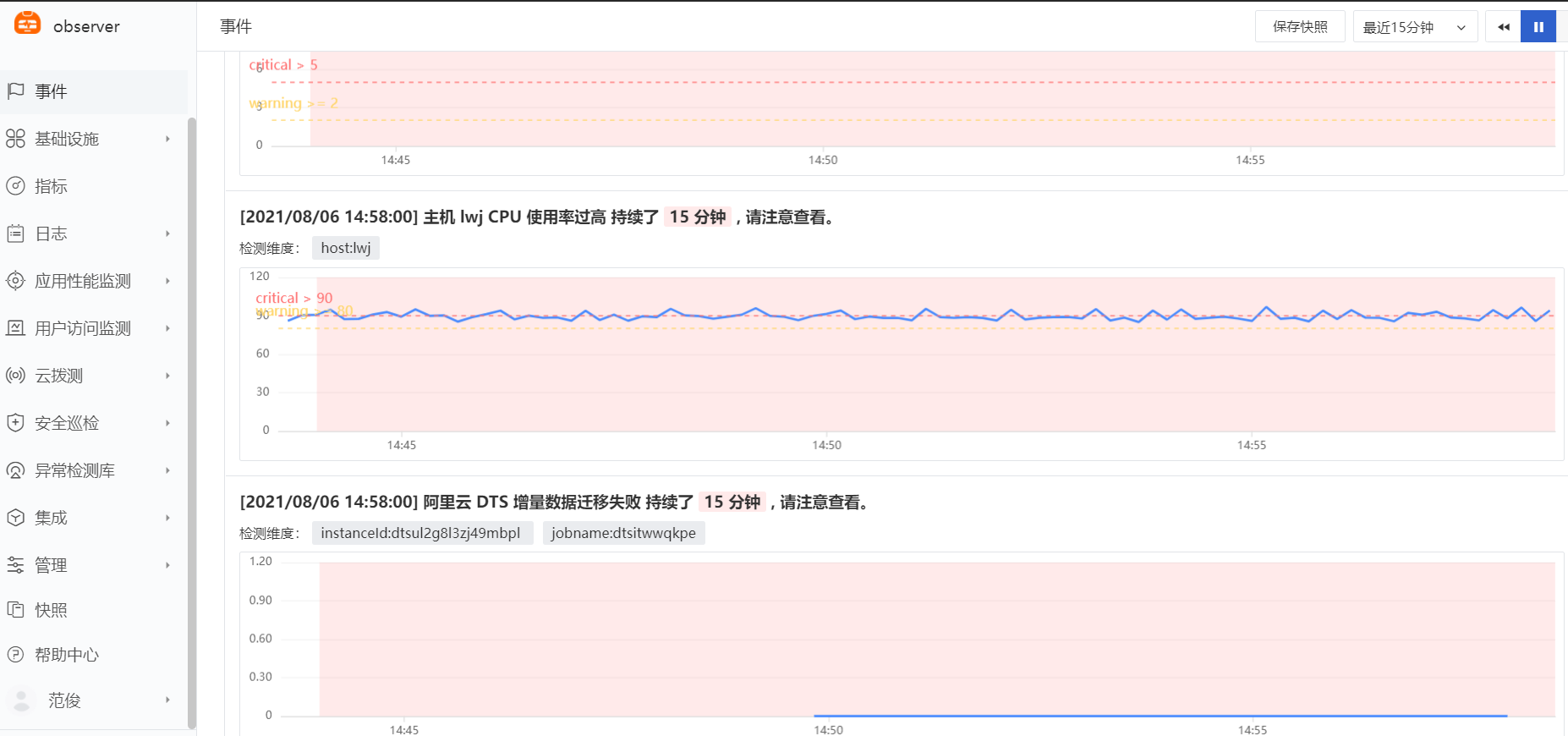
- Alibaba Cloud DTS incremental data migration failure triggers an anomaly event.