Inject dd-java-agent Using datakit-operator
Introduction
When connecting Java application APM in a Kubernetes environment, the dd-java-agent.jar package is required. To avoid modifying the application image, a common approach is to use initContainers in the deployment YAML and share the storage among containers in the same Pod to use dd-java-agent.jar. This approach results in the same initContainers section being present in every deployment file.
To extract these common parts and reduce workload further, you can use the open-source Admission Controller from Guance. datakit-operator injects dd-lib files and environment variables into specific Pods, currently supporting Java, Python, and JS.
Prerequisites
- You need to create a Guance account.
- A Kubernetes cluster.
- DataKit is already deployed via DaemonSet and the ddtrace collector is enabled.
Steps
Warning
The version information used in this example: DataKit 1.5.2, Kubernetes 1.24.
1 Deploy datakit-operator
Download datakit-operator.yaml and deploy it to the Kubernetes cluster.
wget https://static.guance.com/datakit-operator/datakit-operator.yaml
kubectl apply -f datakit-operator.yaml
2 Deploy the Application
2.1 Write the Dockerfile
Write the Dockerfile for the application. The key point is to expose JAVA_OPTS so that the javaagent package can be injected externally.
FROM openjdk:8u292

RUN /bin/cp /usr/share/zoneinfo/Asia/Shanghai /etc/localtime
RUN echo 'Asia/Shanghai' >/etc/timezone

ENV jar service-demo-1.0-SNAPSHOT.jar

ENV workdir /data/app/
RUN mkdir -p ${workdir}
COPY ${jar} ${workdir}
WORKDIR ${workdir}
ENTRYPOINT ["sh", "-ec", "exec java ${JAVA_OPTS} -jar ${jar} ${PARAMS} "]
After writing, push the image to the registry. The following example directly pulls the image 172.16.0.246/df-demo/service-log-demo:v1.
2.2 Modify the Application YAML
Add an annotation to the application YAML.
2.3 Modify the Application YAML
Declare the JAVA_OPTS environment variable. The application can now access the automatically injected /datadog-lib/dd-java-agent.jar package. For startup parameters, refer to javaagent parameters. The service name set here is java-demo-service.
- name: JAVA_OPTS
value: |-
-javaagent:/datadog-lib/dd-java-agent.jar -Ddd.service.name=java-demo-service -Ddd.tags=container_host:$(POD_NAME) -Ddd.env=dev -Ddd.agent.port=9529
Complete example java-demo.yaml
apiVersion: v1
apiVersion: apps/v1
kind: Deployment
metadata:
name: guance-deployment
spec:
replicas: 1
selector:
matchLabels:
app: guance-pod
template:
metadata:
labels:
app: guance-pod
      annotations:
        admission.datakit/java-lib.version: ""
spec:
containers:
- name: guance-demo-container
image: 172.16.0.246/df-demo/service-log-demo:v1
env:
- name: HOST_IP
valueFrom:
fieldRef:
apiVersion: v1
fieldPath: status.hostIP
- name: HOST_NAME
valueFrom:
fieldRef:
apiVersion: v1
fieldPath: spec.nodeName
- name: POD_NAME
valueFrom:
fieldRef:
apiVersion: v1
fieldPath: metadata.name
#- name: DD_AGENT_HOST
# valueFrom:
# fieldRef:
# apiVersion: v1
# fieldPath: status.hostIP
        - name: JAVA_OPTS
          value: |-
            -javaagent:/datadog-lib/dd-java-agent.jar -Ddd.service.name=java-demo-service -Ddd.tags=container_host:$(POD_NAME) -Ddd.env=dev -Ddd.agent.port=9529
ports:
- containerPort: 8090
protocol: TCP
volumeMounts:
- mountPath: /data/app/logs
name: varlog
restartPolicy: Always
volumes:
- name: varlog
emptyDir: {}
2.4 Deploy the Application
3 Trace Reporting
Get the Pod IP and access the application's endpoint to generate trace data.

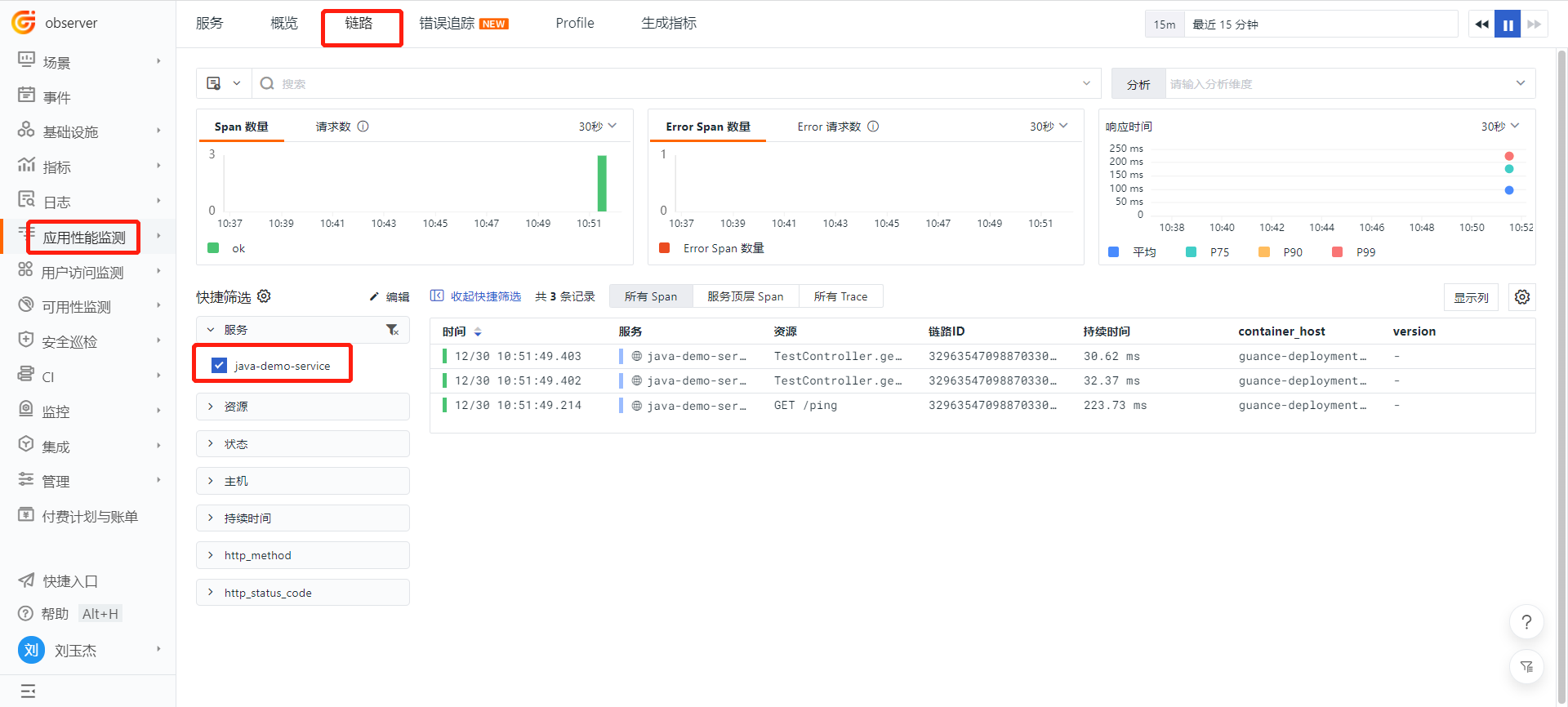
Log in to Guance > APM, and search for the service java-demo-service to view the traces.