Implementing Distributed Tracing with GraalVM and Spring Native
Introduction
GraalVM is a high-performance, cloud-native, multi-language JDK distribution designed to accelerate the execution of applications written in Java and other JVM languages, while also providing runtimes for JavaScript, Python, and many other popular languages.
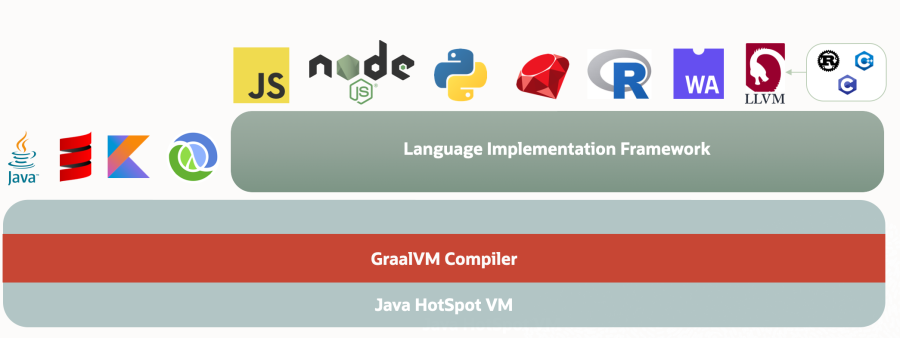
GraalVM is unique as a runtime environment in that it provides multiple modes of operation: JVM runtime mode, Native Image, and Java on Truffle (the same Java application can run on any of these).
JVM Runtime Mode
When running programs on the HotSpot JVM, GraalVM uses the GraalVM compiler as the top-tier JIT compiler by default. At runtime, the application loads and executes normally on the JVM. The JVM passes bytecode from Java or any other JVM-native language to the compiler, which compiles it into machine code and returns it to the JVM. Interpreters for supported languages written on top of the Truffle framework are themselves Java programs running on the JVM.
Native Image
Native Image is an innovative technology that compiles Java code into a standalone binary executable or a native shared library. The Java bytecode processed during the native image build includes all application classes, dependencies, third-party dependency libraries, and any required JDK classes. The resulting self-contained native executable is specific to each individual operating system and machine architecture without requiring a JVM.
Spring Native provides support for compiling Spring applications into native executables using the GraalVM native image compiler. This article uses the JVM runtime mode and ddtrace to implement distributed tracing access to Guance.
Steps
Warning
The version information used in this example is as follows: DataKit 1.4.0, CentOS 7.9, cloud server 4 cores 8 GB, Git 1.8.3.1, Maven 3.8.5, OpenJDK 17.0.3, GraalVM CE 22.1.0
1 Deploy Git

2 Deploy GraalVM
cd /usr/local/df-demo
wget https://github.com/graalvm/graalvm-ce-builds/releases/download/vm-22.1.0/graalvm-ce-java17-linux-amd64-22.1.0.tar.gz
tar -zxvf  graalvm-ce-java17-linux-amd64-22.1.0.tar.gz
Edit /etc/profile and add the following content.
export JAVA_HOME=/usr/local/df-demo/graalvm-ce-java17-22.1.0
export CLASSPATH=$JAVA_HOME/lib:$CLASSPATH
export PATH=$JAVA_HOME/bin:$PATH
Configure native-image installation.
3 Deploy Maven
cd /usr/local/df-demo
wget https://mirrors.bfsu.edu.cn/apache/maven/maven-3/3.8.5/binaries/apache-maven-3.8.5-bin.tar.gz
tar -zxvf  apache-maven-3.8.5-bin.tar.gz
Edit /etc/profile and add the following content.
 export MAVEN_HOME=/usr/local/df-demo/apache-maven-3.8.5
 export PATH=$PATH:$MAVEN_HOME/bin:$JAVA_HOME/bin   # Modify
Edit settings.xml and add the following content.
   <mirrors>
       <mirror>
            <id>alimaven</id>
            <name>aliyun maven</name>
            <url>http://maven.aliyun.com/nexus/content/groups/public/</url>
            <mirrorOf>central</mirrorOf>
        </mirror>
        <mirror>
            <id>alimaven</id>
            <mirrorOf>central</mirrorOf>
            <name>aliyun maven</name>
            <url>http://maven.aliyun.com/nexus/content/repositories/central/</url>
        </mirror>
    </mirrors>
4 Create a Spring Boot Project
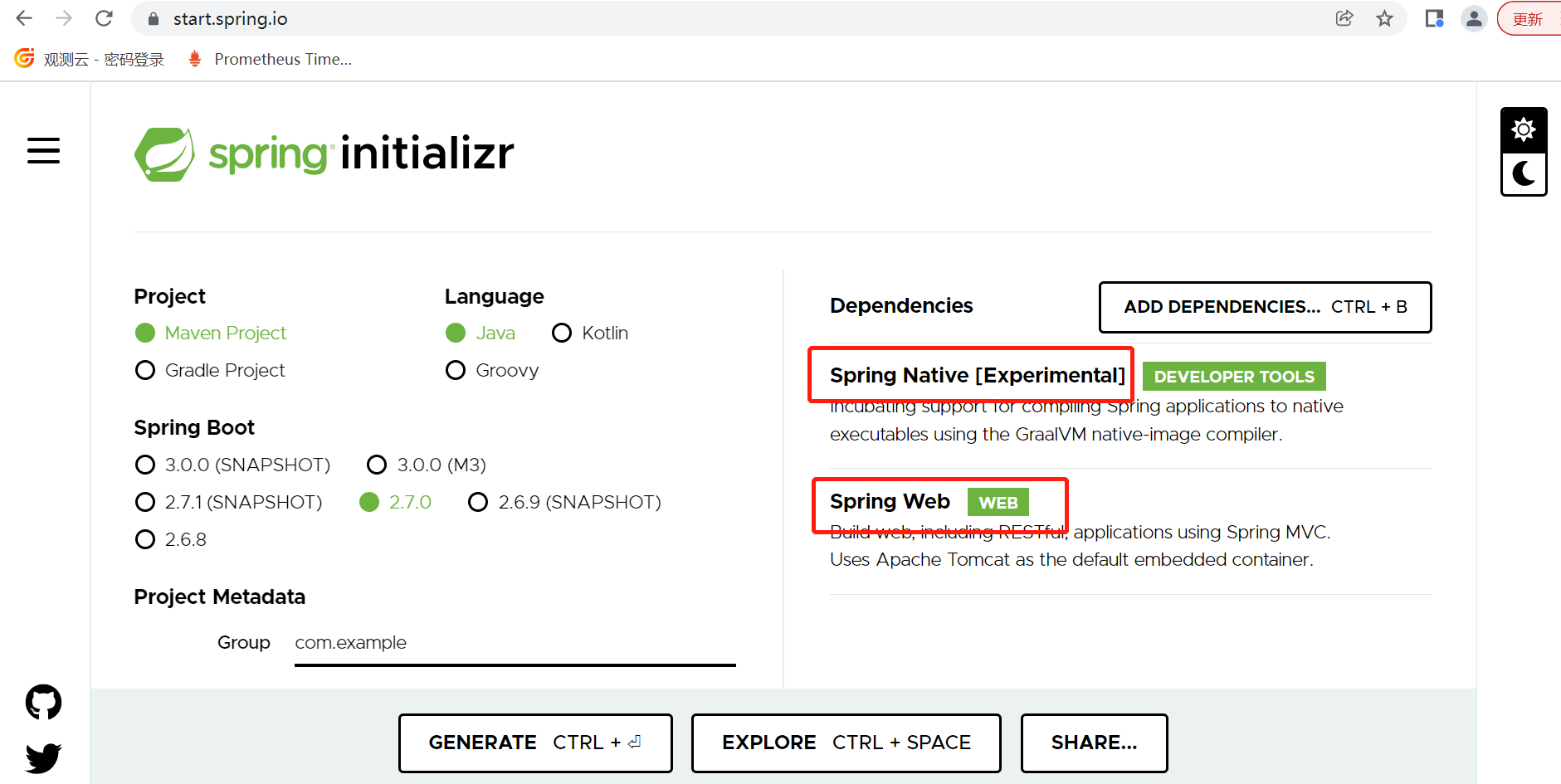
Go to spring.io, select Spring Native and Spring Web, choose Maven Project for Project, select Java for Language, and define the Project Name as you prefer. Click GENERATE.
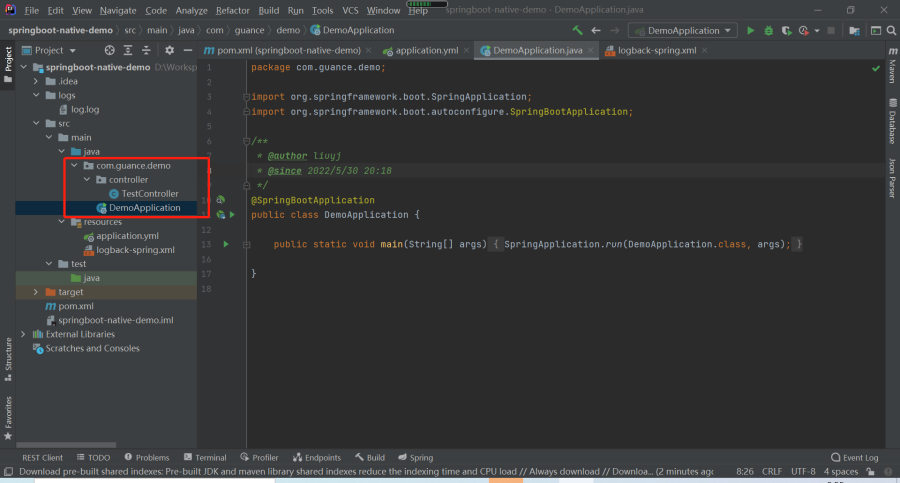
Add Application and Controller, as shown in the example project springboot-native-demo.
5 Package the Project
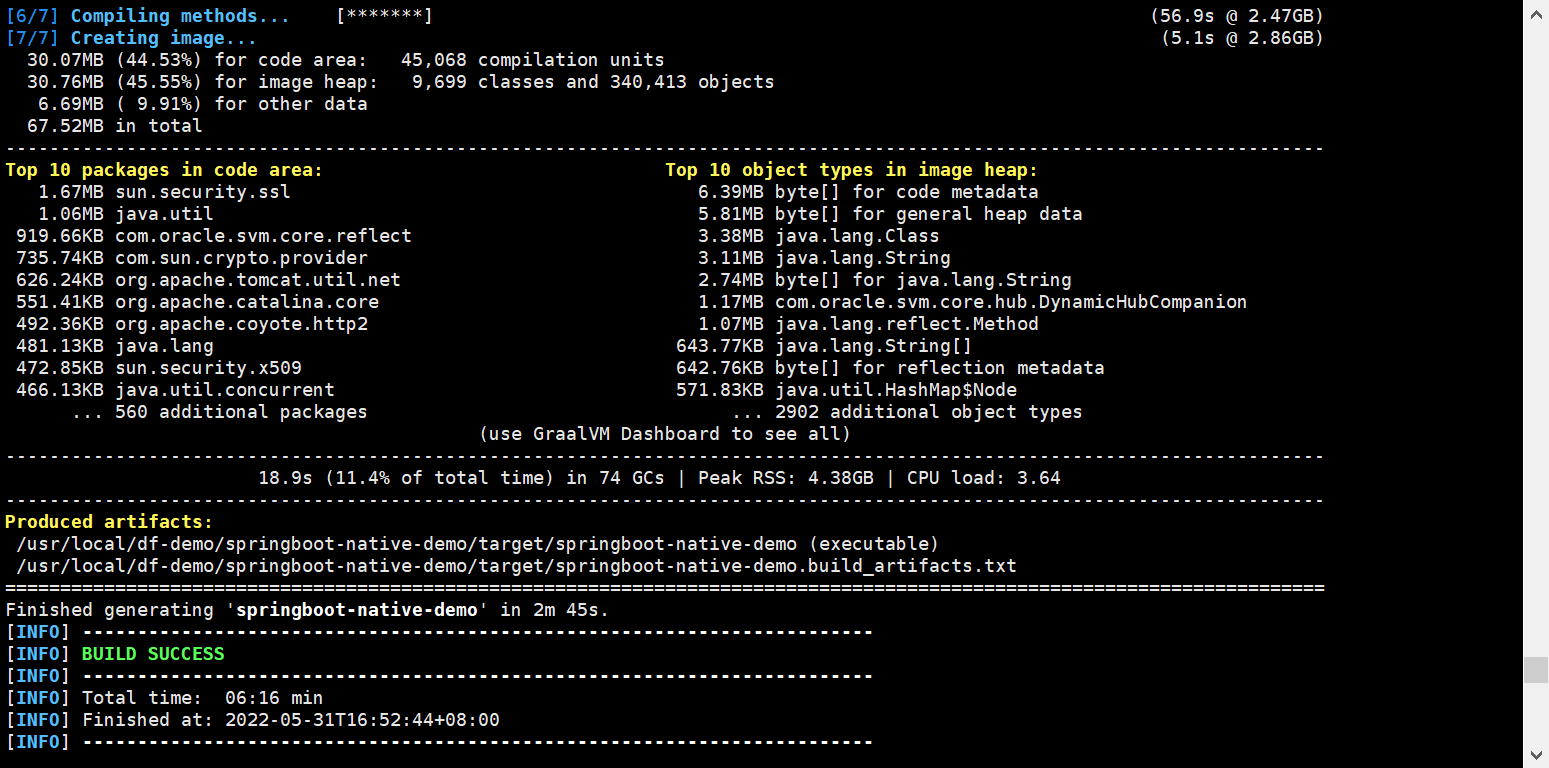
Upload the project to the /usr/local/df-demo directory on the cloud server, then execute the package command.
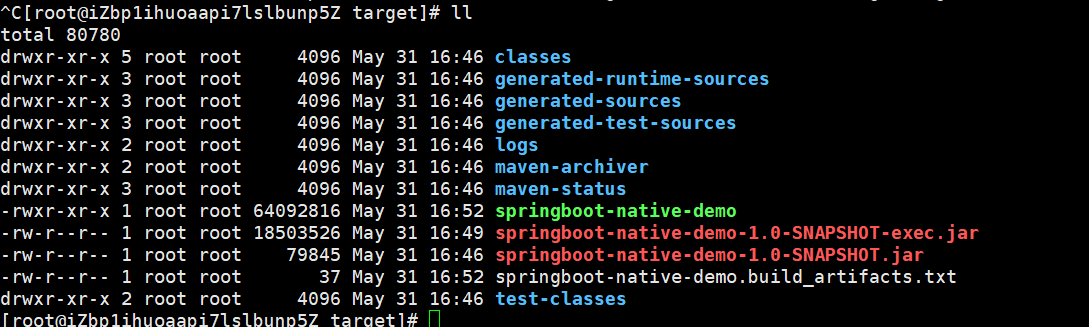
Check the target directory; there should be a binary file springboot-native-demo and a springboot-native-demo-1.0-SNAPSHOT-exec.jar file.
6 Enable Distributed Tracing Access
6.1 Install DataKit
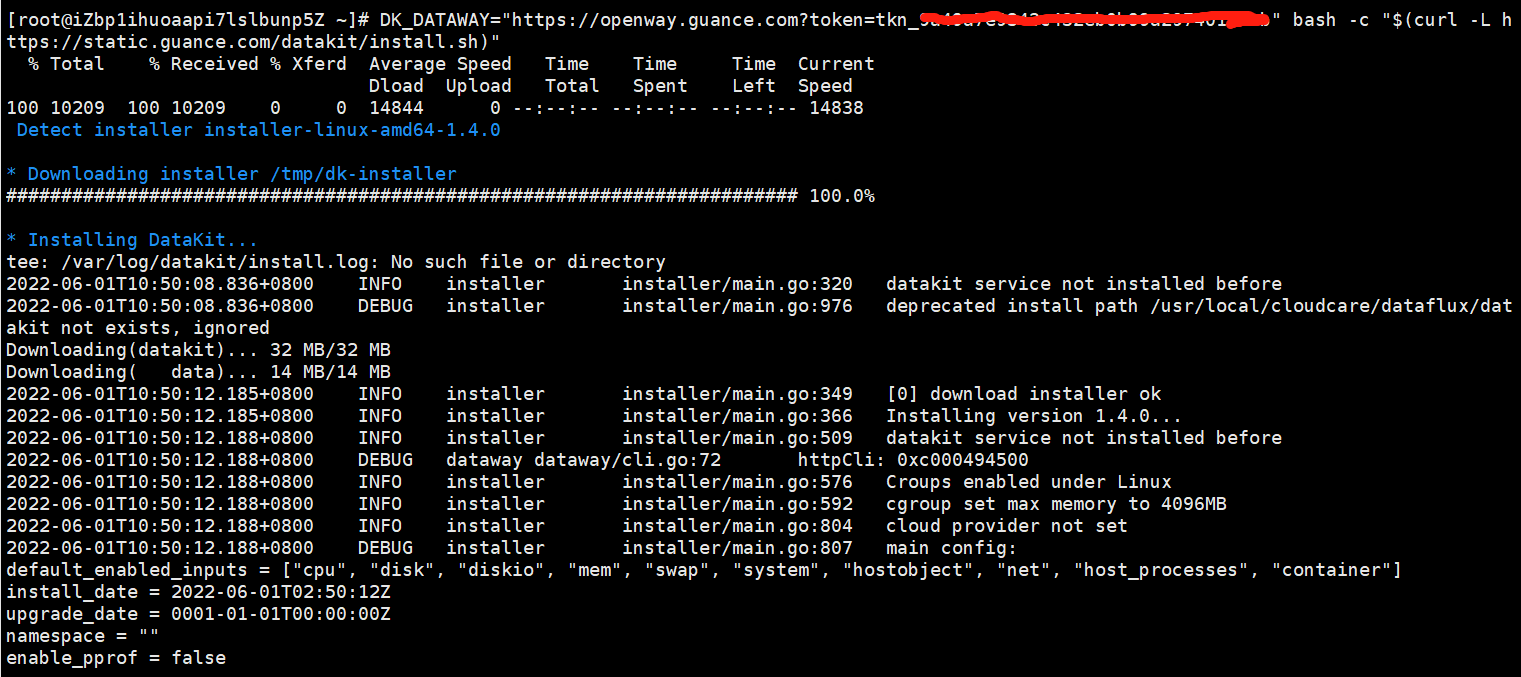
Log in to Guance, navigate to Integrations → DataKit → Linux, and click the Copy icon to copy the installation command.

Log in to the Linux server and execute the copied command.
6.2 Enable the Collector
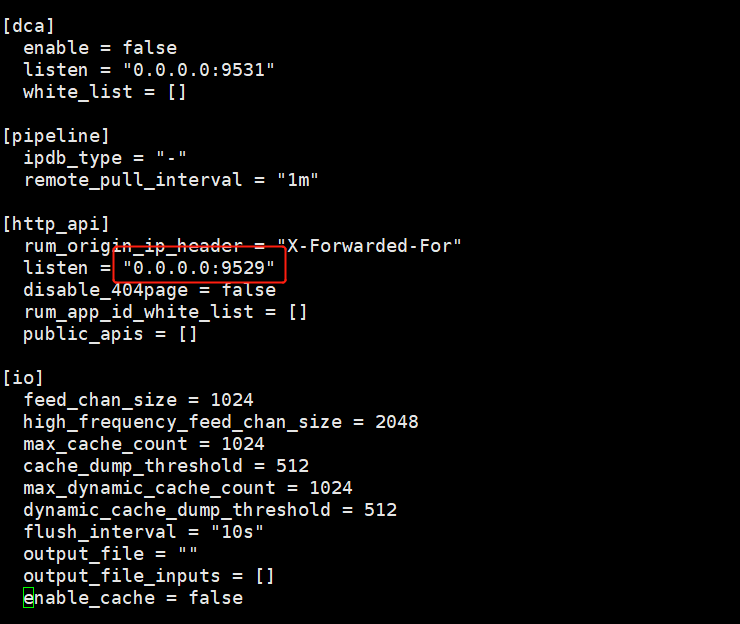
Enable RUM by allowing remote access to DataKit's port 9529. Edit the following file.
Modify the listen value to 0.0.0.0:9529
Enable the ddtrace collector.

6.3 Restart DataKit
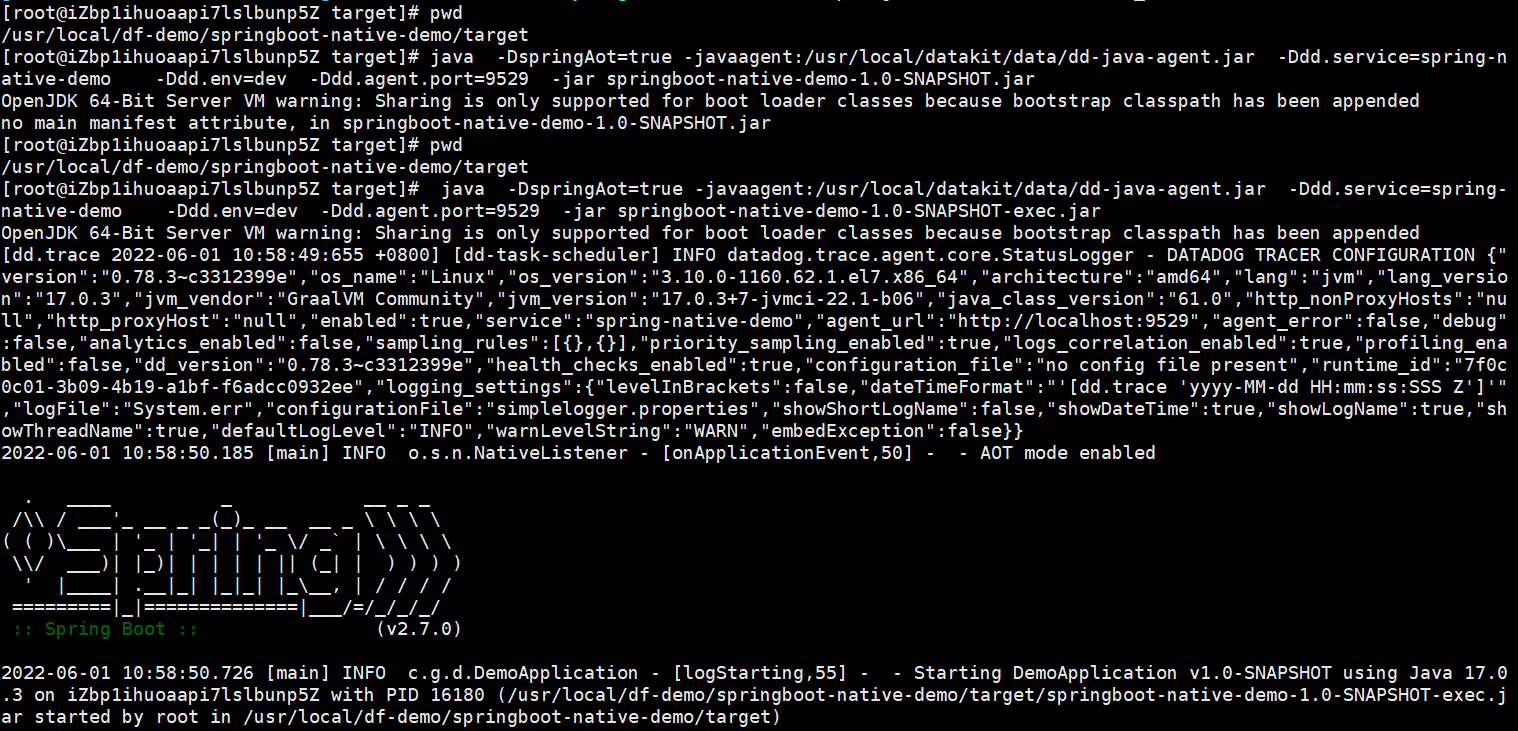
6.4 Start the Application
cd /usr/local/df-demo/springboot-native-demo/target
 java  -DspringAot=true -javaagent:/usr/local/datakit/data/dd-java-agent.jar  -Ddd.service.name=spring-native-demo    -Ddd.env=dev  -Ddd.agent.port=9529  -jar springboot-native-demo-1.0-SNAPSHOT-exec.jar
6.5 Report Trace Data
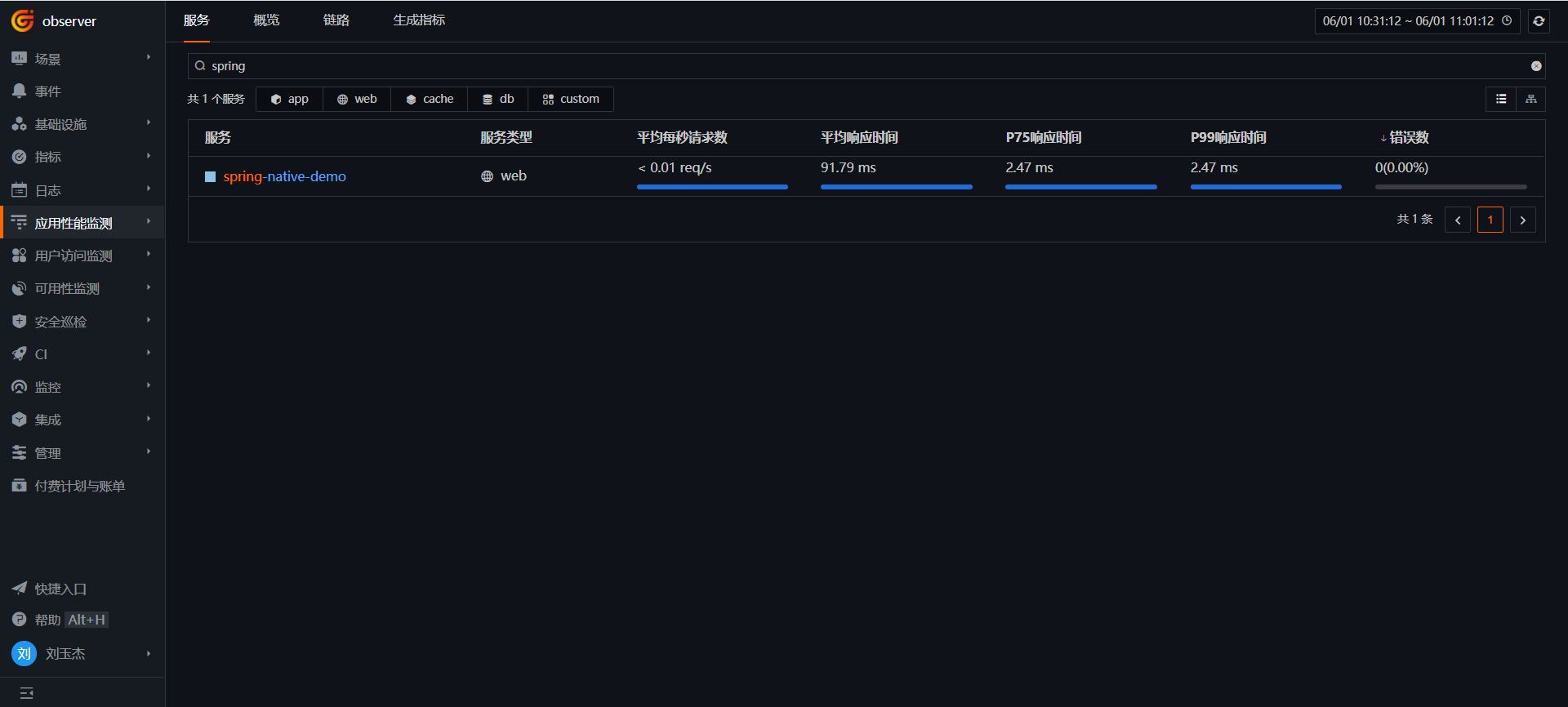
Access the application's endpoint curl localhost:8090/ping to report trace data.

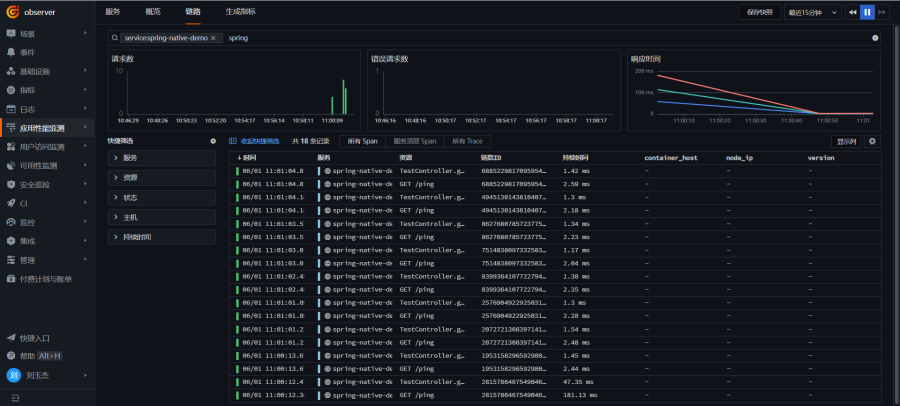
Log in to Guance → Application Performance Monitoring (APM), and you will see the spring-native-demo service.
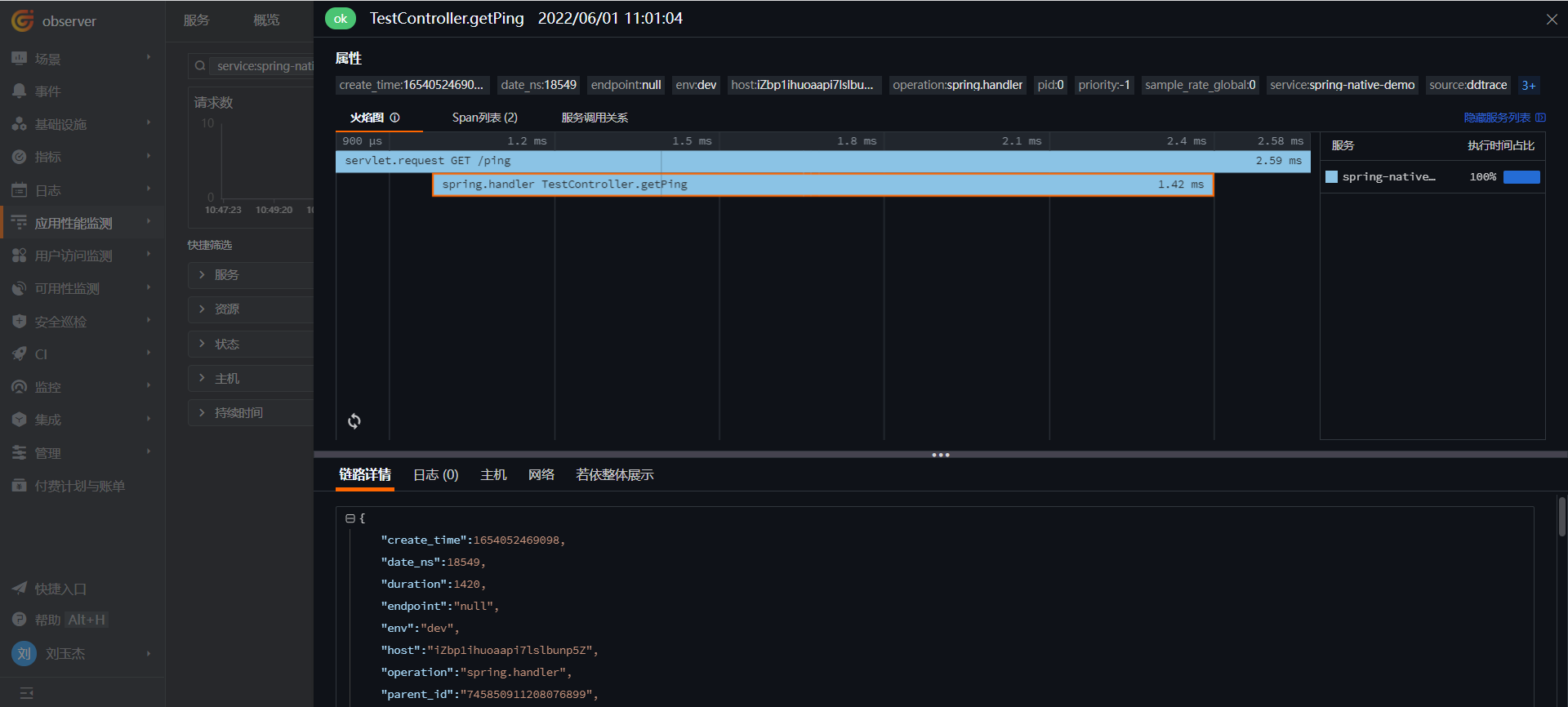
On the Trace page, you can view trace details, flame graphs, etc.