DataKit API Token
What is a Token?
When a user successfully logs into the Guance system, a Token is generated and returned to the client. This Token contains the user's identity information and permissions. In subsequent requests, the client carries this Token as an authentication credential when sending requests to the server.
Upon receiving a request, the server verifies the validity and legitimacy of the Token. This typically includes checking the Token's signature, expiration time, and matching against user information. If the Token passes verification, the server performs corresponding operations and authorization based on the user identity and permissions contained in the Token.
By using Token-based authentication, Guance enables stateless session management, thus improving system scalability and performance. Additionally, the Token can carry extra information such as roles and permissions, allowing the system to implement fine-grained access control over resources and functions based on different user roles and permissions.
In summary, within Guance, the Token serves as an authentication credential, playing a critical role in ensuring that only authorized users can use and access system resources.
How Does the Token Ensure Security?
The Token enhances security for both users and the product itself when using Guance, as reflected in the following aspects:
-
Authentication and Authorization: The Token is used to verify the user's identity and permissions, ensuring that only authorized users can use and access system resources and functions. Through the Token, the system can authenticate and authorize users, preventing unauthorized access to and manipulation of sensitive data and functions.
-
Secure Transmission and Storage: In Guance, the Token is typically transmitted over the HTTPS protocol, ensuring confidentiality and integrity during network transmission. Additionally, the transmission of the Token between the client and server can be encrypted using cryptographic algorithms, providing an extra layer of security.
-
Rotation Mechanism: In Guance, after the Token is generated, users can define a security period as needed and rotate the Token in a timely manner to ensure system security.
-
Access Control and Permission Management: The user identity information and permissions carried in the Token enable fine-grained access control and permission management. The system can restrict and control different resources and functions based on the user's roles and permissions, ensuring that users can only access and operate the resources they are authorized to, thereby improving system security.
How to Obtain a Token in Guance?
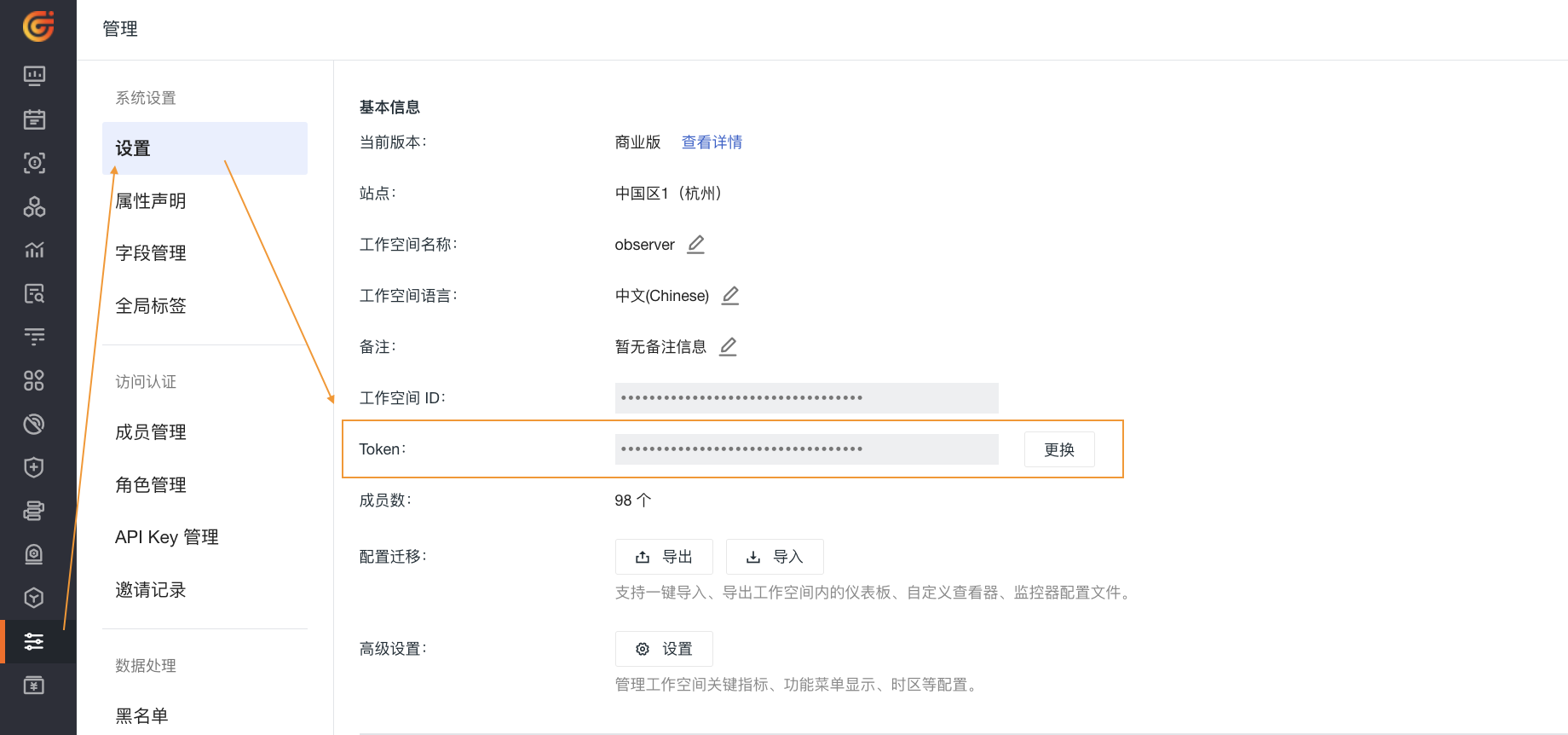
Go to Management > Settings > Token, then click the copy icon. You can also rotate the Token of the current workspace as needed.