How to Use SLS Authorization File to Grant Permissions to RAM Users
The following content is about creating a RAM user from scratch and granting permissions. If you have already performed related operations, you can skip this section.
Steps
-
Download the SLS authorization file, open it, and copy the JSON backup. This will be used later.
-
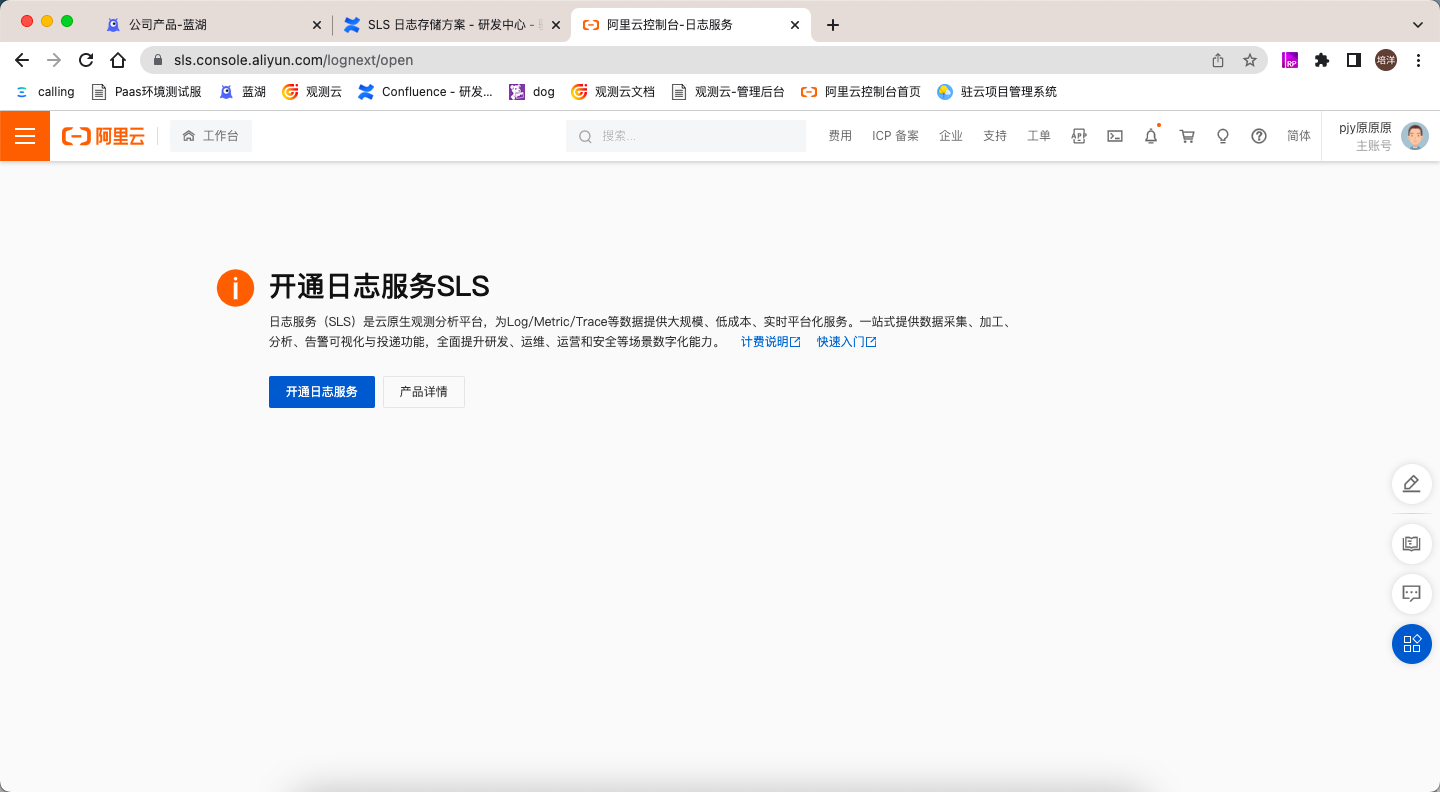
Log in to Alibaba Cloud with your primary account and complete real-name verification (if no prompt is shown, it means you have already been verified).
-
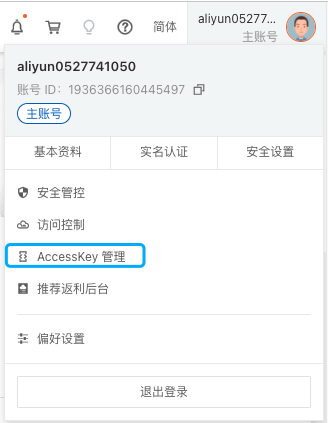
In the top right corner, click on the avatar, then select AccessKey Management.
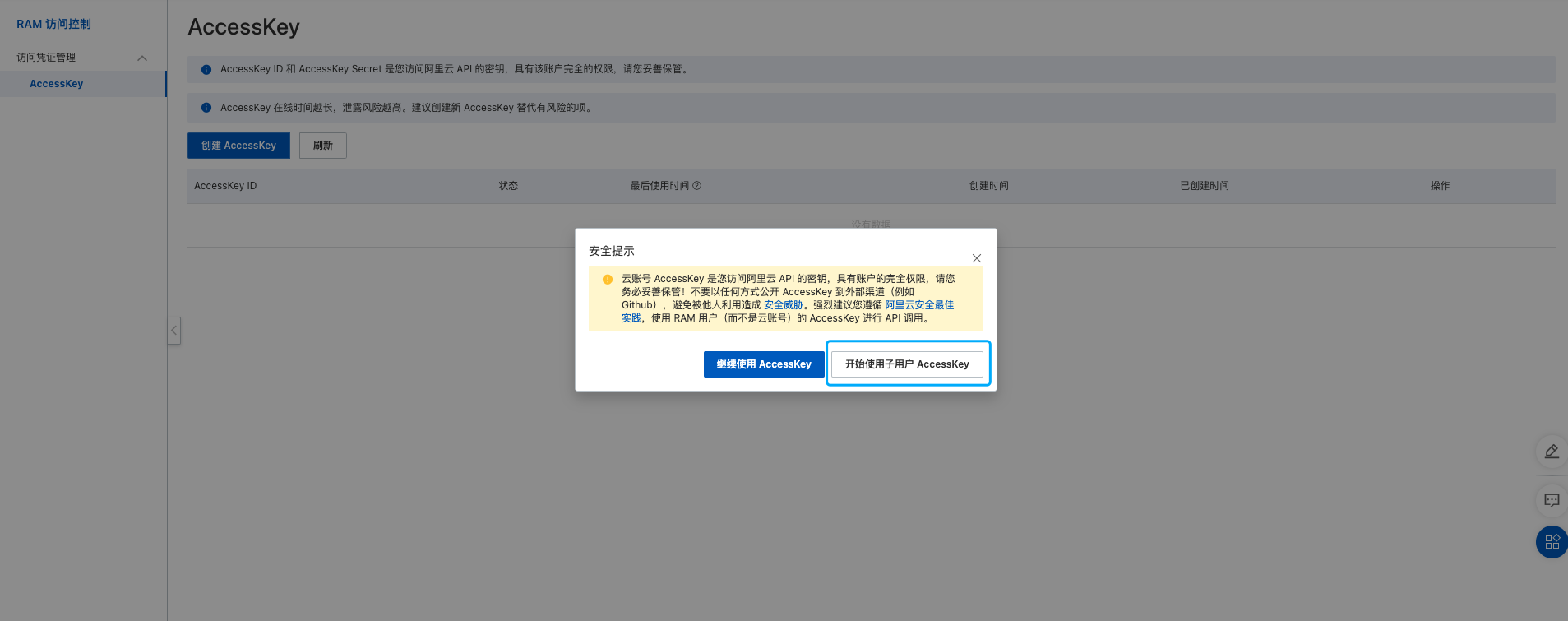
- Start using the RAM user's AccessKey.
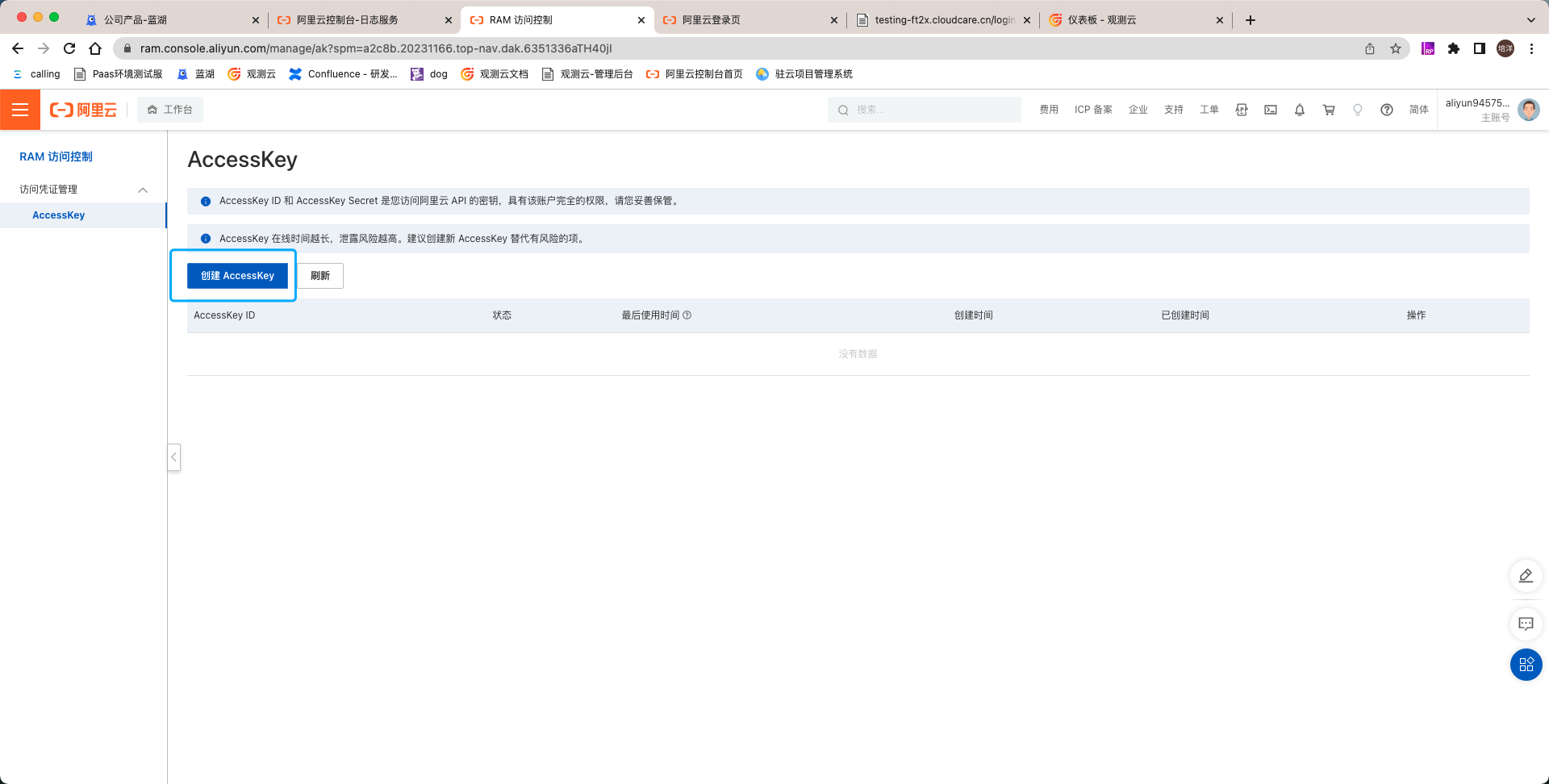
- Create an AccessKey.
Note: Since the AccessKey Secret can only be viewed once, it is recommended to copy and back it up after creation.
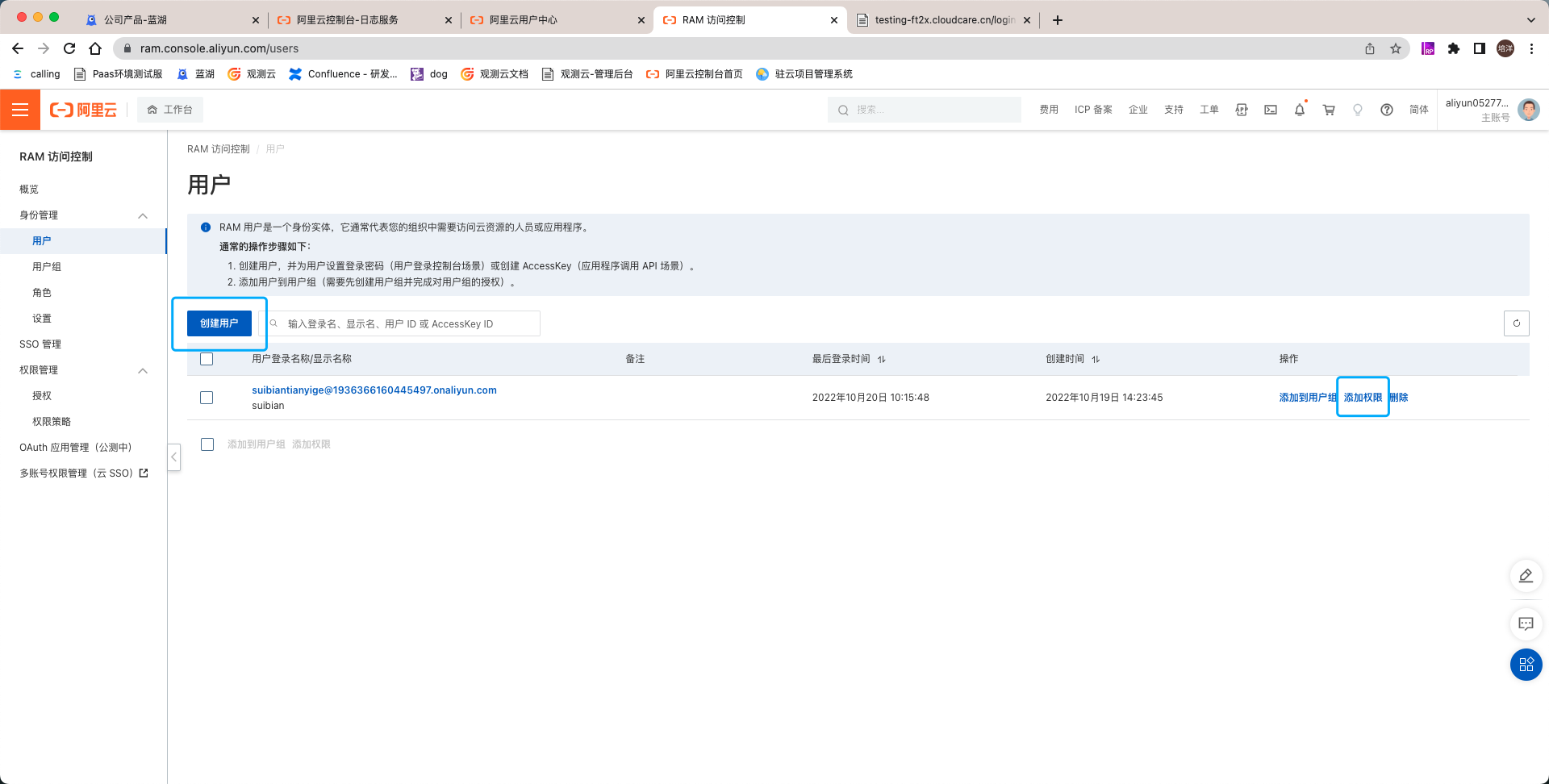
- Under Access Control (RAM) > Users, create a RAM user and click Add Permissions.
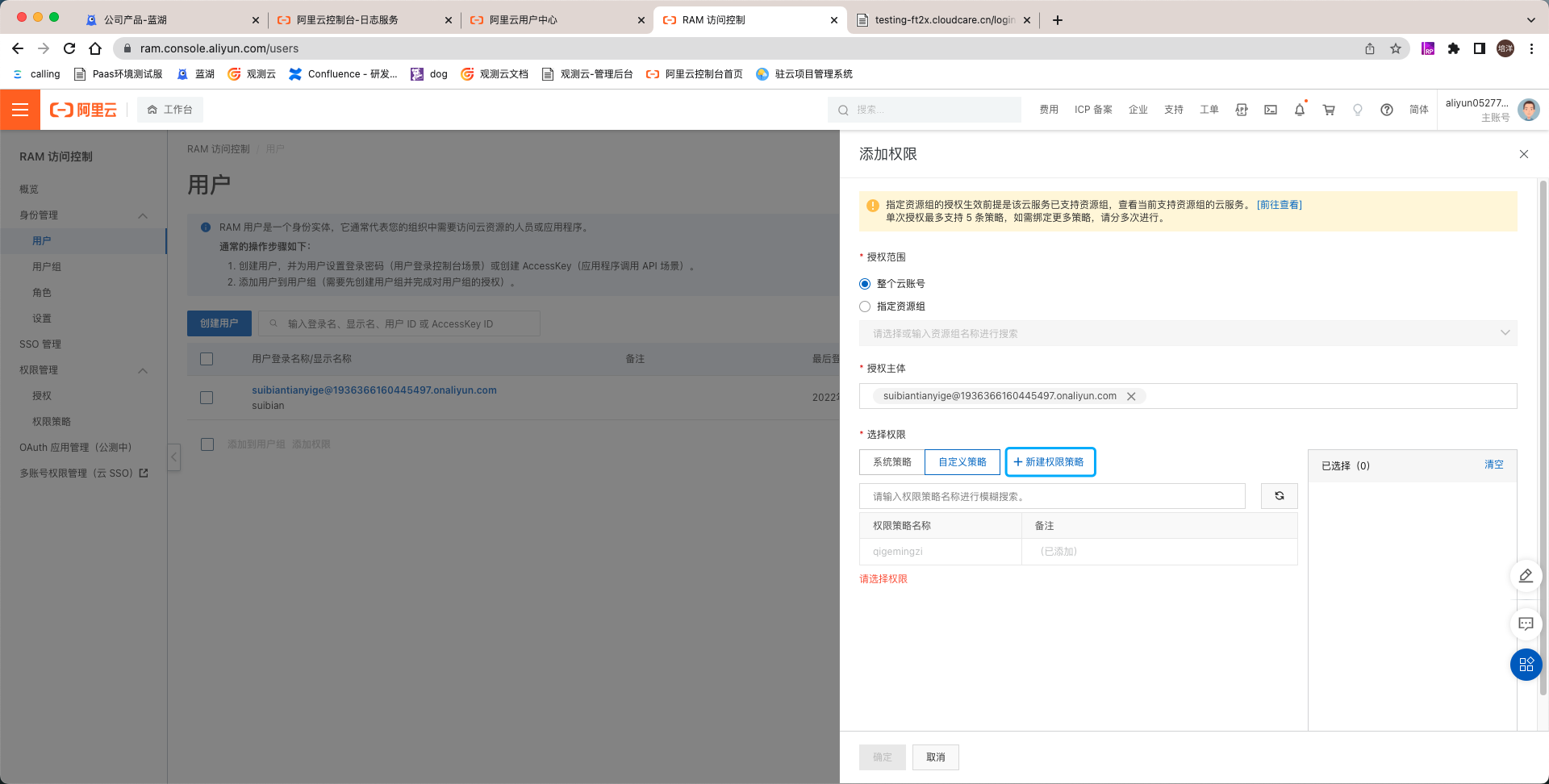
- Click Create a custom policy.
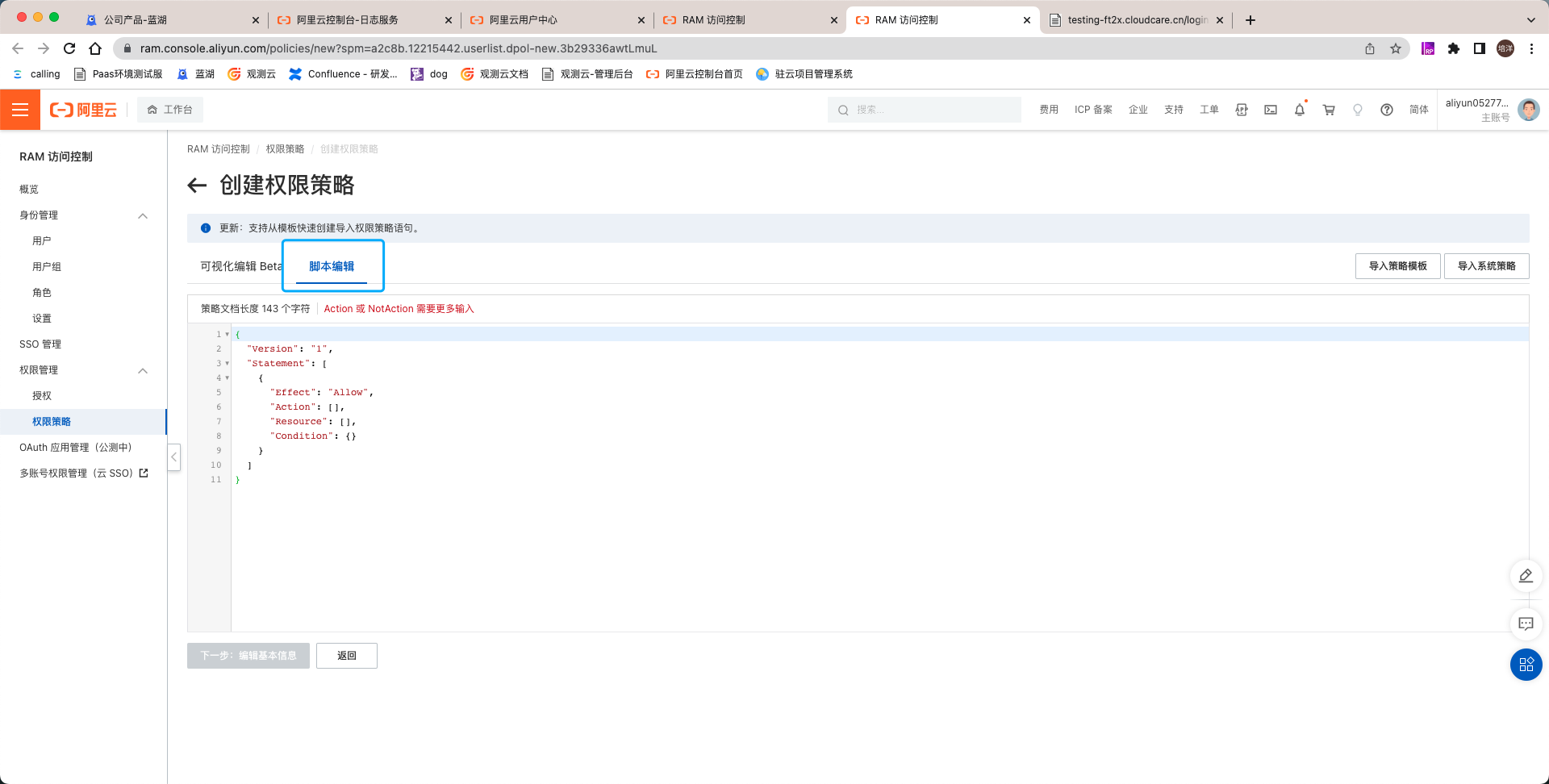
- Click Script Editor, then paste the JSON copied in step 1 here.
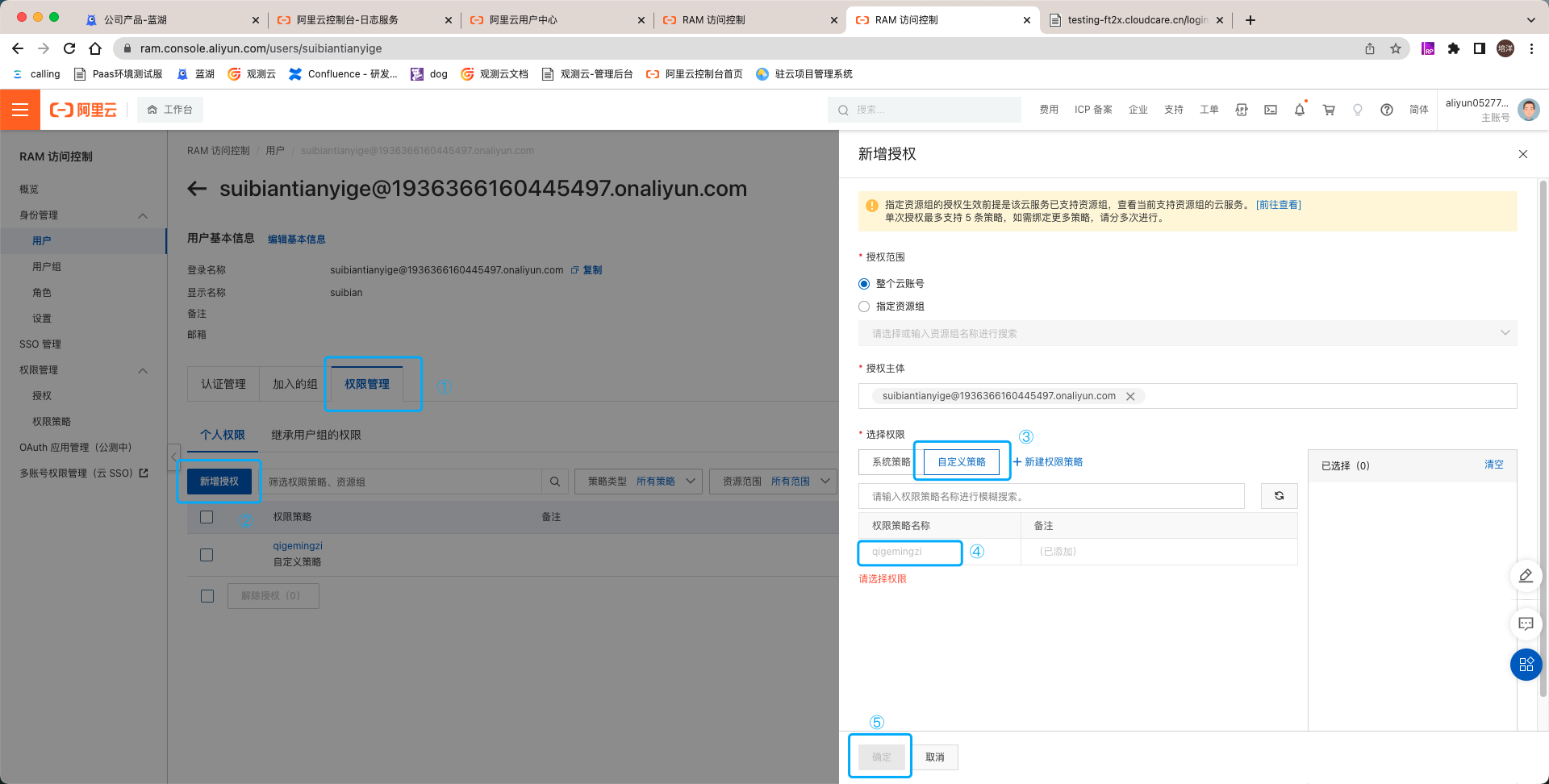
- Add this policy to the authorization.
- Enable Log Service for the Alibaba Cloud account.