SLO from Methodology to Practice: Part 3 Best Practices for Managing SLOs with Guance
In the previous part, we covered SLO tool selection. Now let's look at best practices for SLOs in Guance.
Collaboration and communication are essential to successfully implementing service level objectives. Development and operations teams need to evaluate the impact of their work against established service reliability goals in order to improve their end users' experience. Guance enables everyone in your organization to track, manage, and monitor the status of all SLOs and error budgets in one place, simplifying cross-team collaboration. Teams can visualize their SLOs alongside related services and infrastructure components on dashboards, and share the real-time status of these SLOs with any stakeholders who depend on them.
Choose the Best SLO for Each Use Case
In Guance, you can create many types of monitors and use one or more monitors to calculate the SLI. An SLI is defined as the proportion of time your service exhibits good behavior (tracked by underlying monitors in a non-alerting state).
Guance monitors
- Threshold Detection
- Log Detection
- Change Detection
- Range Detection
- Water Level Detection
- Security Check
- APM Metrics Detection
- RUM Metrics Detection
- Process Anomaly Detection
- Synthetic Testing Anomaly Detection
You can create different types of monitors to meet the needs of your SLOs.
You can create an SLO by creating a monitor based on RUM metrics detection, which uses your metrics in Guance to calculate its SLI. The SLI is defined as the number of good requests out of the total number of valid requests.
If you want to track the latency of requests to a payment endpoint, it may be more appropriate to create an SLO from an APM metrics detection monitor to track time-based data: the percentage of time the endpoint exhibits good behavior (i.e., responds fast enough) to meet your SLO target. To create this SLO, you can select a Guance threshold monitor that triggers when request latency to the payment endpoint exceeds a specific threshold.
This SLO can be expressed as: "For 99% of the time, requests should be processed faster than 0.5 seconds over a 30-day time window." Guance uses a status bar to visualize the historical and current status of monitor-based SLOs, making it easy to see how often your SLO has been breached. The error budget next to this status bar tells you how much time the monitor can spend in an alerting state before the SLO turns red.

On the other hand, if you want to track whether your payment endpoint successfully processes requests, you can define an SLO based on the metrics of an APM metrics monitor. APM metrics detection is primarily based on APM trace metrics to track how frequently requests reach the endpoint and when they succeed. This SLO uses count-based data (i.e., the number of good events compared to the total number of valid events) as its SLI. One way to address this is to use the number of HTTP responses with non-2xx status codes (which we treat as the number of anomalous events).
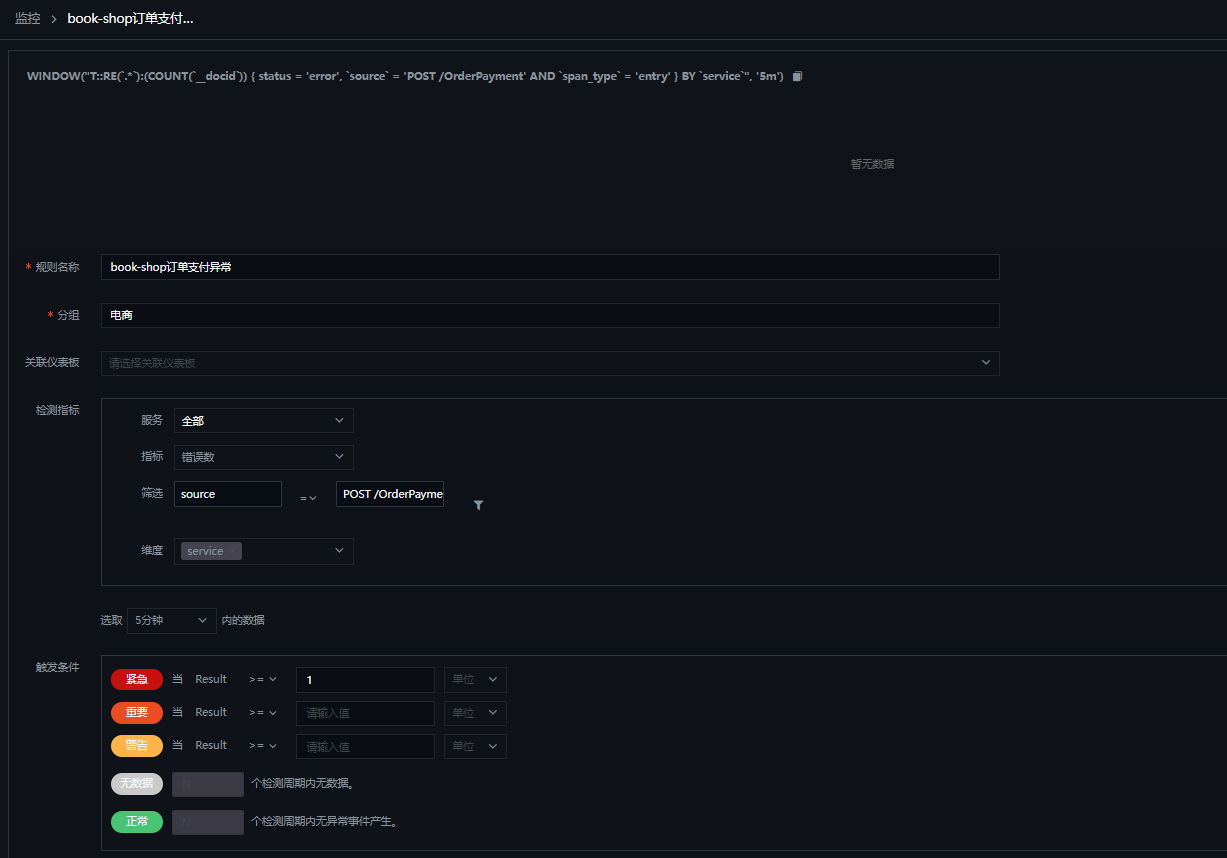
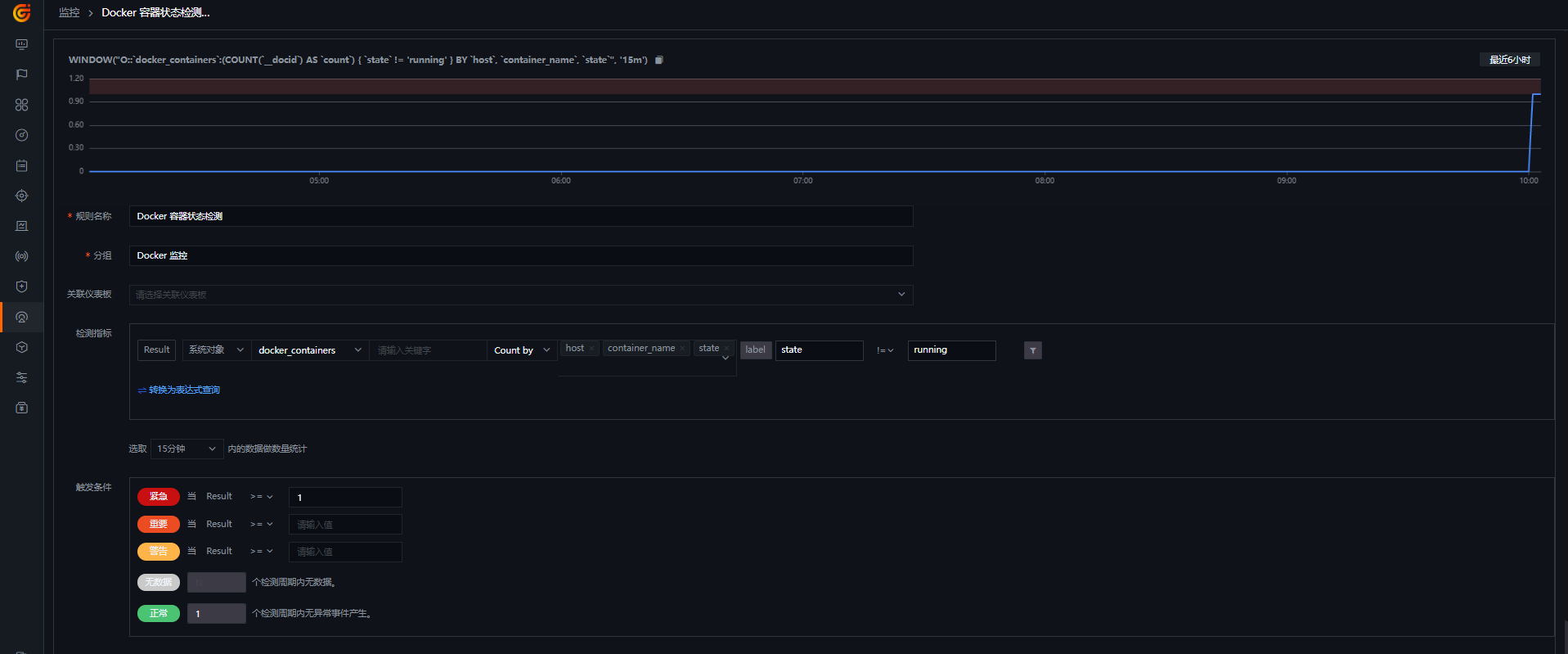
If your application is deployed on Docker and you want your application environment to provide good service—that is, an SLO for a secure container—you can also create a Docker monitor from a template and specify the corresponding monitor when setting up the SLO.
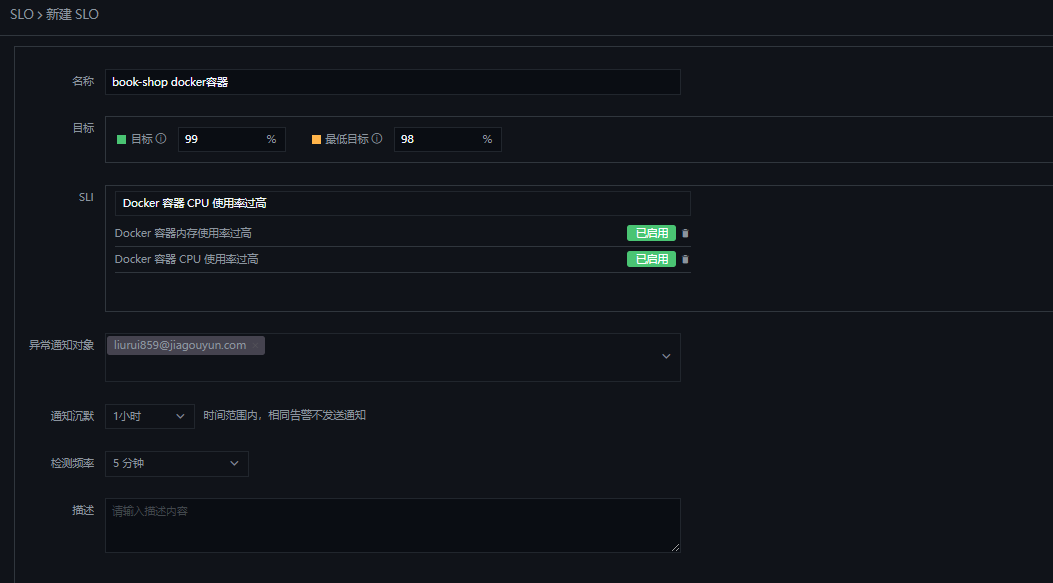
Enhance Your Dashboards with SLOs
You may already be using dashboards to visualize key performance metrics from your infrastructure and applications. You can enhance these dashboards by adding an SLO Summary widget to track the status of your SLOs over time. For more context on SLO status, we also recommend adding SLI charts that correspond to metric-based SLOs, and displaying the status of the monitors that make up monitor-based SLOs.
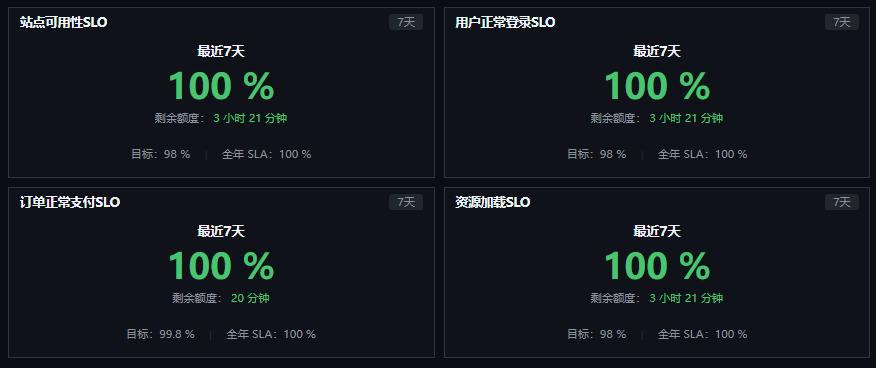
Ensure Service Reliability with Guance SLOs
In this article, we explored some useful tips to help you get the most value from service level objectives in Guance. Along with your infrastructure metrics, distributed tracing, logs, synthetic tests, and network data, SLOs help you ensure the best possible end-user experience. The built-in collaboration features in Guance make it easy not only to define SLOs, but also to share insights with stakeholders inside and outside your organization.
Check out our documentation to start defining and managing your SLOs. If you are not using Guance yet, you can start a free trial right away.