Installation Configuration Example
- Version: 1.0.7-7-g251eead
- Release Date: 2023-04-06 11:17:57
- Supported OS: windows/amd64,windows/386,linux/arm,linux/arm64,linux/386,linux/amd64
Guance supports collecting vulnerabilities and anomalies from hosts, systems, containers, networks, etc., via Scheck and reporting them to the workspace. This document provides an example of Scheck installation and configuration.
1. Install DataKit
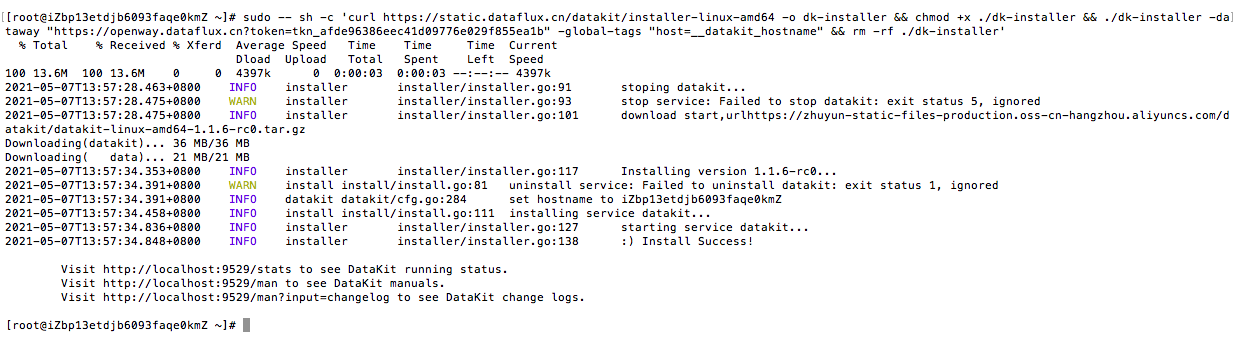
In the Guance workspace, go to Integrations > DataKit, select the DataKit installation method, obtain the Installation Command, and execute it on the host. For more details, refer to the DataKit Installation Documentation.
2. Install the Security Check Collector
Execute the following command on the host to install the Security Check collector. For more details, refer to the Scheck Installation Documentation.
Field Descriptions
| Field | Description |
|---|---|
| date | Time in microseconds |
| rule | Rule |
| host | Host name |
| category | Event category, includes: network, storage, database, system, webserver, Kubernetes |
| level | Inspection event level, supports: info, warn, critical |
| title | Title of the inspection event |
| message | Content of the inspection event |
| suggestion | Suggestion content, including description, risk, impact, audit, remediation, etc. |
3. Configure the Security Check Collector
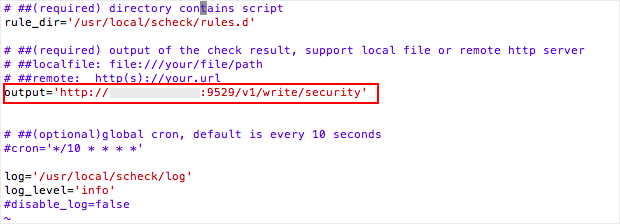
Configure the inspection results to be output to DataKit. In the /usr/local/scheck directory, edit the configuration file scheck.conf.

Confirm whether the output configuration is set by default to send data to the DataKit interface.
4. Restart the Security Check Collector
Restart both the Security Check service and DataKit by executing the commands service scheck restart and datakit --restart respectively.

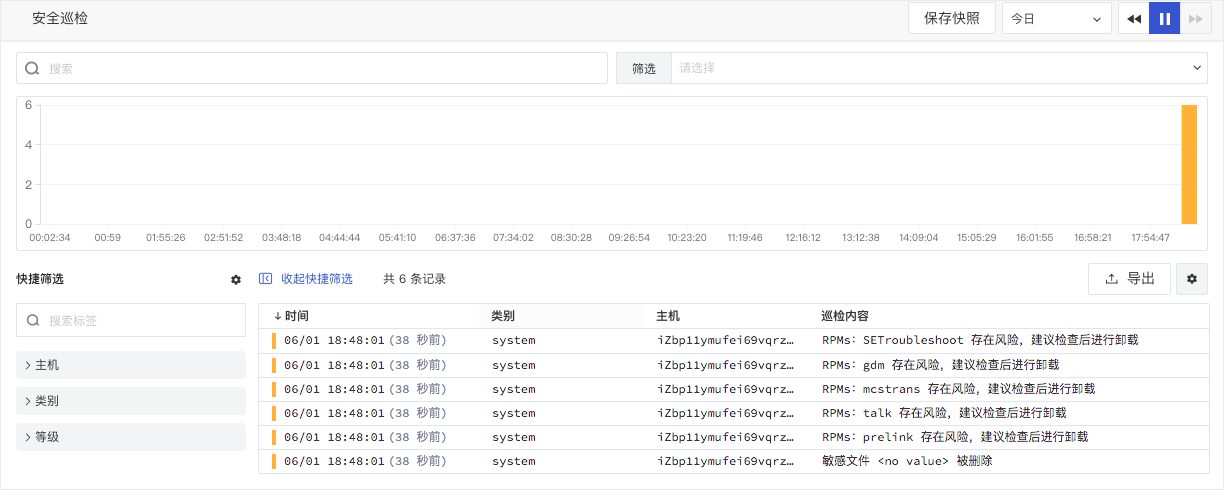
5. View Security Check Data in the Guance Workspace
After installing, configuring, and restarting the Security Check collector, you can view inspection events triggered by security scripts on the host in the Security Check section of the Guance workspace.