Service Mesh Microservices: Full Workflow from Development to Canary Release Best Practices (Part 1)
Introduction
After a company creates its own container cloud environment, to simplify the cumbersome release process, it typically uses GitLab CI or Jenkins for application deployment. At the same time, it may consider using Rancher for unified resource orchestration and management, and simplify application management through Rancher's application store. Through the application store, DataKit can be installed with one click (see the Helm installation method in the DataKit documentation), Guance providing a wealth of out-of-the-box observability features for the Kubernetes clusters managed by Rancher. This article uses the well-known Bookinfo example to explain in detail how to use Guance to achieve observability of GitLab CI, Kubernetes, and microservices.
Hypothetical Scenario
A company uses Rancher to manage two Kubernetes clusters: one for development and testing, and one for production. The company has deployed GitLab in the development/testing environment for CI/CD. The BookInfo project is an e-bookstore, a typical multi-language microservice project. A new version under development is deployed in the development/testing environment. After passing tests, a canary release is performed for BookInfo in the production environment. The observability system of the company consists of the following parts:
1.1 SRE observes the Kubernetes resource status of both environments in Guance for capacity planning and emergency handling
2.1 Developers observe the CI/CD process to understand the speed and quality of software iteration, and promptly handle failed pipelines.
2.2 SRE observes the canary release in the production environment to understand the version traffic switching status and roll back promptly to avoid impacting production users.
3.1 SRE uses Istio for distributed tracing of the entire application, views key health indicators of the application in Guance, and handles abnormal requests promptly.
3.2 Developers manage their own logs. When a health anomaly occurs, they use distributed tracing in Guance to find the log context and resolve the issue.
We will explain the entire practice in three parts.
Prerequisites
- Install Kubernetes.
- Install Rancher.
- Install GitLab.
- Install Metrics-Server component.
- Deploy Harbor registry or another image registry.
- Deploy Istio, and be familiar with Best Practices for Microservice Observability Based on Istio.
- Configure GitLab Runner, and be familiar with GitLab-CI Observability Best Practices.
Deployment Steps
Step 1: Install DataKit Using Rancher
1.1 Deploy DataKit
1.1.1 Download the Deployment File
Log in to 'Guance', click the 'Integration' module, then click 'DataKit' in the upper left corner, select 'Kubernetes', and download datakit.yaml.
1.1.2 Configure the Token
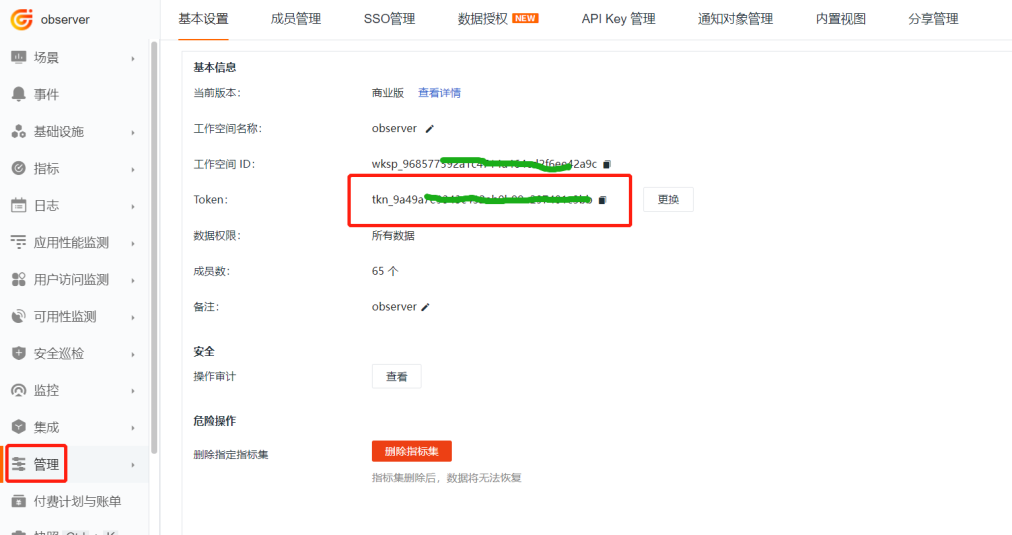
Log in to 'Guance', go to the 'Management' module, find the token in the image below, and replace the
1.1.3 Set Global Tags
Add cluster_name_k8s=k8s-istio at the end of the value of the ENV_GLOBAL_HOST_TAGS environment variable in the datakit.yaml file, where k8s-istio is your cluster name. This step sets the global tag for the cluster.
        - name: ENV_GLOBAL_HOST_TAGS
          value: host=__datakit_hostname,host_ip=__datakit_ip,cluster_name_k8s=k8s-istio
1.1.4 Set the Namespace
To distinguish different clusters during DataKit election, set the ENV_NAMESPACE environment variable. The values for different clusters must not be the same. Add the following content to the environment variables section in the datakit.yaml file.
1.1.5 Enable Inputs
Enable the ddtrace and statsd inputs. In the datakit.yaml file, find the ENV_DEFAULT_ENABLED_INPUTS environment variable and add statsd,ddtrace at the end.
        - name: ENV_DEFAULT_ENABLED_INPUTS
          value: cpu,disk,diskio,mem,swap,system,hostobject,net,host_processes,container,statsd,ddtrace
1.1.6 Deploy DataKit
Log in to 'Rancher', under the 'Browse Cluster' tab, select the 'k8s-solution-cluster' cluster, open datakit.yaml, and create resources one by one in the corresponding menus of the k8s-solution-cluster cluster according to the resource file content.
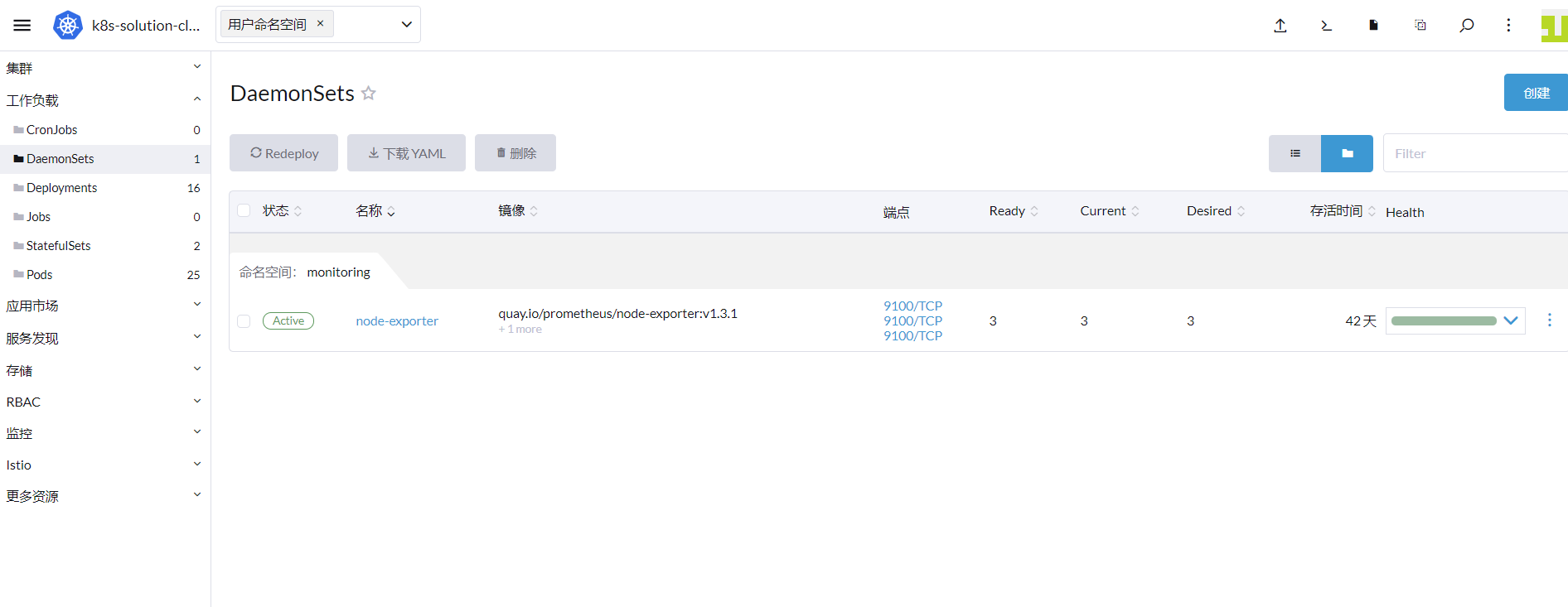
'Note': To quickly proceed with the next steps, this operation will merge the ConfigMap and then deploy DataKit directly using the kubectl command.
1.2 Create a ConfigMap
To enable the container input and the zipkin input, you need to define container.conf and zipkin.conf first.
apiVersion: v1
kind: ConfigMap
metadata:
  name: datakit-conf
  namespace: datakit
data:
    #### container
    container.conf: |-
      [inputs.container]
        docker_endpoint = "unix:///var/run/docker.sock"
        containerd_address = "/var/run/containerd/containerd.sock"

        enable_container_metric = true
        enable_k8s_metric = true
        enable_pod_metric = true

        ## Containers logs to include and exclude, default collect all containers. Globs accepted.
        container_include_log = []
        container_exclude_log = ["image:pubrepo.guance.com/datakit/logfwd*", "image:pubrepo.guance.com/datakit/datakit*"]

        exclude_pause_container = true

        ## Removes ANSI escape codes from text strings
        logging_remove_ansi_escape_codes = false

        kubernetes_url = "https://kubernetes.default:443"

        ## Authorization level:
        ##   bearer_token -> bearer_token_string -> TLS
        ## Use bearer token for authorization. ('bearer_token' takes priority)
        ## linux at:   /run/secrets/kubernetes.io/serviceaccount/token
        ## windows at: C:\var\run\secrets\kubernetes.io\serviceaccount\token
        bearer_token = "/run/secrets/kubernetes.io/serviceaccount/token"
        # bearer_token_string = "<your-token-string>"

        [inputs.container.tags]
          # some_tag = "some_value"
          # more_tag = "some_other_value"

    #### zipkin
    zipkin.conf: |-
        [[inputs.zipkin]]
          pathV1 = "/api/v1/spans"
          pathV2 = "/api/v2/spans"
[inputs.container] parameter description
- container_include_metric: Container metrics to collect.
- container_exclude_metric: Container metrics not to collect.
- container_include_log: Container logs to collect.
- container_exclude_log: Container logs not to collect.
- exclude_pause_container: true excludes pause containers.
container_includeandcontainer_excludemust start withimage, in the format"image:<glob规则>", indicating that the glob rule applies to container image names.- Glob rules are a lightweight form of regular expression, supporting basic matching units such as
*and?.
Then log in to 'Rancher', under the 'Browse Cluster' tab, select the 'k8s-solution-cluster' cluster, go to 'More Resources' -> 'Core' -> 'ConfigMaps', and create the ConfigMap defined above in YAML format.

Finally, associate DataKit with the ConfigMap. In the 'k8s-solution-cluster' cluster, go to 'Workloads' -> 'DaemonSets', find DataKit, select 'Edit YAML' on the right, add the following content, and click 'Save'.
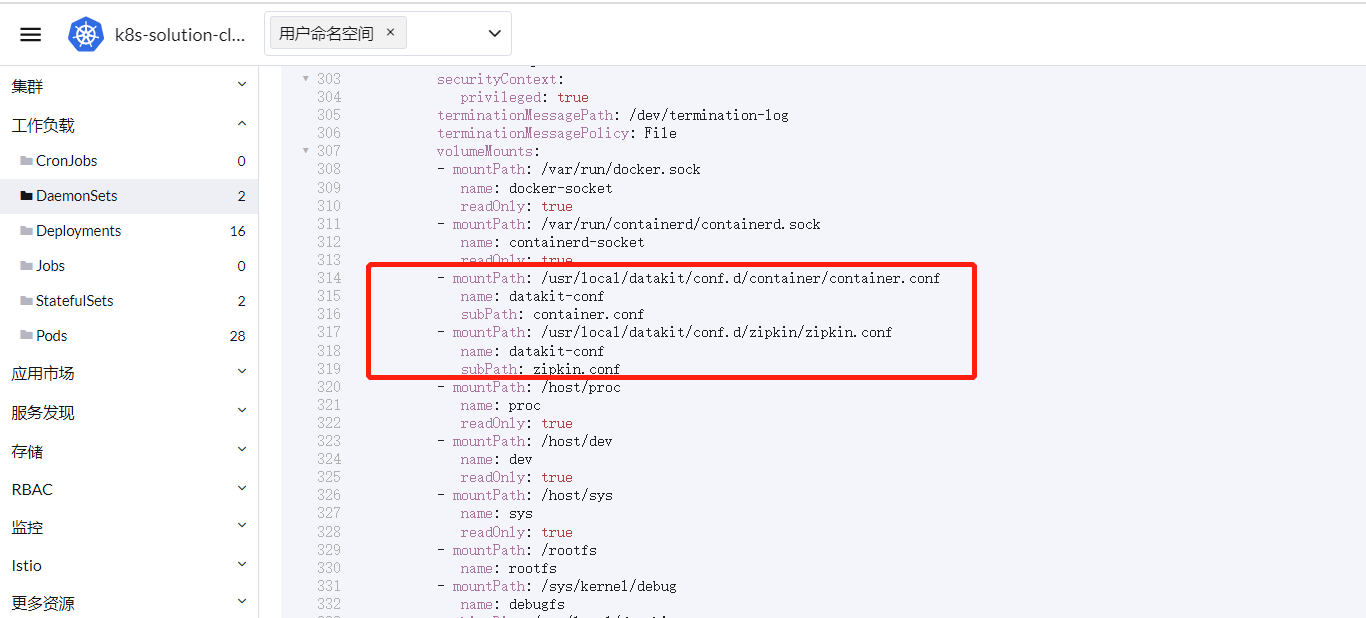
        - mountPath: /usr/local/datakit/conf.d/container/container.conf
          name: datakit-conf
          subPath: container.conf
        - mountPath: /usr/local/datakit/conf.d/zipkin/zipkin.conf
          name: datakit-conf
          subPath: zipkin.conf
If you are creating DataKit using the kubectl command, add the content defined in the ConfigMap to the end of the datakit.yaml file, and then add the above configuration under volumeMounts.
'Note': Use --- as a separator.
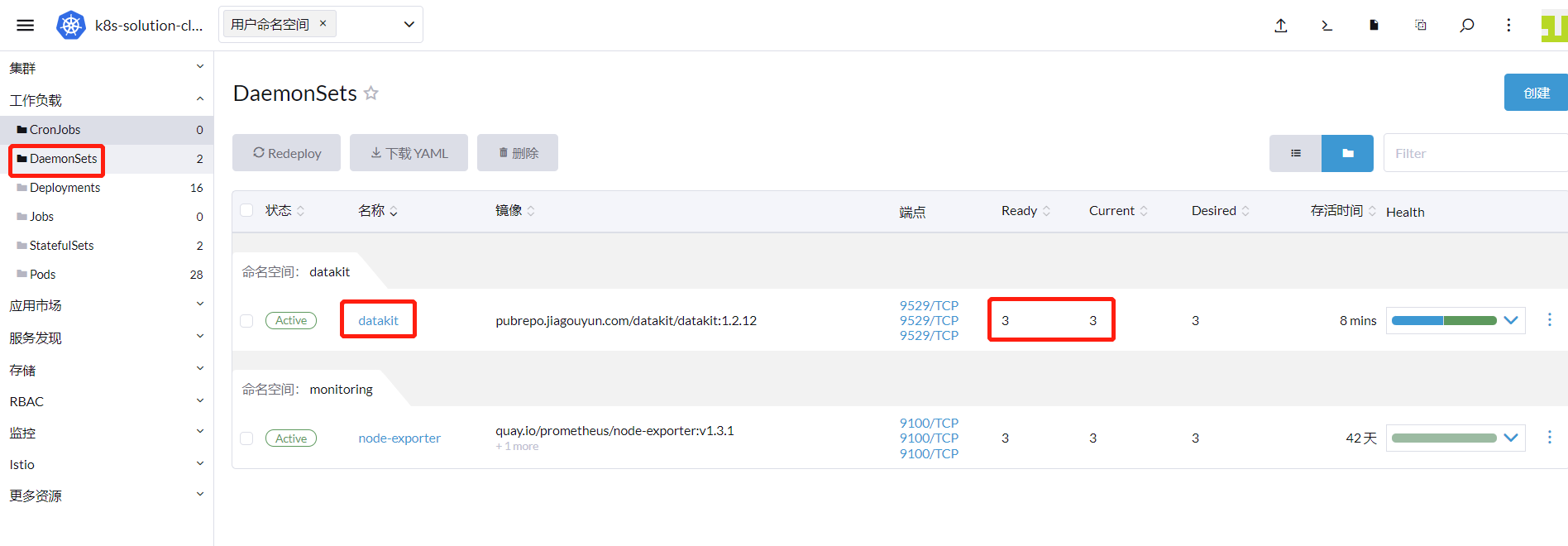
1.3 Check DataKit Running Status
After DataKit is deployed successfully, you can see the running status as shown below.
Step 2: Map the DataKit Service
When using Istio to report trace data, the trace data is sent to the zipkin.istio-system Service on port 9411. Since the DataKit service namespace is datakit and the port is 9529, a conversion is needed here. For details, refer to Mapping DataKit Service Using ExternalName in Kubernetes Clusters.
Step 3: Configure DataKit with DataFlux Function
When deploying microservices using GitLab CI, to collect GitLab execution data, you need to deploy DataFlux Function and configure DataKit. For detailed steps, refer to GitLab-CI Observability Best Practices.
Step 4: Deploy Bookinfo
2.1 Download the Source Code
Download istio-1.13.2.zip. All deployment files used later come from this archive. For convenience, we will use the kubectl command instead of the Rancher graphical interface to create resources.
2.2 Enable RUM
To observe the website call information, you need to enable frontend data collection. Log in to 'Guance', go to 'Real User Monitoring (RUM)', create a new application devops-bookinfo, and copy the JS snippet below.
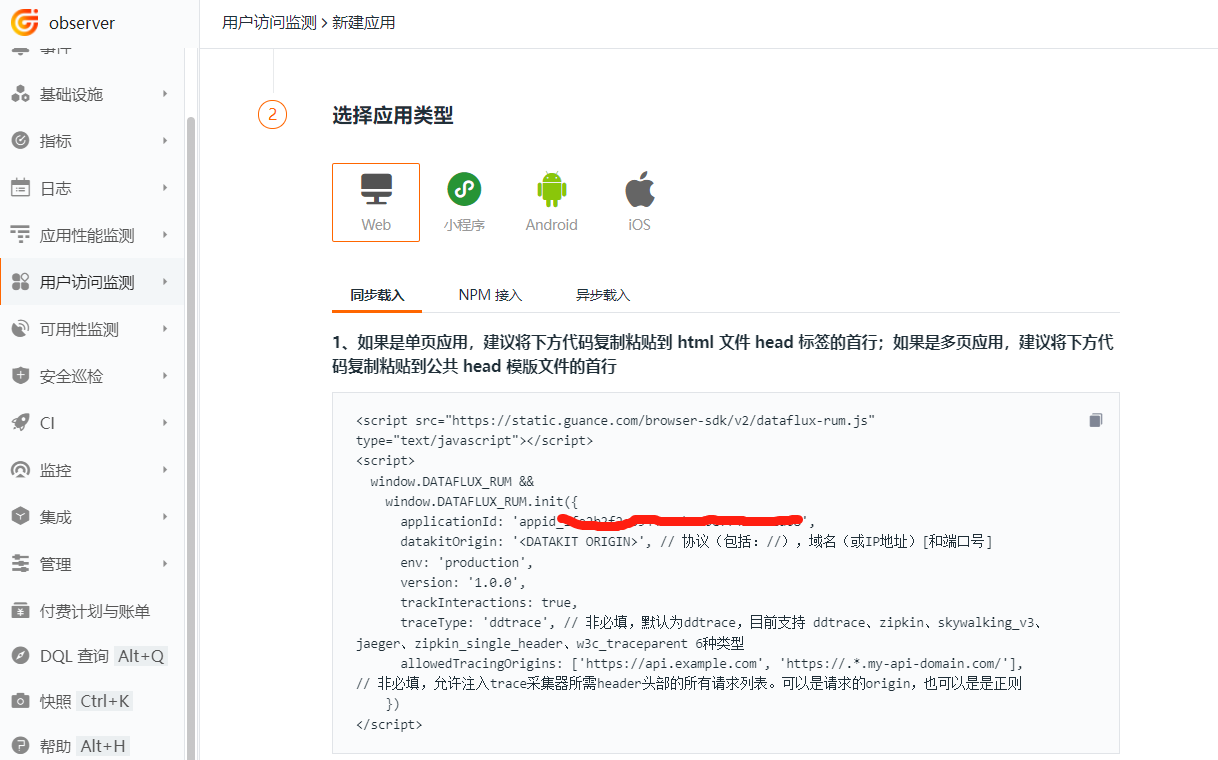
The above JS needs to be placed where all pages of the productpage project can access it. In this project, copy the JS snippet above into the file istio-1.13.2\samples\bookinfo\src\productpage\templates\productpage.html. 'Note': For the DataKit address for RUM data reporting, refer to Best Practices for Reporting RUM Data to DataKit Cluster.
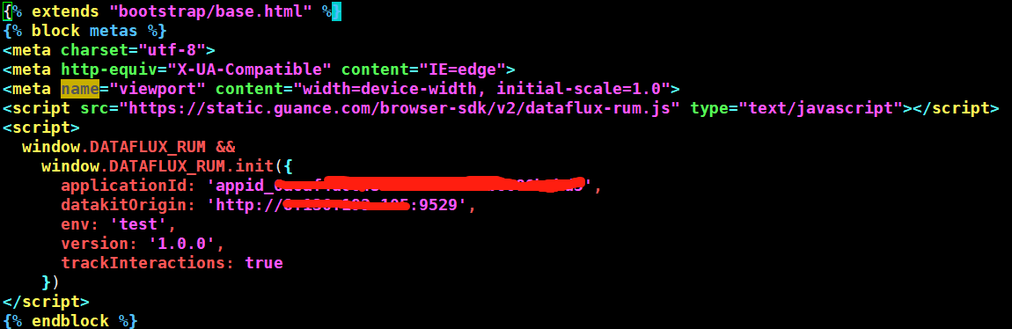
Then rebuild the productpage image and push it to the image registry.
cd istio-1.13.2\samples\bookinfo\src\productpage
docker build -t 172.16.0.238/df-demo/product-page:v1  .
docker push 172.16.0.238/df-demo/product-page:v1
2.3 Enable Sidecar Injection
Create a new namespace called prod and enable automatic sidecar injection for Pods created in this namespace, so that all inbound and outbound traffic of the Pods is handled by the sidecar.
2.4 Deploy productpage, details, and ratings
In the file istio-1.13.2\samples\bookinfo\platform\kube\bookinfo.yaml, remove the part related to the reviews microservice deployment. Deploy both the Service and Deployment to the prod namespace, and add annotations to all Deployment controller Pod templates to enable custom Pod collection. Modify the productpage image to the one created in the previous step. The complete file is as follows:
# Copyright Istio Authors
#
#   Licensed under the Apache License, Version 2.0 (the "License");
#   you may not use this file except in compliance with the License.
#   You may obtain a copy of the License at
#
#       http://www.apache.org/licenses/LICENSE-2.0
#
#   Unless required by applicable law or agreed to in writing, software
#   distributed under the License is distributed on an "AS IS" BASIS,
#   WITHOUT WARRANTIES OR CONDITIONS OF ANY KIND, either express or implied.
#   See the License for the specific language governing permissions and
#   limitations under the License.

##################################################################################################
# This file defines the services, service accounts, and deployments for the Bookinfo sample.
#
# To apply all 4 Bookinfo services, their corresponding service accounts, and deployments:
#
#   kubectl apply -f samples/bookinfo/platform/kube/bookinfo.yaml
#
# Alternatively, you can deploy any resource separately:
#
#   kubectl apply -f samples/bookinfo/platform/kube/bookinfo.yaml -l service=reviews # reviews Service
#   kubectl apply -f samples/bookinfo/platform/kube/bookinfo.yaml -l account=reviews # reviews ServiceAccount
#   kubectl apply -f samples/bookinfo/platform/kube/bookinfo.yaml -l app=reviews,version=v3 # reviews-v3 Deployment
##################################################################################################

##################################################################################################
# Details service
##################################################################################################
apiVersion: v1
kind: Service
metadata:
  name: details
  namespace: prod
  labels:
    app: details
    service: details
spec:
  ports:
  - port: 9080
    name: http
  selector:
    app: details
---
apiVersion: v1
kind: ServiceAccount
metadata:
  name: bookinfo-details
  namespace: prod
  labels:
    account: details
---
apiVersion: apps/v1
kind: Deployment
metadata:
  name: details-v1
  namespace: prod
  labels:
    app: details
    version: v1
spec:
  replicas: 1
  selector:
    matchLabels:
      app: details
      version: v1
  template:
    metadata:
      labels:
        app: details
        version: v1
      annotations:
        datakit/prom.instances: |
          [[inputs.prom]]
            url = "http://$IP:15020/stats/prometheus"
            source = "bookinfo-istio-details"
            metric_types = ["counter", "gauge"]
            interval = "60s"
            tags_ignore = ["cache","cluster_type","component","destination_app","destination_canonical_revision","destination_canonical_service","destination_cluster","destination_principal","group","grpc_code","grpc_method","grpc_service","grpc_type","reason","request_protocol","request_type","resource","responce_code_class","response_flags","source_app","source_canonical_revision","source_canonical-service","source_cluster","source_principal","source_version","wasm_filter"]
            #measurement_prefix = ""
            metric_name_filter = ["istio_requests_total","pilot_k8s_cfg_events","istio_build","process_virtual_memory_bytes","process_resident_memory_bytes","process_cpu_seconds_total","envoy_cluster_assignment_stale","go_goroutines","pilot_xds_pushes","pilot_proxy_convergence_time_bucket","citadel_server_root_cert_expiry_timestamp","pilot_conflict_inbound_listener","pilot_conflict_outbound_listener_http_over_current_tcp","pilot_conflict_outbound_listener_tcp_over_current_tcp","pilot_conflict_outbound_listener_tcp_over_current_http","pilot_virt_services","galley_validation_failed","pilot_services","envoy_cluster_upstream_cx_total","envoy_cluster_upstream_cx_connect_fail","envoy_cluster_upstream_cx_active","envoy_cluster_upstream_cx_rx_bytes_total","envoy_cluster_upstream_cx_tx_bytes_total","istio_request_duration_milliseconds_bucket","istio_request_duration_seconds_bucket","istio_request_bytes_bucket","istio_response_bytes_bucket"]
            measurement_name = "istio_prom"
            #[[inputs.prom.measurements]]
            # prefix = "cpu_"
            # name = "cpu"
            [inputs.prom.tags]
            namespace = "$NAMESPACE"
    spec:
      serviceAccountName: bookinfo-details
      containers:
      - name: details
        image: docker.io/istio/examples-bookinfo-details-v1:1.16.2
        imagePullPolicy: IfNotPresent
        ports:
        - containerPort: 9080
        securityContext:
          runAsUser: 1000
---
##################################################################################################
# Ratings service
##################################################################################################
apiVersion: v1
kind: Service
metadata:
  name: ratings
  namespace: prod
  labels:
    app: ratings
    service: ratings
spec:
  ports:
  - port: 9080
    name: http
  selector:
    app: ratings
---
apiVersion: v1
kind: ServiceAccount
metadata:
  name: bookinfo-ratings
  namespace: prod
  labels:
    account: ratings
---
apiVersion: apps/v1
kind: Deployment
metadata:
  name: ratings-v1
  namespace: prod
  labels:
    app: ratings
    version: v1
spec:
  replicas: 1
  selector:
    matchLabels:
      app: ratings
      version: v1
  template:
    metadata:
      labels:
        app: ratings
        version: v1
      annotations:
        datakit/prom.instances: |
          [[inputs.prom]]
            url = "http://$IP:15020/stats/prometheus"
            source = "bookinfo-istio-ratings"
            metric_types = ["counter", "gauge"]
            interval = "60s"
            tags_ignore = ["cache","cluster_type","component","destination_app","destination_canonical_revision","destination_canonical_service","destination_cluster","destination_principal","group","grpc_code","grpc_method","grpc_service","grpc_type","reason","request_protocol","request_type","resource","responce_code_class","response_flags","source_app","source_canonical_revision","source_canonical-service","source_cluster","source_principal","source_version","wasm_filter"]
            #measurement_prefix = ""
            metric_name_filter = ["istio_requests_total","pilot_k8s_cfg_events","istio_build","process_virtual_memory_bytes","process_resident_memory_bytes","process_cpu_seconds_total","envoy_cluster_assignment_stale","go_goroutines","pilot_xds_pushes","pilot_proxy_convergence_time_bucket","citadel_server_root_cert_expiry_timestamp","pilot_conflict_inbound_listener","pilot_conflict_outbound_listener_http_over_current_tcp","pilot_conflict_outbound_listener_tcp_over_current_tcp","pilot_conflict_outbound_listener_tcp_over_current_http","pilot_virt_services","galley_validation_failed","pilot_services","envoy_cluster_upstream_cx_total","envoy_cluster_upstream_cx_connect_fail","envoy_cluster_upstream_cx_active","envoy_cluster_upstream_cx_rx_bytes_total","envoy_cluster_upstream_cx_tx_bytes_total","istio_request_duration_milliseconds_bucket","istio_request_duration_seconds_bucket","istio_request_bytes_bucket","istio_response_bytes_bucket"]
            measurement_name = "istio_prom"
            #[[inputs.prom.measurements]]
            # prefix = "cpu_"
            # name = "cpu"
            [inputs.prom.tags]
            namespace = "$NAMESPACE"
    spec:
      serviceAccountName: bookinfo-ratings
      containers:
      - name: ratings
        image: docker.io/istio/examples-bookinfo-ratings-v1:1.16.2
        imagePullPolicy: IfNotPresent
        ports:
        - containerPort: 9080
        securityContext:
          runAsUser: 1000
---
##################################################################################################
# Productpage services
##################################################################################################
apiVersion: v1
kind: Service
metadata:
  name: productpage
  namespace: prod
  labels:
    app: productpage
    service: productpage
spec:
  ports:
  - port: 9080
    name: http
  selector:
    app: productpage
---
apiVersion: v1
kind: ServiceAccount
metadata:
  name: bookinfo-productpage
  namespace: prod
  labels:
    account: productpage
---
apiVersion: apps/v1
kind: Deployment
metadata:
  name: productpage-v1
  namespace: prod
  labels:
    app: productpage
    version: v1
spec:
  replicas: 1
  selector:
    matchLabels:
      app: productpage
      version: v1
  template:
    metadata:
      labels:
        app: productpage
        version: v1
      annotations:
        datakit/prom.instances: |
          [[inputs.prom]]
            url = "http://$IP:15020/stats/prometheus"
            source = "bookinfo-istio-product"
            metric_types = ["counter", "gauge"]
            interval = "60s"
            tags_ignore = ["cache","cluster_type","component","destination_app","destination_canonical_revision","destination_canonical_service","destination_cluster","destination_principal","group","grpc_code","grpc_method","grpc_service","grpc_type","reason","request_protocol","request_type","resource","responce_code_class","response_flags","source_app","source_canonical_revision","source_canonical-service","source_cluster","source_principal","source_version","wasm_filter"]
            metric_name_filter = ["istio_requests_total","pilot_k8s_cfg_events","istio_build","process_virtual_memory_bytes","process_resident_memory_bytes","process_cpu_seconds_total","envoy_cluster_assignment_stale","go_goroutines","pilot_xds_pushes","pilot_proxy_convergence_time_bucket","citadel_server_root_cert_expiry_timestamp","pilot_conflict_inbound_listener","pilot_conflict_outbound_listener_http_over_current_tcp","pilot_conflict_outbound_listener_tcp_over_current_tcp","pilot_conflict_outbound_listener_tcp_over_current_http","pilot_virt_services","galley_validation_failed","pilot_services","envoy_cluster_upstream_cx_total","envoy_cluster_upstream_cx_connect_fail","envoy_cluster_upstream_cx_active","envoy_cluster_upstream_cx_rx_bytes_total","envoy_cluster_upstream_cx_tx_bytes_total","istio_request_duration_milliseconds_bucket","istio_request_duration_seconds_bucket","istio_request_bytes_bucket","istio_response_bytes_bucket"]
            #measurement_prefix = ""
            measurement_name = "istio_prom"
            #[[inputs.prom.measurements]]
            # prefix = "cpu_"
            # name = "cpu"
            [inputs.prom.tags]
            namespace = "$NAMESPACE"
    spec:
      serviceAccountName: bookinfo-productpage
      containers:
      - name: productpage
        #image: docker.io/istio/examples-bookinfo-productpage-v1:1.16.2
        image: 172.16.0.238/df-demo/product-page:v1
        imagePullPolicy: IfNotPresent
        ports:
        - containerPort: 9080
        volumeMounts:
        - name: tmp
          mountPath: /tmp
        securityContext:
          runAsUser: 1000
      volumes:
      - name: tmp
        emptyDir: {}
---
2.5 Create Gateway Resource and Virtual Service
Modify the istio-1.13.2\samples\bookinfo\networking\bookinfo-gateway.yaml file to add the prod namespace.
apiVersion: networking.istio.io/v1alpha3
kind: Gateway
metadata:
  name: bookinfo-gateway
  namespace: prod
spec:
  selector:
    istio: ingressgateway # use istio default controller
  servers:
  - port:
      number: 80
      name: http
      protocol: HTTP
    hosts:
    - "*"
---
apiVersion: networking.istio.io/v1alpha3
kind: VirtualService
metadata:
  name: bookinfo
  namespace: prod
spec:
  hosts:
  - "*"
  gateways:
  - bookinfo-gateway
  http:
  - match:
    - uri:
        exact: /productpage
    - uri:
        prefix: /static
    - uri:
        exact: /login
    - uri:
        exact: /logout
    - uri:
        prefix: /api/v1/products
    route:
    - destination:
        host: productpage
        port:
          number: 9080
2.6 Access productpage
Check the externally exposed port of the ingress gateway.

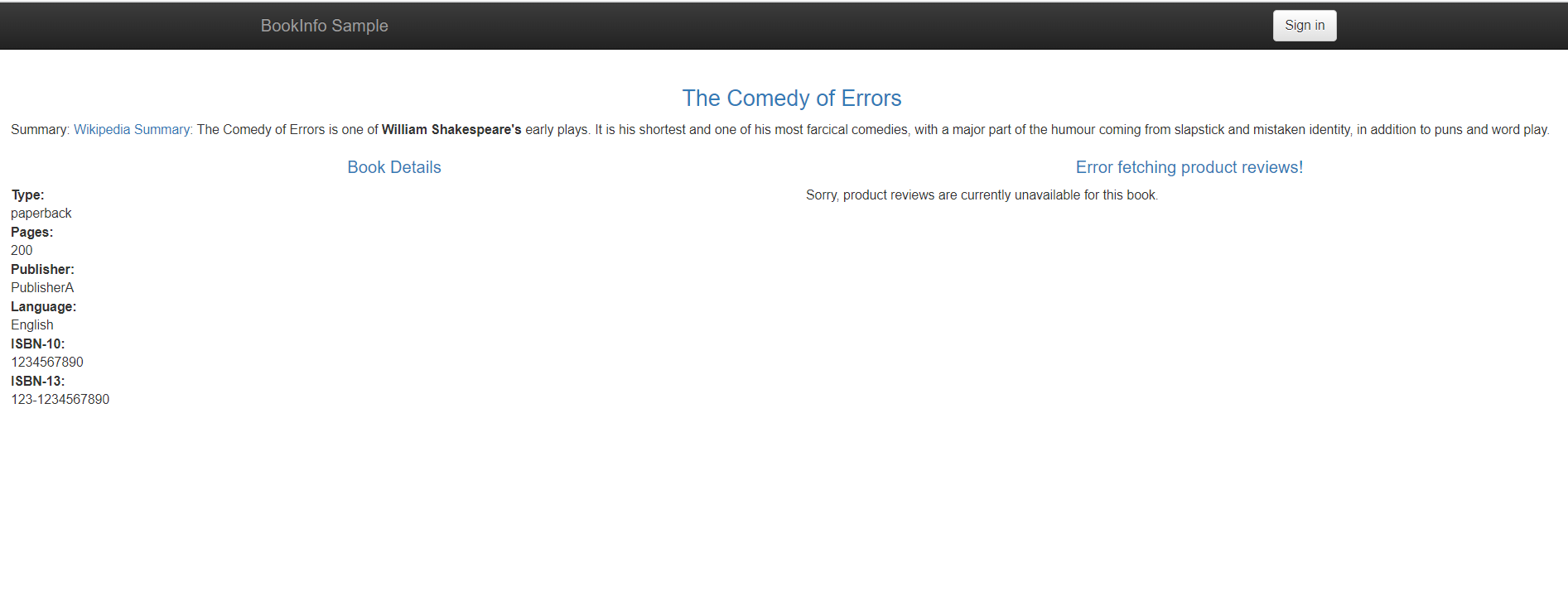
According to the virtual service rule, access http://8.136.193.105:32156/productpage in the browser to visit productpage. Since the reviews service is not deployed yet, you will see a prompt: Sorry, product reviews are currently unavailable for this book.
Step 5: Automated Deployment
5.1 Create a GitLab Project
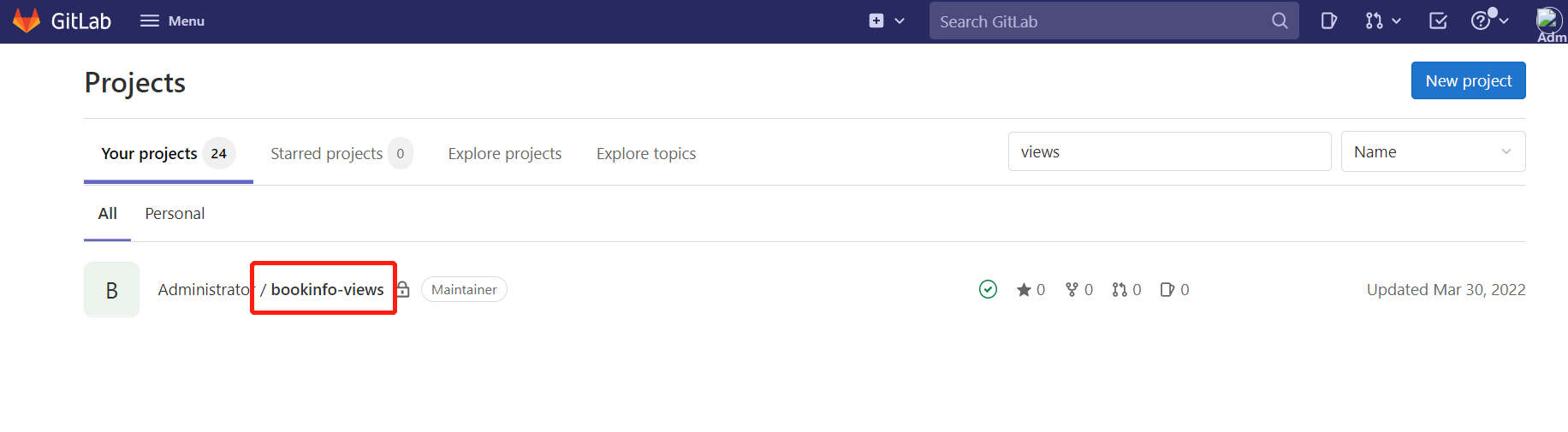
Log in to GitLab and create the bookinfo-views project.
5.2 Connect GitLab with DataKit
Refer to the GitLab integration documentation to connect GitLab and DataKit. Here we only configure GitLab CI.
Log in to 'GitLab', go to 'bookinfo-views' -> 'Settings' -> 'Webhooks', enter the DataKit host IP and DataKit port 9529 in the URL, plus /v1/gitlab. As shown below.
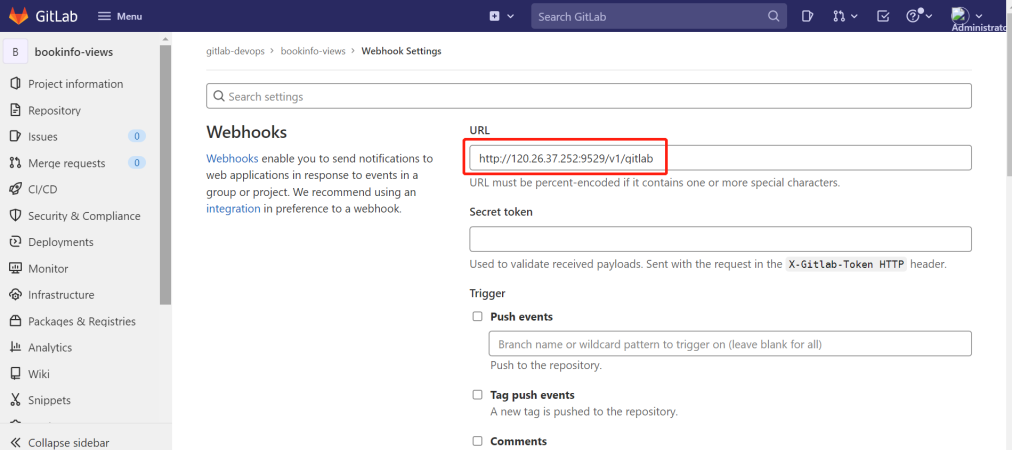
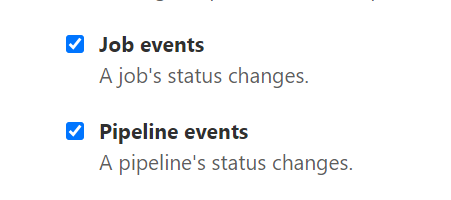
Select Job events and Pipeline events, then click Add webhook.
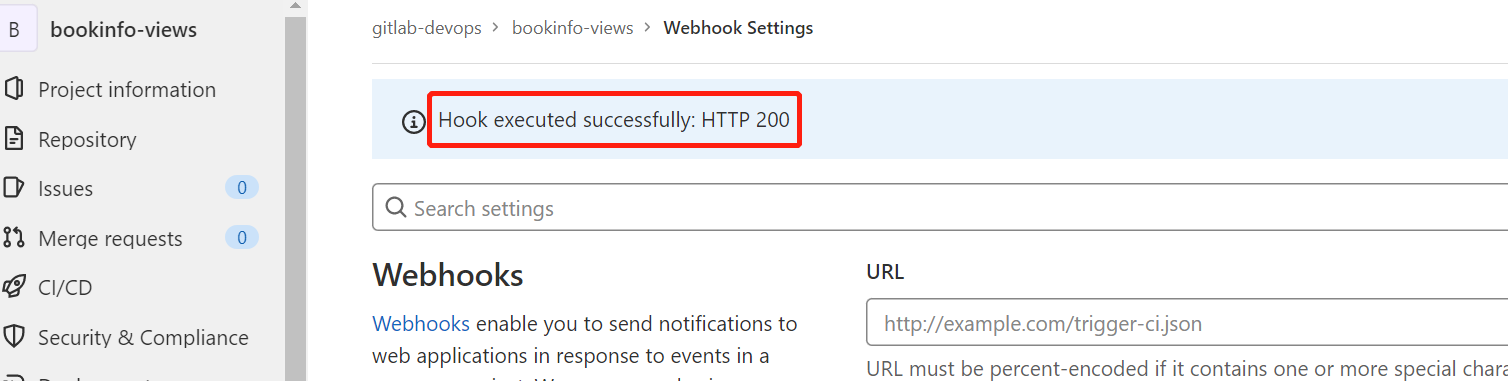
Click Test on the right of the Webhook just created, select Pipeline events. If you see HTTP 200 as shown below, the configuration is successful.
5.3 Configure GitLab CI for the Reviews Microservice
Log in to 'GitLab', go to 'bookinfo-views', create the deployment.yaml and .gitlab-ci.yml files in the root directory. The annotations define project, env, and version tags to distinguish different projects and versions.
apiVersion: v1
kind: Service
metadata:
  name: reviews
  namespace: prod
  labels:
    app: reviews
    service: reviews
spec:
  ports:
  - port: 9080
    name: http
  selector:
    app: reviews
---
apiVersion: v1
kind: ServiceAccount
metadata:
  name: bookinfo-reviews
  namespace: prod
  labels:
    account: reviews
---
apiVersion: apps/v1
kind: Deployment
metadata:
  name: reviews-__version__
  namespace: prod
  labels:
    app: reviews
    version: __version__
spec:
  replicas: 1
  selector:
    matchLabels:
      app: reviews
      version: __version__
  template:
    metadata:
      labels:
        app: reviews
        version: __version__
      annotations:
        datakit/prom.instances: |
          [[inputs.prom]]
            url = "http://$IP:15020/stats/prometheus"
            source = "bookinfo-istio-review"
            metric_types = ["counter", "gauge"]
            interval = "60s"
            tags_ignore = ["cache","cluster_type","component","destination_app","destination_canonical_revision","destination_canonical_service","destination_cluster","destination_principal","group","grpc_code","grpc_method","grpc_service","grpc_type","reason","request_protocol","request_type","resource","responce_code_class","response_flags","source_app","source_canonical_revision","source_canonical-service","source_cluster","source_principal","source_version","wasm_filter"]
            metric_name_filter = ["istio_requests_total","pilot_k8s_cfg_events","istio_build","process_virtual_memory_bytes","process_resident_memory_bytes","process_cpu_seconds_total","envoy_cluster_assignment_stale","go_goroutines","pilot_xds_pushes","pilot_proxy_convergence_time_bucket","citadel_server_root_cert_expiry_timestamp","pilot_conflict_inbound_listener","pilot_conflict_outbound_listener_http_over_current_tcp","pilot_conflict_outbound_listener_tcp_over_current_tcp","pilot_conflict_outbound_listener_tcp_over_current_http","pilot_virt_services","galley_validation_failed","pilot_services","envoy_cluster_upstream_cx_total","envoy_cluster_upstream_cx_connect_fail","envoy_cluster_upstream_cx_active","envoy_cluster_upstream_cx_rx_bytes_total","envoy_cluster_upstream_cx_tx_bytes_total","istio_request_duration_milliseconds_bucket","istio_request_duration_seconds_bucket","istio_request_bytes_bucket","istio_response_bytes_bucket"]
            #measurement_prefix = ""
            measurement_name = "istio_prom"
            #[[inputs.prom.measurements]]
            # prefix = "cpu_"
            # name = "cpu"
            [inputs.prom.tags]
            namespace = "$NAMESPACE"
        proxy.istio.io/config: |
          tracing:
            zipkin:
              address: zipkin.istio-system:9411
            custom_tags:
              project:
                literal:
                  value: "reviews"
              version:
                literal:
                  value: __version__
              env:
                literal:
                  value: "test"
    spec:
      serviceAccountName: bookinfo-reviews
      containers:
      - name: reviews
        image: docker.io/istio/examples-bookinfo-reviews-__version__:1.16.2
        imagePullPolicy: IfNotPresent
        env:
        - name: LOG_DIR
          value: "/tmp/logs"
        ports:
        - containerPort: 9080
        volumeMounts:
        - name: tmp
          mountPath: /tmp
        - name: wlp-output
          mountPath: /opt/ibm/wlp/output
        securityContext:
          runAsUser: 1000
      volumes:
      - name: wlp-output
        emptyDir: {}
      - name: tmp
        emptyDir: {}
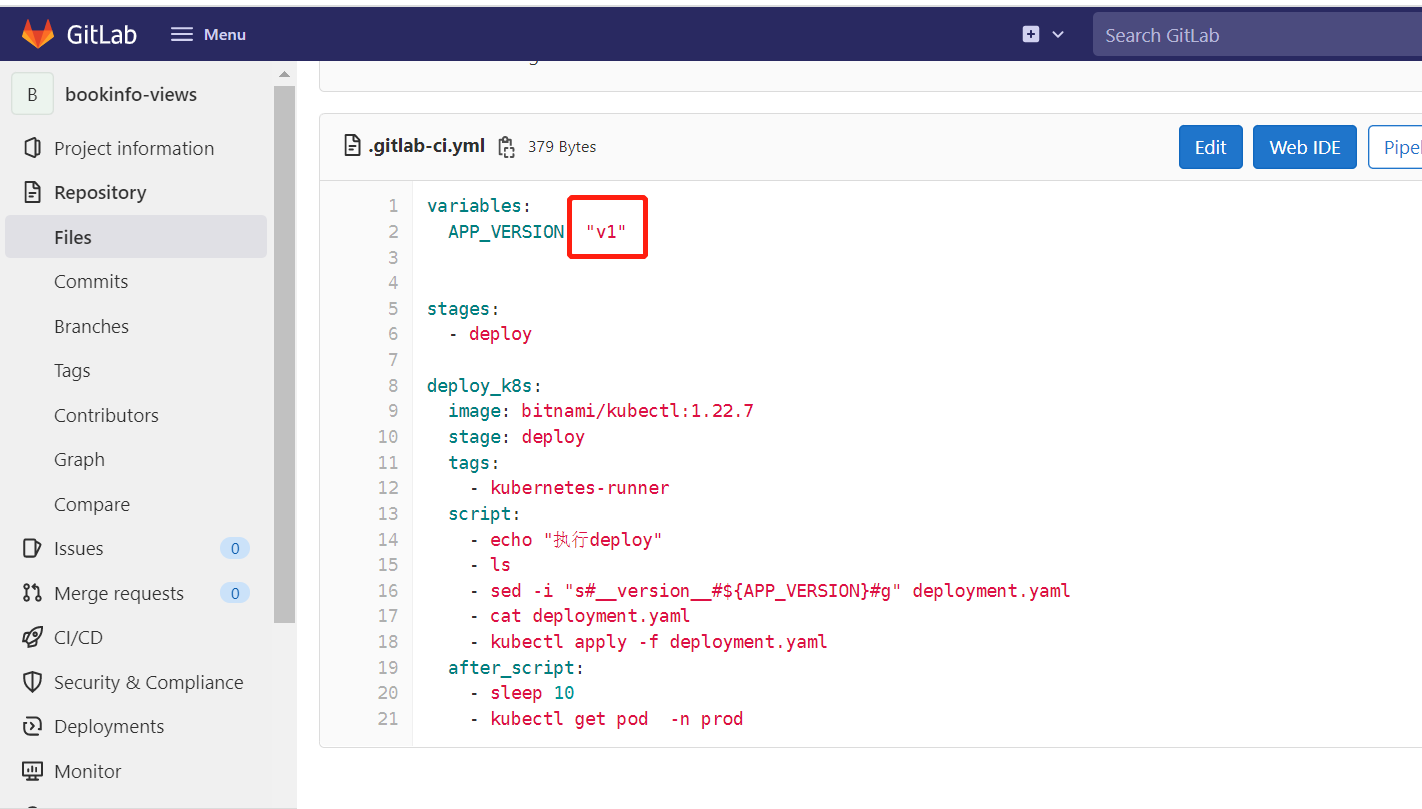
variables:
  APP_VERSION: "v1"

stages:
  - deploy

deploy_k8s:
  image: bitnami/kubectl:1.22.7
  stage: deploy
  tags:
    - kubernetes-runner
  script:
    - echo "Executing deploy"
    - ls
    - sed -i "s#__version__#${APP_VERSION}#g" deployment.yaml
    - cat deployment.yaml
    - kubectl apply -f deployment.yaml
  after_script:
    - sleep 10
    - kubectl get pod  -n prod
Step 6: GitLab CI Observability
6.1 Release the Reviews Microservice
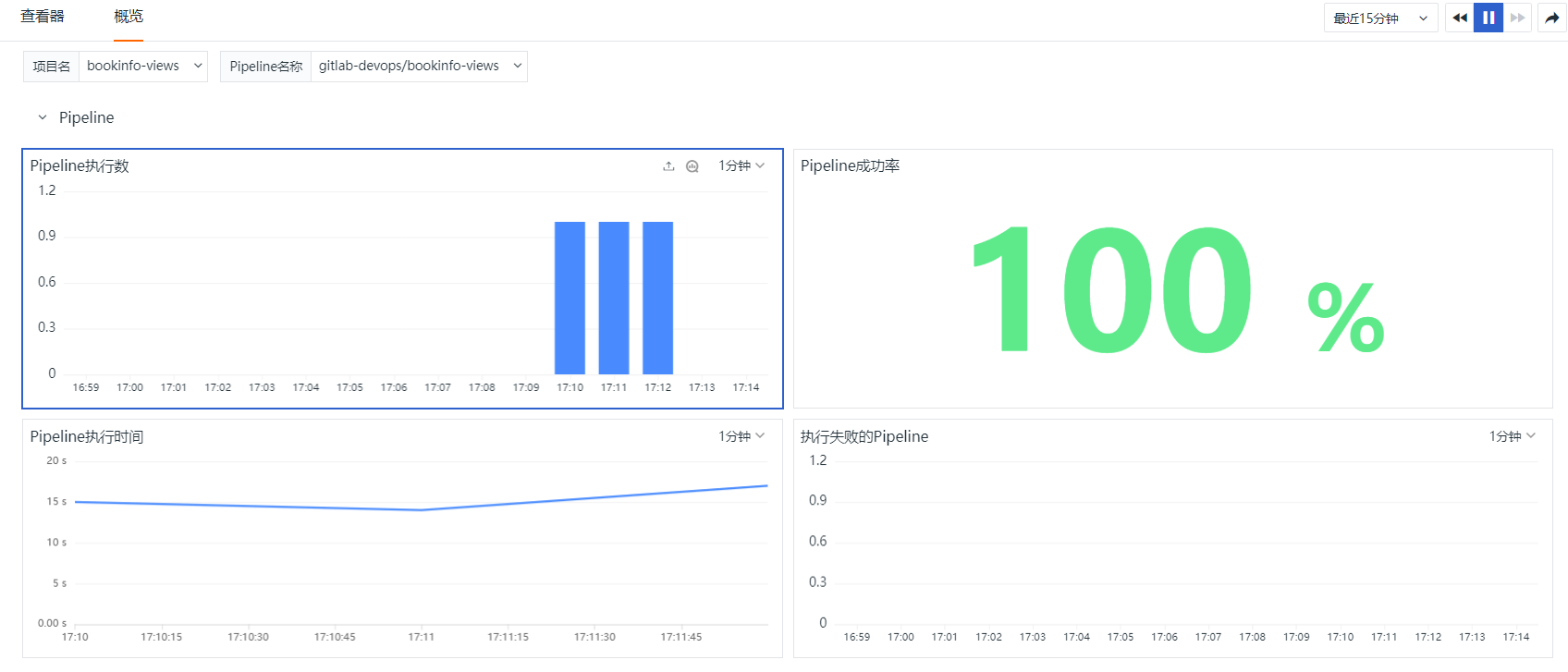
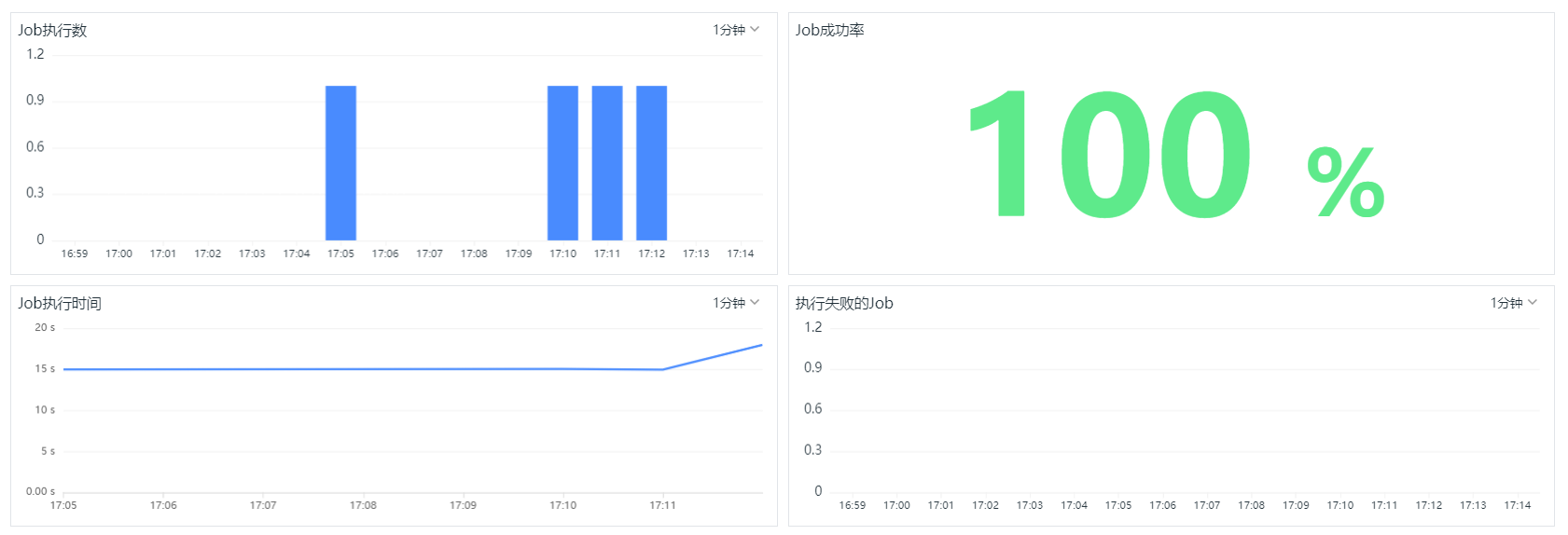
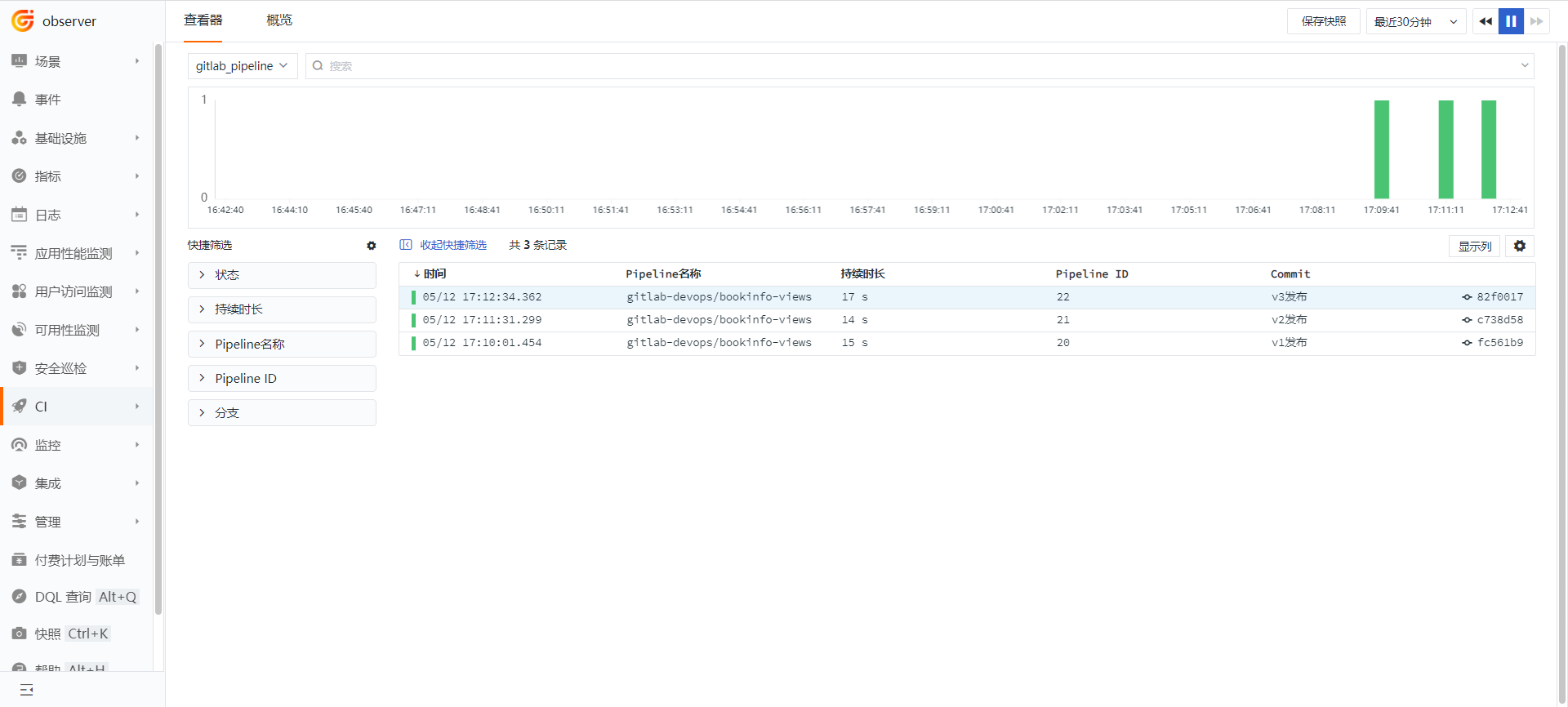
Modify the value of APP_VERSION in the .gitlab-ci.yml file to "v1", commit the code, then change it to "v2" and commit again, then change it to "v3" and commit again.
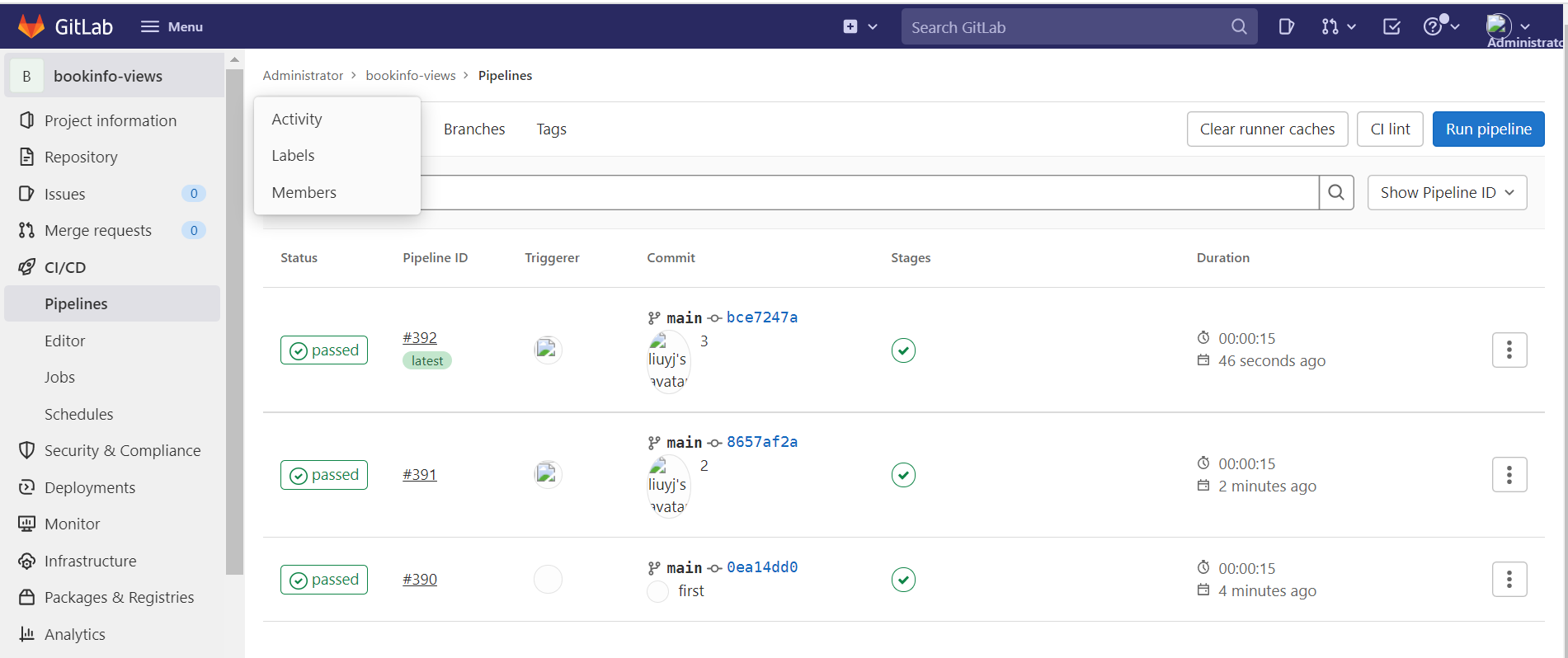
At this point, the Pipeline is triggered 3 times.
6.2 GitLab CI Pipeline Observability
Log in to 'Guance', go to 'CI', click 'Overview', select the bookinfo-views project, and view the execution status of Pipelines and Jobs.
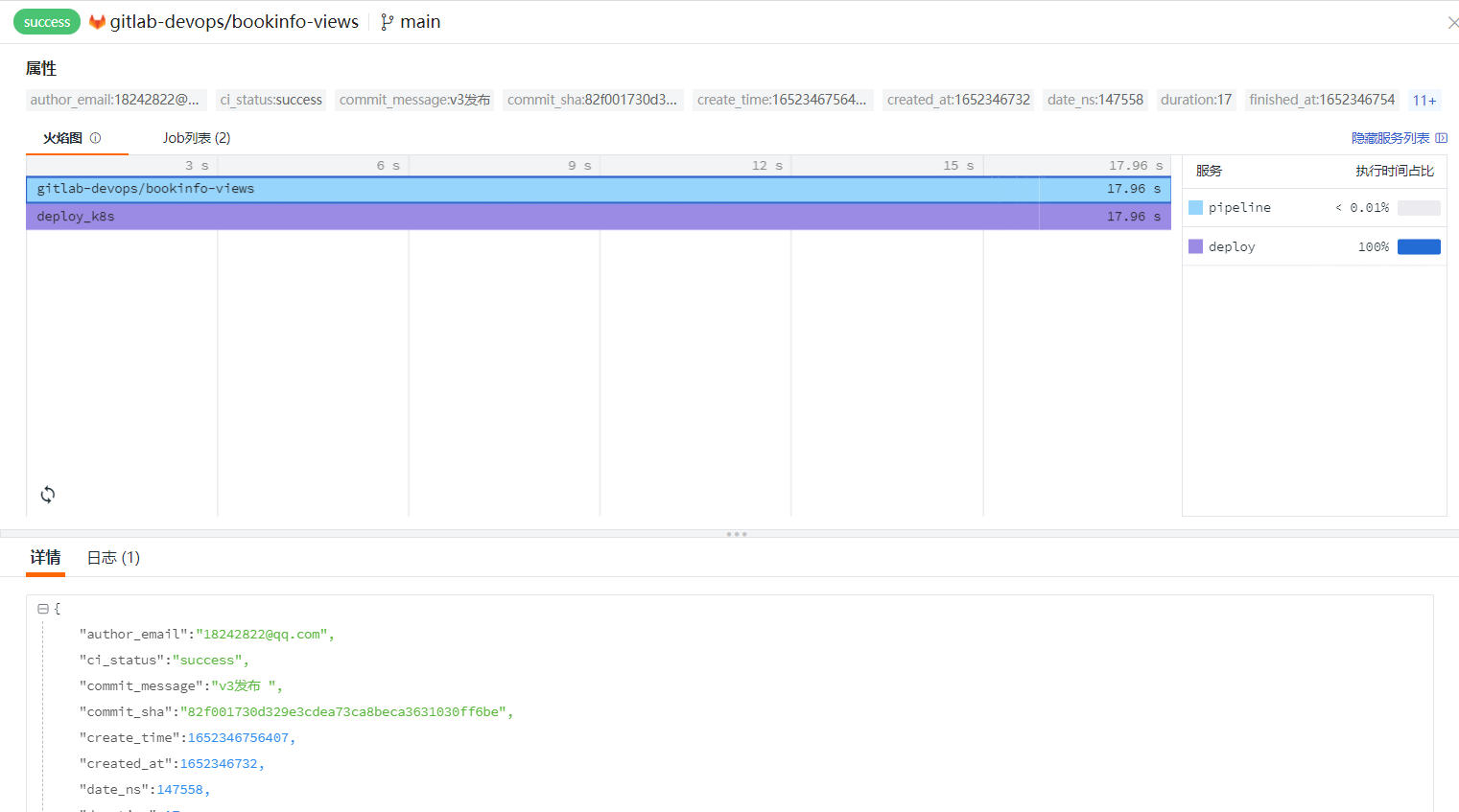
Log in to 'Guance', go to 'CI', click 'Explorer', and select gitlab_pipeline.
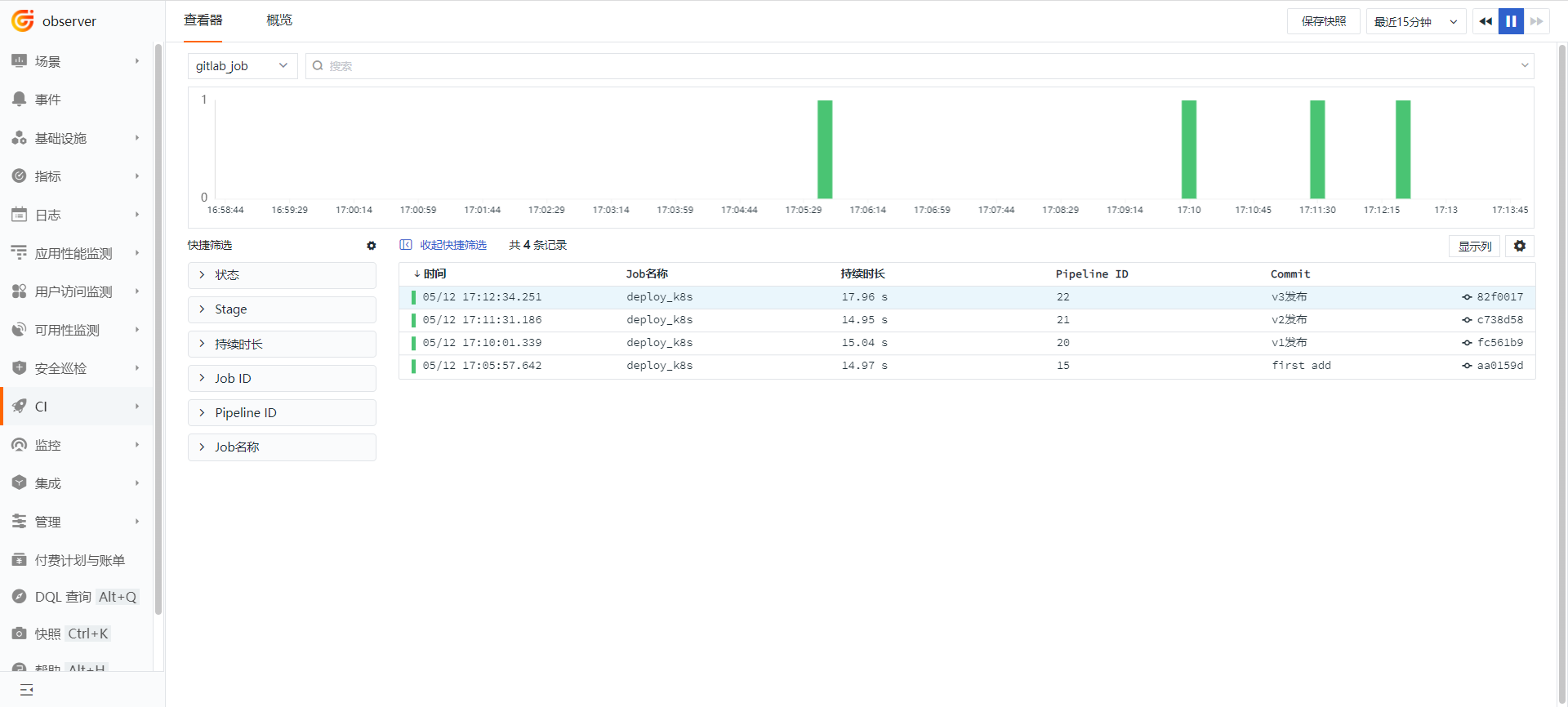
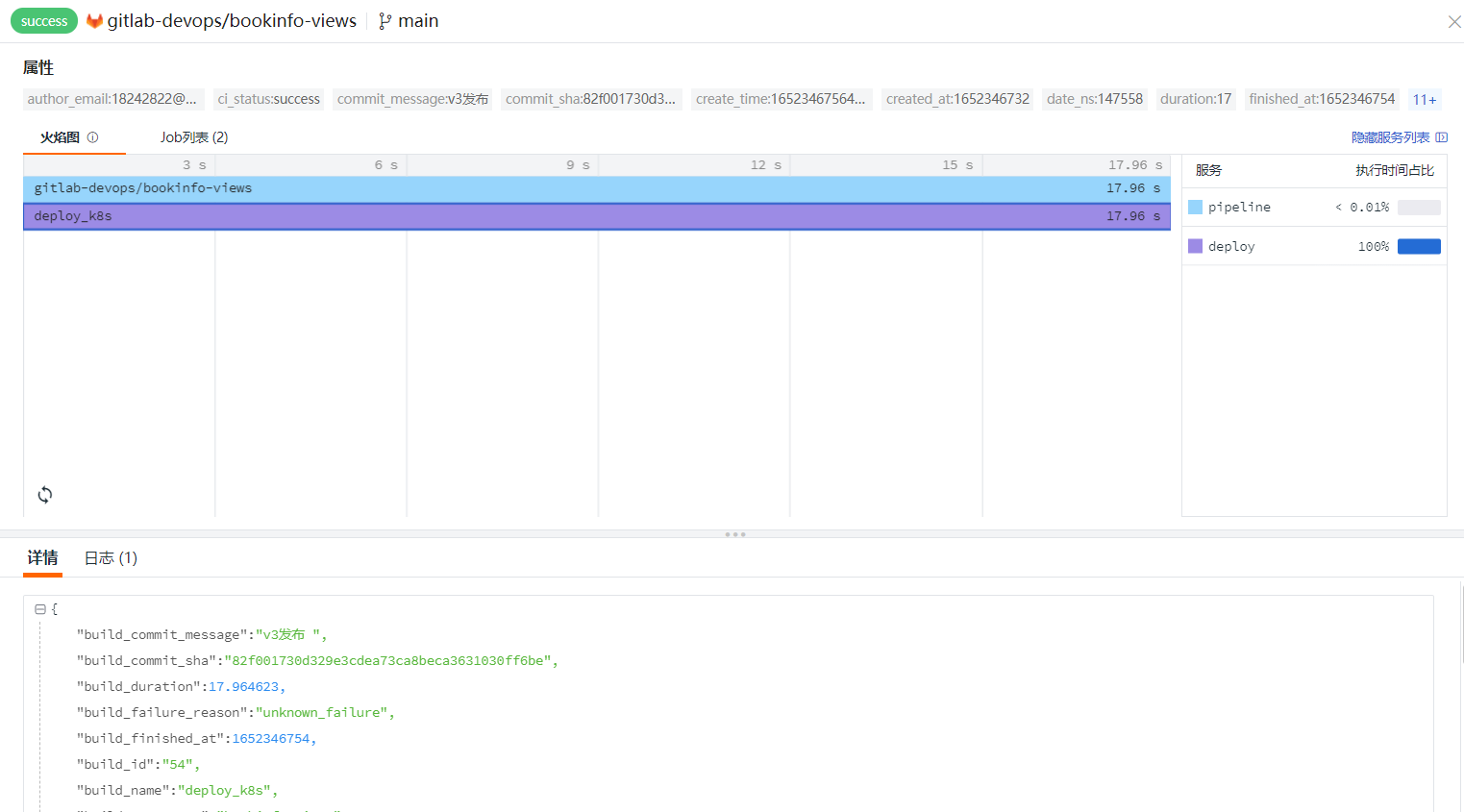
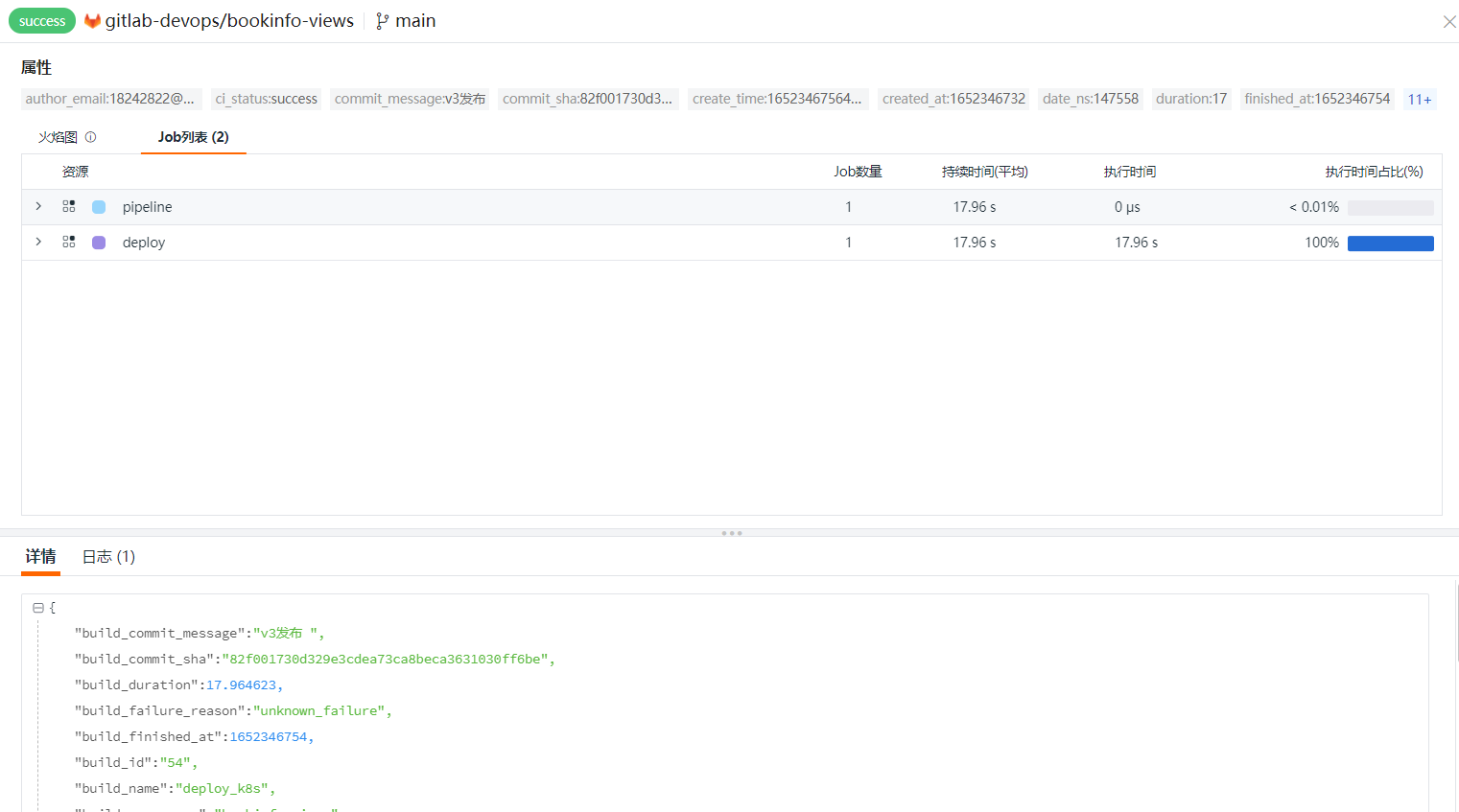
Log in to 'Guance', go to 'CI', click 'Explorer', and select gitlab_job.