Add Data Volume Package
Guance offers three annual subscription plans: Startup Accelerator Plan, Business Growth Plan, and Enterprise Standard Plan. If you have purchased an annual plan, you can also purchase a Data Volume Package. The validity period of the Data Volume Package is based on the validity period of the purchased annual plan.
- In the Guance Billing Center, click Plans, then under the Actions column of the plan, click Add Data Volume Package.
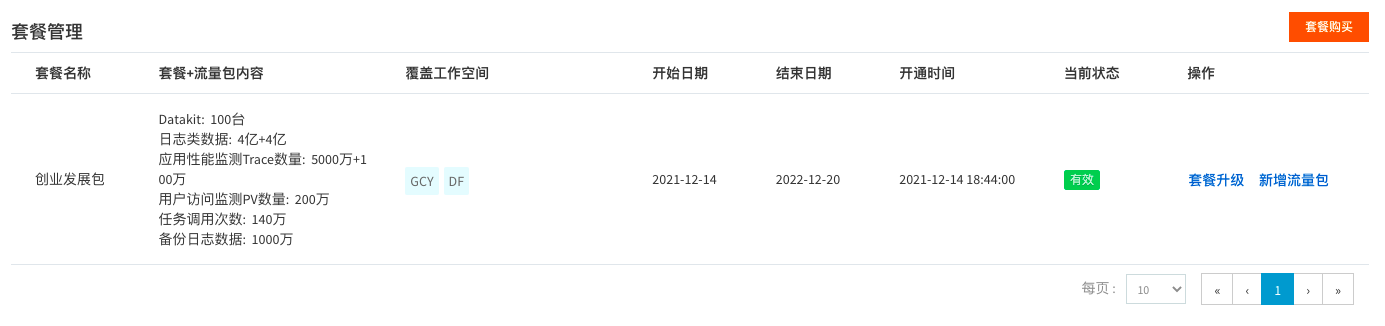
2. On the Add Data Volume Package page, select the Data Volume Package you want to add, then click Submit Order.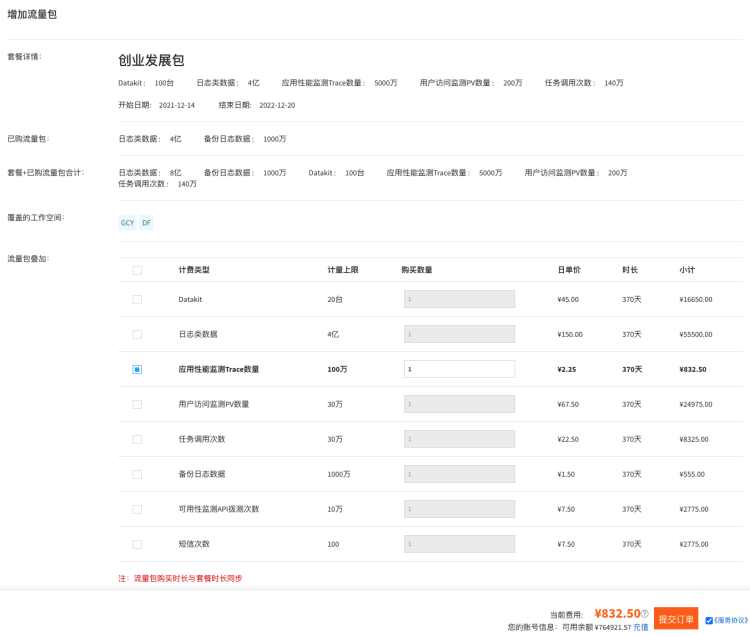
3. After the Data Volume Package is purchased successfully, you can view the purchased package details under Plan Management.