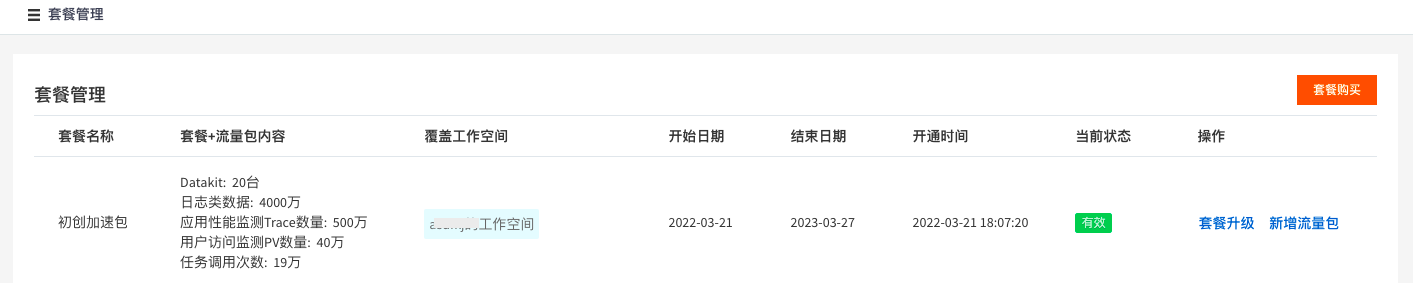
Purchase a Plan
Guance offers multiple plans to help enterprises comprehensively monitor their IT infrastructure, applications, and other corporate assets at a lower cost. Based on the different stages of enterprise development, there are three plan types: Startup Acceleration Package, Business Development Package, and Enterprise Standard Package. Additionally, Guance provides data packages that can be combined with the above plans according to your needs.
1. Upgrade to Commercial Plan
To purchase a plan, after upgrading your Guance workspace to the Commercial Plan, click Go to Billing Center in the upper-right corner to enter the Guance Billing Center. For details on upgrading to the Commercial Plan, refer to the document Plans & Billing.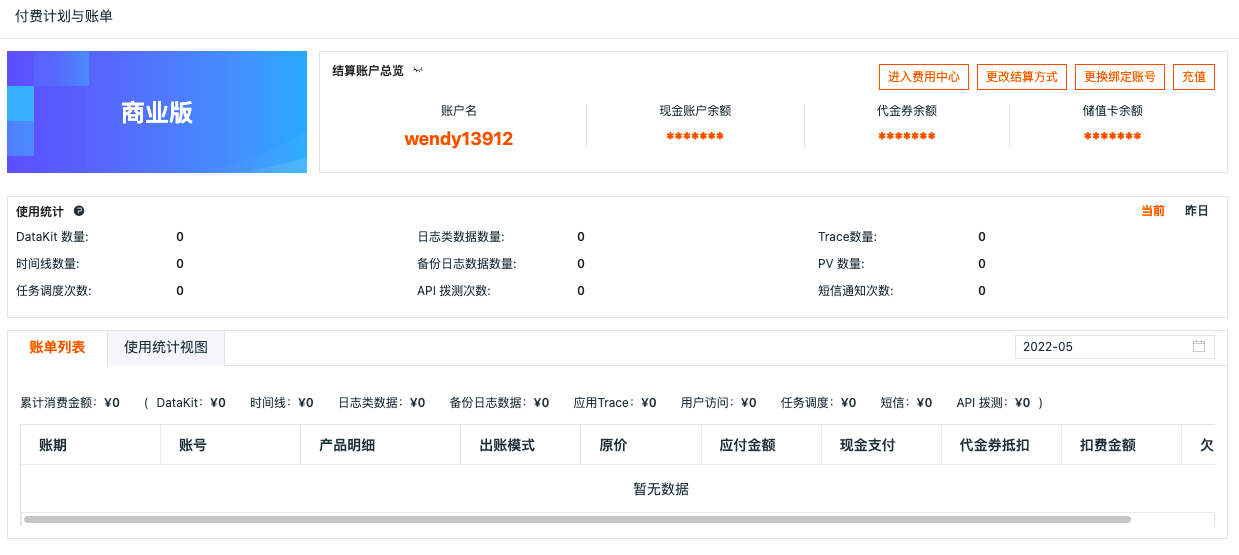
2. Purchase a Plan Package
In the Guance Billing Center, under Purchase Plan Package, click Go Now to select a plan package.
3. Select a Plan Package
On the plan purchase page, select the desired plan type: Startup Acceleration Package, Business Development Package, or Enterprise Standard Package. For pricing details, refer to the document Plan Description.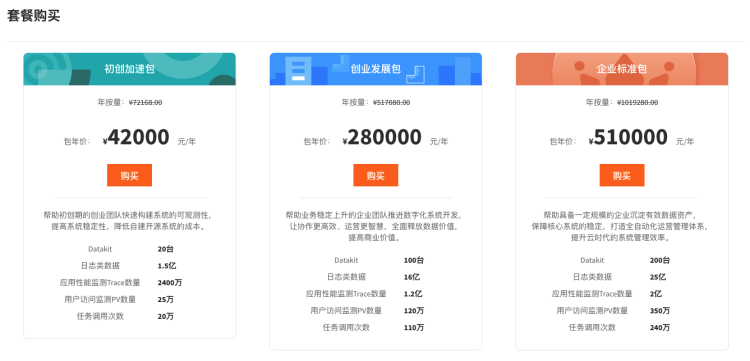
4. Select a Data Package
On the plan purchase page, select the desired data package. Data packages can be used in combination with plans. For the specific calculation method, refer to the billing example in the document Plan Description.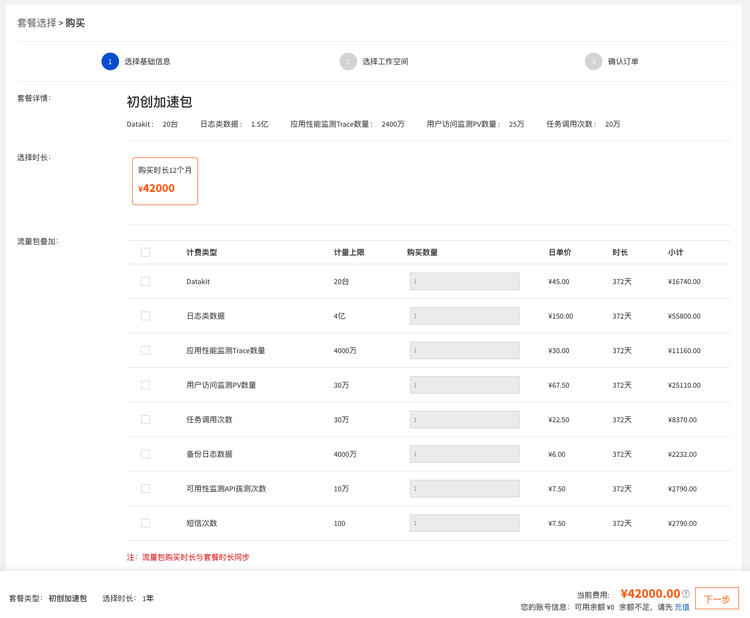
5. Select Workspaces
On the plan purchase page, select the workspaces that will use the plan package. You can select multiple workspaces. For example, if you select two workspaces, the traffic is first allocated to satisfy one workspace, and the remaining traffic is used to offset usage in the other workspace. Any usage beyond the plan allowance is charged based on usage.
Example: Suppose you purchase a Startup Acceleration Package for two workspaces A and B, with a log data allowance of 150 million entries. If workspace A and B each consume 100 million log entries per day, the plan will fully cover workspace A, cover 50 million entries for workspace B, and the remaining 50 million log entries will be charged based on usage. For details on cost calculation, refer to the document Plan Description.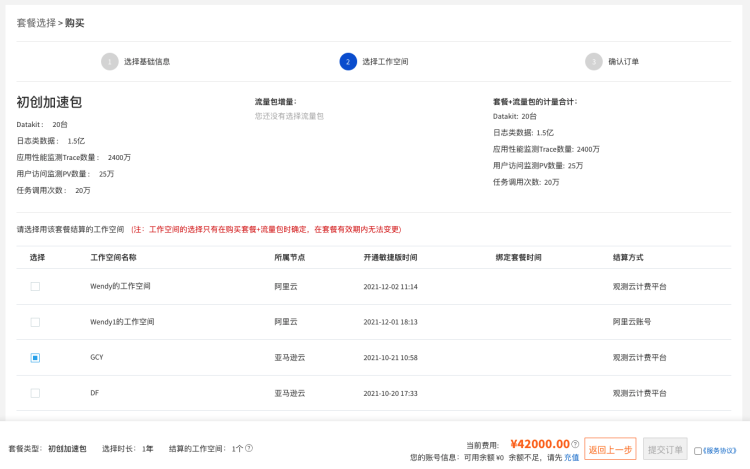
6. Confirm and Submit Order
On the plan purchase page, confirm and submit the order, then select a payment method. Guance supports purchasing plans using any combination of Cash, Prepaid Card, and Voucher.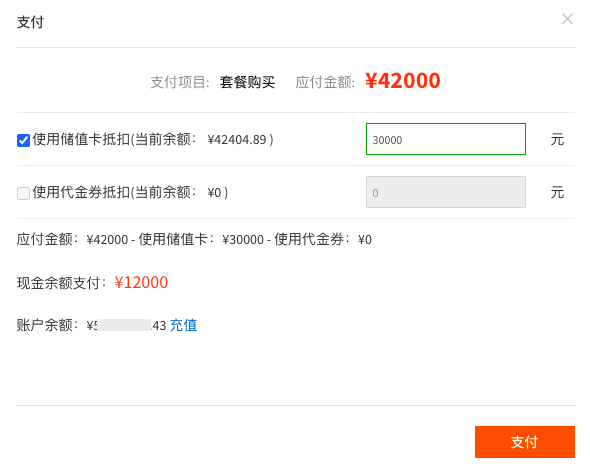
After completing the purchase, you can manage your purchased plans by clicking Plan Management under Purchase Plan Package on the Guance Billing Center homepage.