RUM Data Reporting DataKit Cluster Best Practices
Introduction
When using Guance for Real User Monitoring (RUM), if the website has heavy traffic, the DataKit collecting user data may experience high performance consumption. In such cases, a DataKit cluster can be used to collect RUM data, improving data reporting performance. Since the website uses HTTPS, we will deploy a DataKit cluster using Alibaba Cloud SLB (Server Load Balancer) with HTTPS protocol to report data.
1 Deploy DataKit
1.1 Deploying DataKit on Linux
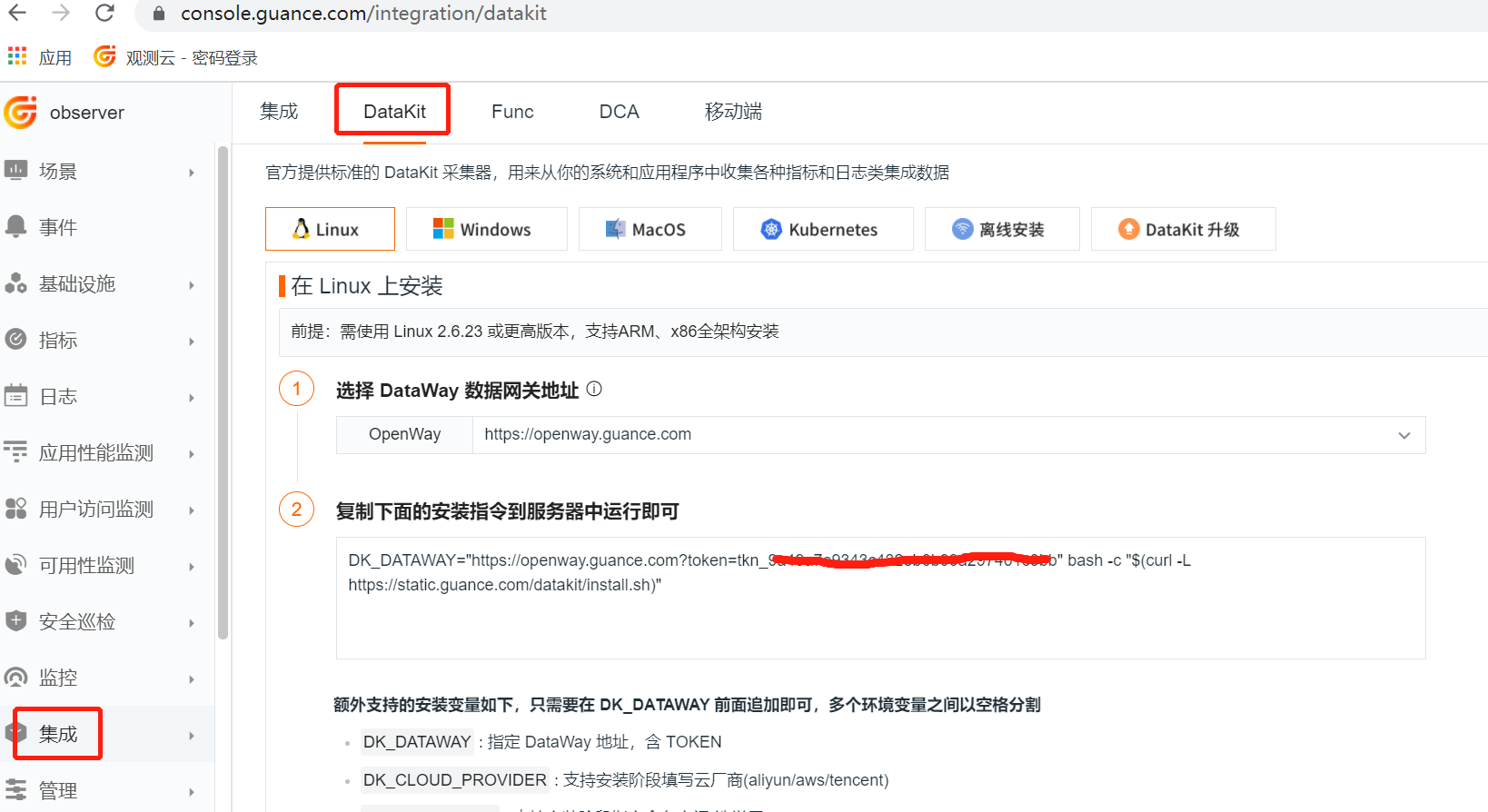
Log in to the Guance, click the "Integrations" module, then click "DataKit" at the top left, select "Linux", and copy the following command to execute the installation on a Linux server.
Edit the datakit.conf file, change the listen value to "0.0.0.0:9529" to enable remote access.

Restart DataKit.
1.2 Deploying DataKit on Kubernetes
Log in to the Guance, click the "Integrations" module, then click "DataKit" at the top left, select "Kubernetes", and follow the instructions to install DataKit.
2 Configure SLB
2.1 Create SLB
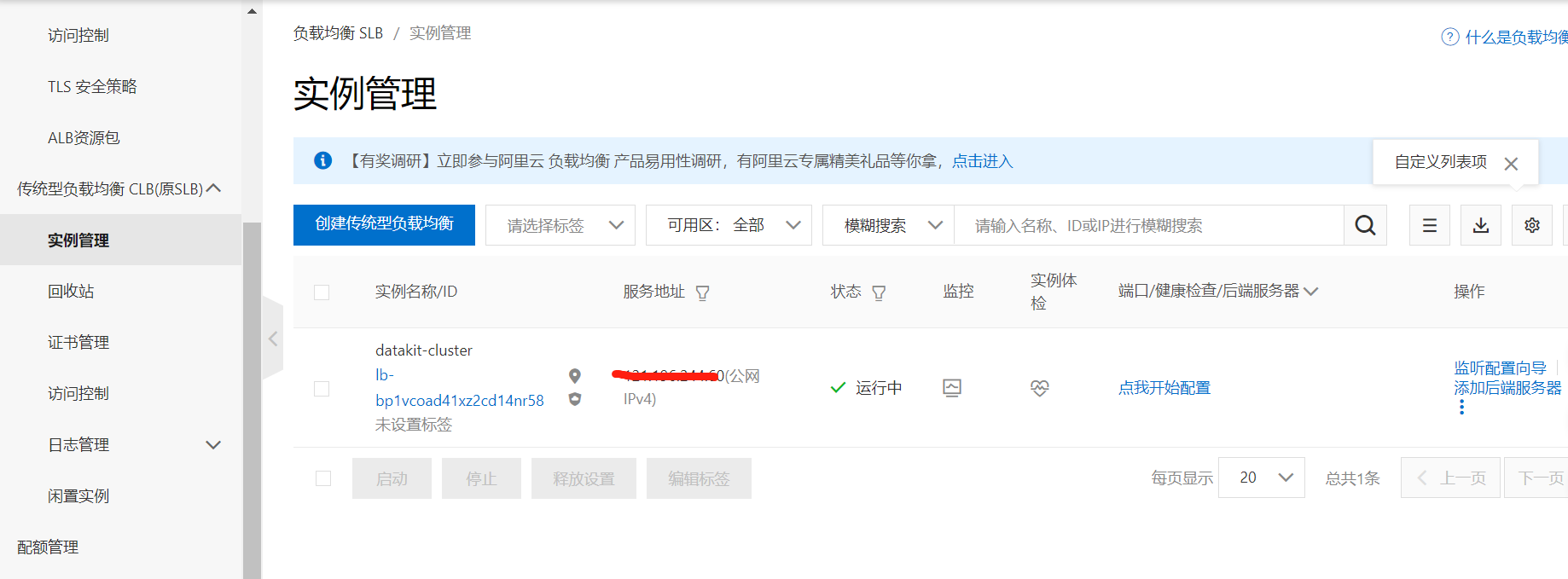
Log in to Alibaba Cloud, go to "SLB (Server Load Balancer)", and create a new Classic Load Balancer (CLB) with instance name "datakit-cluster".
2.2 Create a Virtual Server Group
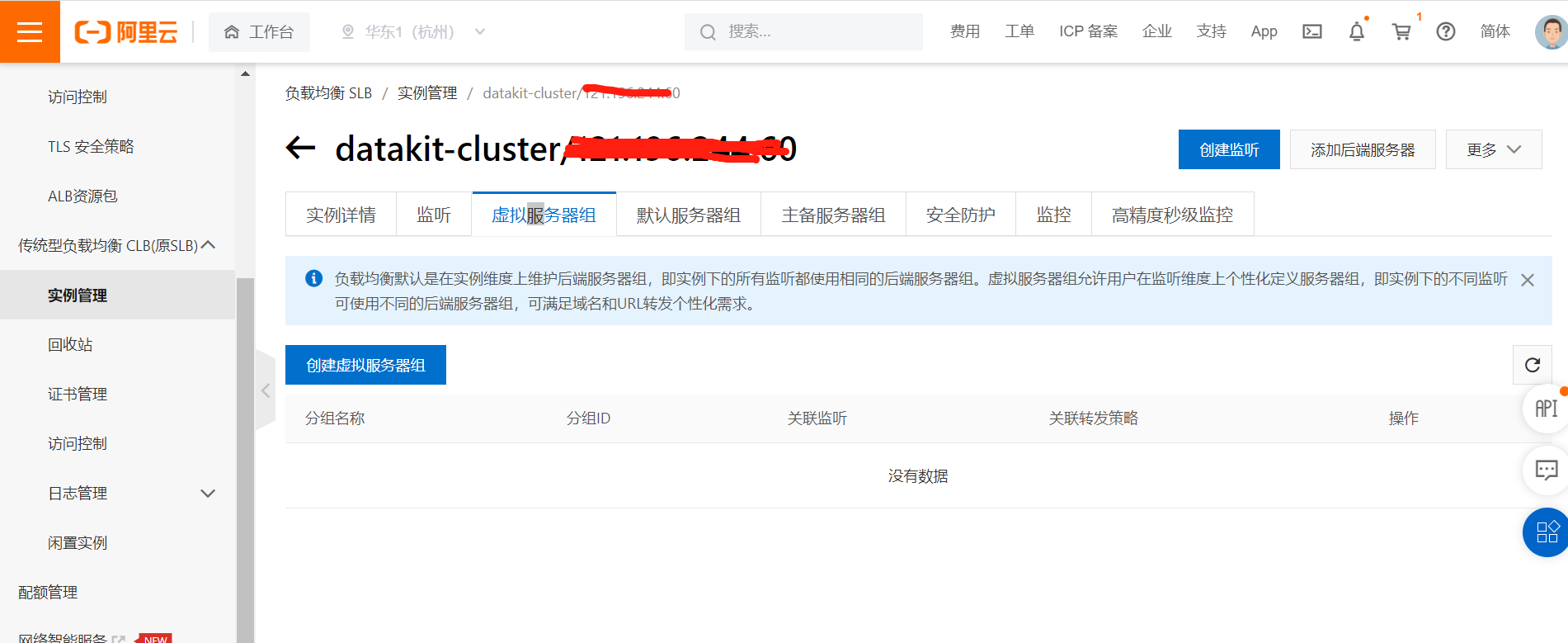
Go to the newly created load balancer, click "Create Virtual Server Group".
3 Enable RUM
Log in to the Guance, click the "Real User Monitoring (RUM)" module, then click "Create Application" to create an application named "https-datakit".
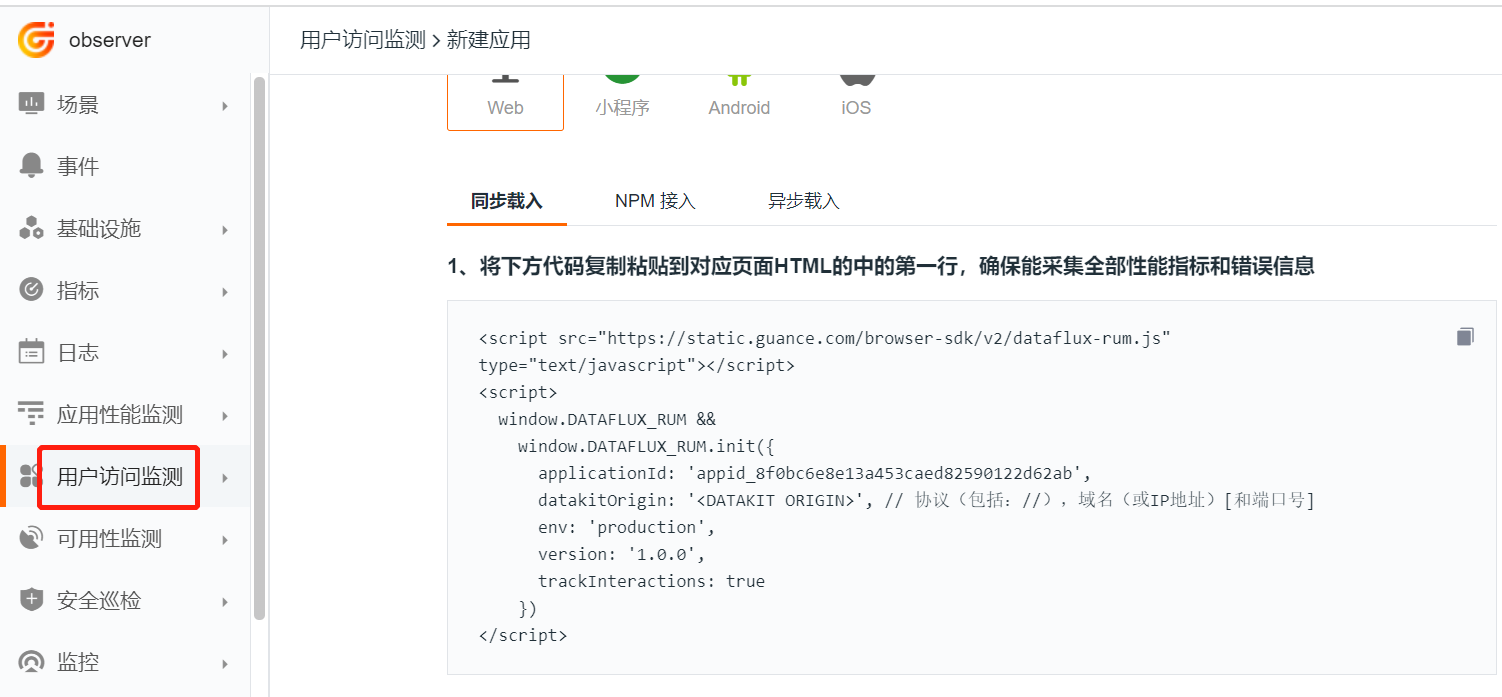
Copy the JS code above, paste it into the <head> of the public index.html file of your website to ensure every page loads this JS. Modify the datakitOrigin to the domain bound when configuring the SLB certificate.
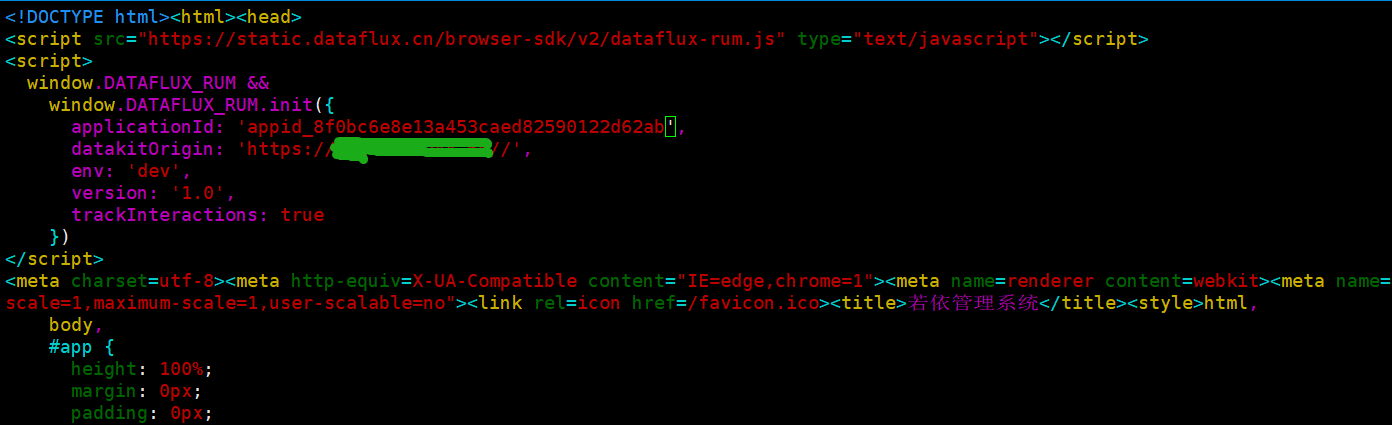
Parameter Description
applicationId: Application ID.datakitOrigin: DataKit address or domain.env: Environment of the application (required).version: Version of the application (required).allowedTracingOrigins: Used to integrate RUM with APM, configure the backend server address or domain.
4 Real User Monitoring (RUM)
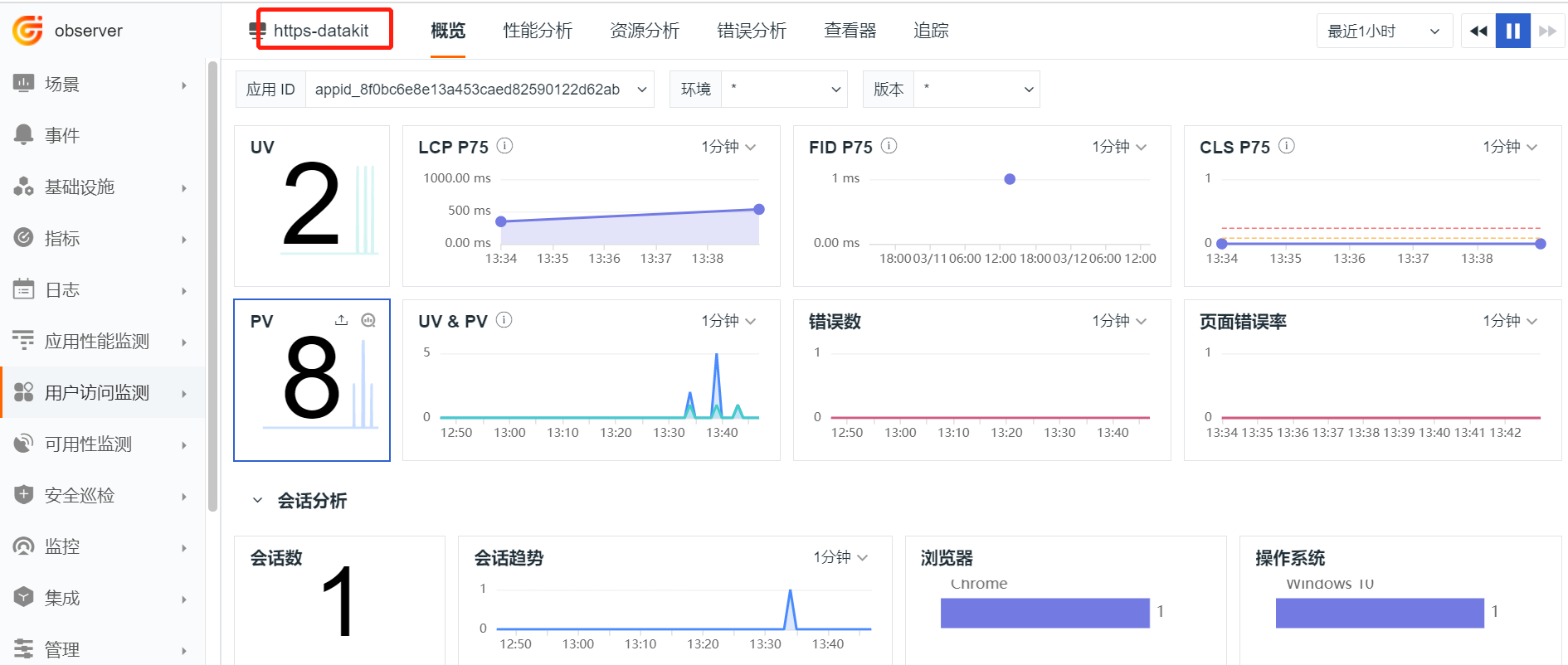
Access the website using a browser. Then log in to the Guance, click the "RUM" module, and then click the "https-datakit" application to view the reported data.