Synthetic Test Node Management
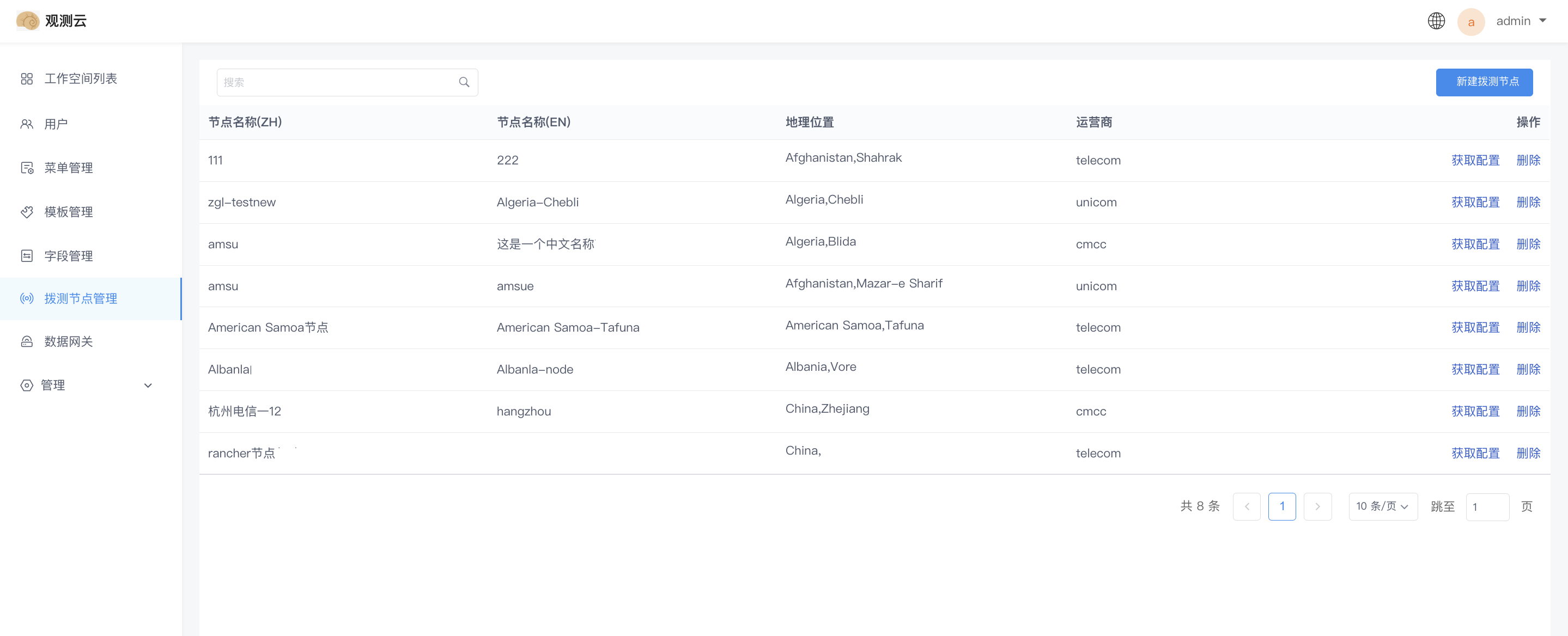
Use this entry point to centrally manage synthetic test nodes across all workspaces. The list displays all platform-level synthetic test nodes that have been created.
Create a Synthetic Test Node
- Select a country/region, then a province or city;
- Select an operator;
- The node code is automatically filled in;
- Enter the Chinese name of the node;
- Enter the English name of the node;
- Click OK.
Note: Guance determines the language of the node name displayed based on the workspace language setting and writes the corresponding name to the database.
Manage the Node List
- You can search for nodes by entering the Chinese or English node name in the search bar;
- Hover over the Chinese or English node name to edit it directly in the list;
- Click Get Configuration to copy the configuration information directly from the pop-up window;
- Click Delete to delete the current node. After deletion, this node will no longer report data in the associated synthetic tests, but data already reported will not be affected.