Data Forwarding to Apache Doris
- Complete the rule name and filter condition settings;
- Continue configuring the archiving.
Start Configuration
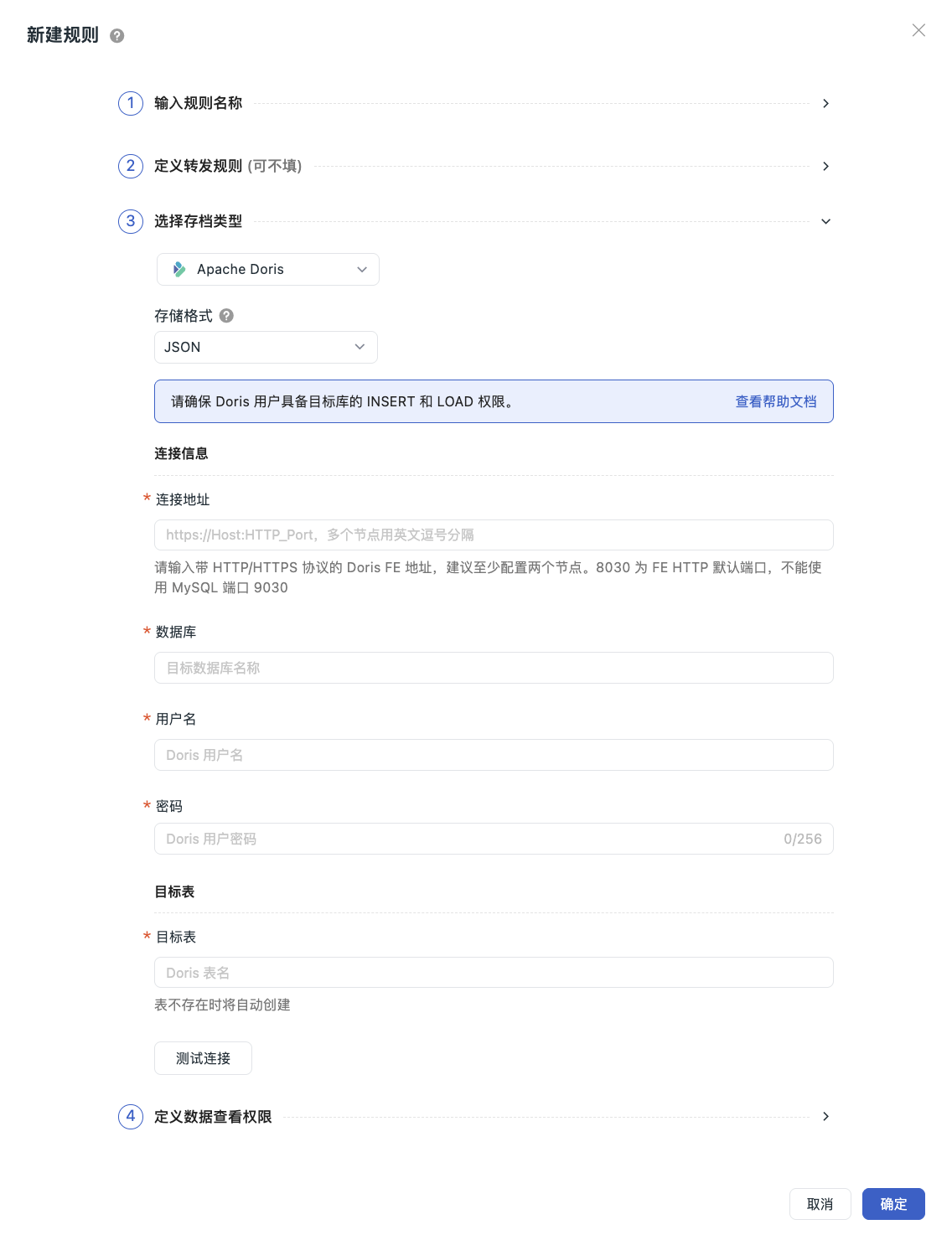
- Select Apache Doris as the archive type, which means the matched data will be saved to this database;
- Select JSON as the storage format (❗️Data is stored in JSON format, suitable for Doris Stream Load import);
- Fill in the connection information and target table;
- Click Test Connection to verify the configuration;
- Click "OK" to create the configuration successfully.
Note
If the archive type information changes, ensure that the associated platform configuration is updated synchronously to avoid data write failures due to configuration changes. The new configuration rule will take effect within 5 minutes.
Connection Information
| Configuration Item | Description |
|---|---|
| Connection Address | Enter the Doris FE address with HTTP/HTTPS protocol. Multiple nodes should be separated by commas. It is recommended to configure at least two nodes. 8030 is the default FE HTTP port; do not use MySQL port 9030 |
| Database | Target database name |
| Username | Doris username |
| Password | Doris user password |
Target Table
| Configuration Item | Description |
|---|---|
| Target Table | Doris table name. If the table does not exist, it will be created automatically |
| Replication Factor | If left empty, the default Doris replication policy is used |
Test Connection
After filling in the above information, click Test Connection. If the configuration meets the specifications, a success message will be displayed. Click OK to save the current rule.
If the test fails, you need to verify:
- Whether the connection address is correct
- Whether the username and password are correct
- Whether the database exists
- Whether the user has INSERT and LOAD privileges